Content planner

From keyword to published post on one calendar
Contentpen’s content planner puts every article on one Kanban board, with owners, due dates, and approvals, so your SEO- and GEO-optimized blogs publish on schedule.
7-day free trial




The content planning tool that ships what it plans
List, board, and calendar views
Simple or approval workflows
Drag-and-drop scheduling
See how the content planner works
Add your articles, move them through your editorial workflow, and drop each one on the date it should go live without any hassle.

1. Pick the workflow that fits your team
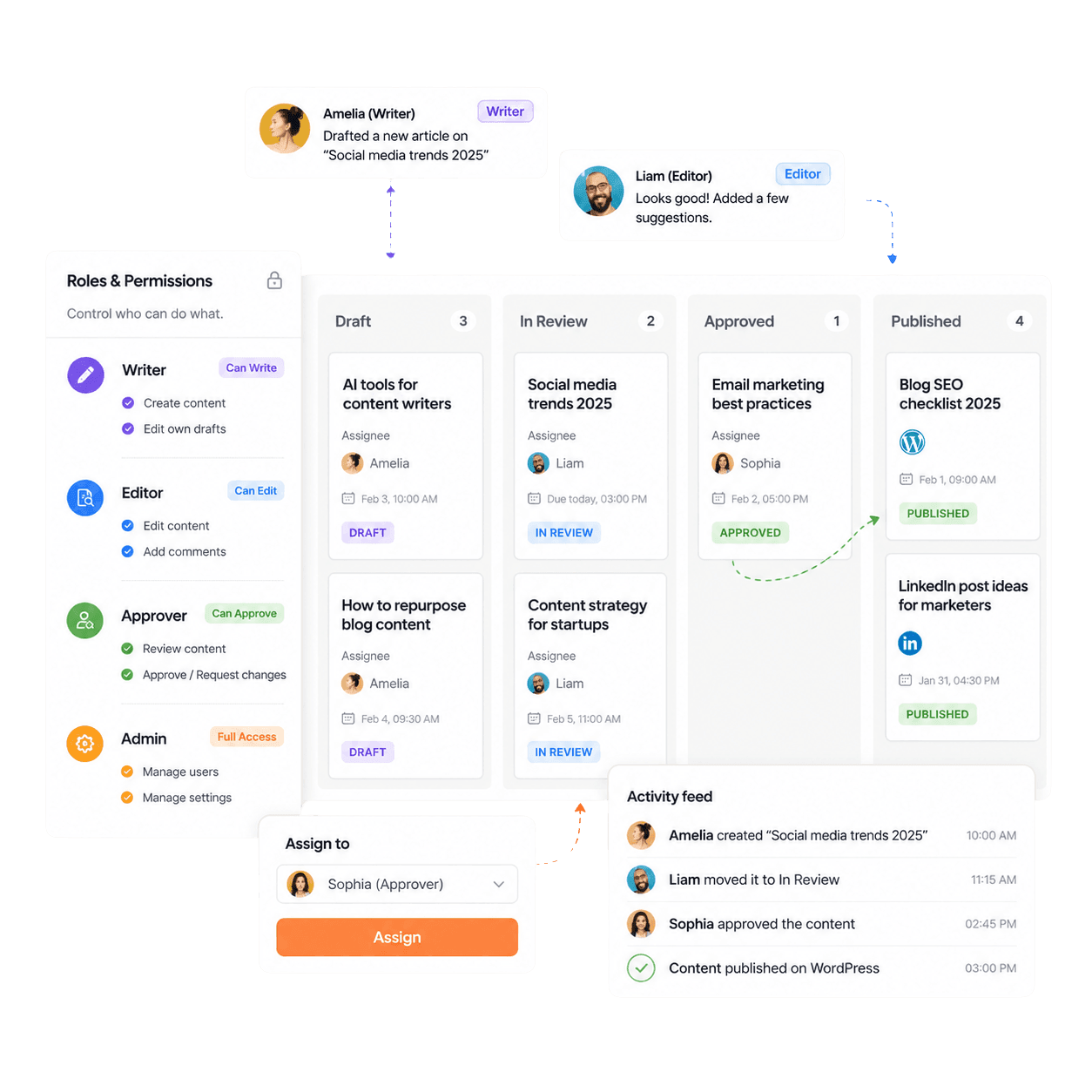
Small teams run the simple workflow, from draft to in progress to scheduled to published. Larger teams switch to the approval-based workflow, which adds 'Sent for Approval' and 'Approved' columns.
2. Assign every article in one click
Open any card to set the assignee, reviewer, due date, publish date, or leave a comment. Assign a teammate for editing or request a review without leaving the interface.
3. Drag it to a date and let it publish
Drag a card into the scheduled column to set its publish date. When the article goes live on your CMS through content publishing, the card moves to the ‘Published’ column on its own.
See where every draft is stuck
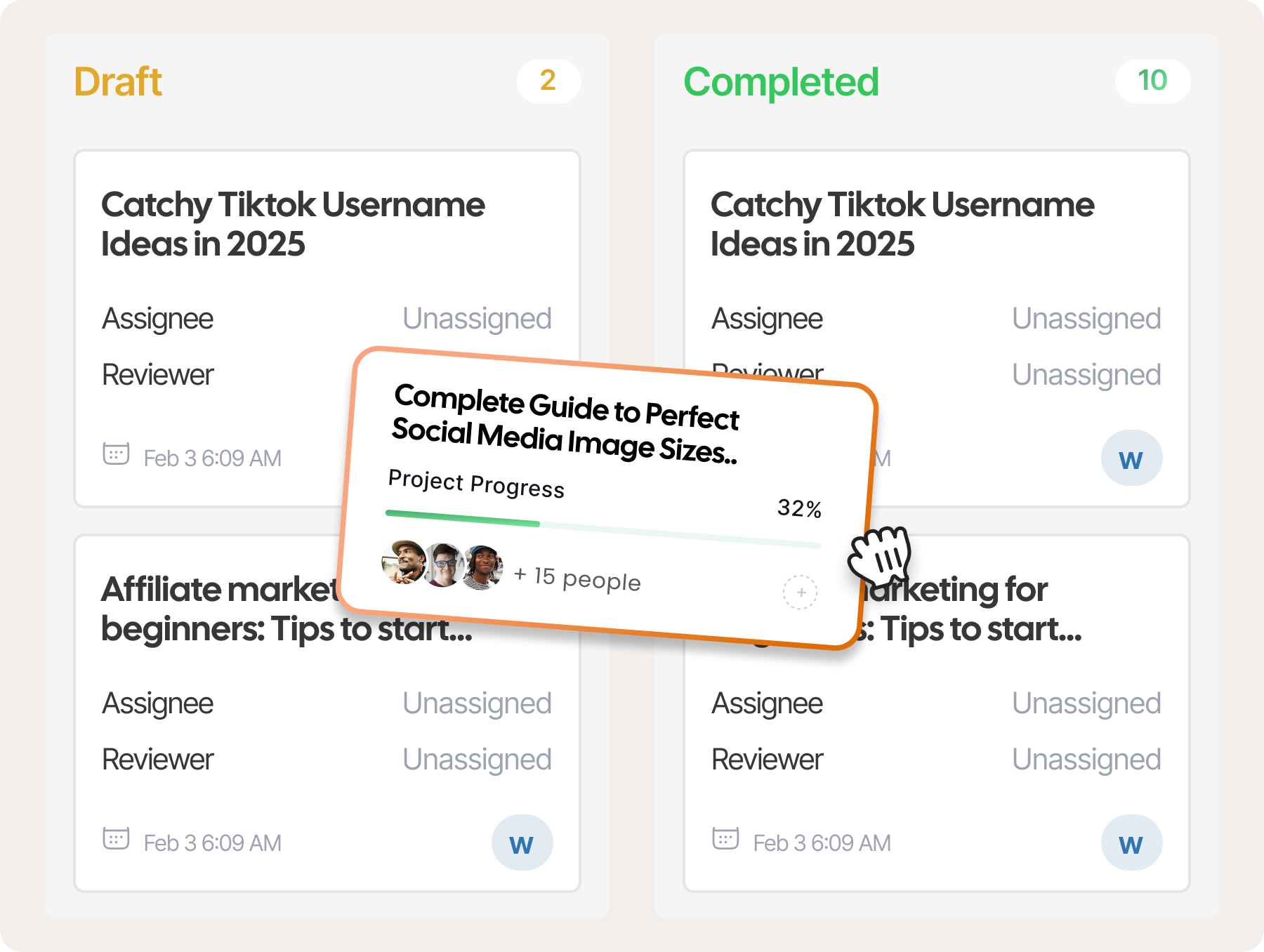
The board view lines up every article by editorial status, with a live count on each column. Overdue cards are flagged, so team leads spot a stalled draft before it pushes back the next publish date.
Manage hundreds of articles from one list
List view shows each article's keyword, generation status, generation type, editorial status, folder, and owner. Show or hide columns, drag them into the order you work in, and edit, regenerate, or delete an article right from its row.
Fill empty dates before your blog goes quiet
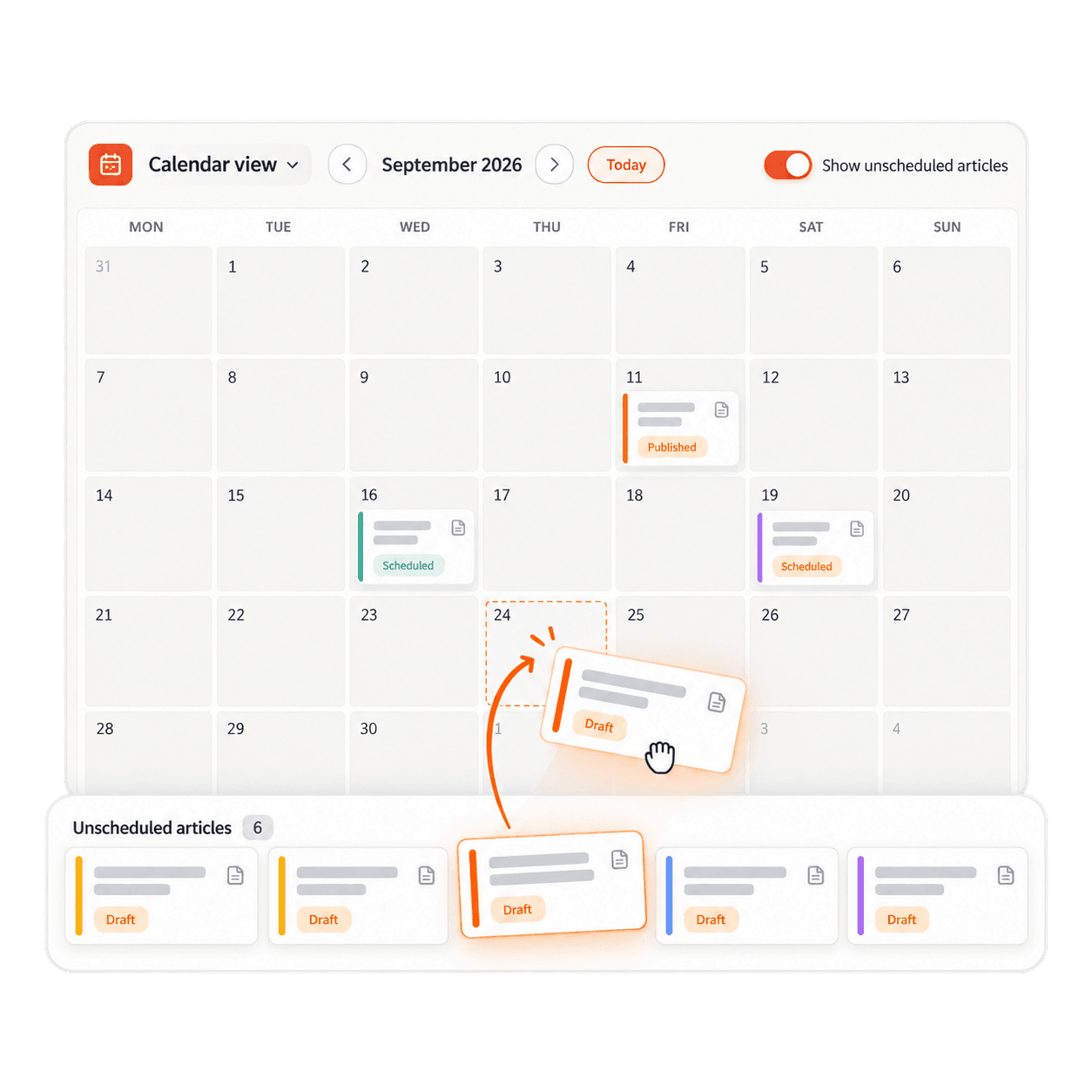
The calendar view lays out your month by publish date. Turn on ‘Show unscheduled articles’ to pull drafts without a date into view, then drag them onto the open days so your publishing schedule never skips a week.
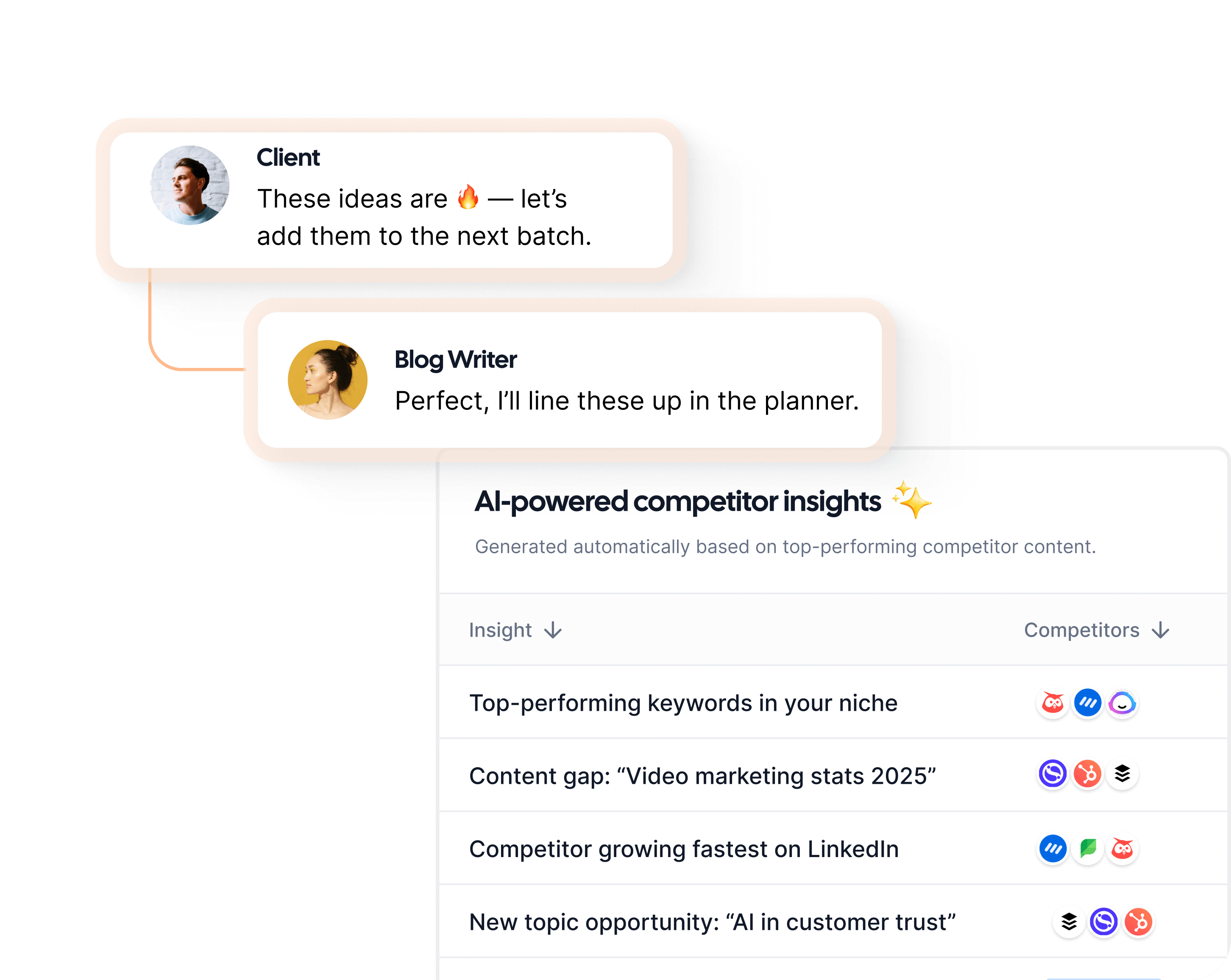
Approve what Autopilot adds to your calendar
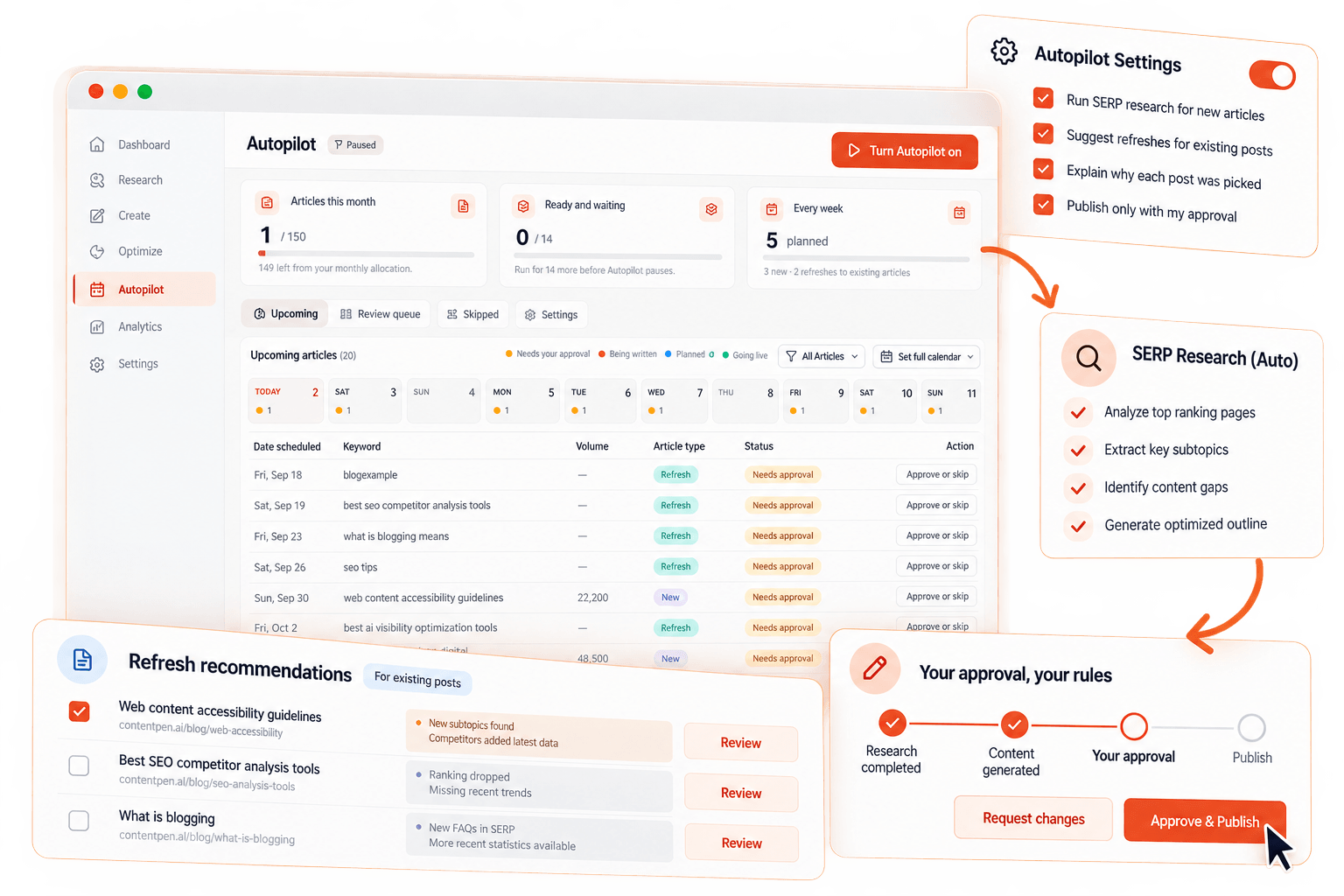
Turn on SEO Autopilot to see new articles and content refreshes on your calendar, each tagged with the reason it was picked, such as Quick Wins or Competitor Gap. Approve or reject each card, and the ‘waiting-on-you’ count updates accordingly.
Give writers and reviewers a clear handoff
Invite teammates by email, and give each one a role such as Administrator or Manager. Feedback stays in comments on the article, and a public link lets a client open and read a draft without an account.
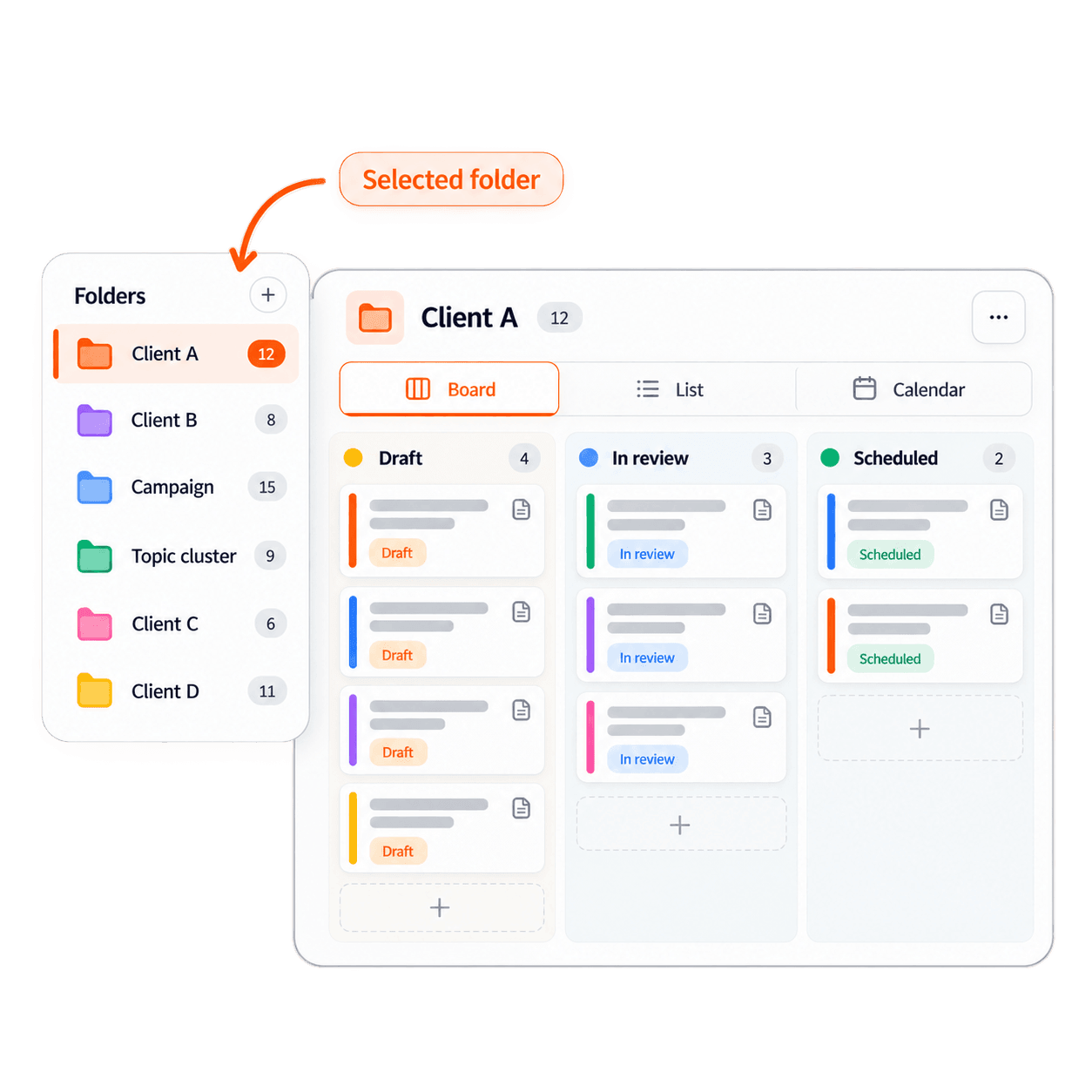
Keep every campaign in its own folder
Sort articles into folders by campaign, client, or topic cluster, then filter the board, list, or calendar to a single folder. Agencies can keep each client's pipeline separate inside one workspace so nobody edits the wrong draft.
The hidden cost of managing content in spreadsheets
Spreadsheet calendars serve small teams well, but they struggle once several writers, reviewers, and stakeholders share one pipeline.
Spreadsheet statuses lose accuracy fast
A single missed update inside the sheet introduces errors that take time to trace. Every content decision built on that data starts from the wrong picture.
Completed drafts wait for review
Without a named reviewer and a due date, a draft waits in someone's inbox. Each stalled post pushes the next one back, and the whole sprint goes off schedule.
Manual publishing drains team hours
Moving a draft from a doc file into your CMS and fixing the formatting manually takes hours that your team could spend on the next post.
Status meetings replace productive work
When nobody can see the pipeline, the team scrambles to find out the status of each item. Every weekly check-in becomes an hour no one spends writing or editing content.
“We moved our entire content calendar to Contentpen last quarter, and it’s been a relief. No more tracking blog statuses in spreadsheets!”
 Sarah MitchellContent Manager at GrowthFuel
“The automated scheduling alone saves us several hours each week. Our posts go live exactly when planned, and the Kanban view makes it easy to see what’s coming next.”
 Arjun RaoHead of Marketing at SaaSly
“I wrote a blog post for one of my hospital clients using Contentpen. Once it got indexed, it started ranking at position 4 on the first page of Google. What's interesting is that I didn't build a single backlink.”
#4position0backlinks Ankit PrajapatiCEO at Consultant Ankit
“Contentpen helped us establish our presence both on SEO and AI search. Top-Quality content at the speed of thought.”
 Alban TaraireGeneral Manager at NETK5 Technology Group
“Contentpen delivers amazing quality blog posts and saves hours of research. It's fast, reliable, and perfect for efficient content creation.”
 Raj KandelMortgage Broker at Everest Home Loans
“I spend my time saved from blog writing and SEO tasks on building relationships with my clients, which actually benefits my business.”
$1000saved3-8h/weeksaved Keith HillPresident at Go Smart Mortgage
 AlaminMarketing content creator
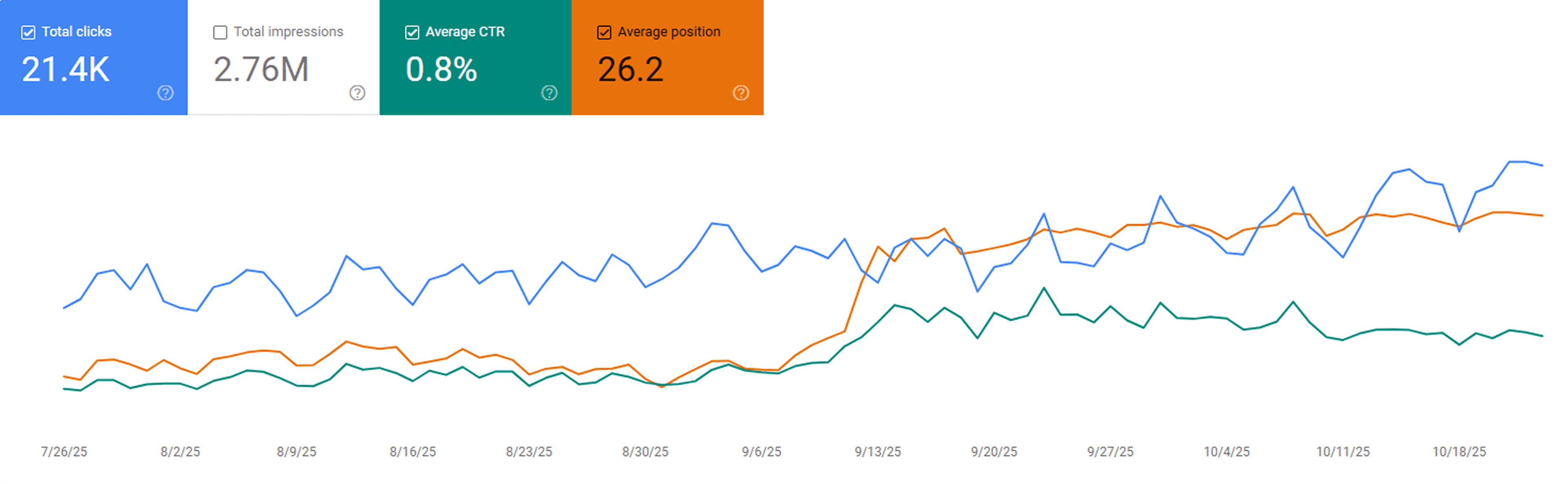
“After publishing our first 23 blogs through Contentpen, we noticed steady keyword growth in Google Search Console within three weeks. Impressions and clicks doubled, and a few articles started ranking on page one without paid promotion.”
 Sarah MalikSEO manager at GrowthHive
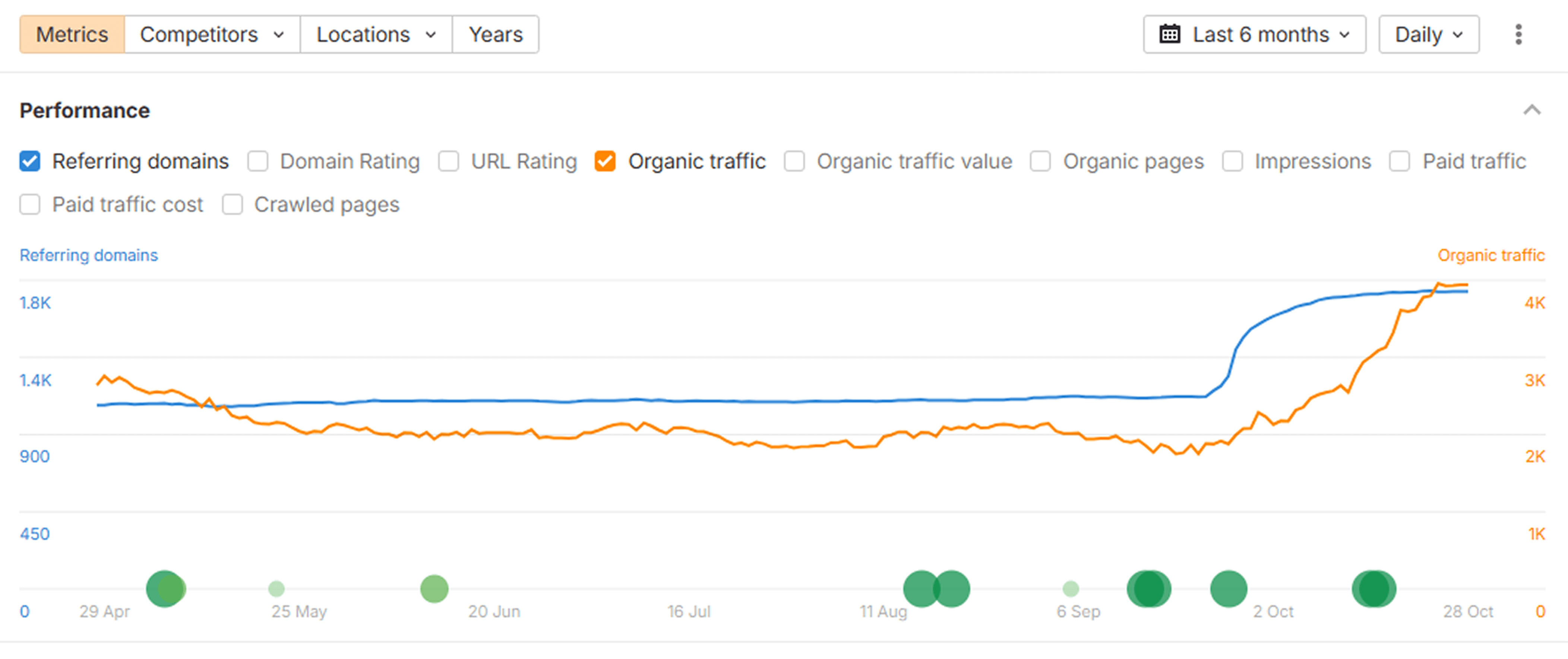
“We analyzed our new posts in Ahrefs and saw a clear lift in organic keywords and referring domains. The internal link suggestions from Contentpen helped us strengthen our site structure, which improved our overall domain visibility.”
 Daniel LeeContent strategist at BrightScale Media
“Before Contentpen, writing and publishing a blog took us a full day. Now we handle topic research, writing, and publishing in under an hour. Our organic traffic has grown 40% since streamlining our content process.”
 Ayesha KhanMarketing lead at CloudNest Solutions
Results from teams that plan in one place
Teams that run their editorial calendar in Contentpen ship more posts with less effort.
On-time delivery
Faster content planning
Faster publishing
Time saved
Your content roadmap, planned today
Map out your content, give every article an owner, and let scheduled posts go live on their dates without hassle.
Frequently asked questions
Quick answers on how Contentpen's content planner helps you plan, schedule, and publish on time.
Learn more about content planning and how it works in Contentpen
What is a content planner and what does it do?
A content planner keeps every article in one system, from the keyword it targets to the day it goes live. Spreadsheets and standalone calendars can work while one person publishes a few posts a month. But they break once several writers, reviewers, and clients share the work.
Pipeline-based planners tie the plan to production, so a card moves when the draft is written, approved, or published. Contentpen runs that whole pipeline inside one SEO tool.
How to build a blog content calendar in 5 steps
- Set a publishing cadence your team can hold for a full quarter.
- Group your target keywords into topic clusters with keyword research, so each month covers one theme in depth.
- Give every article an owner, a reviewer, a due date, and a publish date.
- Move each draft through clear editorial stages, from ‘Draft’ to ‘Published’.
- Review what went live, then fill next month's empty dates before they arrive.
Contentpen's content planning tool handles these steps in one place. You can even create a whole cluster of articles in bulk and watch the drafts land in your ‘Draft’ column automatically.
Simple or approval-based editorial workflow?
Contentpen offers two editorial workflow modes, and you can switch between them in the ‘Editorial Workflow’ settings at any time.
| Simple Workflow | Approval-Based Workflow | |
|---|---|---|
| Stages | Draft, in progress, scheduled, published | Draft, in progress, sent for approval, approved, scheduled, published |
| Recommended for | Small teams | Large teams and enterprises |
| Best when | One person writes and publishes, and speed matters most | Editors, clients, or legal teams need to sign off before a post goes live |
| Review step | Optional, through the ‘Request review’ button in the editor | Built-in, with its own ‘Sent for Approval’ and ‘Approved’ columns |
How Contentpen compares to other content planning tools
Most content calendar software either organizes the work or writes the content, but does not do both at the same time. Here is how Contentpen is different.
| Feature | Contentpen | Jasper | Frase | Scalenut | Notion | Trello |
|---|---|---|---|---|---|---|
| List view with article tracking | ✅ | ❌ | ❌ | ❌ | ✅ | ⚠️ Partial |
| Board view with editorial stages | ✅ | ❌ | ❌ | ❌ | ✅ | ✅ |
| Calendar view | ✅ | ⚠️ Partial | ❌ | ❌ | ✅ | ⚠️ Partial |
| Choice of simple or approval workflow | ✅ | ❌ | ⚠️ Partial | ❌ | ❌ | ❌ |
| Assignee and reviewer on each article | ✅ | ❌ | ✅ | ❌ | ✅ | ⚠️ Partial |
| SEO article generation built in | ✅ | ✅ | ✅ | ✅ | ❌ | ❌ |
| Scheduled auto-publish to your CMS | ✅ | ❌ | ✅ | ✅ | ❌ | ❌ |
| Autopilot with the content calendar | ✅ | ❌ | ❌ | ❌ | ❌ | ❌ |
| Free plan or free trial | ✅ | ✅ | ✅ | ✅ | ✅ | ✅ |
Try Contentpen free for 7 days and plan all your upcoming content from one planner without switching tools or tabs.
Build the rest of your content workflow
Your calendar is set. Now use these features to fill it with the right topics and get every post live in minutes.
Keyword Research
Get high-intent keywords, search trends, and ranking opportunities tailored to your niche.
Bulk content creation
Produce large volumes of consistent, SEO and GEO-optimized content at scale with batch generation.
Blog creation
Generate high-quality, SEO-optimized blog articles in minutes using AI trained for ranking content.
Integration & publishing
Publish to WordPress, Webflow, Shopify, and more without copy-pasting.
Show up everywhere your buyers search
Start free and put Contentpen on autopilot to turn search into your most reliable growth channel.




Trusted by 25,000+ marketers