Analytics and performance tracking

Turn data into measurable growth with Contentpen
Contentpen’s analytics dashboard connects rankings, clicks, impressions, and opportunities into one place, so you always know what to improve next, not just what happened.
See what fuels your content success
Clicks, impressions, and CTR values
Page performance insights
SEO opportunity detection
See how analytics works
Watch how Contentpen connects content creation, publishing, and performance tracking into one seamless workflow, so you can optimize every blog post with real data.

Key metrics at a glance
Track clicks, impressions, CTR, and rankings over time to understand exactly how your content performs in search engines.
Customizable insights
Choose how you want to see insights. Change the region, time range, source, and device type driving traffic for your platforms.
Actionable SEO opportunities
Contentpen provides clear signals on what to update, improve, or scale, without digging through data so you can rank on Google.
All your SEO metrics in one dashboard
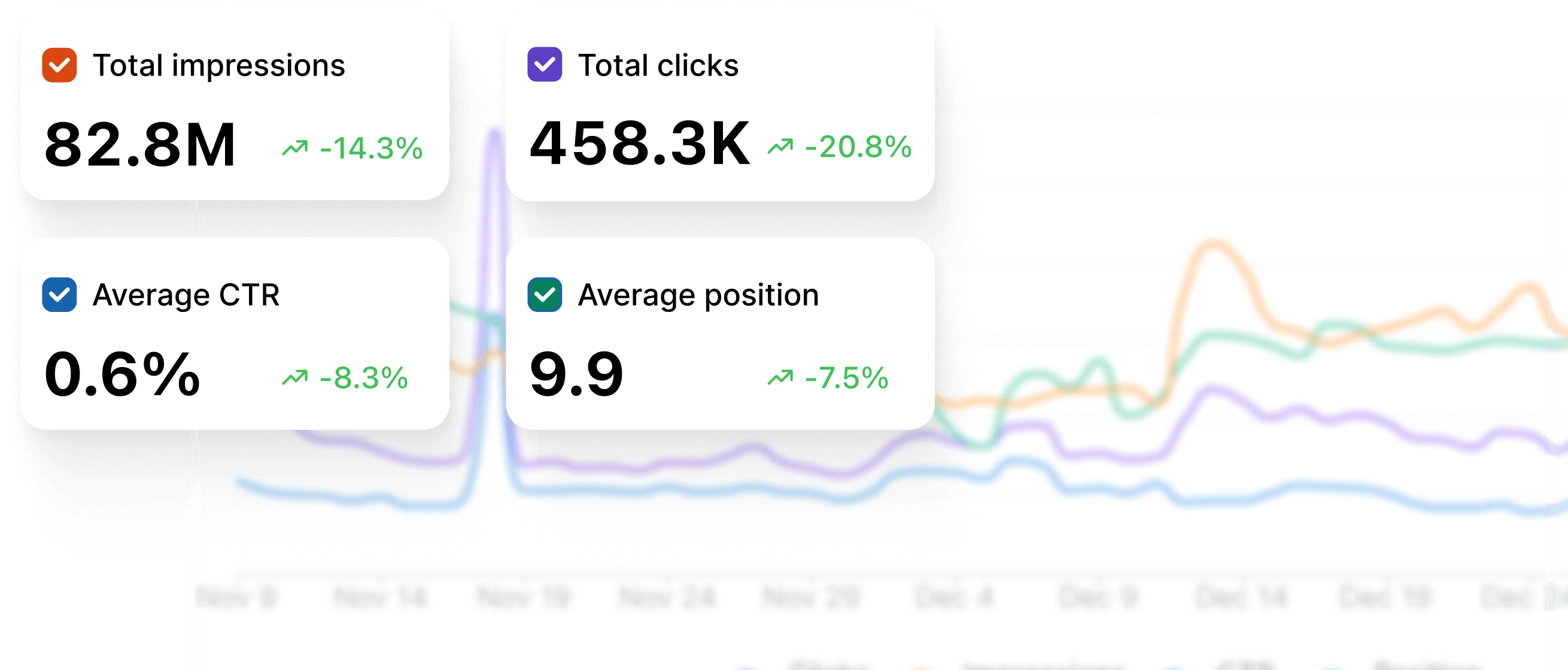
Contentpen’s analytics dashboard shows your clicks, impressions, CTR, and average position in one clean view. It provides an instant snapshot of performance so you can spot trends, declines, and growth opportunities without switching tabs.
Track keyword and page changes
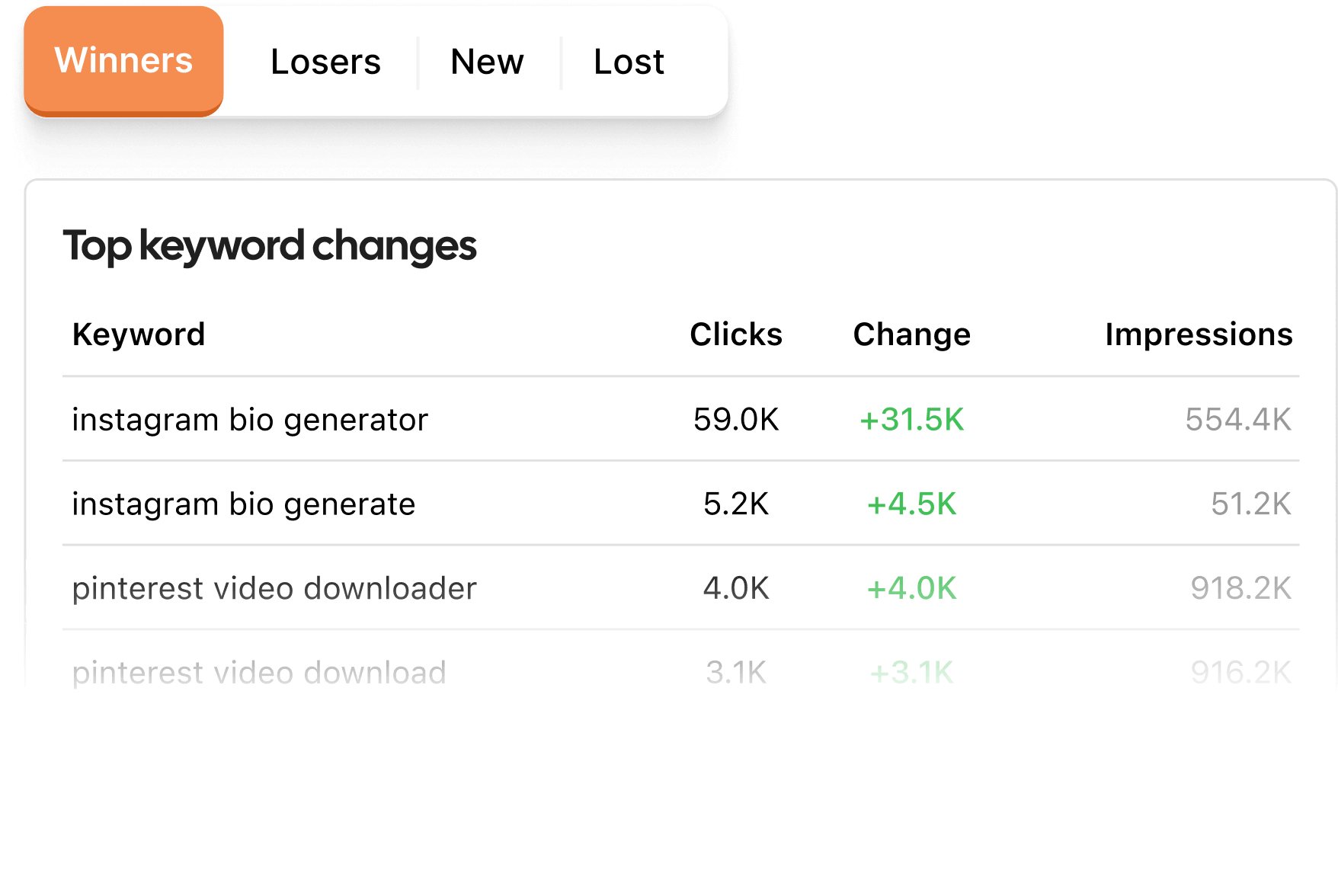
See how your top keywords and pages evolve, categorized as winners, losers, new, and lost. This helps you quickly identify what’s working, what needs attention, and where you can recover lost traffic.

Spot growth opportunities automatically
Contentpen surfaces high-impact opportunities, such as quick wins, decaying content, and underperforming CTRs. It uses real search data, so you always have updated knowledge for your platforms.
Filter performance to uncover hidden insights
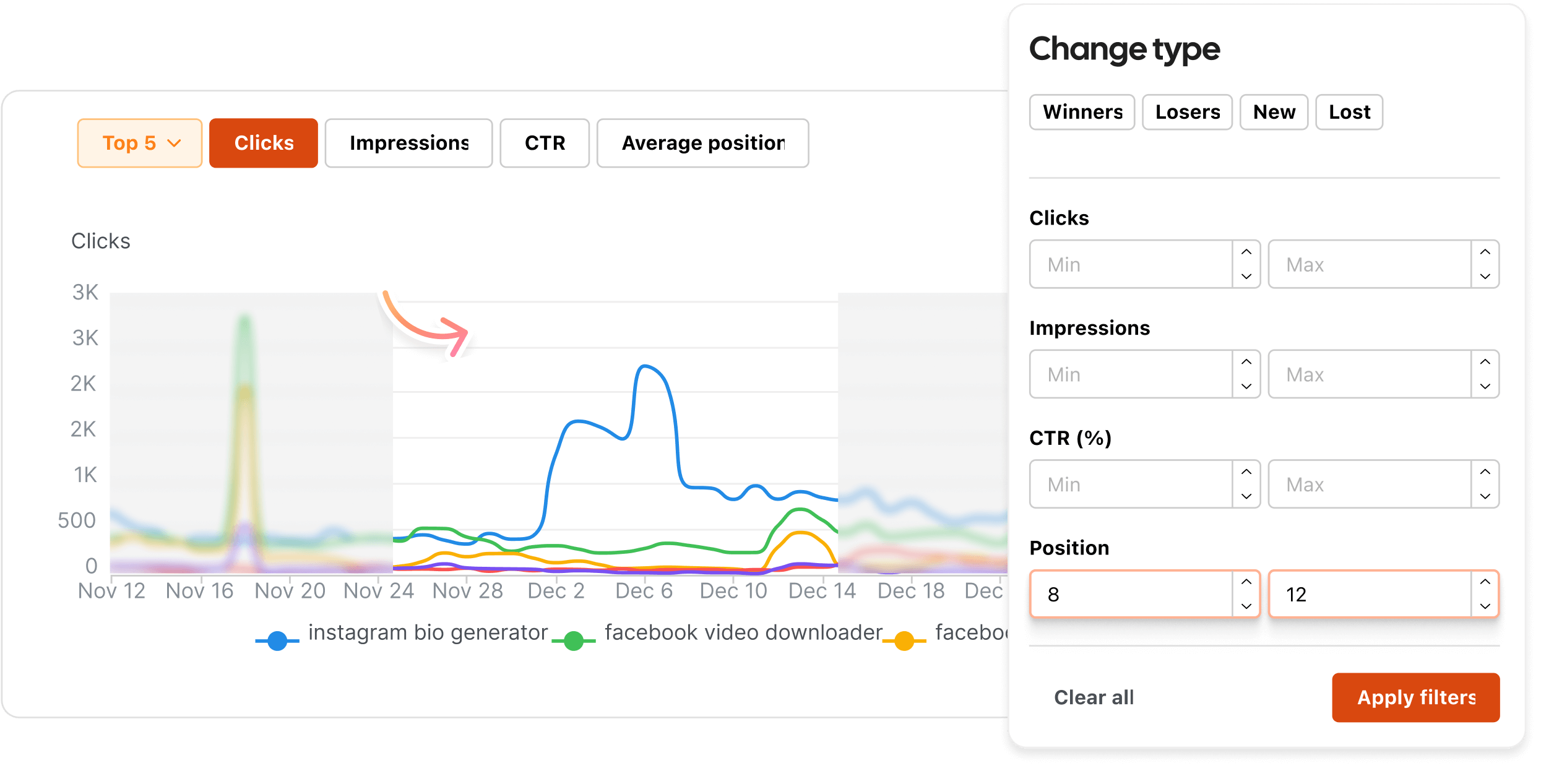
Apply custom filters for minimum and maximum clicks, impressions, CTR, and positions to surface underperforming content, high-potential pages, and optimization-ready assets at scale.
Optimize directly from analytics
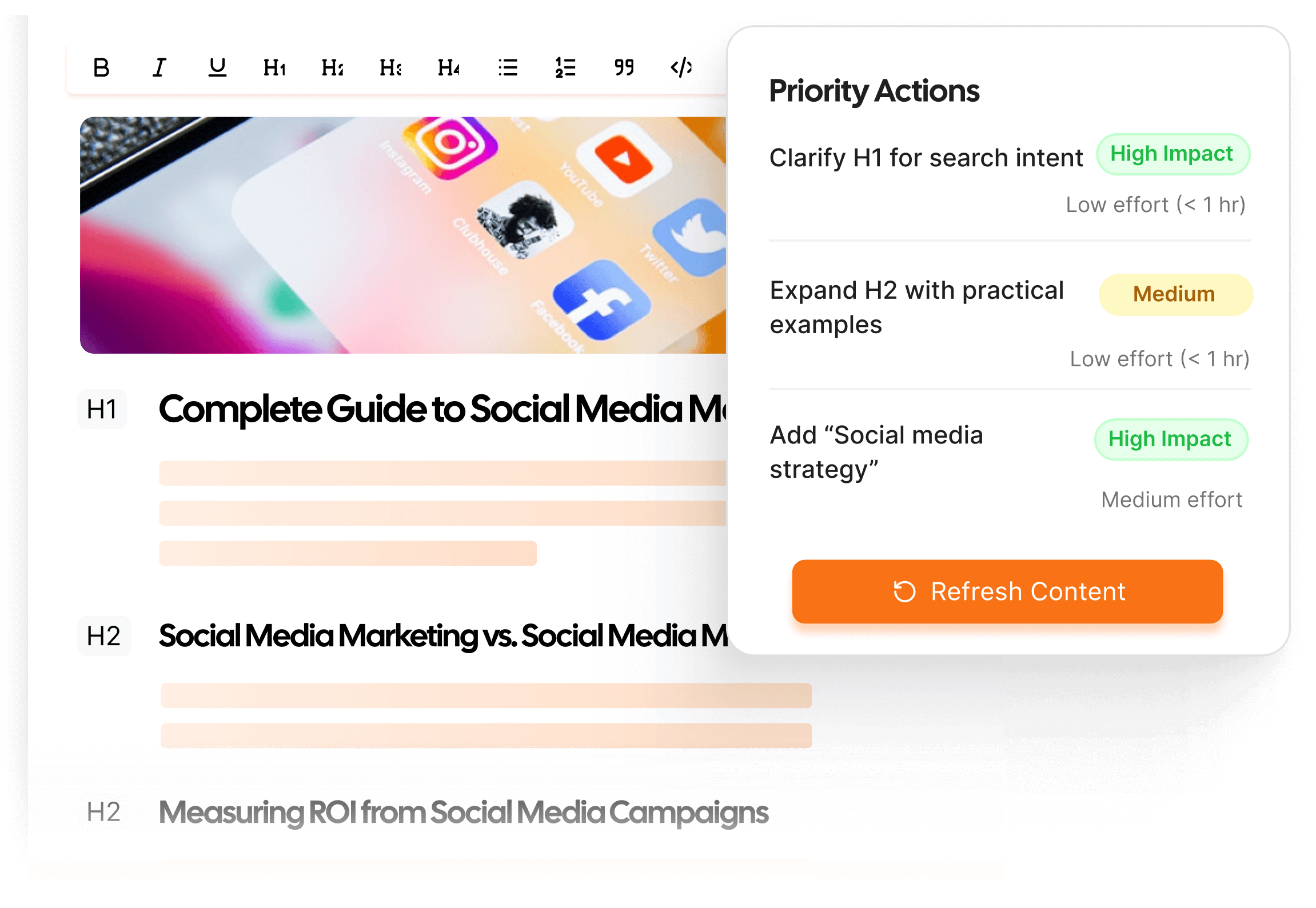
Move from insight to action without leaving Contentpen. Open any page, update content, refine headings, optimize keywords, and republish, all in a single workflow.
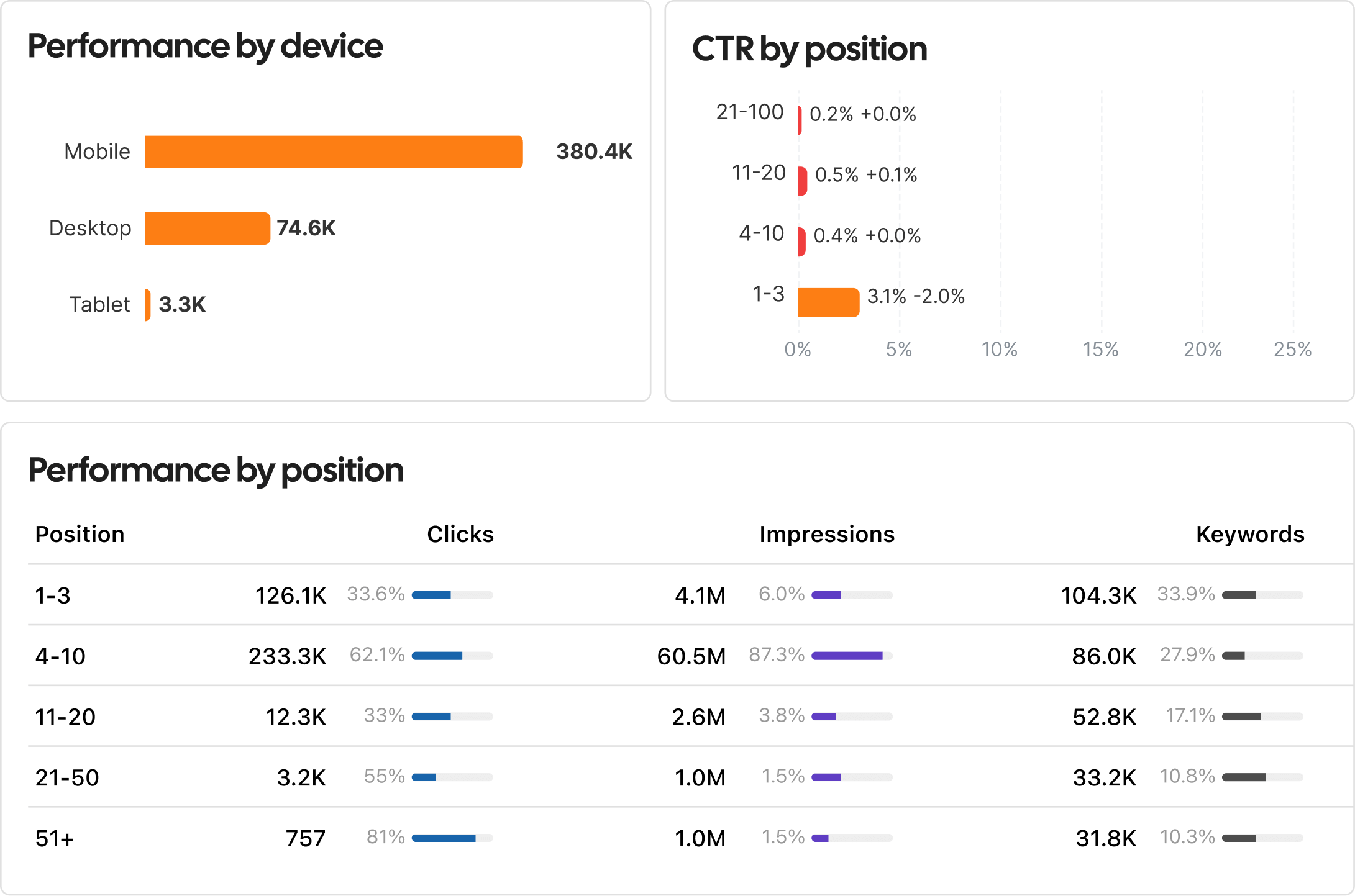
View traffic by device and source type
Break down the traffic value by device type and source. Contentpen’s analytics help you understand how users interact with your content across different contexts.
Get insights that drive action
Contentpen helps you stop guessing and start optimizing, so every blog you publish contributes to measurable growth.
Why teams choose Contentpen
See how creators, marketers, and growth teams use Contentpen analytics to improve performance and scale with confidence.
“We cut our SEO stack in half after switching to Contentpen. Now creation, publishing, and analytics work together in one place, without any problems!”
 Omar FarooqMarketing Director
“Instead of guessing what to fix, Contentpen shows us what will move rankings and traffic next. It’s changed how we prioritize content.”
 Rachel StoneSEO Lead
“I wrote a blog post for one of my hospital clients using Contentpen. Once it got indexed, it started ranking at position 4 on the first page of Google. What's interesting is that I didn't build a single backlink.”
#4position0backlinks Ankit PrajapatiCEO at Consultant Ankit
“Contentpen helped us establish our presence both on SEO and AI search. Top-Quality content at the speed of thought.”
 Alban TaraireGeneral Manager at NETK5 Technology Group
“Contentpen delivers amazing quality blog posts and saves hours of research. It's fast, reliable, and perfect for efficient content creation.”
 Raj KandelMortgage Broker at Everest Home Loans
“I spend my time saved from blog writing and SEO tasks on building relationships with my clients, which actually benefits my business.”
$1000saved3-8h/weeksaved Keith HillPresident at Go Smart Mortgage
 AlaminMarketing content creator
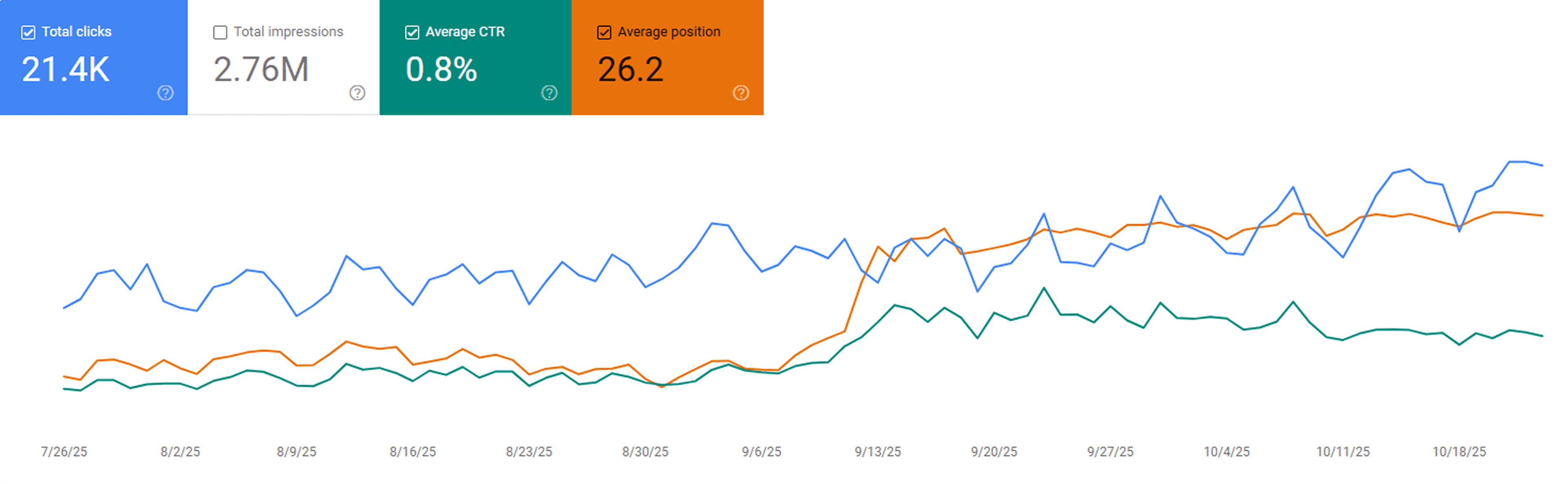
“After publishing our first 23 blogs through Contentpen, we noticed steady keyword growth in Google Search Console within three weeks. Impressions and clicks doubled, and a few articles started ranking on page one without paid promotion.”
 Sarah MalikSEO manager at GrowthHive
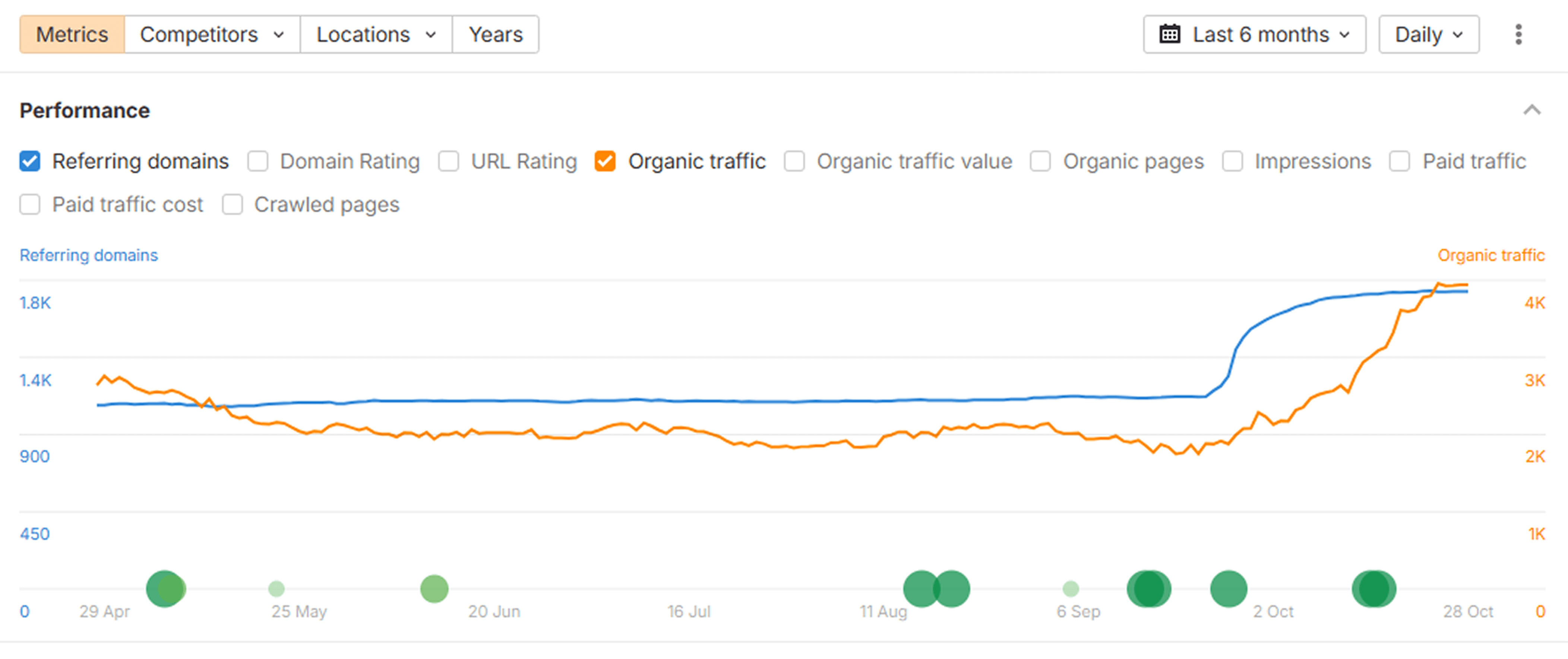
“We analyzed our new posts in Ahrefs and saw a clear lift in organic keywords and referring domains. The internal link suggestions from Contentpen helped us strengthen our site structure, which improved our overall domain visibility.”
 Daniel LeeContent strategist at BrightScale Media
“Before Contentpen, writing and publishing a blog took us a full day. Now we handle topic research, writing, and publishing in under an hour. Our organic traffic has grown 40% since streamlining our content process.”
 Ayesha KhanMarketing lead at CloudNest Solutions
Results you can measure
See real outcomes from teams using Contentpen analytics to grow faster and publish smarter.
Better keyword rankings
Increase in organic clicks
Higher organic traffic
More keyword coverage
Frequently asked questions
Have questions? Find answers to the most common queries about how Contentpen analytics works and optimizes content performance.
Build the rest of your content workflow
You've seen this part of the process, here are other features that help you research, plan, write, and improve content on autopilot.
Blog creation
Generate high-quality, SEO-optimized blog articles in minutes using AI trained for ranking content.
Keyword Research
Get high-intent keywords, search trends, and ranking opportunities tailored to your niche.
Organic traffic optimizer
Continuously analyze and optimize content to improve rankings and grow organic search traffic.
SERP & gap analysis
Identify ranking gaps and competitor opportunities to create content that outranks the competition.
SEO scoring
Get audit scores and suggestions for keyword usage, readability, and ranking signals before publishing.
Content planning & scheduling
Build content calendars, automate workflows, and plan topics that drive organic growth.
Integration & publishing
Connect your CMS and publish content directly from Contentpen without switching tools.
Bulk content creation
Produce large volumes of consistent, SEO and GEO-optimized content at scale with batch generation.
Built-in media library
No more asset hunting, everything you need is built in.
AI linking assistant
Turn every article into a traffic network with AI-powered linking.
SEO opportunities
Automatically uncover quick wins, content decay, and CTR gaps, and turn insights into actions with one-click content refreshes.
AI search optimization tool
Make your content AI-ready, structured, and easy to surface
Show up everywhere your buyers search
Start free and put Contentpen on autopilot to turn search into your most reliable growth channel.




Trusted by 25,000+ marketers