 14 minutes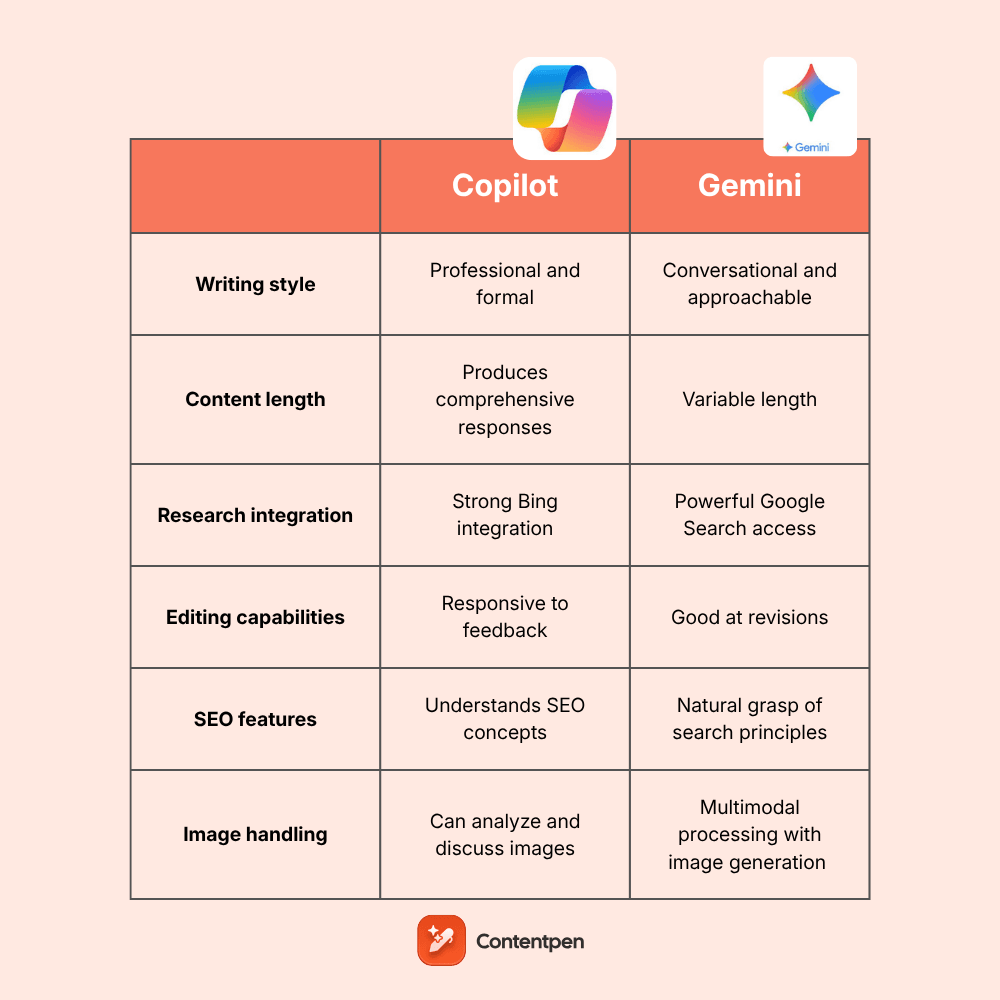
The AI assistant marketplace is becoming competitive, with Microsoft Copilot and Google Gemini emerging as two prominent contenders for content creators.
Both platforms promise to help you use AI to write blog posts efficiently, enhance productivity, and deliver quality content, but they take different approaches to achieve these goals.
If you’re a blogger, content marketer, or business owner trying to choose between these AI tools, the decision matters more than you might think.
This comprehensive analysis examines Copilot and Gemini specifically through the lens of how writers use AI for content creation. We’ll explore their writing capabilities, research strengths, reasoning abilities, and practical performance across different tasks to help you decide the right tool for your needs.
So, let’s begin, shall we?
Table of contents
- General overview of Gemini’s capabilities
- General overview of Copilot’s capabilities
- Comparison table: Copilot vs Gemini at a glance
- Copilot vs Gemini for research
- Copilot vs Gemini in reasoning
- Copilot vs Gemini in content writing
- Copilot vs Gemini in content depth
- Copilot vs Gemini in SEO understanding
- Copilot vs Gemini in image generation
- Creating a real blog with Gemini and Copilot
- User reviews for Copilot and Gemini
- Contentpen – A better alternative to Copilot and Gemini
- Final verdict – Which AI is better for blog writing?
- Frequently asked questions
General overview of Gemini’s capabilities
Google Gemini is the next-generation AI platform, succeeding Bard and built from the ground up as a multimodal system. This means it understands text, images, code, audio, and video simultaneously.
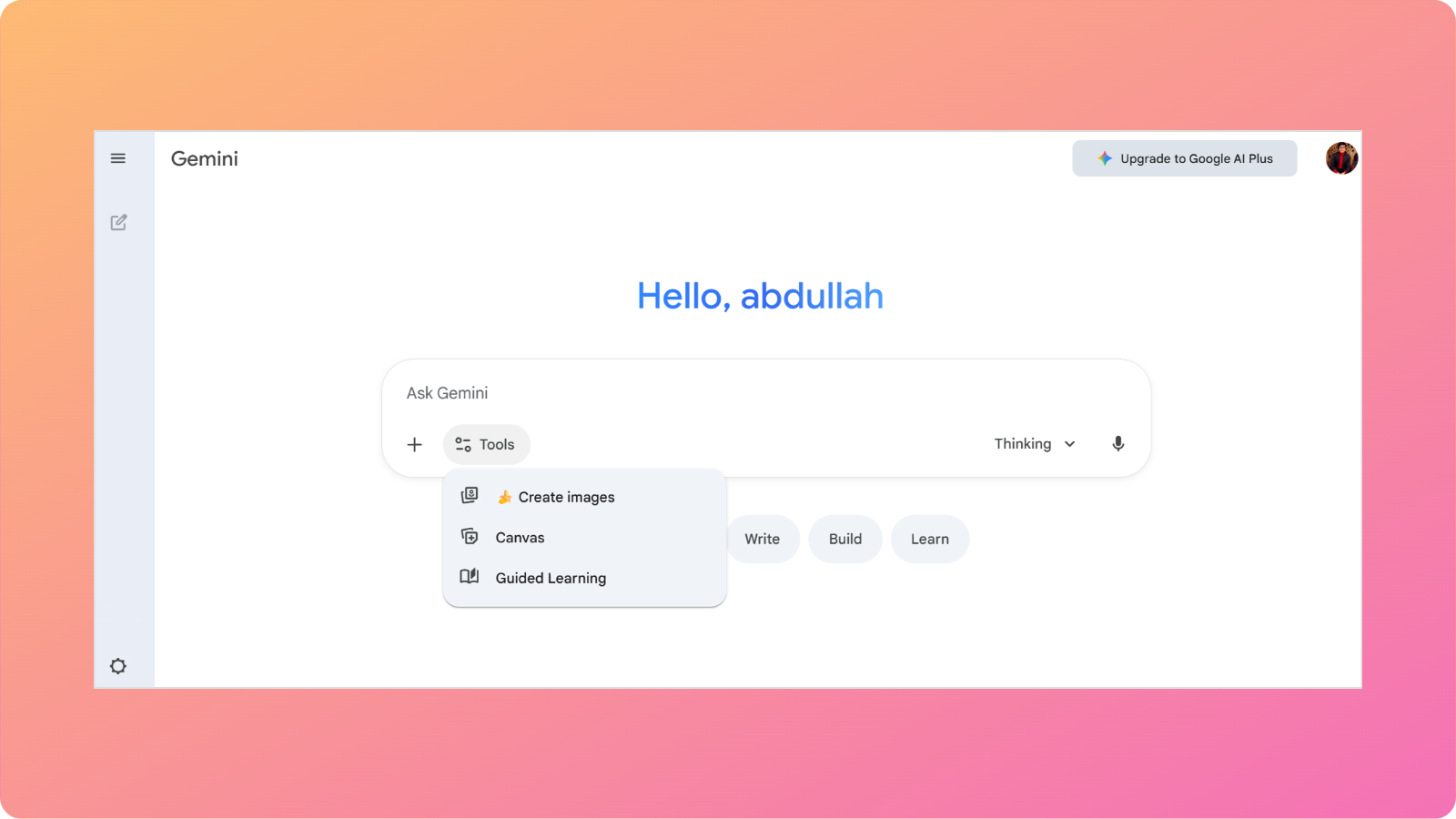
Gemini’s architecture is divided into different models, including:
- Gemini Fast for everyday tasks
- Gemini Nano Banana for visual creation
- Gemini Thinking for complex reasoning
- Gemini Pro for advanced math and coding tasks
- Gemini Plus for deep, logical explanations
This allows Google to optimize performance based on task complexity and resource requirements. Content creators get faster responses for simple queries and more thorough analysis when needed.
One of Gemini’s standout features is its native integration with Google’s ecosystem. You can quickly pull information from Gmail, Google Drive, Google Docs, and other services, making research and content organization considerably more efficient.
General overview of Copilot’s capabilities
Microsoft Copilot represents the company’s ambitious entry into the AI assistant space, built on OpenAI’s GPT technology.
Launched initially as Bing Chat, Copilot has evolved into a multifaceted tool that aims to be your comprehensive digital assistant for both work and personal tasks.
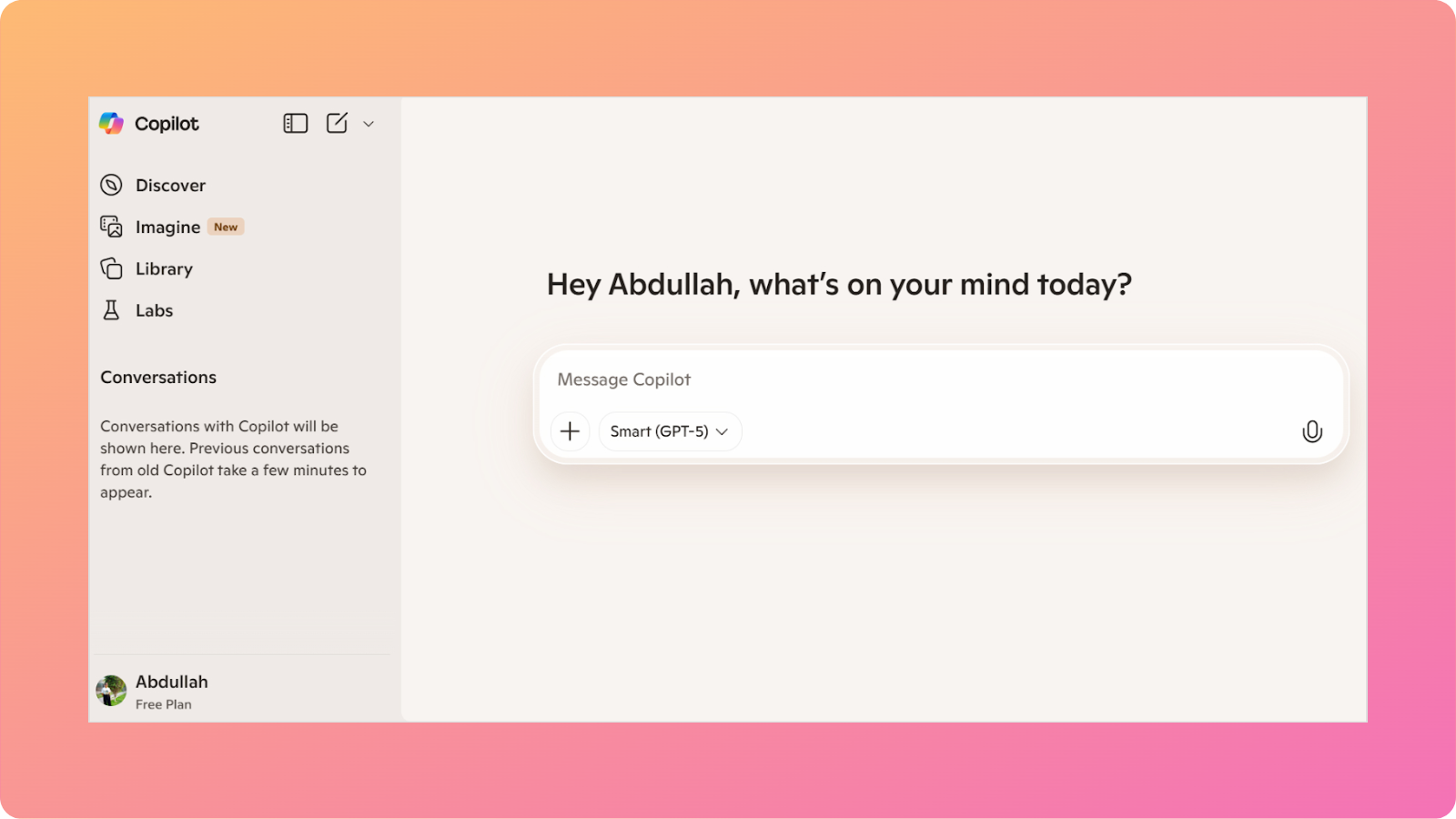
The platform offers several distinct advantages for content creators. First, it’s deeply integrated with Microsoft 365 applications, which allows quick workflows for those already invested in Microsoft’s productivity suite.
Copilot also uses Bing’s search infrastructure to access current web information, making it particularly strong when you need up-to-date facts, recent statistics, or breaking news for your content.
The AI can cite sources directly, providing transparency about where information comes from. It is a valuable feature for fact-checking and building credible content.
Also read: How to fact-check AI-generated content in 7 steps?
Comparison table: Copilot vs Gemini at a glance
Understanding how these platforms compare across specific dimensions helps clarify which might serve your content needs better:
| Feature | Microsoft Copilot | Google Gemini |
| Writing style | Professional and formal; excellent for business content | Conversational and approachable; adapts well to casual tones |
| Content length | Produces comprehensive responses; good for long-form content | Variable length; sometimes brief unless prompted for detail |
| Research integration | Strong Bing integration; excellent source citation | Powerful Google Search access; fast information retrieval |
| Editing capabilities | Responsive to feedback; iterates well | Good at revisions but may need explicit direction |
| Ecosystem advantage | Microsoft 365 deep integration | Google Workspace seamless connectivity |
| Image handling | Can analyze and discuss images; limited generation | Multimodal processing with image generation capabilities |
| SEO awareness | Understands SEO concepts; requires prompting for optimization | Natural grasp of search principles; Google Search insights |
| Pricing (paid plans) | Starts from $19.99/month | Starts from $19.99/month |
Now, let’s see the comparison of Copilot vs Gemini in more detail.
Copilot vs Gemini for research
Research forms the foundation of quality content, and both platforms approach information gathering differently.
Copilot’s connection to Bing provides robust search capabilities with transparent source citation. When you ask Copilot to research a topic, it returns information with clear references, making it straightforward to verify claims and add proper citations to your content.
Gemini uses Google’s search dominance and knowledge graph, typically finding information faster and with greater breadth.
The platform can access a broader range of sources and often surfaces niche information that other AI assistants might miss. However, source attribution can be less explicit than Copilot’s numbered citation system.
Verdict
Both Gemini and Copilot perform excellently for research-intensive content such as industry reports, data-driven articles, and comprehensive guides. Copilot edges ahead when you need explicit citations, while Gemini wins on speed and information diversity.
Also read: Copilot vs ChatGPT: Which AI wins?
Copilot vs Gemini in reasoning
When your content requires persuasive arguments, complex explanations, or logical progression through difficult concepts, reasoning capability becomes crucial.
Copilot, powered by GPT technology, demonstrates strong logical consistency and can construct sophisticated arguments that build methodically toward conclusions.
Gemini shows impressive contextual reasoning, particularly excelling at understanding nuance and subtext within prompts.
The platform can grasp what you’re implying even when you don’t state it explicitly, and it adapts its reasoning to match your apparent intent. This intuitive understanding can save time in back-and-forth clarifications.
Verdict
Copilot’s systematic approach is more structured, while Gemini’s flexibility can seem more natural.
Also read: Gemini vs ChatGPT.
Copilot vs Gemini in content writing
The actual prose these AI assistants generate often determines whether you’re spending 20 minutes or two hours editing.
Copilot tends toward polished, professional writing that works exceptionally well for business blogs, technical documentation, and formal content. The tone can sound a bit conservative, which helps avoid awkward phrasing but can sometimes feel slightly restricted in expression.
Gemini shows greater tonal flexibility, easily shifting from formal to conversational in response to your prompts.
For lifestyle blogs, casual brand voices, or content targeting younger demographics, Gemini often produces writing that feels more relatable and less stiff. This tool demonstrates personality in its responses without sacrificing clarity.
Verdict
Content creators working on corporate blogs may prefer Copilot’s polish, while those targeting consumer audiences might appreciate Gemini’s conversational content.
Copilot vs Gemini in content depth
Superficial content rarely ranks well or engages readers meaningfully. How deeply these AI assistants explore topics significantly impacts content value.
Copilot generally provides thorough coverage when prompted, exploring topics from multiple angles and including supporting details that add substance.
Gemini’s depth varies more depending on how you frame requests. With specific prompting, it can deliver extensive coverage, but initial responses sometimes provide overview-level information that requires follow-up questions to expand.
Verdict
Overall, the blog posts generated by both Copilot and Gemini need substantial development. Copilot may require fewer prompts to achieve the target depth.
However, Gemini’s approach is a little more flexible, allowing you to control which areas receive detailed treatment. Keep in mind that both platforms generate much shorter content and blog posts than dedicated AI writing tools do.
Copilot vs Gemini in SEO understanding
Creating content that ranks requires more than good writing. It demands strategic optimization. Both Copilot and Gemini understand fundamental SEO principles when prompted, but they apply this knowledge differently.
Copilot can structure content with SEO in mind, incorporating keywords naturally, suggesting meta descriptions, and organizing information with header hierarchies that search engines appreciate.
Gemini’s connection to Google Search provides it with theoretical insight into ranking factors, though this doesn’t always translate into noticeably superior SEO performance in practice.
The AI can help with different types of keyword research by suggesting related terms, understanding search intent, and optimizing content for featured snippets.
Verdict
Both assistants work best when you provide explicit SEO parameters rather than expecting them to optimize on their own. Neither should be a part of your complete SEO content marketing strategy, but both can help implement SEO best practices efficiently when directed.
Also read: Best AI tool for writing SEO-rich blog content.
Copilot vs Gemini in image generation
Visual elements enhance blog posts significantly, and the ability to generate images within your writing workflow matters.
Copilot offers DALL-E integration for image generation, enabling you to create custom visuals from text descriptions. The image quality is generally good, though style consistency across multiple images can vary.
Gemini includes Nano Banana for image generation, producing high-quality visuals with strong adherence to prompts. The multimodal architecture means Gemini can reference images you upload, analyze their content, and generate related visuals more cohesively.
The following are the images generated by Copilot and Gemini using the same prompt:

Verdict
Neither platform replaces professional design tools for polished marketing materials. Still, they have significantly improved in a short time and can be used for blog illustrations, concept visuals, and draft imagery.
That said, Gemini’s multimodal foundation gives it a slight edge in understanding visual context over Copilot.
Related: Perplexity vs Gemini: An honest comparison for content writers.
Creating a real blog with Gemini and Copilot
To understand how these platforms perform beyond theoretical comparisons, we conducted an identical test with both AI assistants using the prompt:
“Write a short blog post about the expected scientific breakthroughs in 2026.”
Here’s what each platform delivered:
| Aspect | Gemini | Microsoft Copilot |
| Word count | ~530 words | ~290 words |
| Structure | 4 distinct breakthrough areas with detailed explanations | 5 broader category overviews with less depth per topic |
| Specific details | Included precise data (34% efficiency for solar cells, NaV1.8 sodium channels, Artemis II 10-day duration) | General concepts without specific metrics or technical details |
| Formatting | Heavy use of emojis, bullet points, and mathematical notation; visually engaging | Clean professional headers with emojis; more subdued formatting |
| Tone | Enthusiastic and accessible; consumer-friendly science writing | Professional and measured; business-oriented presentation |
| Engagement elements | Ended with direct reader questions to encourage interaction | Concluded with the “Why It Matters” section explaining broader implications |
| Technical accuracy | Specific mechanisms explained (e.g., how targeted pain drugs work) | Broader concepts without deep technical mechanisms |
Now, let’s discuss each AI chatbot’s approach.
Gemini’s approach
The output read like a science enthusiast blog. It was detailed, specific, and visually dynamic. Gemini provided concrete examples, such as “power conversion efficiencies exceeding 34%,” and explained the mechanism behind non-addictive pain-relief drugs.
The emoji-heavy formatting and bullet points created an engaging, scannable reading experience suited for general audiences interested in science news.
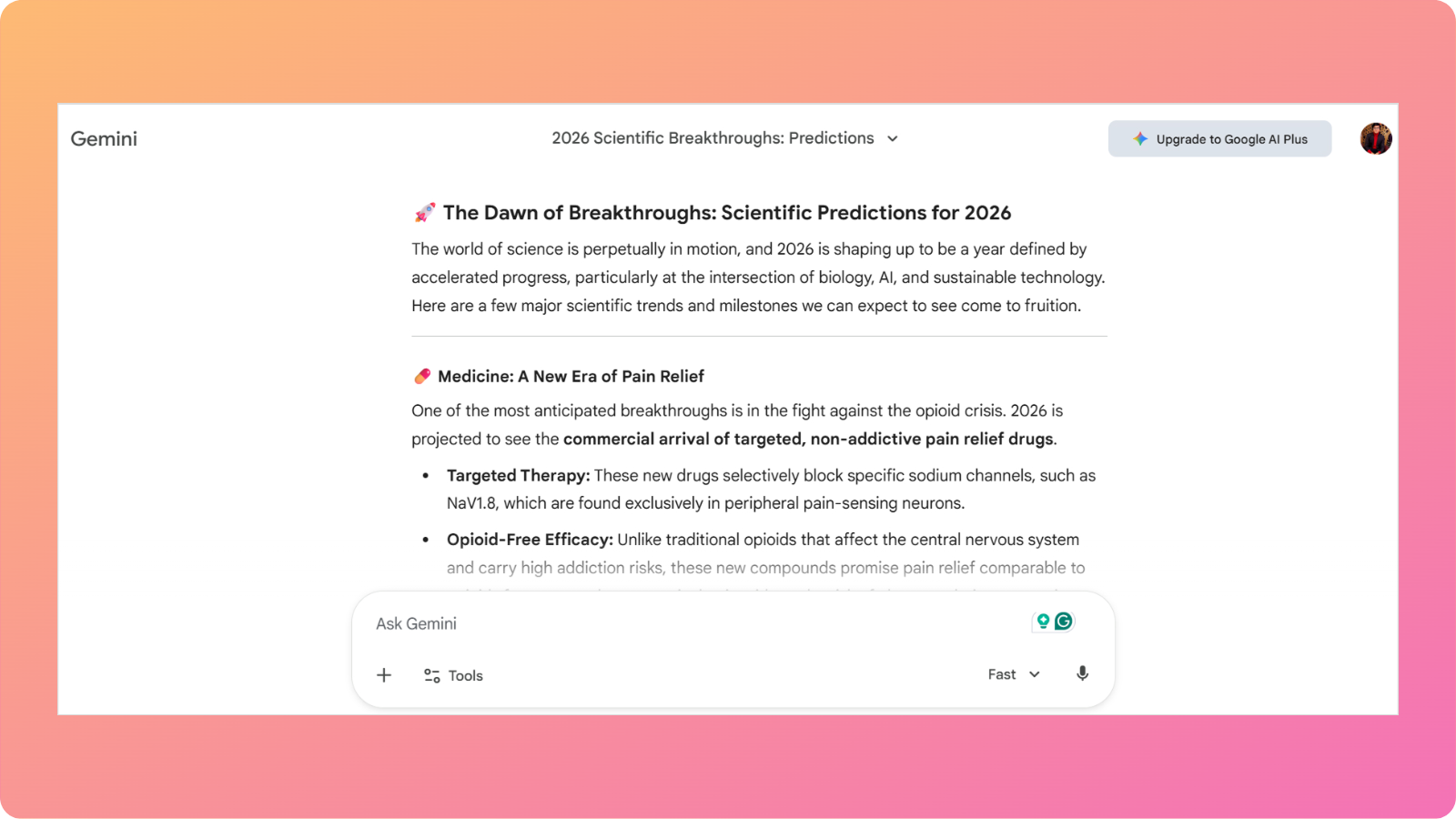
The content felt complete and ready for publication on a lifestyle or general interest blog. However, the informal styling (emojis, casual language) might not suit corporate or academic contexts without modification.
Also read: Claude vs Gemini: The ultimate showdown for content creators in 2026.
Copilot’s approach
The response felt more like an executive briefing or professional overview. Copilot covered more categories than Gemini, but with less depth per topic. The writing maintained professionalism throughout, making it immediately appropriate for business blogs or formal publications.

While technically sound, Copilot’s output lacked the specific data points and technical details that establish deep expertise.
Phrases like “next-generation batteries” remained vague, whereas Gemini specified “hybrid perovskite-silicon tandem solar cells.” The content would require additional research to add the concrete details that make scientific writing authoritative.
Verdict
Gemini provided more substance and engagement for general audiences, while Copilot offered cleaner professional framing with less technical depth.
If publishing to a consumer science blog, Gemini’s output would likely perform better. For a corporate technology blog or business publication, Copilot’s tone would require less editing. However, the length of both blogs was insufficient.
User reviews for Copilot and Gemini
Real user experiences from G2 and Capterra reveal how these platforms perform in actual content workflows, highlighting strengths and weaknesses that spec sheets don’t capture.
Gemini users report mixed experiences
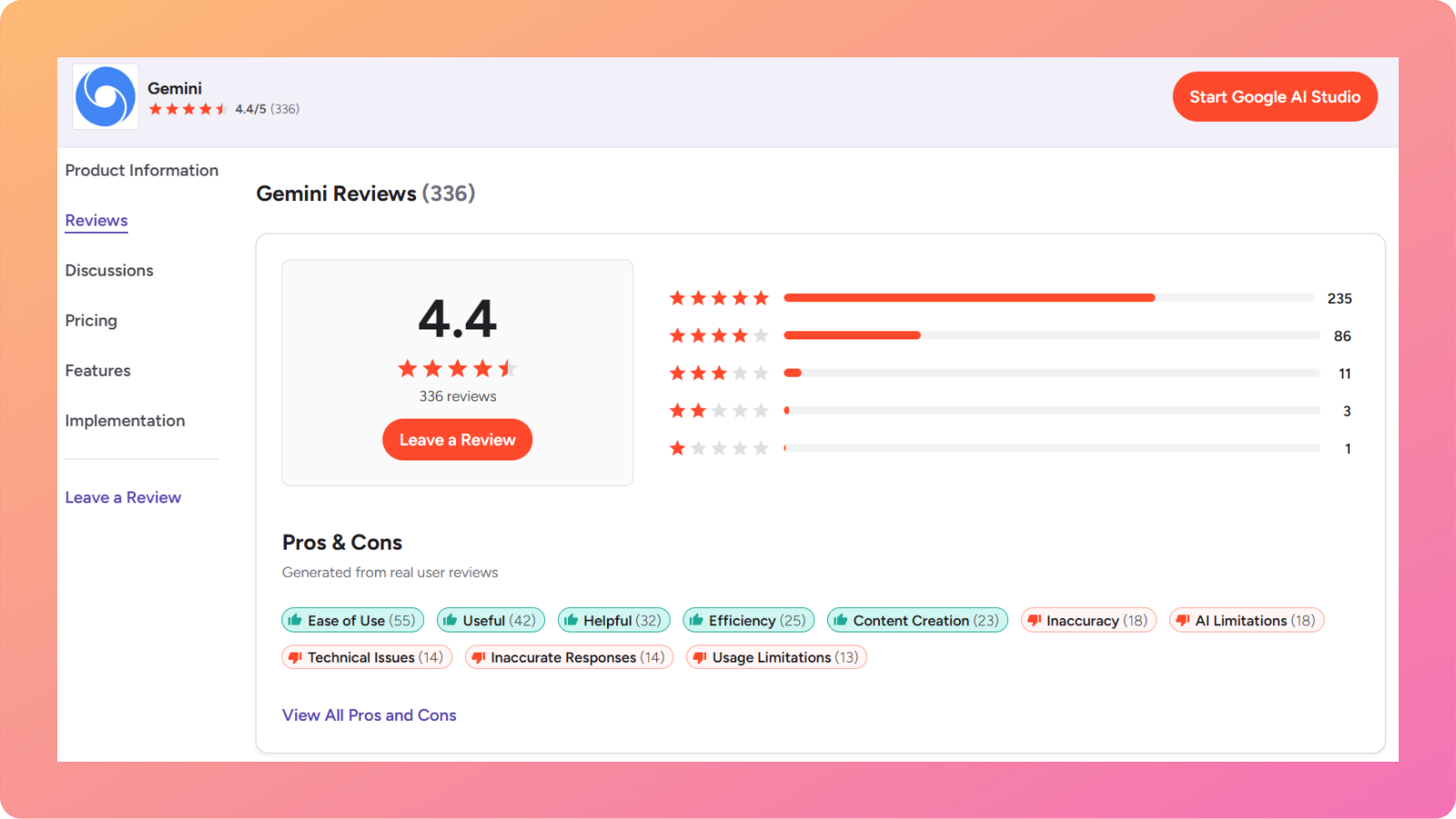
A senior customer support executive gives Gemini a perfect 5/5 rating, praising how “fast and responsive it is, especially for everyday writing and research tasks.” He particularly values the integration with the Google ecosystem.
However, another reviewer gave a much harsher assessment, rating it 2.5/5 stars. While acknowledging that “Google Gemini gives valuable information with brilliant formatting,” the user finds the content “very basic and repetitive.”
This split in reviews reveals a pattern that Gemini works well for quick, everyday content tasks and general business communication. But professional writers creating specialized content often find it lacking in depth and accuracy.
Copilot users highlight integration benefits and limitations
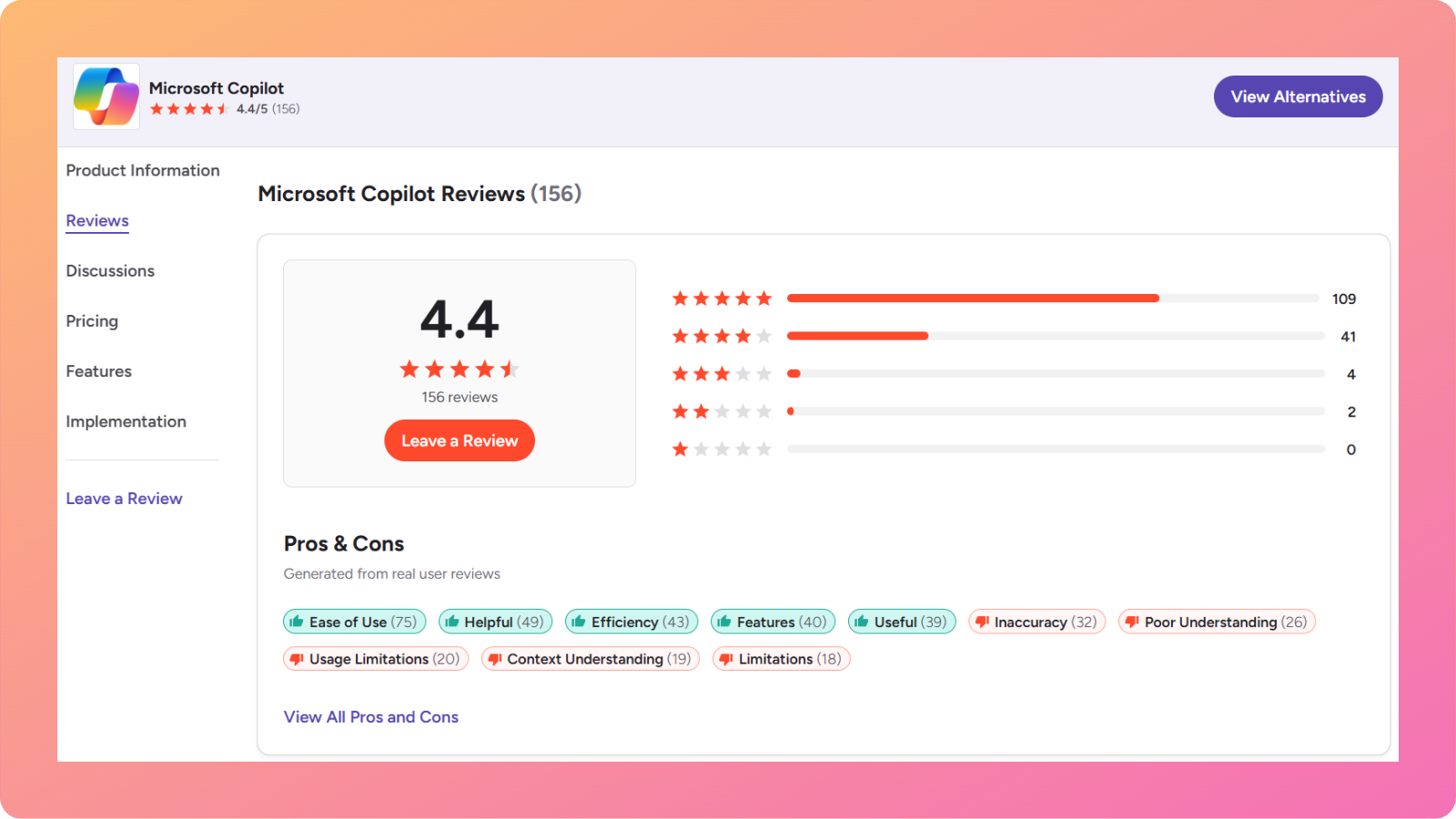
A customer experience manager awarded Copilot 5/5 stars. He appreciates that Copilot allows him to “create content directly within Outlook or Word, quickly summarize discussions, and draft messages efficiently without constantly switching between different platforms.”
On the contrary, a verified enterprise user provides a sobering perspective, rating Copilot 2/5 stars and calling it “too costly for the features.”
The user said that the tool “can’t work on long documents. Cannot index full large PDFs. Copilot in Excel works only if data is in a table and makes basic functions only.”
Key insights from user feedback
Both platforms show clear ecosystem advantages. Users already invested in Microsoft 365 or Google Workspace appreciate the integration that keeps workflows within familiar environments.
However, both tools also face criticism for depth and sophistication when handling complex content tasks.
The choice often comes down to what you value more: quick, integrated workflows for routine content (where both excel) or sophisticated, nuanced writing for specialized topics (where both receive criticism, though for different reasons).
Contentpen – A better alternative to Copilot and Gemini
While Copilot and Gemini are powerful general AI assistants, specialized tools designed specifically for content creation offer distinct advantages.
Contentpen represents this category of purpose-built blogging solutions that address limitations found in general-purpose platforms.
Unlike general AI chatbots, Contentpen focuses exclusively on producing high-quality blog posts and articles. The platform combines AI generation with SEO and GEO optimization, making it very useful for digital marketers and content teams.
Key advantages include
- Automated keyword research
- SERP and gap analysis
- Bulk content creation
- Automated internal and external links
- One-click publishing to WordPress, Webflow, Shopify, Ghost, Wix, and EmDash
The system understands content marketing strategy beyond just generating text, as it helps with topic clustering, internal linking suggestions, and content calendar planning.
Teams managing multiple blogs or agencies handling various clients will find Contentpen’s features efficient for streamlining collaboration, approval processes, and bulk content generation.
Final verdict – Which AI is better for blog writing?
After extensive comparison through real testing and user feedback analysis, the answer depends heavily on your specific content-creation context and priorities.
Choose Gemini if you need engaging content with specific data points and technical depth.
Choose Copilot if your priority is professional polish and business-appropriate tone.
The nuanced reality is that neither platform is universally better for blogging and will require significantly more research and manual edits.
So, serious content creators who view blogging as a primary business function can either use both platforms for research and writing, or rely on a unified writing platform like our best AI writing assistant to handle the entire content production workflow.