 16 minutes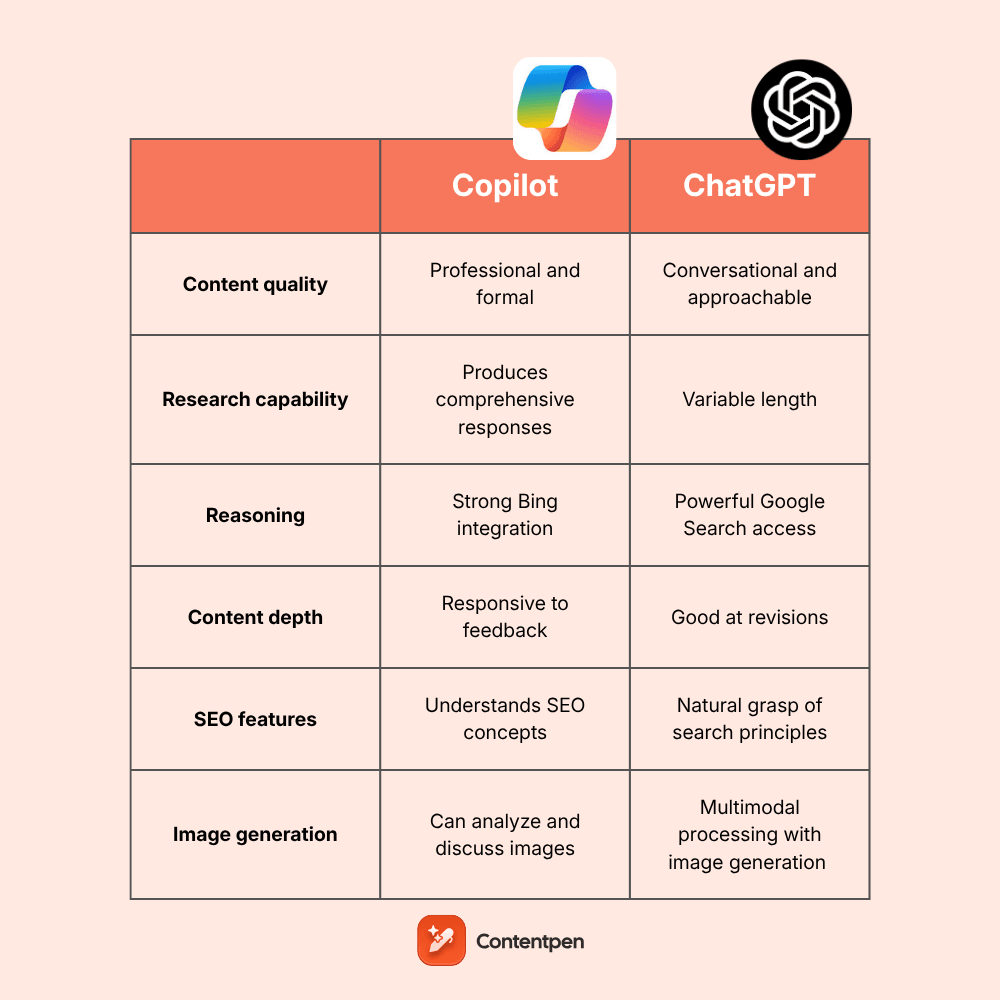
With so many AI tools and chatbots available today, users often feel confused about which ones to use.
Among all these options, two popular tools stand out: Copilot and ChatGPT, which make them worth comparing.
ChatGPT operates as a standalone writing companion, while Copilot embeds itself directly into your existing Microsoft ecosystem, aiming to make your entire workflow smarter.
This creates an interesting situation for bloggers and content marketers. Do they want an AI that lives inside their productivity tools, or one that excels purely at generating content?
In this detailed comparison of Copilot vs ChatGPT, we’ll examine real-world tool performance and help you determine which tool deserves a permanent spot in your blog creation workflow.
So, let’s start, shall we?
Table of contents
- General overview of ChatGPT’s capabilities
- General overview of Microsoft Copilot’s capabilities
- Comparison table: Copilot vs ChatGPT at a glance
- Copilot vs ChatGPT in research
- Copilot vs ChatGPT in reasoning
- Copilot vs ChatGPT in content writing
- Copilot vs ChatGPT in content depth
- Copilot vs ChatGPT in image generation
- Copilot vs ChatGPT in SEO understanding
- Copilot vs ChatGPT in workflow integration
- Copilot vs ChatGPT for writing blogs
- Summary of Copilot vs ChatGPT for blog writing
- User reviews for Copilot and ChatGPT
- Contentpen – A better alternative to Copilot and ChatGPT for blog writing
- Copilot vs ChatGPT: The bottom line
- Frequently asked questions
General overview of ChatGPT’s capabilities
ChatGPT is OpenAI’s flagship conversational AI. It is undoubtedly the most recognized name in artificial intelligence. The platform focuses entirely on text generation, creative problem-solving, and interactive dialogue.
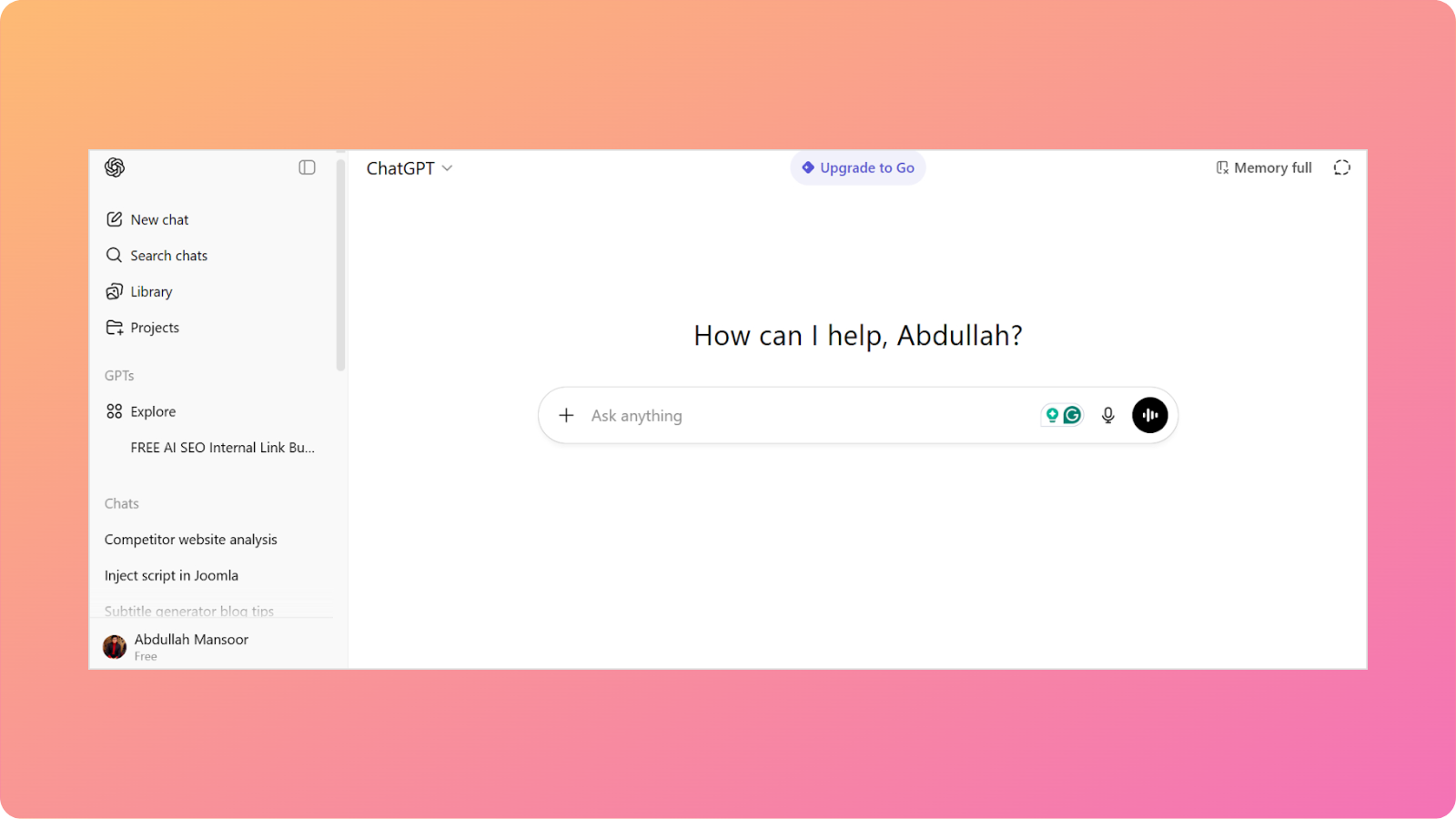
Content creators love ChatGPT for several reasons.
- Powerful creative writing engine: ChatGPT adapts its output to match virtually any writing style you need. From casual social media posts to formal white papers, it shifts tone naturally to match your instructions.
- Exceptional conversational ability: The platform remembers context throughout extended conversations, allowing you to refine ideas iteratively without repeating information or starting over.
- Versatile content structuring: ChatGPT handles everything from brainstorming initial concepts to creating detailed outlines, expanding them into complete drafts.
- Strong SEO implementation: The tool understands search optimization principles and incorporates keywords strategically while maintaining natural readability.
- Iterative refinement support: You can request multiple revisions with different approaches, ask for tone adjustments, or completely restructure content without creating new drafts.
ChatGPT works best as a dedicated writing assistant, giving you full control over the creative process. It’s reliable when you need substantial content produced quickly without switching between multiple tabs.
General overview of Microsoft Copilot’s capabilities
Microsoft Copilot takes a fundamentally different approach by integrating AI assistance directly into tools millions already use daily. These include Word, Outlook, Edge, and the entire Microsoft 365 suite.
Hence, instead of functioning as a separate application, Copilot becomes part of your existing workflow. You can also access the standalone tool on its official website.
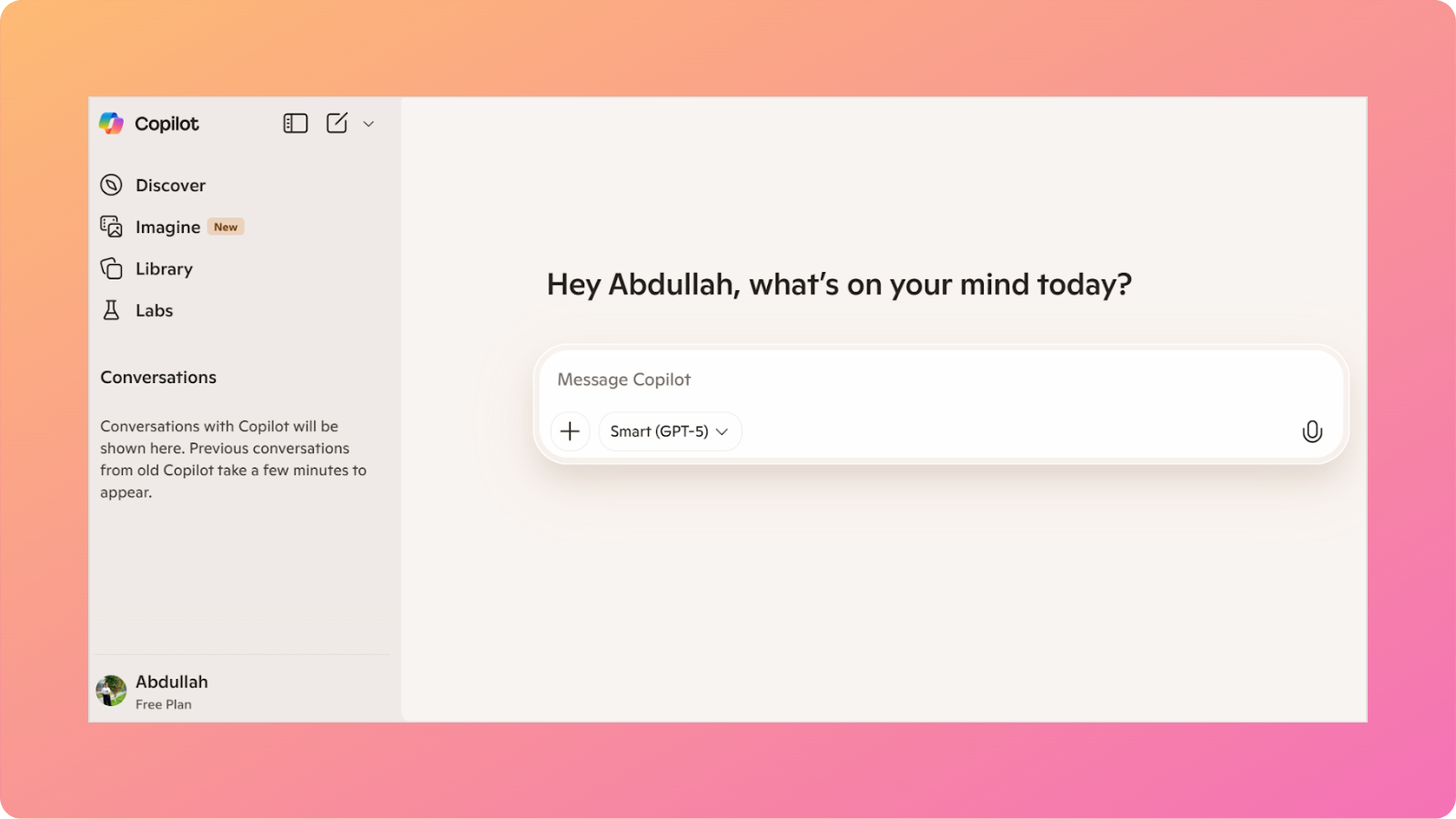
Here are some of the key features of Copilot:
- Quick Microsoft 365 integration. Copilot works inside Word to draft documents, inside Outlook to compose emails, and across Teams to summarize meetings. This eliminates constant copy-pasting between applications.
- Context from your workspace. Because it accesses your existing documents, emails, and files, Copilot can reference your own content when generating new material.
- Real-time web search included. Copilot searches the web by default, providing up-to-date facts and recent developments without additional configuration.
- Professional workflow optimization. The tool excels at business-focused tasks such as summarizing lengthy email threads, creating presentations from documents, and drafting professional communications that match the corporate tone.
- Multi-modal capabilities. Copilot handles text, images, and data visualization within the same interface, allowing you to create more comprehensive content without switching tools.
Essentially, Copilot functions as an AI layer that makes Microsoft’s productivity suite smarter. It shines when you’re already invested in the Microsoft ecosystem and want AI assistance without disrupting established flows.
Comparison table: Copilot vs ChatGPT at a glance
Analyzing Copilot vs ChatGPT requires understanding that they’re optimized for different scenarios. ChatGPT prioritizes pure content creation quality, while Copilot prioritizes workflow integration and productivity enhancement.
The following table provides a quick overview comparing Copilot vs ChatGPT:
| Feature | Microsoft Copilot | ChatGPT |
| Content quality | Professional and competent. Tends toward a formal business tone | Highly versatile and creative. Adapts easily to different styles |
| Research capability | Built-in web search with current information | Web browsing available (Plus tier) with an extensive knowledge base |
| Reasoning | Strong for business logic and data synthesis | Excellent for creative problem-solving and argumentation |
| Content depth | Suitable for business documents, less for creative narratives | Excellent for both creative and informational depth |
| Tone consistency | Reliable but skews formal | Highly adaptable across tone ranges |
| SEO understanding | Basic awareness, not optimized for content marketing | Strong SEO implementation and keyword strategy |
| Image generation | DALL-E 3 integration available (Limited in free plan) | DALL-E 3 integration available (Plus/Pro/Limited in free plan) |
| Integration | Deep Microsoft 365 integration | Standalone platform |
| Speed | Fast, especially within Microsoft apps | Generally fast for content generation |
| Fact accuracy | High accuracy with real-time web data | Requires web browsing for current information |
| Pricing (Paid plan) | Starts from $19.99/month | Starts from $4/month |
| Best for | Business documents, Microsoft 365 users, enterprise workflows | Blog writing, creative content, and versatile text generation |
Let’s examine each tool in more detail.
Copilot vs ChatGPT in research
Microsoft Copilot includes web search functionality as a standard feature. It automatically retrieves current information, making it reliable for topics that require up-to-date facts or recent developments.
ChatGPT approaches research differently depending on your subscription level. The base model relies on training data with a knowledge cutoff.
The free plan now includes a web search option, but it offers only a limited number of messages, while Go, Plus, and Pro subscribers can enable web browsing across the entire chat.
Verdict
Copilot edges ahead for research convenience, since web searches are always active. ChatGPT matches the capability but requires conscious activation of web browsing mode.
Also read: ChatGPT vs Gemini 2026 comparison.
Copilot vs ChatGPT in reasoning
Both platforms demonstrate strong reasoning capabilities applied toward different objectives.
ChatGPT is excellent for building logical arguments, structuring persuasive narratives, and connecting abstract concepts in creative ways. This makes it valuable for opinion pieces, thought leadership content, and articles that require compelling logic.
Copilot focuses on reasoning for productivity tasks and data synthesis. It analyzes information from multiple documents, identifies patterns in your existing content, and creates structured summaries that support decision-making.
Also read: Copilot vs Gemini comparison.
Verdict
Choose ChatGPT for reasoning that builds creative arguments or explores ideas deeply. Select Copilot when you need reasoning applied to business analysis or synthesizing information from existing documents.
Copilot vs ChatGPT in content writing
This is where the Copilot vs ChatGPT comparison reveals the most apparent distinction.
ChatGPT was purpose-built for content generation. It creates compelling introductions, develops ideas with appropriate elaboration, and maintains narrative momentum throughout long pieces. It also adapts to virtually any brand voice or style guide you provide it.
Copilot generates content competently but with a narrower range. The output tends toward professional business communication, which is crisp, clear, and effective, but less dynamic.
It works well for straightforward blog posts, business updates, or informational content that prioritizes clarity over creativity.
Verdict
ChatGPT wins decisively for blog writing that requires creativity, engagement, and versatility in style. Copilot handles professional content adequately but lacks the creative range that content marketers typically need.
Copilot vs ChatGPT in content depth
Content depth can be divided into two aspects: factual comprehensiveness and narrative development.
For factual depth, Copilot performs well by accessing both web information and your existing Microsoft 365 documents. This contextual awareness allows it to create content that aligns with your previous work and incorporates current data.
For narrative depth, ChatGPT provides superior results. It develops ideas thoroughly, explores implications, provides relevant examples, and creates content that feels substantive rather than merely informative.
Verdict
Copilot offers deeper contextualization by referencing your existing content. ChatGPT delivers better narrative depth through creative development and exploration.
Also read: Best AI tool for writing SEO-rich blog content.
Copilot vs ChatGPT in image generation
Both platforms offer image generation through DALL-E integration, creating a rare area of functional parity.
ChatGPT can generate custom images directly within conversations. The quality is excellent for blog featured images, social media graphics, and visual content that accompanies written material.
Copilot provides similar DALL-E access, allowing image creation within Microsoft applications or through the standalone Copilot interface. The functionality is comparable to ChatGPT’s offering.
Here’s the comparison of Copilot and ChatGPT image generation capabilities using the same prompt: “Create an image of a futuristic blog writer.”

Verdict
Both tools provide effective image generation capabilities, but Copilot’s output seems of higher quality, with improved contrast and more detailed character rendering.
Also read: Claude vs ChatGPT for blog writing.
Copilot vs ChatGPT in SEO understanding
ChatGPT demonstrates stronger SEO awareness and implementation capability. It understands keyword placement strategies, header optimization, meta description creation, internal linking concepts, and how to balance search optimization with natural readability.
Copilot recognizes SEO principles at a basic level but doesn’t implement them as strategically. The tool focuses more on clear business communication than search engine optimization.
Verdict
ChatGPT significantly outperforms Copilot for SEO-optimized blog content. If search visibility is essential to your content marketing strategy, then ChatGPT offers stronger optimization capabilities.
Also read: Best SEO competitor analysis tools in 2026.
Copilot vs ChatGPT in workflow integration
This represents Copilot’s defining advantage. The platform integrates directly with Microsoft Word, Outlook, Teams, PowerPoint, and Excel, eliminating the need to switch applications during content creation.
You can draft blog posts directly in Word with AI assistance, pull information from emails and documents automatically, and maintain your entire workflow within familiar interfaces. For Microsoft 365 users, this integration removes significant friction.
ChatGPT operates as a standalone platform. While the tool does provide an API, the integrations are not as seamless to set up as Copilot.
Verdict
Copilot dominates in workflow integration for Microsoft 365 users. ChatGPT’s standalone approach offers flexibility but introduces extra steps in the content production process.
Also read: ChatGPT vs Gemini.
Copilot vs ChatGPT for writing blogs
To evaluate Copilot vs ChatGPT practically, we’ll generate the same blog post using both platforms and analyze the results.
Both tools will receive identical parameters to ensure fair comparison.
Prompt used: “Write a short and engaging blog post about the Best Productivity Hacks for Remote Workers. Use a conversational and practical tone that makes the content actionable.”
This setup reveals not just writing quality but also how each platform approaches practical content, structures advice, and maintains the requested tone.
Analysis of ChatGPT’s writing output
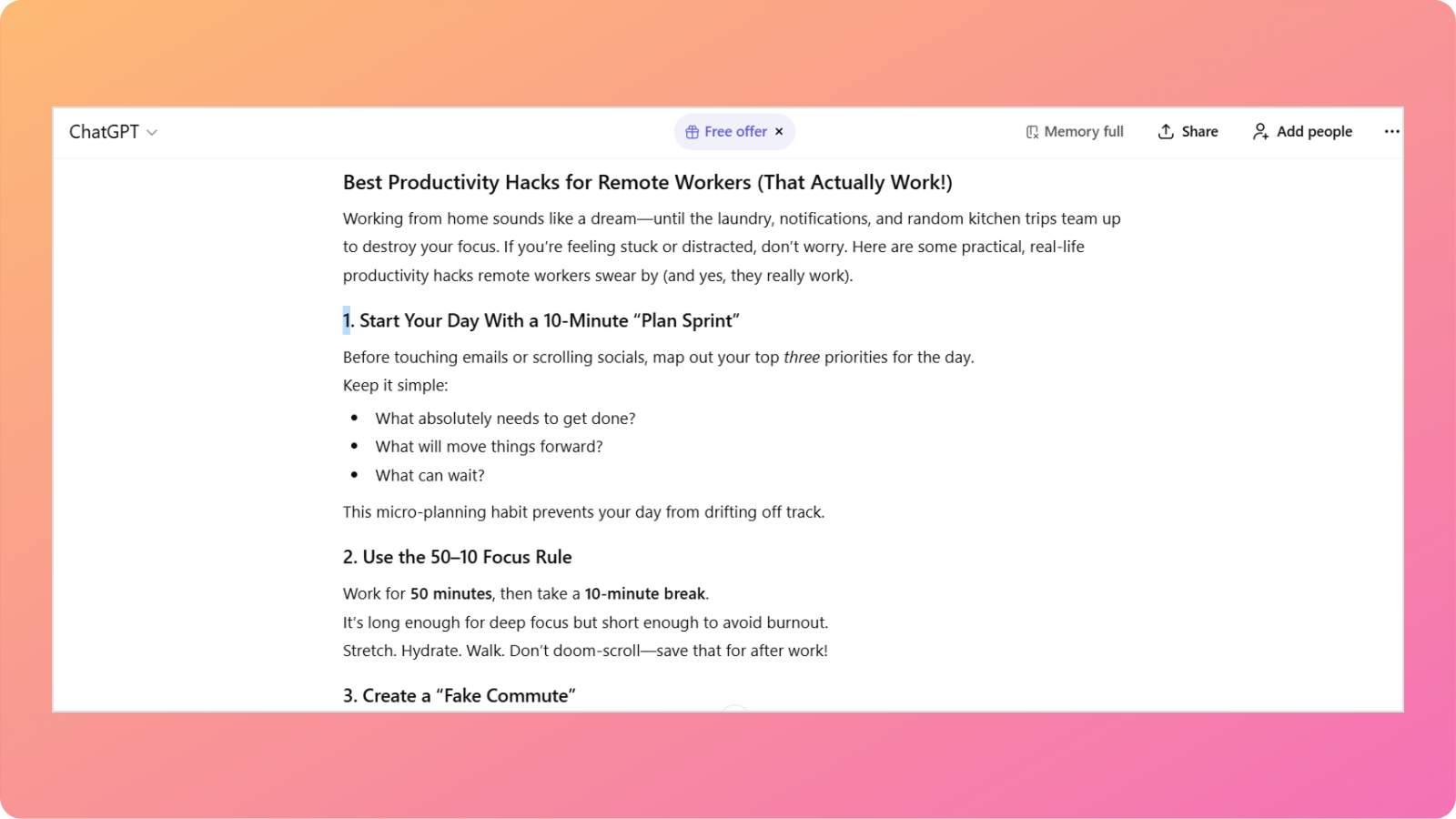
ChatGPT delivered an energetic piece with a relatable opening that immediately connected with remote workers. The title included ‘(That Actually Work!)’ which added personality and credibility from the start.
The introduction used vivid, specific imagery: “until the laundry, notifications, and random kitchen trips team up to destroy your focus.” This specificity made the problem feel real and understood rather than abstract.
The content organized eight productivity hacks using numbered formatting with descriptive headings. Each section began with a clear recommendation, followed by an explanation of why it works and how to implement it.
That said, the tool often repeats its listicle structure and makes claims without providing specific examples.
Analysis of Copilot’s writing output
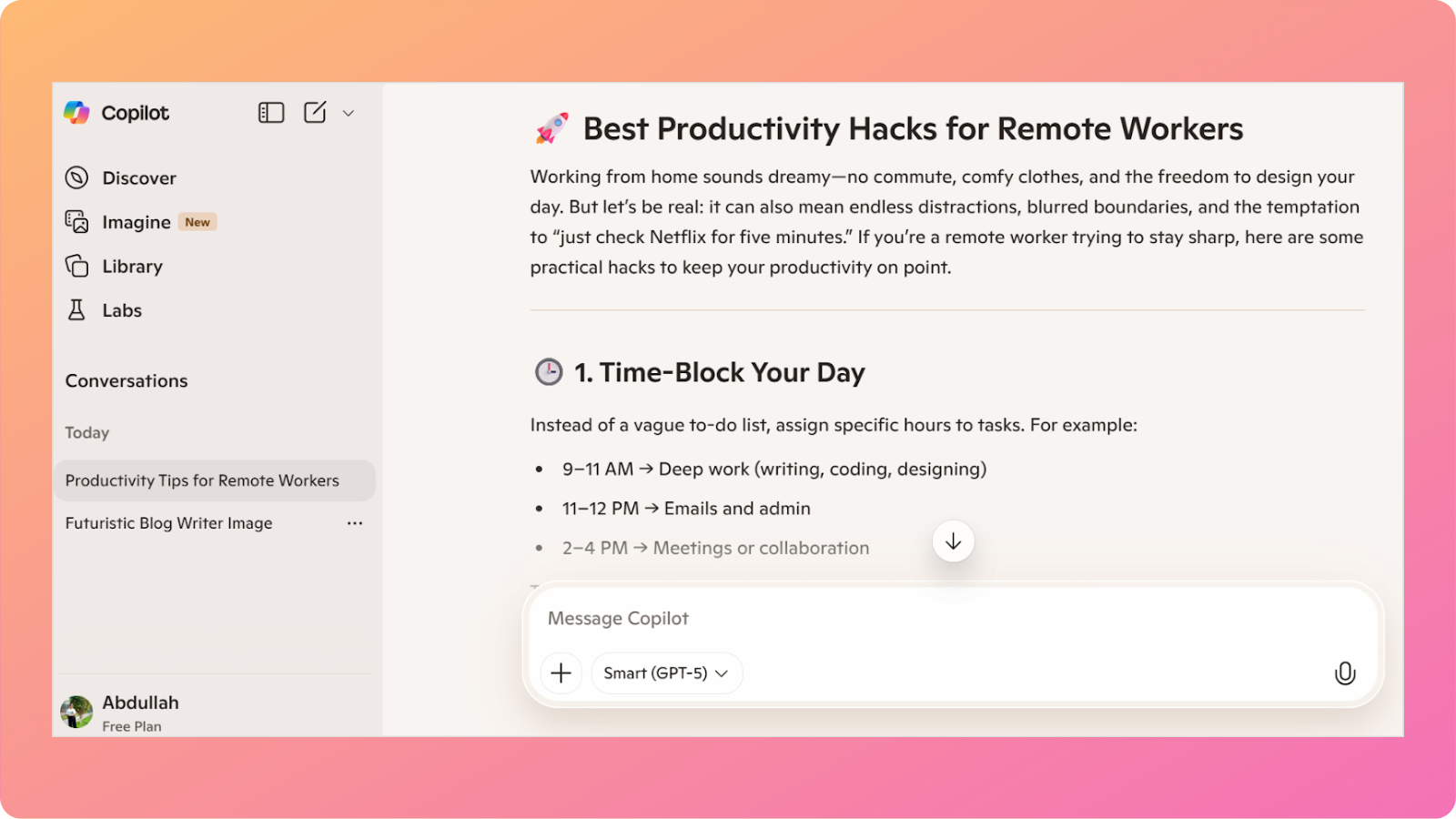
Microsoft Copilot generated a noticeably more concise approach to the same topic. The introduction used similar relatable framing with “no commute, comfy clothes” before acknowledging challenges like Netflix temptation.
The content covered six productivity hacks with emojis in the headings. This formatting choice added visual interest but gave the content a slightly less professional appearance.
Each section was briefer than ChatGPT’s version, typically 2-3 sentences of explanation, compared with ChatGPT’s more detailed paragraphs.
The Pomodoro Technique appeared explicitly named, while ChatGPT presented the same concept as “50-10 Focus Rule” without attribution.
Having said that, the tone remained friendly but slightly more measured. The writing felt more restrained than ChatGPT’s energetic personality.
Summary of Copilot vs ChatGPT for blog writing
This real-world test clearly demonstrates the difference in writing quality between Copilot and ChatGPT for blog content. Let’s break it down with the following table:
| Aspect | ChatGPT | Microsoft Copilot |
| Overall writing quality | Highly engaging, energetic, and reader-focused | Precise, competent, but more restrained |
| Tone and personality | Strong conversational voice with memorable phrasing | Friendly but neutral |
| Reader engagement | Hooks readers early and encourages interaction | Informative, but fewer engagement triggers |
| Structure and formatting | Well-balanced sections with varied formatting | Concise sections with emoji-based formatting |
| Creativity and framing | Creative hack names and relatable metaphors | Straightforward, descriptive headings |
| Depth of explanation | Thorough explanations that build understanding | Brief explanations that prioritize speed |
Both chatbots also come with their own limitations. ChatGPT relies on familiar concepts to generate content, whereas Copilot lacks the tonal variations of its counterpart.
Verdict
The test reinforces that ChatGPT remains the stronger choice for writing a blog post that aims to attract, engage, and retain readers.
Also read: Top 10 best writing tools compared.
Copilot’s efficiency and integration benefits don’t compensate for its weaker creative execution and less developed content when the goal is audience-building through compelling blog posts.
User reviews for Copilot and ChatGPT
Real user experiences from verified G2 reviewers provide a valuable perspective when evaluating Copilot vs ChatGPT. These reviews come from professionals and everyday users who utilize these tools in their actual workflows.
Overall G2 ratings
Both AI chatbots are highly ranked on G2 and have the following ratings (as of writing this article).
- ChatGPT: 4.7/5 (1,298 reviews) – Higher user satisfaction with larger sample size
- Microsoft Copilot: 4.4/5 (156 reviews) – Solid rating from growing user base
ChatGPT’s higher rating and significantly larger review count suggest broader adoption and generally positive user experiences, while Copilot shows strong performance with a smaller but engaged community.
ChatGPT pros
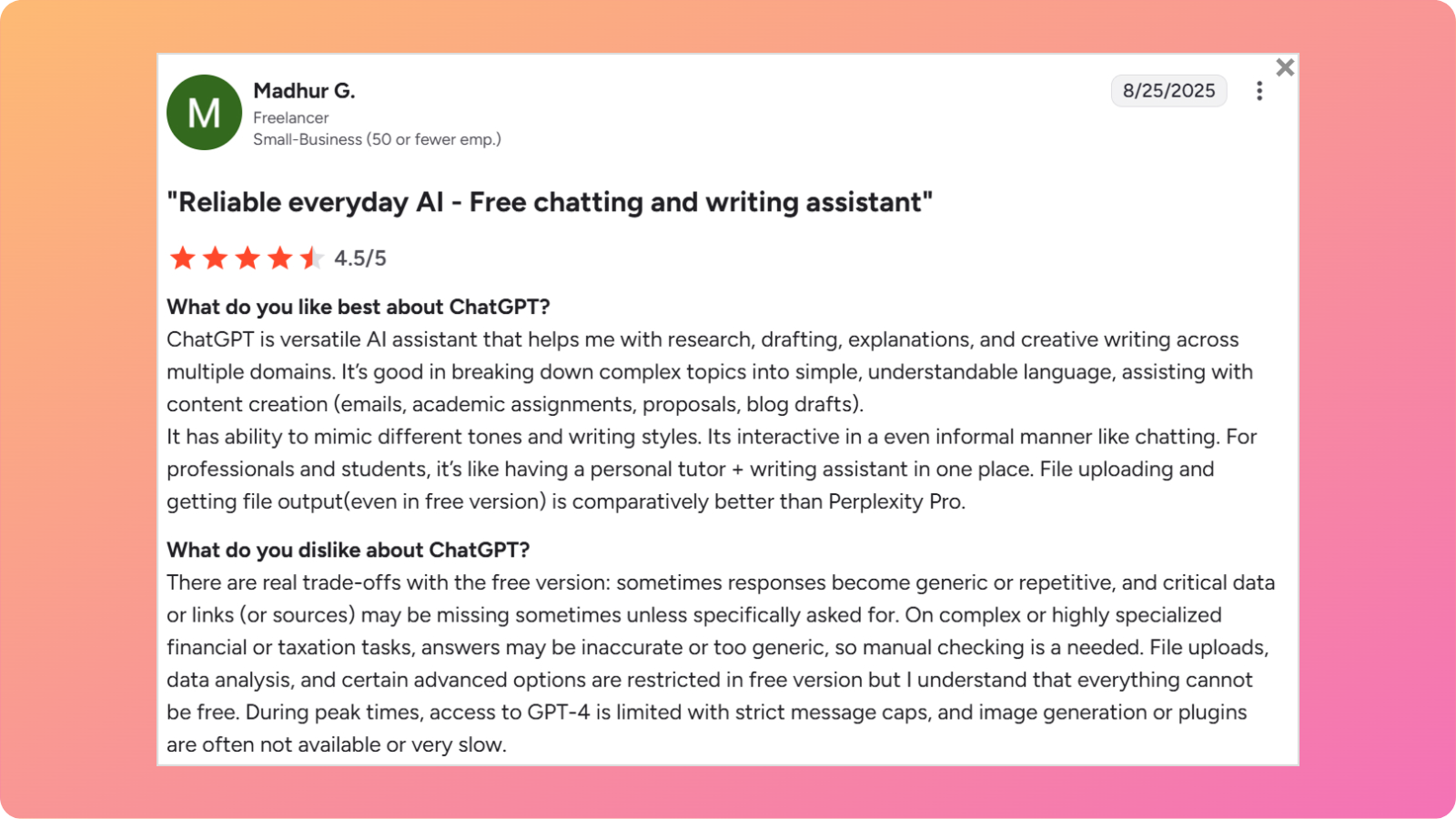
The tool is praised for:
- Instant response time: Delivers answers immediately for efficient content creation.
- Versatile writing assistance: Handles emails, academic work, proposals, and blog drafts effectively.
- Tone adaptability: Successfully mimics different writing styles and maintains conversational flow.
- Complex topic breakdown: Excels at simplifying difficult concepts into digestible content.
- All-in-one solution: Functions as both a personal tutor and a writing assistant.
- File handling: Better upload and output capabilities compared to competitors.
These were some of the strengths that we could include from the user reviews.
ChatGPT cons
Common complaints for ChatGPT included:
- Generic responses: Free version produces repetitive or bland content.
- Missing sources: Lacks citations and links unless specifically requested.
- Specialized topic limitations: Provides inaccurate information for financial, taxation, and niche subjects.
- Peak-time limitations: Strict message caps and slow image generation during peak usage.
- Technical inconsistencies: Makes grammatical errors and provides misinformation.
- Obviously AI-generated: Content clearly identifiable as machine-written without human refinement.
Most drawbacks for ChatGPT revolved around its free version restrictions.
Microsoft Copilot pros
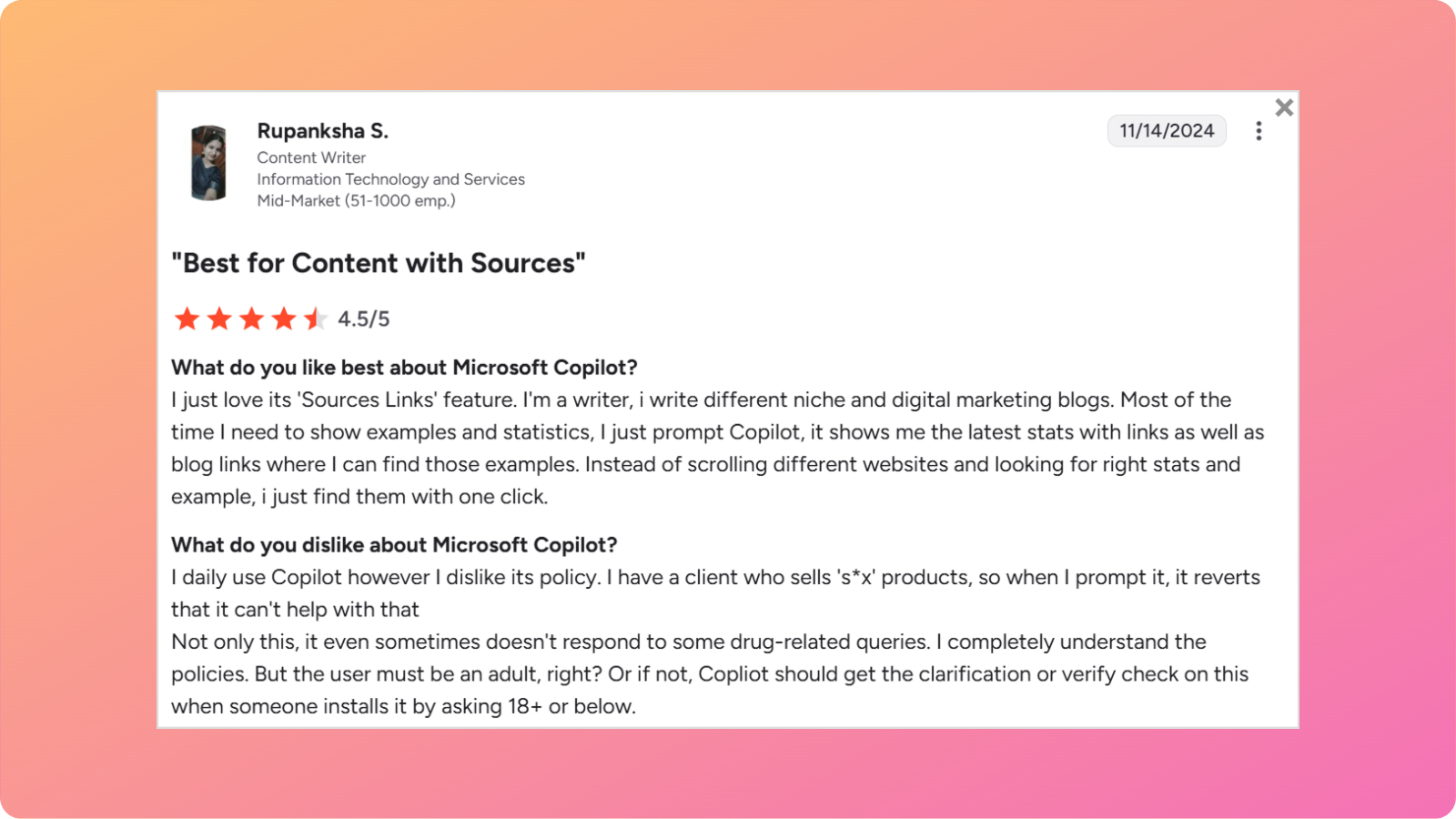
Copilot is praised for:
- Source integration: Provides statistics and examples with direct links to sources.
- Research efficiency: Eliminates the need to scroll through multiple websites for updated data.
- Email composition: Strong performance in writing professional correspondence.
- Content variety: Effective for blog ideas, captions, and diverse writing tasks.
- Tone control: Offers reasonable control over paragraph length and writing style.
- Document integration: Seamlessly summarizes websites and documents for quick insights.
Although the volume of reviews for Copilot was much lower than for ChatGPT, it still has a loyal fanbase due to its MS 365 integration.
Microsoft Copilot cons
According to users, the following were the drawbacks of using Microsoft Copilot:
- Overly restrictive policies: Blocks content related to specific topics unnecessarily.
- Age verification issues: Doesn’t verify user age before applying content restrictions.
- Repetitive output: Messages sometimes sound vague and formulaic.
- Limited customer support: Difficult to find help when issues arise.
- Human supervision required: Cannot be fully automated and still needs human input to ensure accurate outputs in Microsoft 365 apps.
- Document restrictions: Does not fully index large PDFs or lengthy documents.
Copilot performed way less efficiently than ChatGPT at contextual understanding and processing long documents.
Contentpen – A better alternative to Copilot and ChatGPT for blog writing
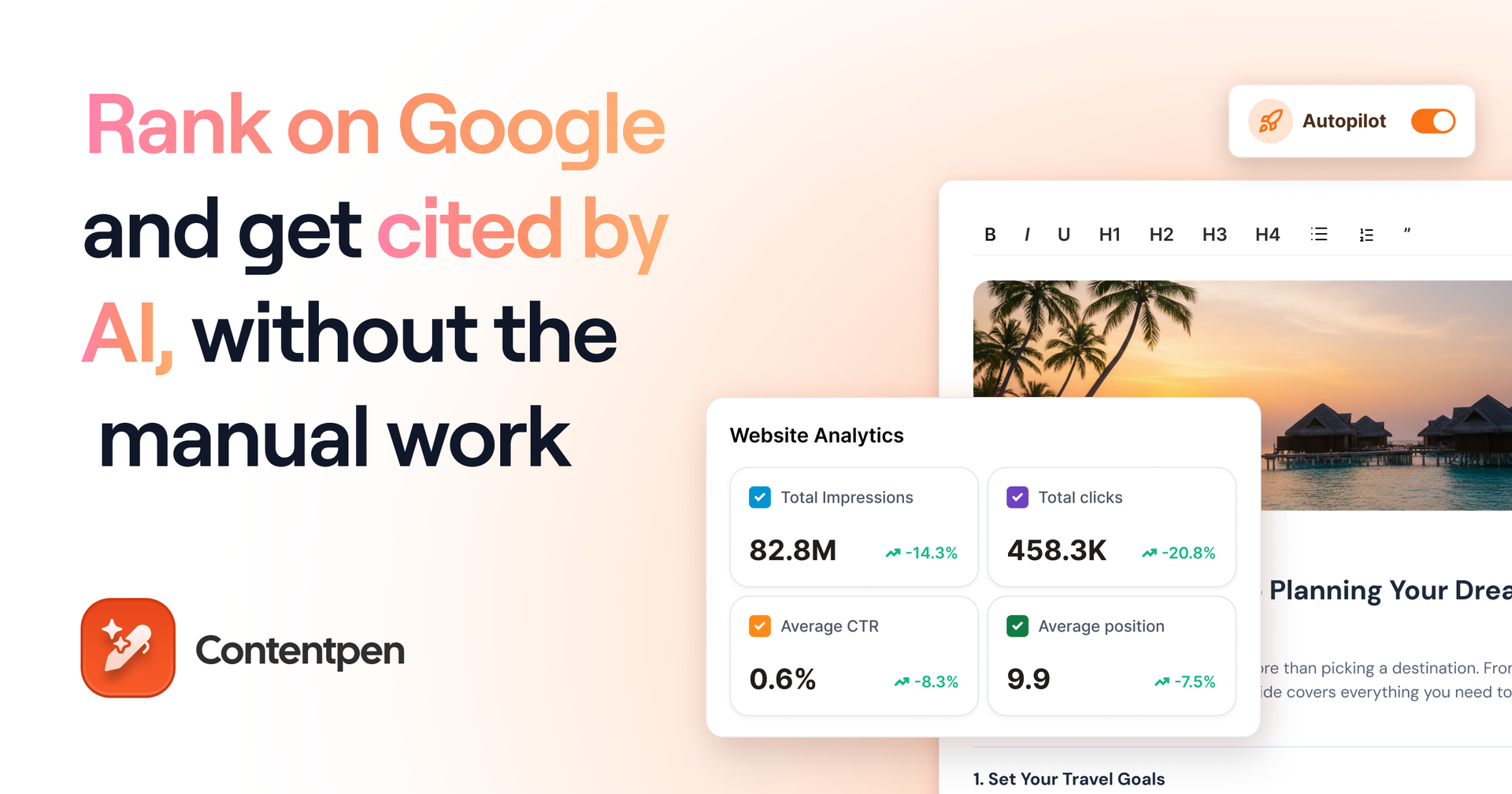
Both Microsoft Copilot and ChatGPT offer valuable capabilities, but neither was explicitly designed to completely automate the blog creation process from concept to publication.
Copilot excels at Microsoft 365 integration but falls short in creative blog writing. ChatGPT produces engaging content but operates as a standalone tool requiring manual workflows for research, optimization, and publishing.
Contentpen eliminates this fragmentation by providing an all-in-one platform built specifically for content creation at scale. It combines AI writing quality with automated SEO, research integration, and direct publishing capabilities.
The following table shows why Contentpen surpasses both Copilot and ChatGPT for blog creation:
| Feature | Microsoft Copilot | ChatGPT | Contentpen |
| AI writing quality | ⚪ Professional but formal | ✅ Creative and versatile | ✅ SEO-optimized, brand-aligned, one-click generation |
| Keyword research | ❌ Manual process | ❌ Manual process | ✅ Automatic and intelligent |
| SEO & GEO optimization | ❌ Basic awareness | ⚪ Strong when prompted | ✅ Advanced, automated optimization |
| Images & media | ✅ DALL-E 3 integration | ✅ DALL-E 3 integration | ✅ AI-generated visuals included |
| Content calendar | ❌ None | ❌ None | ✅ Auto-created and scheduled |
| Workflow integration | ✅ Excellent for Microsoft 365 | ❌ Standalone only | ✅ Direct CMS integration |
| Scalability | ⚪ Moderate volume | ⚪ High writing volume | ✅ Bulk creation and Autopilot |
| AI visibility tracking | ❌ None | ❌ None | ✅ Up to 7 AI engines |
Contentpen doesn’t force you to choose between integration convenience and writing quality. It combines Copilot’s workflow efficiency with ChatGPT’s content generation strength, then adds comprehensive SEO capabilities and publishing automation that neither platform provides.
Our AEO SEO tool automates keyword research, internal and external linking, creates accompanying visuals, and publishes directly to WordPress, Ghost, Wix, and Webflow.
The following video explains how exactly you can use Contentpen to create an SEO-optimized article:
Copilot vs ChatGPT: The bottom line
The Copilot vs ChatGPT comparison tells us that the two tools are optimized for fundamentally different purposes.
Microsoft Copilot excels as an integrated productivity assistant, while ChatGPT operates as a dedicated content-generation platform optimized for creative writing, conversational engagement, and versatile text production.
For blog writing, ChatGPT delivers significantly better results. The content feels more natural, engages readers more effectively, and adapts to different brand voices and styles with greater flexibility.
However, bloggers and marketers serious about systematically scaling blog production will find Contentpen to be the perfect purpose-built alternative.