 15 minutes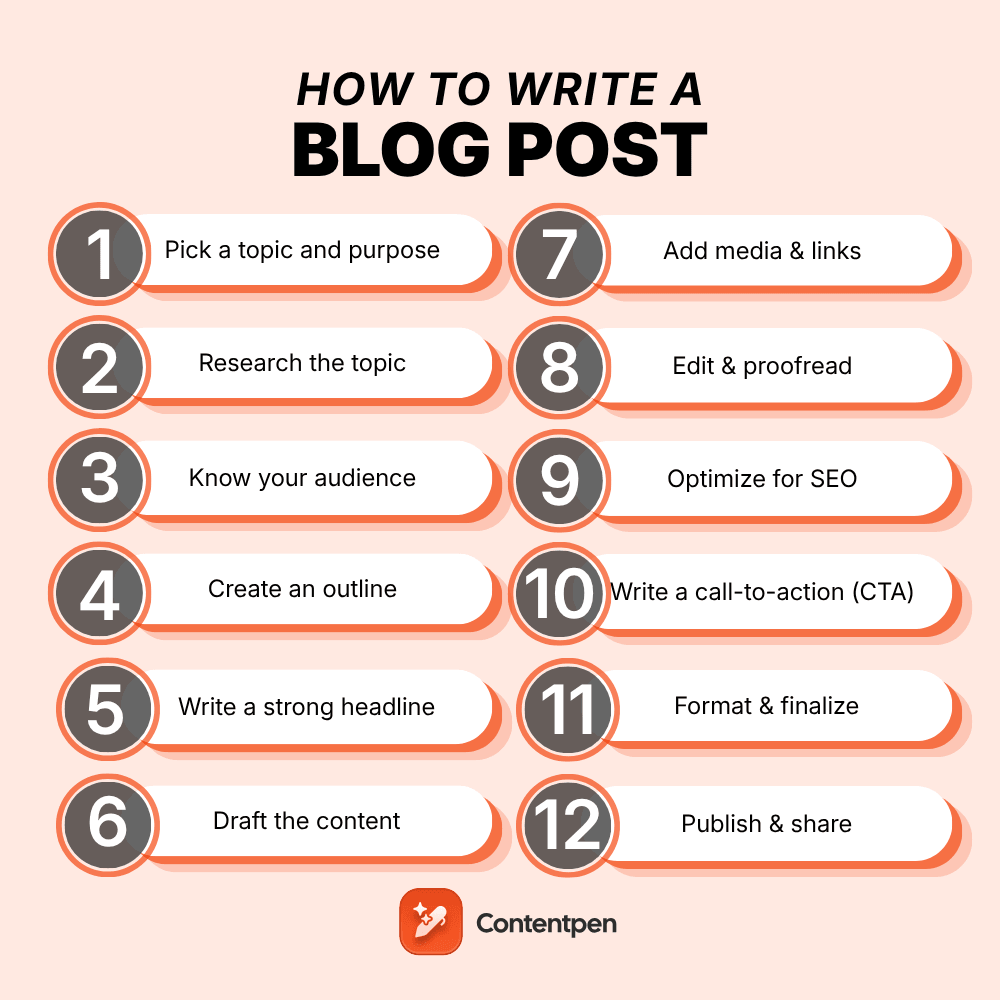
Writing a blog post might seem an easy process, due to which not many people wonder how to write a blog post. However, if you are thinking of being a serious blogger and want your content to do well in search engines, you should know about the strategic process of writing a blog post.
From choosing the right keywords and topic to hitting that publish button, we’ll cover the essential elements that separate mediocre blog posts from those that drive real results.
Let’s deconstruct the systematic approach of how to write a blog post to create engaging content that their audience actually wants to read.
Table of contents
- Step 1: Pick a topic and purpose
- Step 2: Research the topic
- Step 3: Know your audience
- Step 4: Create an outline
- Step 5: Write a strong headline
- Step 6: Draft the content
- Step 7: Add media & links
- Step 8: Edit & proofread
- Step 9: Optimize for SEO
- Step 10: Write a call-to-action (CTA)
- Step 11: Format & finalize
- Step 12: Publish & share
- Ideal blog post structure
- What to do after publishing your blog post?
- Conclusion
Step 1: Pick a topic and purpose
Never make the mistake of starting typing right away. You must have a clear direction and vision. The best blog posts solve specific problems or answer particular questions that your audience has.
You can pick the right topic by:
- Brainstorming topics that align with your expertise and your readers’ interests.
- Consider what goals you want to achieve with your blog post.
- Knowing whether you are trying to educate your audience, drive traffic to a product page, establish thought leadership, or simply engage your community.
- Having a clear purpose to guide your writing.
- Analyzing trending topics in your industry. Check what questions people are asking on social media, and review comments on your previous posts for inspiration.
Tools like Google Trends, Answer The Public, Contentpen, or even a simple Google search can reveal what people are actively searching for.
Step 2: Research the topic
Now comes the detective work. Thorough research is what separates amateur blog posts from professional, authoritative content.
You should start by gathering information from credible sources, industry reports, case studies, and expert opinions. Don’t just rely on surface-level information like the one available in basic AI searches or overviews.
Instead, you should dig deeper to find unique angles, recent statistics, and fresh perspectives that your competitors might have missed.
This research phase is also where you’ll discover supporting evidence for your main points and find real-world examples to illustrate your concepts. Take notes as you research and organize your findings. You’ll be surprised how much more confident and authoritative your writing becomes when you’re working from a solid foundation of well-researched information.
Step 3: Know your audience
Writing without knowing your audience is like cooking without knowing who’s coming to dinner. You need to understand who you’re writing for, what they care about, and how they prefer to consume information.
Create a mental picture of your ideal reader to answer questions like:
- What challenges are they facing?
- What’s their level of expertise on your topic?
- Are they looking for quick tips or in-depth analysis?
- Do they prefer a casual, conversational tone or more formal, professional language?
Consider where your audience is in their customer journey as well. Are they just becoming aware of a problem, actively searching for solutions, or ready to make a decision? This understanding will help you write content that meets them exactly where they are.
Related: How to write short blog posts that still deliver value?
Step 4: Create an outline
Many writers miss the mark when they skip the outline and jump straight into writing. It is a big mistake because a solid outline is your roadmap, ensuring your post flows logically and covers all the important points without unnecessary details.
An ideal outline has:
- All the main points are arranged in a logical order.
- Each major point should support your overall thesis or purpose.
- Breakdown of main points into sub-points or supporting details. This structure will become your headings and subheadings.
You don’t need to get overwhelmed by trying to make your outline perfect. Consider it as a living document that you can adjust as you write. The end goal is to have a clear structure that keeps you on track and ensures you don’t forget any relevant information.
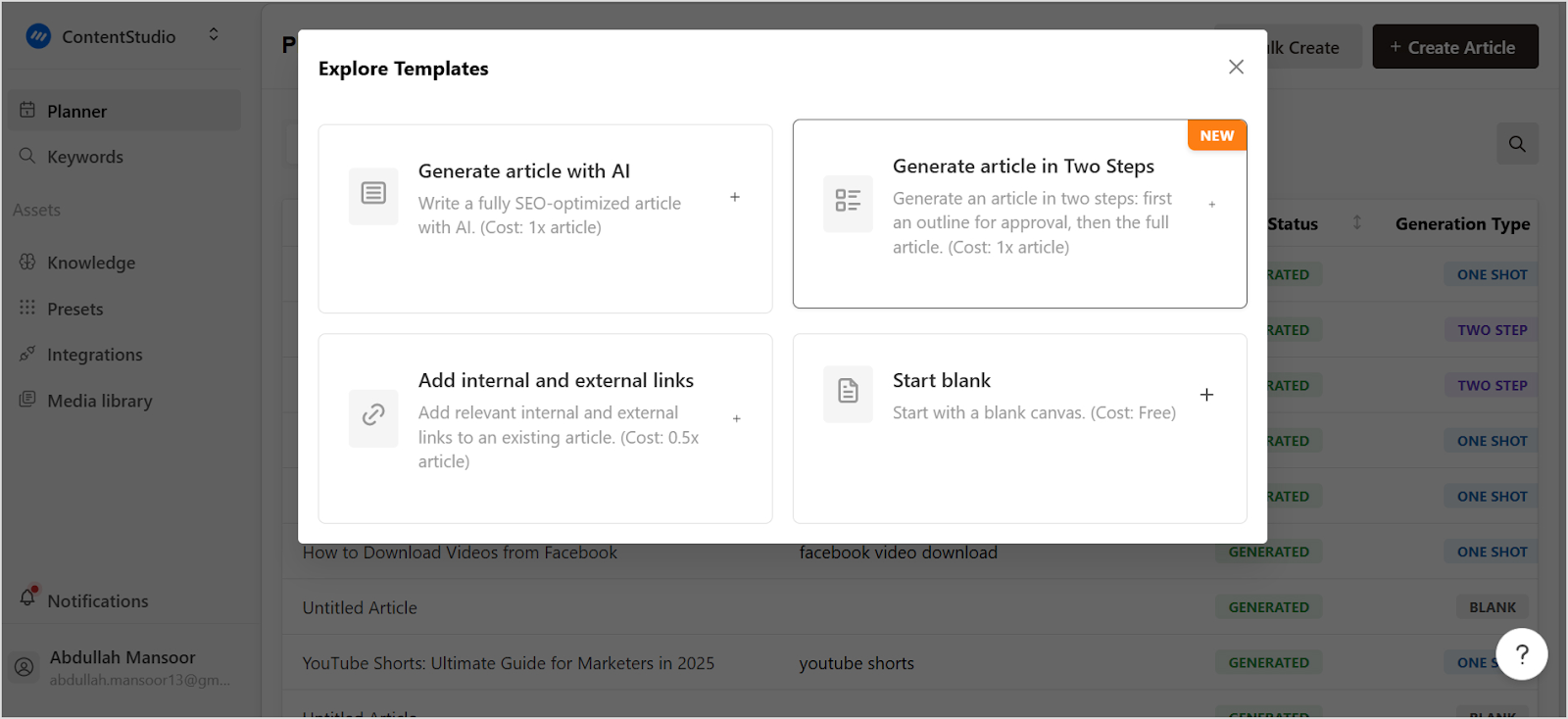
Bonus tip: Use Contentpen’s “generate article in two steps” option to create an outline and modify it as per your requirements before creating a full-fledged article.
Step 5: Write a strong headline
Your headline is your first impression, and often your last chance to grab a reader’s attention. Since we are living in a digital era where people scroll past hundreds of headlines daily, yours needs to stand out and clearly communicate the value you’re offering.
Effective headlines often include:
- Numbers
- Power words
- Specific outcomes
They should be specific enough to set clear expectations but intriguing enough to encourage clicks. Think about what would make you stop scrolling and click on an article.
You should also test different headline variations if you’re unsure. You can also look at successful headlines in your industry for inspiration, but make sure yours feels authentic to your brand voice and accurately represents your content.
Step 6: Draft the content
Now the component of how to write a blog post includes actually writing your content. Start with a compelling introduction that hooks your readers and clearly states what they’ll gain from reading your post. Then work through your outline, expanding each point into full paragraphs.
There is a lot of fluff on the internet, so if you want your content to truly stand out, you should write in a conversational tone, as if you’re explaining the topic to a friend. Use short paragraphs, varied sentence lengths, and transitional phrases to keep your content flowing smoothly.
You don’t have to worry about perfection in your first draft. Instead, focus on getting your ideas down on paper initially and then refining them in future revisions. Make sure you are backing up your points with examples, data, or anecdotes. Stories and specific examples make abstract concepts more relatable and memorable for your readers.
Step 7: Add media & links
Text-only blog posts can feel overwhelming and boring. You can enhance the readability with the strategic use of images, videos, infographics, or other media elements to break up your content and make it more engaging and easier to digest.
Moreover, choose visuals that directly support your content rather than just decorative images. Screenshots, charts, diagrams, or relevant photos can help illustrate your points and provide visual breaks for your readers.
Also, don’t forget the importance of linking. Internal links to your other relevant content and external links to authoritative sources provide additional value to readers and can help with your SEO efforts.
Related: How to automate internal and external linking using Contentpen
Step 8: Edit & proofread
This step separates professional content from amateur blog posts. After you’ve finished your first draft, take a break before editing. Fresh eyes will catch issues you missed while deep in the writing process.
Some of the key questions to consider in the editing stage are:
- Does your post flow logically?
- Are your main points clear and well-supported?
- Is the tone consistent throughout?
Once the big questions are answered, you can move to sentence-level editing for clarity, conciseness, and impact.
Finally, proofread for grammar, spelling, and punctuation errors. You can use tools like Grammarly for this purpose as well.
Reading your post aloud can also help you catch awkward phrasing or run-on sentences that might trip up your readers.
Also read: How to format a blog post? Complete guide
Step 9: Optimize for SEO
SEO optimization doesn’t mean stuffing keywords everywhere. Instead, it means making your content easily discoverable and valuable to both search engines and human readers.
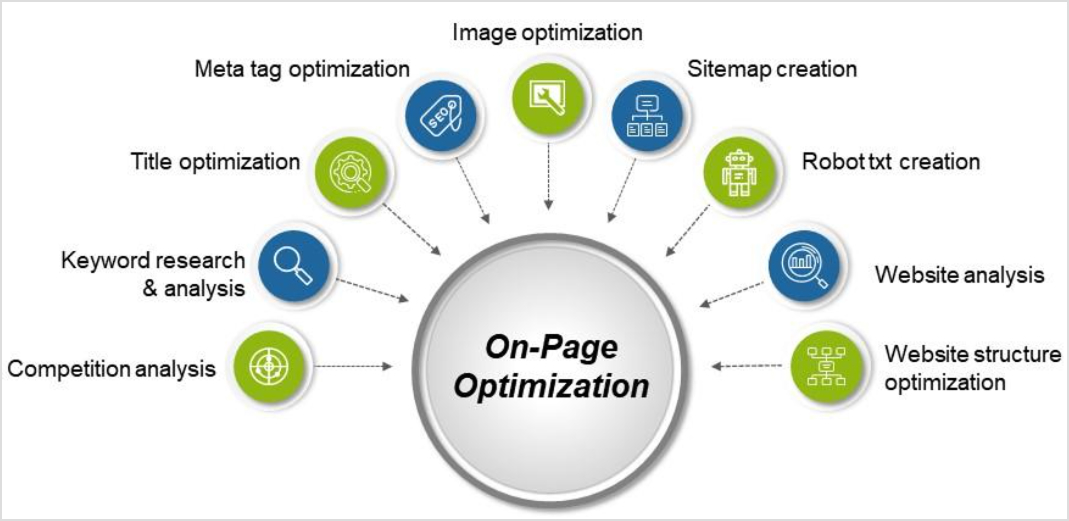
Some of the key aspects of SEO are:
- Include your target keyword naturally in your title, headers, and throughout your content.
- Write compelling meta descriptions that accurately summarize your post and encourage clicks from search results.
- Use header tags (H1, H2, H3) to structure your content clearly.
- Include alt text for your images.
Overall, you need to focus on creating genuinely helpful content that answers searchers’ questions thoroughly. With AI-generated content becoming more and more popular, search engines are getting even better at recognizing and rewarding high-quality, user-focused content.
Also read: The ultimate 15-step on-page SEO checklist for 2025
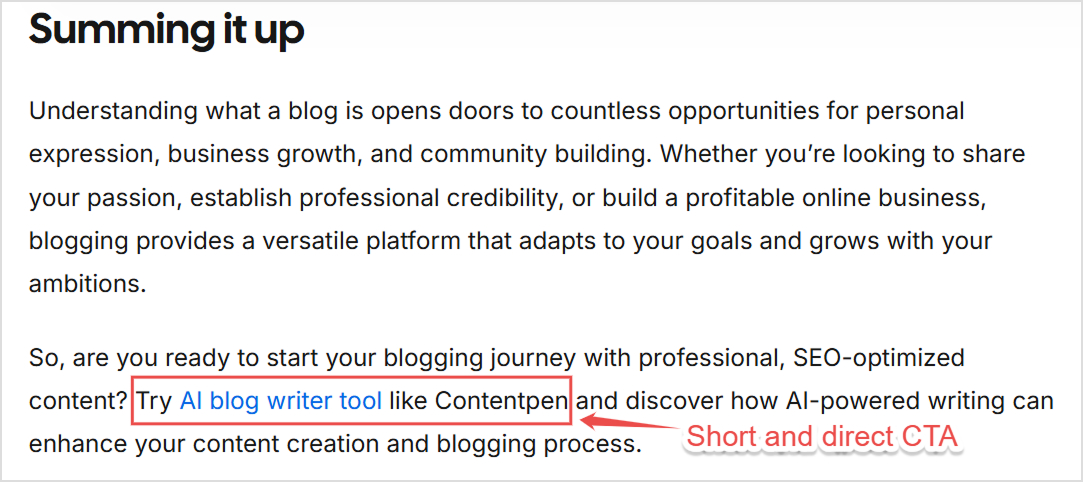
Step 10: Write a call-to-action (CTA)
Every blog post should guide readers toward the next step. Whether it’s subscribing to your newsletter, downloading a resource, checking out a product, or simply reading another post, give your readers a clear direction.
Make your CTA specific and action-oriented. Instead of generic phrases like “click here,” use language that clearly communicates the benefit of taking action. “Download our free template” or “Get started with your free trial” are much more compelling.
Place your CTA naturally within your content where it makes sense, not just awkwardly placed at the end of your post.
Step 11: Format & finalize
Good formatting makes your content scannable and reader-friendly. This is why you should use plenty of white space, bullet points, and subheadings to break up long blocks of text.
Most readers scan before they read, so make it easy for them to find the information they’re looking for. Also, it is vital to check that your blog post looks good on both desktop and mobile devices. With most people reading blogs on their phones, mobile-friendly formatting is essential for user experience.
Step 12: Publish & share
By following the 11 steps discussed till now, you’ve put in all the time and effort required to write an engaging blog post. Now it’s time to get your content in front of readers. Publish your post and immediately share it across your social media channels, email newsletter, and any other distribution channels you use.
Make sure you don’t just publish and forget. The real work of promoting your content begins with an effective content marketing strategy after you hit the publish button. But we’ll dive deeper into that in the next section.
Ideal blog post structure
Having a consistent blog post format makes writing easier and creates a better experience for your readers. Let’s look at the blog post template that works for most topics and industries, along with an example:
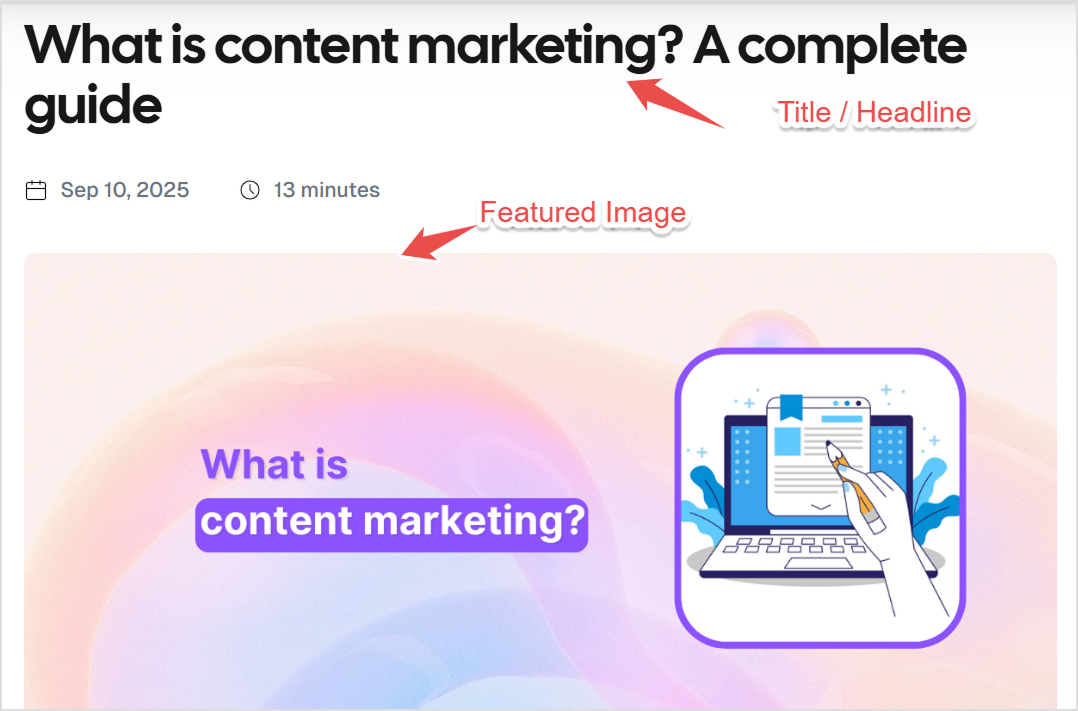
Title/headline
Your title should be clear, compelling, and include your target keyword when it makes sense. It’s the first thing readers see, so make it count.
Introduction
Your blog post introduction should hook readers immediately and clearly explain what they’ll learn or gain from reading your post. Keep it concise but compelling to give readers a reason to keep reading without giving everything away upfront.
A good introduction often starts with a relatable problem, an interesting statistic, or a thought-provoking question. Then it bridges to your main topic and outlines what the post will cover.

Main body (Organized by sections)
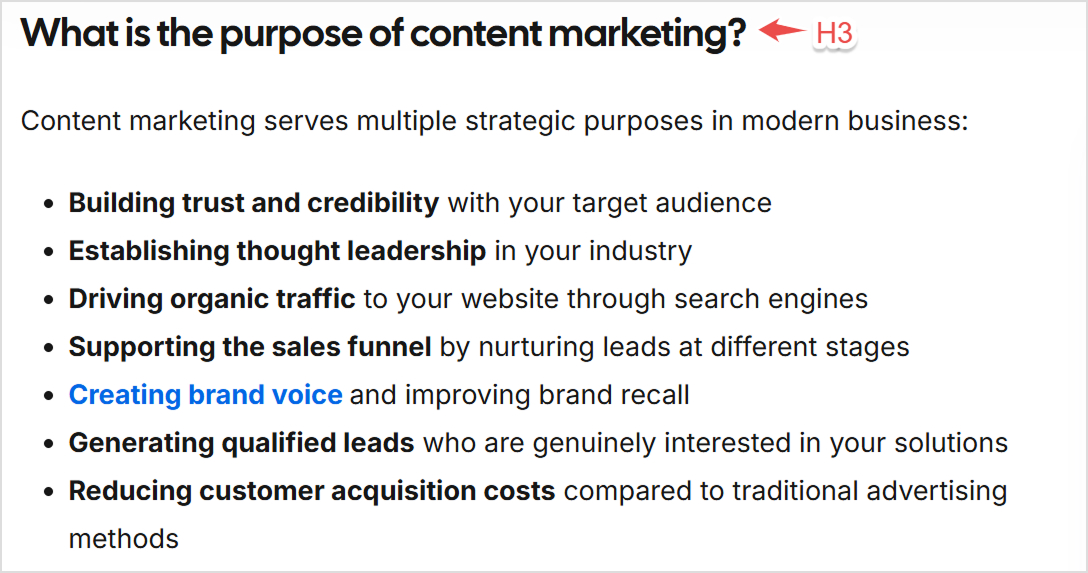
An ideal blog post format has a main body that is organized efficiently in terms of sections with clear subheadings. Each section should cover one main point and flow naturally to the next. Moreover, you should use a mix of paragraphs, bullet points, and numbered lists to keep your content varied and engaging.
Supporting media
Strategically place images, videos, infographics, or other visual elements throughout your post to support your points and provide visual breaks. Don’t just add media for decoration, as these elements should add value.

Conclusion with call-to-action (CTA)
Wrap up your post by summarizing your main points and reinforcing the key takeaways. A strong conclusion leaves readers feeling satisfied and clear about what they’ve learned. Moreover, CTA is an important part of the conclusion to guide readers toward their next step.
Extras (Optional)
Depending on your post and audience, you might want to include additional elements, such as:
- FAQs section to address common questions related to your topic
- Related posts to keep readers engaged with links to similar content
- Author bio to build credibility and connection with your audience
What to do after publishing your blog post?
Publishing your post is just the beginning. Here are the key things you can do maximize the reach and impact of your blog posts:
Share on social media
Craft unique posts for each social platform that highlight different aspects of your blog post. Don’t just share the same message everywhere. Instead, customize your approach to each platform’s audience and format preferences.
Send to your email list
Your email subscribers are your most engaged audience. Send them a dedicated email featuring your new post, or include it in your regular newsletter with a compelling preview. You can build a large email list over time.
Optimize for SEO
Monitor your post’s performance in search results and make improvements over time. Add internal links from other relevant posts on your site, and look for opportunities to earn backlinks from other websites.
Engage with readers
Respond to comments on your post and social media shares. Engagement signals to search engines that your content is valuable and helps build relationships with your audience. It also helps in keeping the readers coming back to your blog.
Repurpose content
Turn your blog post into other content formats. For instance, you can create social media graphics with key quotes, record a podcast episode on the topic, or develop a presentation for speaking opportunities.
Build backlinks
Reach out to other websites in your industry that might find your post valuable. Guest posting, participating in industry discussions, and building relationships with other creators can help earn quality backlinks. It will also boost the ranking of your content and get more organic traffic.
Track performance
Use analytics tools to monitor how your post performs. Track metrics like page views, time on page, social shares, and conversions to understand what resonates with your audience. Use this data to further improve your blog posts.
Update over time
Keep your content fresh and accurate by updating it periodically. Add new information, update statistics, and refresh examples to maintain its value and search rankings. Evergreen topics might not require frequent updates, but you should analyze the written content from time to time to ensure readers are getting correct and updated information.
Conclusion
Writing an engaging and optimized blog post is both an art and a science. By following this systematic approach of how to write a blog post in 12 steps from initial topic research to post-publication promotion, you’ll create content that not only serves your audience but also drives real results for your brand.
Remember, great blog writing improves with practice. The key is to follow an ideal blog post format and structure and provide genuine value to your readers. The most important step is simply getting started and remaining consistent with your publishing schedule. Plus, an AI blog writer like Contentpen can help you in your blogging journey by creating outlines as well as complete SEO-optimized blog posts.
Frequently Asked Questions
A blog post is any article published on a blog, such as “10 healthy dinner recipes,” “How to start a small digital marketing business,” or “The ultimate guide to social media marketing.” There are many different types of blog posts, such as how-to guides, listicles, personal stories, industry news, and opinion pieces. If you want to see how these formats look in real life, exploring different blog post examples can be very helpful.
Yes, personal bloggers can earn money through various methods, including affiliate marketing, sponsored posts, selling digital products, offering consulting services, display advertising, and selling courses or ebooks.
The four main parts of a blog are:
1. Header containing the blog title, navigation menu, and branding
2. Main content area where blog posts are displayed)
3. Sidebar featuring widgets like recent posts, categories, or social media links
4. Footer containing copyright information, additional links, and contact details
These elements create the overall structure and user experience of a blog.
Bloggers can be paid by various sources, including:
– Companies for sponsored content
– Affiliate programs for promoting products
– Advertising networks for display ads
– Readers who purchase products or services
– Clients for freelance writing work
– Businesses for consulting or speaking opportunities.
Some bloggers also earn through membership sites, online courses, or selling their own products.
The three main types of blogs are:
1. Personal blogs that share personal experiences, thoughts, and lifestyle content
2. Business blogs are available on companies’ websites for marketing, customer education, and brand building
3. Niche blogs focusing on specific topics like travel, food, technology, or finance
Each type serves different purposes and audiences, but all aim to provide valuable content to their readers.
The first sentence of a blog post should immediately grab the reader’s attention and clearly relate to your topic. It could be a surprising statistic, a thought-provoking question, a relatable problem statement, or a bold declaration.
Writing a blog post on WordPress is possible in a few steps. First, you’ll log into your dashboard, then navigate to “Posts” and click “Add New” to open the editor.
Start by entering a compelling title at the top. Next, use the intuitive block editor to create your content, easily adding paragraphs, formatting text, inserting images, and building lists. Before publishing, look at the settings sidebar to choose relevant categories and tags so readers can discover your post.
If you’re using an SEO plugin, this is also where you’d write a concise meta description to optimize how it appears in search results. Finally, use the “Preview” button to ensure everything looks perfect, and when you’re satisfied, click “Publish” to share your post with the world!
Writing a blog post using Shopify’s built-in blogging feature is quick and perfect for e-commerce content.
To get started, navigate to your Shopify admin panel, click on “Online Store,” and then select “Blog Posts.” From there, hit the “Create blog post” button. You’ll then enter your title and craft the body of your content using the user-friendly rich text editor.
Before you save, be sure to optimize your post by setting a strong SEO title and description—this helps people find it on Google. Finally, you can select relevant tags for better organization, choose your publication settings (whether it’s live or a draft), and click “Save” or “Publish” to complete the process. Shopify keeps its blogging feature simple but effective, letting you focus on creating great content to support your store.

Eeman Bokhari
Eeman Bokhari has over 9 years of experience in creating high-quality written content and more than 6 years of expertise in SEO and content marketing. She specializes in building search-first content strategies, aligning content with user intent, and driving sustainable organic growth for SaaS and B2B brands. Eeman’s work focuses on combining SEO insights, content systems, and performance data to create content that ranks, engages, and converts.
View all posts by this author