Frequently asked questions

Everything you need to know about Contentpen, in one place
Answers to common questions about what Contentpen does, who it is for, and how it helps you create content that both ranks and gets cited by AI.
Queries about Contentpen
A quick introduction to Contentpen, its purpose, and the people it is made for.
Contentpen is an AI blog writing, SEO, and AEO (answer engine optimization) platform that helps you research, write, optimize, publish, and track long-form content from one place. Unlike a general AI writer, Contentpen optimizes every draft for both SEO and AEO, so the content you publish is built to rank on Google and to be cited by AI engines like ChatGPT, Gemini, and Perplexity.
Contentpen covers the full content workflow: keyword research and clustering, SERP and content-gap analysis, AI-assisted writing in 50+ languages, live SEO and AEO scoring, automated internal and external linking, one-click publishing, content scheduling, and analytics. You can also track how often AI engines mention and cite your brand, so one platform handles both creation and measurement.
Contentpen is for anyone who needs content that ranks and gets cited without spending all day on it. That includes content marketers scaling output, freelancers delivering client work faster, founders and small business owners growing organic traffic with limited time, and agencies managing content across many clients. You do not need to be an SEO expert to get strong results from it.
Contentpen solves the problem of content that takes too long to produce and still fails to get seen. Most teams juggle separate tools for research, writing, optimization, and publishing, then watch their posts miss both Google rankings and AI citations. Contentpen brings the whole process into one platform and optimizes for search and AI answer engines together, so the content you publish actually gets found.
Contentpen is more than an AI writing tool. It does write, but writing is only one step in what it does. General AI writers stop at generating text, while Contentpen also researches keywords, studies competitors, scores content for SEO and AEO, builds internal links, publishes to your site, and measures results. Think of it as a full content engine rather than a single writing feature.
Yes, Contentpen is designed so beginners can get strong results without SEO experience. It surfaces high-intent keywords for you, shows a live SEO and AEO score with clear, plain-language fixes as you write, and places internal and external links automatically. More advanced users can dig into SERP analysis and deeper settings, but you can rely on the guided scoring from day one.
Contentpen works best for teams and businesses that depend on organic content to grow. Small marketing teams use it to scale output without extra headcount, agencies use it to manage content for many clients from one place, and SaaS, ecommerce, and local businesses use it to win both search rankings and AI citations. It suits anyone publishing regularly who wants results without a large team.
Yes, Contentpen is well suited to client work. Its workspaces let you keep each client's content, keywords, and analytics separate, so nothing gets mixed up. The Premium plan includes three workspaces and the Agency plan includes unlimited workspaces with priority support, which makes it practical to deliver SEO and AEO content for many clients while managing everything from one login.
Contentpen is built for long-form, search-focused content. You can create blog posts, articles, how-to guides, listicles, comparison posts, and other SEO and AEO optimized pages, in more than 50 languages.
Yes! Contentpen is one of very few tools built for SEO and AEO together, which is exactly what matters as AI search keeps growing. Rather than only generating text, Contentpen optimizes every draft to rank on Google and to be cited by AI engines, then tracks both for you.
Contentpen supports more than 50 languages, including English, Spanish, French, German, Portuguese, Chinese, and Japanese. It is built for multilingual and local SEO, so you can research, write, and publish content optimized for the regional and local searches your audience actually makes, in a natural, native-sounding tone rather than a rough translation.
Queries about how to use Contentpen
Getting started with Contentpen and how the workflow runs day to day.
Getting started with Contentpen takes only a few minutes. Sign up for a free trial, create your first workspace, and connect the website you want to publish to. From there you can run your first keyword search and generate an optimized draft right away. There is no setup project or technical configuration, so most users are creating content on the same day they join.
You can test the full Contentpen workflow during the free trial. That includes generating SEO and AEO-optimized articles, using the AI image library, running real-time SERP analysis, getting primary and secondary keyword suggestions, writing in the live editor with SEO scoring, and publishing straight to your CMS. To start, sign up on the Contentpen site, and your 7-day trial begins right away, with no long setup.
Yes, Contentpen is built to get you productive quickly, with a guided in-app experience that walks you through your first article. You also have access to help center articles, resource hub, tutorials, and the support team, whenever you need them. Because the interface surfaces keywords, scores, and fixes as you work, most of the learning happens naturally while you create your first few pieces.
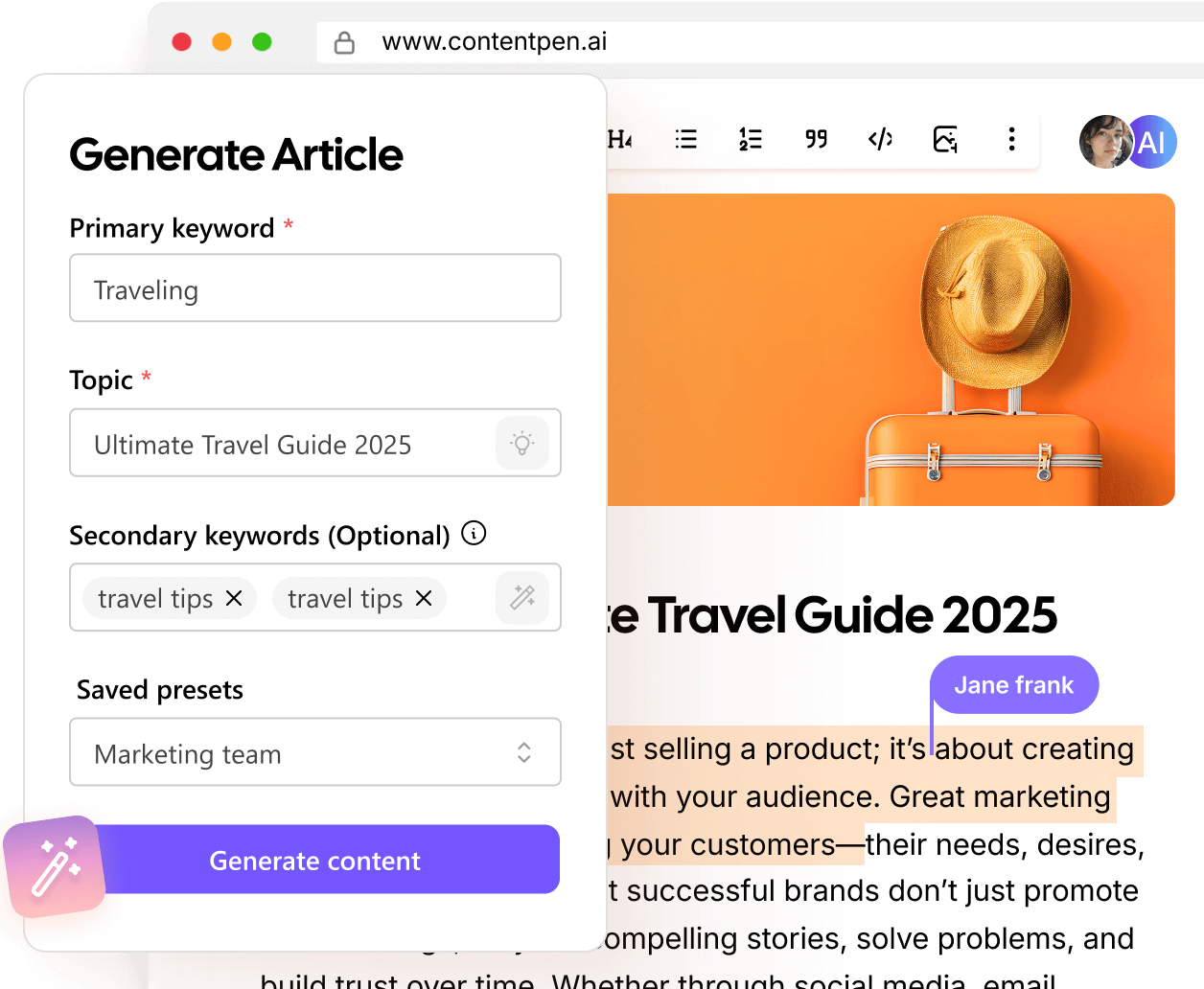
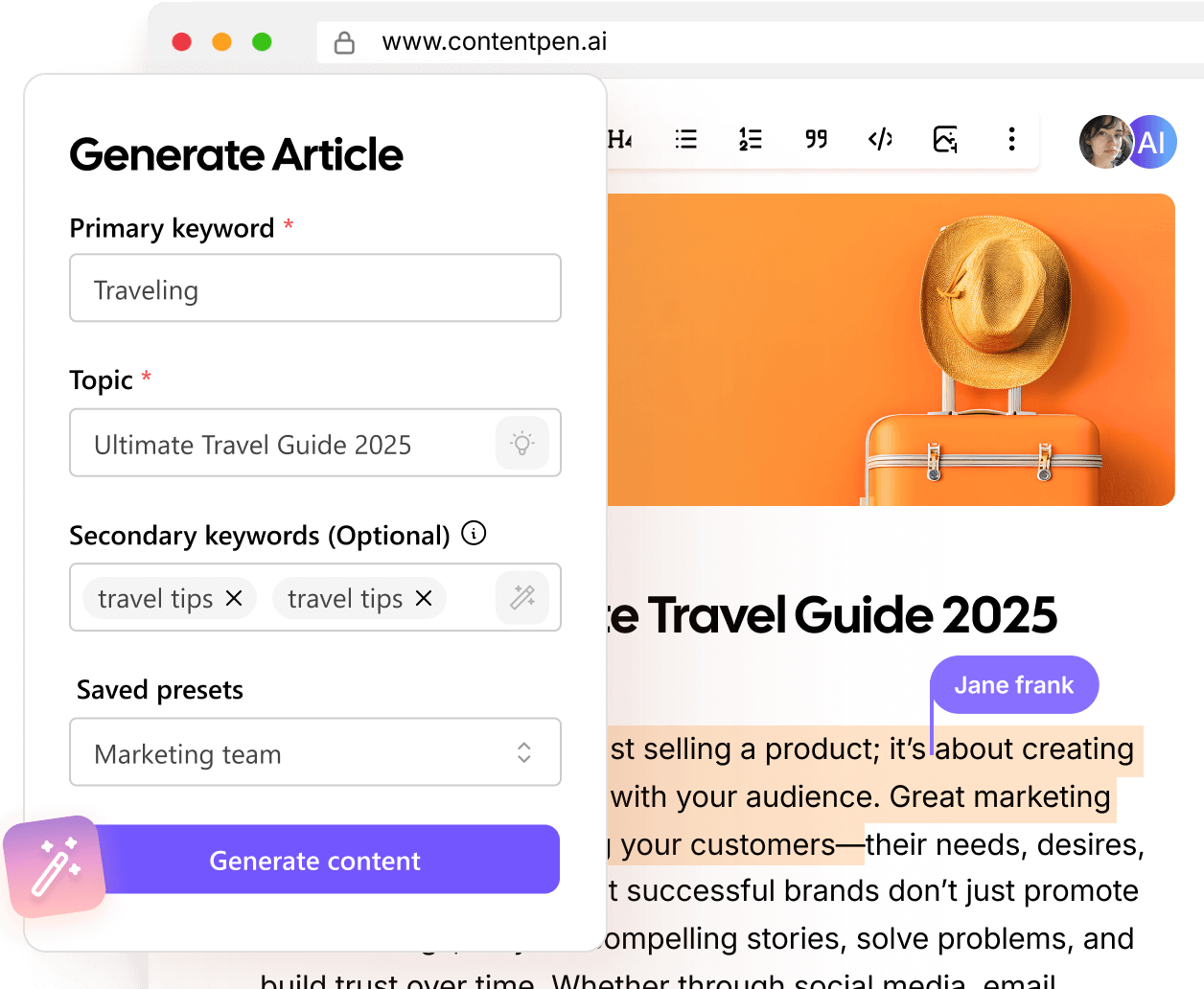
To create your first article in Contentpen, enter your topic or target keyword, and Contentpen researches the SERP and generates a structured, optimized draft. You then refine it in the live editor, where the SEO and AEO score guides your edits, and adjust the links as needed. When you are happy with it, publish to your connected site in one click.
Contentpen is fully web-based, so there is nothing to install. It runs in your browser on any modern computer, and you can log in from anywhere without downloads, plugins, or updates to manage.
Contentpen generates a complete, structured first draft in just a few minutes. From there, the time to a polished, publish-ready piece depends on how much you edit, but most users finish a full blog post in well under an hour, rather than the day or more it often takes from scratch. Bulk generation can speed this up further when you need volume.
Contentpen runs the full content process in one place. You start by providing a keyword to the AI, then it finds out the secondary keywords and does SERP analysis, and based on the brand knowledge, it creates an outline for you to approve. After your approval, it generates a fully optimized draft. You refine it in the live editor using the SEO and AEO score, add internal and external links, and publish to your CMS in one click. Finally, Contentpen tracks how that content performs across both search and AI results.
Contentpen writes the content for you, but you stay in control of it. It generates a full, optimized draft based on your keyword and brief, and you guide the direction, edit any part, and add your own expertise and examples.
Yes, you can fully edit and refine everything Contentpen generates. The live editor lets you rewrite, restructure, expand, or trim any part of the draft, and the SEO and AEO score updates in real time as you make changes, so you can see the impact of each edit. Nothing is locked, so you can shape the piece until it reads exactly the way you want.
Contentpen is built to be easy to use day-to-day, with a short learning curve. The workflow follows a clear path from keyword to draft to publish, and the live score tells you what to improve in plain language, so you are never guessing. Most people are comfortable after their first article or two, and power users can go deeper into the analysis whenever they want.
You have full control over tone, structure, and brand voice in Contentpen. You can set the tone and style before generating, shape the outline and structure of the piece, and then edit freely so the final draft matches how your brand actually sounds. This keeps your content consistent with your voice, rather than reading like generic AI output.
Yes, Contentpen does both. It creates new content and optimizes existing articles. To update one you already have, give Contentpen the article URL along with your instructions, and it will revise the piece for you. Contentpen also includes an Opportunities dashboard that flags which existing articles to refresh for better organic reach, shows exactly what to change, and lets you apply those updates with a single click.
Yes, teams can collaborate in Contentpen through shared workspaces, so more than one person can work on the same content, keywords, and projects. You can even set the editorial workflow to include certain team members at certain stages of your content production. There are options to add comments and share article links for review as well.
Queries about pricing plans, payments, and billing
What each plan costs, how billing works, and how to upgrade, downgrade, or cancel.
Contentpen's content platform has three main pricing plans, shown at their annual rate: Starter at $27 per month, Premium at $55 per month, and Agency at $139 per month, each billed annually. Monthly billing is also available at a higher rate, and choosing annual saves you 30%. There is also a Custom plan for larger needs, and the AI visibility tool is priced separately. Every plan includes a free trial.
Contentpen offers three core content plans plus a Custom option. Starter ($27 per month billed annually) includes 10 articles and 1 workspace, ideal for testing the platform. Premium ($55) includes 30 articles, 3 workspaces, bulk generation, AI editing, and the analytics dashboard. Agency ($139) includes 100 articles, unlimited workspaces and users, and priority support. The Custom plan is tailored for larger teams through sales.
The right Contentpen plan depends on your volume and team size. Starter suits anyone testing the platform or publishing a few articles a month. Premium fits solo marketers, freelancers, and small businesses who want bulk generation and analytics. Agency is built for growing teams and agencies that need high volume, unlimited workspaces, and priority support. You can start on any plan and move up as you grow.
Contentpen does not have a free plan, but you can try a paid plan with a free trial before you pay. For the full platform, you choose a paid plan once your trial is done.
Yes, Contentpen offers a free trial that gives you access to its complete platform. You need to enter a credit card before starting the trial, but you aren’t charged a penny during the trial. You are only charged when you upgrade to a paid plan.
When your Contentpen free trial ends, you are upgraded to the paid plan which you chose. The workspace data, articles, and all other work that you’ve done stays as it is. You can then start using all the features according to your plan’s limits for the subscription period.
Contentpen accepts all major credit and debit cards. You can pay with any standard credit or debit card when you start or renew a plan, so checkout is quick and there is nothing extra to set up.
Contentpen offers both monthly and annual billing. On monthly billing, you are charged each month, and on annual billing you are charged once for the year at a 30% saving. The billing cycle starts from the date your paid subscription starts, and is renewed on the same date each month or year.
Yes, Contentpen plans renew automatically at the end of each billing cycle, so your access continues without interruption, and you can cancel or turn off renewal anytime before the next charge.
The prices mentioned in the pricing plans are exclusive of VAT or Tax. The final total cost is shown to you before your card is charged. Your account will also have a record of all invoices which you can access and review whenever you want.
Yes, Contentpen offers annual billing, and choosing it saves you 30% compared with paying monthly. The exact yearly saving is shown on each plan on the pricing page.
Yes, you can upgrade or downgrade your Contentpen plan at any time from your account dashboard. Upgrades typically take effect immediately, so you get the higher limits right away, while downgrades usually apply from your next billing cycle.
Yes, you can cancel your Contentpen subscription at any time from your account settings, with no long-term contract. Even if you cancel in the middle of your subscription period, you will have access to the features according to the plan till the end of the subscription period. The cancellation is applicable from the next billing cycle only.
Yes, we do in some cases. However, for full details on refunds and billing terms, customers can review the Contentpen terms of service, and the support team can help with any billing question.
Any content you have already published to your own CMS stays live on your site, since it lives there rather than only inside Contentpen. However, once you cancel, your workspace is deleted, and any articles in draft state that weren’t published on your site are deleted along with it.
Each Contentpen content plan includes a set number of articles per month: 10 on Starter, 30 on Premium, and 100 on Agency. Plans also include AI image credits, with 30 on Starter, 100 on Premium, and 300 on Agency. If you need more, Contentpen plan offers additional credit packs, and the Custom plan can be tailored to higher volumes.
On Contentpen's content plans, usage is measured in articles per month, so each article you generate counts as one against your monthly limit.
If you reach your monthly article limit on Contentpen, your allowance resets at the start of your next billing cycle. To keep creating before then, you can upgrade to a higher plan, or buy additional credit packs for extra articles.
Article allowances reset at the start of each billing cycle and do not roll over, so it is best to use your monthly allowance within the month.
The Agency plan is the best fit for agencies. At $139 per month billed annually, it includes 100 articles per month, unlimited workspaces, and unlimited users, so you can keep each client separate while scaling output. It also adds priority support, priority access to new features, and additional credit packs. Agencies with very high volume can move to the Custom plan through sales.
Queries about security, privacy, and content originality
Answers on data security, privacy, content ownership, and how Contentpen keeps your work safe and yours.
Yes, content created with Contentpen is plagiarism-free. Every piece is generated fresh from your keywords and brief rather than copied from existing sources, so it is original to you by design. You can publish with confidence that your content is unique, and adding your own expertise and edits makes each piece even stronger.
Content in Contentpen is generated from your own keywords, brief, and instructions, so it is shaped around your inputs rather than pulled from a shared library, and different inputs produce different content. In practice, that makes your output effectively unique to you, though as with any AI tool, similar prompts can produce similar results, so light editing makes each piece distinctly yours.
You keep the rights to the content and inputs you provide, and Contentpen does not claim ownership of them. For the content you generate, Contentpen grants you a broad, worldwide license to use, edit, publish, distribute, and even sell it for any lawful business purpose. In short, what you create is yours to use freely. The full terms are in the Contentpen terms of service.
Yes. Contentpen grants you a worldwide license to use, modify, distribute, and sell the content you generate for any lawful business purpose, which includes publishing it on your own site, using it for your business, and delivering it to clients as a freelancer or agency. You are responsible for making sure the content complies with applicable laws before you publish it.
Contentpen protects your data with a combination of measures. Information is stored on secure servers with encryption protocols in place, and TLS encryption protects payment transactions in transit. Contentpen also enforces strong password requirements, lets you restrict account access to specific IP addresses, uses secure server environments that meet industry standards, and applies pseudonymization where appropriate to keep your personal data safe.
Your data is stored on secure servers located in the United States. If you are based in the European Economic Area, your data may be transferred to and stored in the US or other regions, and in those cases Contentpen relies on safeguards such as Standard Contractual Clauses to keep it protected in line with GDPR. You can request details about where your data is stored at any time.
Yes. Contentpen processes payments through trusted third-party payment processors that handle transactions securely, and payment data is protected with TLS encryption during transmission. Your payment details are shared with these processors only as needed to complete transactions, prevent fraud, and handle disputes, so sensitive payment information is handled by specialized, secure providers rather than managed in-house.
Contentpen collects the information needed to run your account and deliver the service: details you provide such as your name, email, phone, password, and billing information; data from platforms you connect, like your CMS and Search Console; and technical data such as your IP address, device, and usage activity. This is used to provide and improve the service, support you, prevent fraud, and, with your consent, send updates. Full details are in the privacy policy.
No. Contentpen uses third-party AI APIs to generate content, and per its privacy policy, your content is not stored or repurposed beyond fulfilling your requests. In other words, what you create is used only to deliver the output you asked for, not to train AI models, and it stays yours.
Yes. Your content and personal information in Contentpen are kept private to your account and are not shared publicly unless you choose to make them public, for example by publishing to your own site. Contentpen only shares data when you consent or direct it to, such as when you connect a CMS or invite a team member, and you control those permissions from your account.
Contentpen does not sell your personal data. It shares data only with the trusted service providers needed to run the platform, such as hosting, analytics, payment, and support providers, who are contractually bound to protect it and use it only as instructed. Limited non-identifying data may be used for advertising, and personalized ads require your consent, which you can opt out of at any time.
Yes. You can delete your Contentpen account from your account settings, which permanently removes your associated content, and deleted data cannot be recovered. If you need immediate deletion, you can request it through Contentpen's contact form and it will be processed within 72 hours. You can also deactivate your account for up to 90 days instead, and you can export your data before leaving. Some records may be retained where the law requires.
Yes. Contentpen states that it complies with the GDPR, the California Consumer Privacy Act (CCPA), Brazil's LGPD, Canada's PIPEDA, and other applicable data protection laws. It supports the rights these laws provide, including access, correction, deletion, data portability, and the right to object, with data subject access requests answered within 30 days. Contentpen also uses Standard Contractual Clauses to protect international data transfers and has a Data Protection Officer you can contact.
Yes, it is safe to connect your website and Google Search Console, because you stay in control of the connection. Contentpen only accesses third-party data after you give explicit consent, and it requests just what it needs, for example your profile, published posts, or performance insights, based on the access you authorize. You can modify or revoke Contentpen's access at any time from your account or, for Google, through your Google security settings.
Queries about Contentpen vs other similar tools
How Contentpen compares to other tools like Jasper, Frase, and Writesonic, etc. and what makes it different.
ChatGPT and free AI writers are great for quick drafting, but they are general-purpose and stop at generating text. Contentpen is built specifically for SEO and AEO blogging, so it adds what they lack: keyword research, SERP and gap analysis, live SEO and AEO scoring, automated linking, one-click publishing to your CMS, and performance tracking. You end up with a finished, optimized, published article rather than raw copy you still have to research, optimize, and post yourself.
Jasper is a strong AI writing platform built mainly for marketing copy across many formats, with notable brand voice features. Contentpen is more specialized for SEO and AEO blogging end to end, combining keyword research, SERP analysis, SEO and AEO scoring, automated linking, direct CMS publishing, and performance tracking in one place. If ranking and AI citations for long-form content are your focus, Contentpen handles the full workflow. See the Contentpen vs Jasper page for a detailed breakdown.
Frase is well known for SEO content research and optimization, especially SERP-based briefs and optimization scoring. Contentpen covers that ground too, but extends into the full workflow: it generates SEO and AEO optimized drafts, adds links automatically, publishes straight to your CMS, tracks performance, and monitors your AI visibility. Where Frase centers on briefs and optimization, Contentpen takes you from keyword to published, tracked article. See the Contentpen vs Frase page for more.
Writesonic is a broad AI writing tool with a wide range of templates and short and long-form copy options. Contentpen is more focused on SEO and AEO blogging as a complete system, pairing content generation with keyword research, SERP and gap analysis, live SEO and AEO scoring, automated linking, direct publishing, and analytics. If you want a single platform dedicated to creating, optimizing, publishing, and tracking blog content, Contentpen is built around that goal. See the Contentpen vs Writesonic page for specifics.
Rytr is a popular, budget-friendly AI writer suited to quick, short-form copy. Contentpen is built for a different job: long-form blog content optimized for both search and AI engines and ready to publish. Alongside writing, it adds keyword research, SERP analysis, SEO and AEO scoring, automated linking, CMS publishing, and analytics. If your goal is organic traffic and AI citations rather than quick copy, Contentpen is the closer fit. See the Contentpen vs Rytr page for detail.
Copy ai focuses on marketing and sales copy and, more recently, go-to-market workflows. Contentpen focuses on SEO and AEO blogging, taking you from keyword research through optimized writing, automated linking, and direct publishing to performance and AI visibility tracking. The two serve different priorities: Copy ai leans toward marketing copy and workflows, while Contentpen is built to grow organic traffic and AI citations through long-form content. See the Contentpen vs Copy ai page for a full comparison.
Surfer SEO and Clearscope are strong content optimization tools, focused on on-page scoring, keyword coverage, and SERP-based guidance, and are usually paired with a separate writer and CMS. A key difference is that Contentpen optimizes across the full content lifecycle, not only at the writing stage. It scores drafts for SEO and AEO before you publish, and after publishing, its Opportunities dashboard flags decaying or underperforming articles and lets you refresh and re-optimize them in a click. Add in built-in generation, linking, publishing, and analytics, and you get one tool from create to publish to refresh, rather than several stitched together.
No, you don’t. Contentpen has AEO built in: it optimizes your content for AI answer engines as you write through its GEO scoring, and its AI visibility tool tracks how often engines like ChatGPT, Perplexity, and Google AI mention and cite your brand, along with your share of voice and sentiment. So you can create AI-optimized content and measure your AI visibility in the same platform, rather than buying a separate AEO tool.
Yes, and that is a core reason teams choose it. Instead of paying for a separate keyword research tool, content optimizer, AI writer, internal linking tool, publishing connector, analytics dashboard, and AI visibility tracker, Contentpen brings all of those into one platform. That usually means lower combined cost, less switching between tools, and a single place to take content from research through publishing and measurement.
Yes, switching is straightforward, since Contentpen is web-based and works alongside your existing site. You do not migrate a whole account, but you can bring existing content in: give Contentpen the URL of a published article with your instructions and it will update and re-optimize it, and its Opportunities dashboard flags existing posts worth refreshing. Anything already published stays on your own CMS, so there is nothing to move.
Choose Contentpen when you want one platform that takes blog content from research to results, optimized for both Google and AI engines. Many alternatives do one part well, such as writing, optimization, or analytics, but Contentpen combines keyword research, SERP analysis, SEO and AEO scoring, automated linking, direct CMS publishing, AI visibility tracking, and content refresh in a single tool.
It depends what you compare it to. A single-purpose tool or a basic AI writer may have a lower headline price, but Contentpen is designed to replace several tools at once, covering research, writing, SEO and AEO optimization, linking, publishing, analytics, and AI visibility. Also, with its basic plan starting at $27, it is cheaper than most of its alternatives in the market.
Queries about how Contentpen helps you rank and get cited
What SEO and AEO mean, whether AI content ranks, and how Contentpen helps you win both search and AI visibility.
No, Google does not penalize content simply because it was created with AI. Google's guidelines focus on quality, helpfulness, and meeting search intent, not on how content is produced. What gets penalized is unhelpful, low-quality, or spammy content, whether written by a person or by AI.
SEO is a long-term effort, so ranking results usually take time rather than appearing overnight. Most sites begin to see movement over a period of weeks to a few months, depending on factors like your domain's authority, the competition for a keyword, and how consistently you publish. Contentpen helps you move faster by streamlining research, optimization, and publishing, but search engines still need time to crawl, index, and rank new content.
No, Contentpen does not guarantee first-page rankings, and it is wise to be cautious of any tool that does. Rankings depend on many factors outside any single tool's control, including competition, your site's authority, and Google's evolving algorithms. What Contentpen does is give your content the best possible foundation, with thorough research, strong SEO and AEO optimization, and clear structure, which improves your chances of ranking well over time.
It can, when it is genuinely helpful and backed by real expertise. Google's helpful content guidance and E-E-A-T (experience, expertise, authoritativeness, and trustworthiness) reward content that serves the reader well, regardless of how it is made. Contentpen helps by producing well-researched, well-structured, accurate drafts, but the strongest E-E-A-T comes when you add your own experience, examples, and review before publishing.
SEO (search engine optimization) is about ranking in traditional search results, such as reaching the top of Google. AEO (answer engine optimization) is about being surfaced and cited by AI answer engines like ChatGPT, Gemini, and Perplexity when they generate answers. SEO centers on rankings and links, while AEO centers on being quotable and extractable by AI. Contentpen optimizes for both at once, so your content is built to rank and to be cited.
Contentpen optimizes your content for the major AI answer engines and tracks your visibility across them. Its AI visibility tool monitors how often you are mentioned and cited by engines including ChatGPT, Grok, Google AI, Perplexity, Gemini, Claude, and Copilot, depending on your plan.
Yes. Contentpen includes a target AI prompt feature that lets you optimize content for specific AI queries. Instead of optimizing only for keywords, you can aim a piece at the actual questions and prompts people ask AI engines, so your content is more likely to be the source those engines pull from when answering. This helps you win citations for the prompts that matter most to your business.
Yes. Contentpen is built to improve existing content, not just create new posts. Its Opportunities dashboard identifies underperforming and decaying articles, shows what to change, and lets you refresh and re-optimize them in a click, and you can also give it a URL with your own instructions to update a specific piece. Refreshing older content this way is often one of the fastest ways to recover and grow rankings.
Queries about integrations and publishing
Which platforms Contentpen publishes to, how to connect them, and what happens when you integrate with them.
Contentpen publishes directly to the most popular content platforms: WordPress, Webflow, Shopify, and Ghost. Once a platform is connected, you can send a finished article straight from Contentpen to your site in one click, with no copying, reformatting, or manual uploading. This covers the main systems most blogs, stores, and marketing sites run on.
Yes, Contentpen integrates directly with Webflow, Shopify, and Ghost, alongside WordPress. You can connect any of these platforms and publish your optimized content to them in one click.
Yes. Contentpen lets you publish to multiple sites and platforms from a single account, and its one-click multi-platform publishing means you can push content out without handling each site separately. Using workspaces, you can keep different sites or clients organized, which makes it practical to manage and publish across several properties from one place.
It offers integration with ContentStudio, to help you publish your blogs for cross content promotions on all social media platforms.
Connecting your site to Contentpen is quick. From your account, you choose your platform, such as WordPress, Webflow, Shopify, or Ghost, and authorize the connection so Contentpen can publish to it on your behalf. Once connected, your site is ready to receive content, and you can publish to it directly from the editor.
You connect Google Search Console by authorizing it through Google from your Contentpen account. Once linked, it powers Contentpen's website analytics, pulling in real-time data such as your clicks, impressions, click-through rate, average position, and top pages and queries. This lets you track how your content performs in search from inside Contentpen, and it also feeds the content opportunities that flag which articles to refresh.
Yes. Contentpen uses workspaces so you can manage more than one website from a single login. The Starter plan includes one workspace, Premium includes three, and Agency includes unlimited workspaces, which is what makes it practical for agencies and teams to keep separate sites or clients, each with their own connections, content, and analytics, neatly organized.
Yes, you stay in control of your connections. You can disconnect or revoke any integration at any time from your Contentpen account settings, and for Google connections you can also manage or revoke access through your Google security settings. Removing a connection stops Contentpen from publishing to or pulling data from that platform going forward.
Once your site is connected, publishing is a single step. When your article is finished and optimized in Contentpen, you select your connected platform and publish, and Contentpen sends the formatted article straight to your site. There is no exporting, copying, or reformatting, so a piece can go from draft to live on your CMS in one click.
Yes, you can choose to publish it as a draft instead of directly setting it live. You can then go to your CMS editor and review or edit it further before publishing.
Queries about Contentpen's features and capabilities
The main features Contentpen includes and what you can do with them, with links to dig deeper.
Yes, Contentpen is built for long-form content. It can generate blog posts of up to 5,000 words, structured with headings, an auto-generated table of contents, and supporting sections, so you can cover a topic in depth rather than producing thin, short pieces.
Yes, Contentpen can generate content in bulk, so you can create many articles at once instead of one at a time. This is useful for scaling output across a content calendar or producing content for multiple topics or clients quickly.
Yes, Contentpen includes a built-in media library and AI image generation, so you can add featured and in-article images without leaving the platform or sourcing visuals elsewhere. Each plan includes a set number of AI images: 30 on Starter, 100 on Premium, and 300 on Agency. The images are generated to match your content and added directly to your articles.
Yes. Contentpen lets you add custom instructions and upload files and links to guide how your content is created. You can point it to reference material, set specific requirements, and shape the direction of a draft, so the output reflects your brief rather than a generic take.
Yes, Contentpen lets you both import and export keywords. You can bring in keywords you already have to build content around them, and export your keyword lists and metrics to use elsewhere or share with your team.
Yes, Contentpen includes website analytics powered by your Google Search Console data. You can track clicks, impressions, click-through rate, average position, and your top pages and queries in real time, so you can see how your content performs without switching to another tool.
Yes. Contentpen's Opportunities dashboard identifies which existing articles to update for better results. It surfaces content decay, CTR opportunities, and quick-win posts, shows what to change, and lets you refresh and re-optimize an article directly, with custom instructions if you want.
Yes, Contentpen includes a knowledge base where you can store details about your brand, so your content stays consistent with your business and voice. Contentpen can draw on this information when generating content, which helps keep tone and facts aligned across articles.
Yes, Contentpen includes content planning and scheduling, so you can map out your content calendar and set when posts go live rather than publishing everything manually. This helps you keep a steady publishing cadence and plan ahead across topics, and you can manage your schedule alongside creation and publishing in the same platform.
Yes, Contentpen publishes directly to your CMS in one click. It supports WordPress, Webflow, Shopify, and Ghost, so you can send a finished article straight to your site without copying, reformatting, or manual uploads.
Yes, Contentpen is built to help your content rank on Google. It researches keywords, analyzes the SERP, scores your drafts with live SEO guidance, and adds internal and external links, so each piece is optimized for search before you publish.
The results teams see after switching to Contentpen
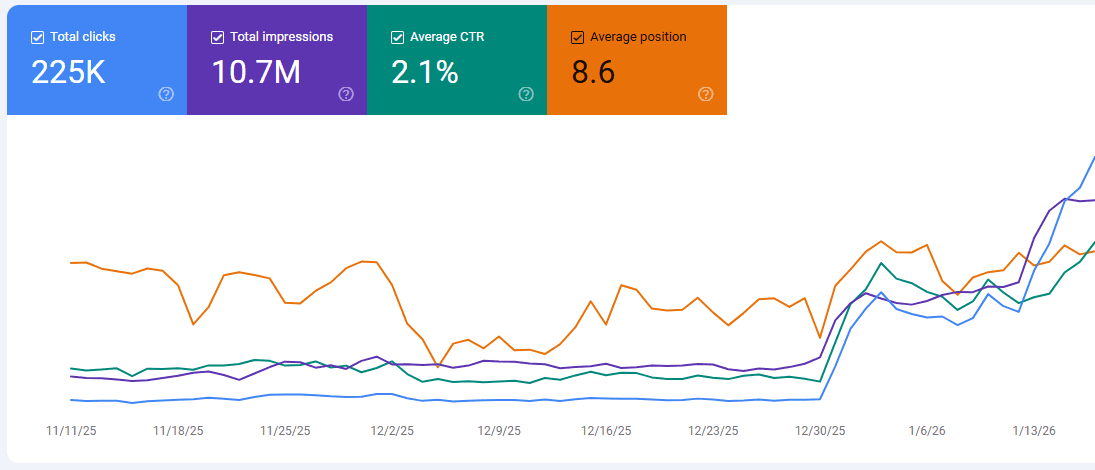

We started using Contentpen for our blog content, and the results have been incredible. Our average CTR jumped from 0.7% to 2.1%, and our average search position improved from 28.2 to 8.6. Contentpen made it easy to create content that actually performs in search, saving us time while driving real results.
Replug