 10 minutes
94.8% of homepages have accessibility errors, and missing or inaccurate image descriptions make up more than half of those issues. That is a huge chunk of visitors running into silent images, broken context, and a poor experience.
For most content creators, marketers, SEO specialists, and small business owners, this is low-hanging fruit. A few words in the right place can support web accessibility guidelines such as WCAG and give you an image SEO boost for better visibility.
With this post, we aim to help you write the right image descriptions by sharing 12 real-world alt text examples covering different use cases and platforms.
By the end, you will be able to look at any image on your site and know exactly what to write in the alt attribute without any doubts.
So, let’s get to it, shall we?
E-commerce product image alt text examples
Many online businesses and agencies use images to represent their products on popular E-commerce platforms, such as Shopify, WooCommerce, and others.
However, most of them fail to write suitable image descriptions, which results in poor image SEO and weak content accessibility for screen reader users.
Under WCAG Success Criterion 1.1.1, every non-text element on a page must have a text alternative that serves an equivalent purpose. Therefore, vague descriptions like “bag” or “promotional banner” do not meet that bar.
The good news is that you can follow a simple alt text formula that most content teams never use:
[Product type] + [Brand if relevant] + [Key attribute] + [Color/Material] + [Variant detail if applicable]
Let’s review some quick e-commerce image examples to help you grasp the way to apply the above formula.
1. Main product shot (the hero image)
This is the image that appears in search results and at the top of the product page. It needs to communicate what the product is and what distinguishes it.
✅ Good: ‘Matte black leather laptop bag with gold zip pulls and padded shoulder strap.’

❌ Bad: ‘A matte laptop bag.’ [The bad alt text doesn’t describe any of the essential details of the bag, for instance, its color, zipper style, brand name, angle of shot, etc.]
2. Variant/color selector images
If you have an image with product variants in different colors or sizes, then your alt text must be able to specify that. Otherwise, screen readers and Google will miss out on this critical detail.
✅ Good: ‘Men’s linen shirts button-down in navy, olive, white, and terracotta.’
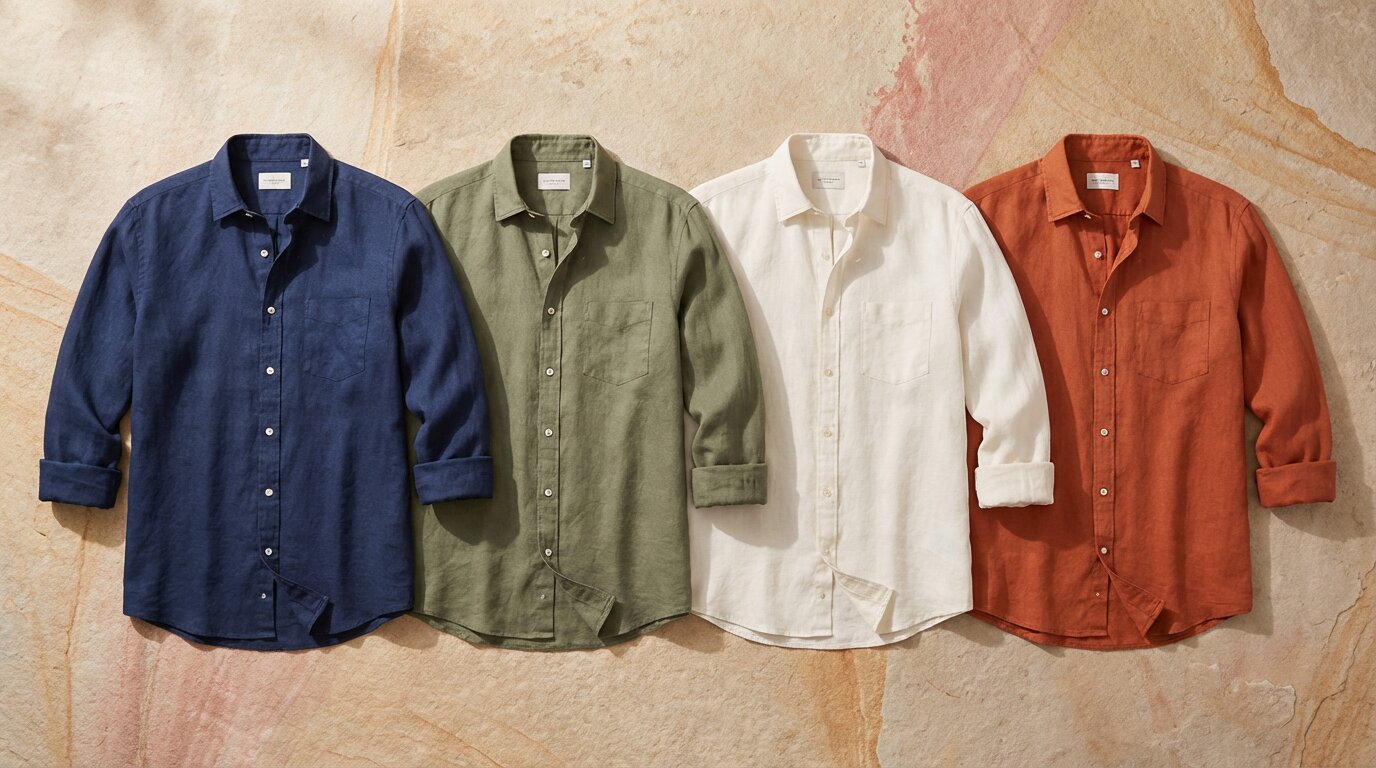
❌ Bad: ‘linen shirts (repeated in 4 colors.)’ [Define what colors or sizes are available so that you have a better chance of selling your items.]
3. Images with text (promotional graphics, sale banners)
For promotional images, include the full text from the image in the alternative description. This is the one case where your alt text might be longer than usual.
✅ Good: ‘A blue-white banner for SprintX, reading: Summer Sale: 30% off all shoes. Offer ends July 31. Use code SUMMER30 at checkout.’

❌ Bad: ‘Promotional banner for SprintX.’ [You lose the chance of telling search engines and screen readers what you offer in the promotion.]
Social media alt text examples by each platform
When it comes to social media, each platform has different character limits and different conventions for writing alt text. Some apps will automatically write alt text for you, but these are mostly not fit for use.
1. Alt text examples for Instagram
Instagram’s auto-generated alt text is notoriously vague (“may contain: one person, smiling, outdoors”). Always override it. You have 100 characters to work with, so prioritize subject + action + context.
Let’s take an example of how to write alt text for art, or, in this case, a quote graphic posted on IG.
✅ Good: ‘Quote: “Alt text is the cheapest SEO win most teams ignore.”’
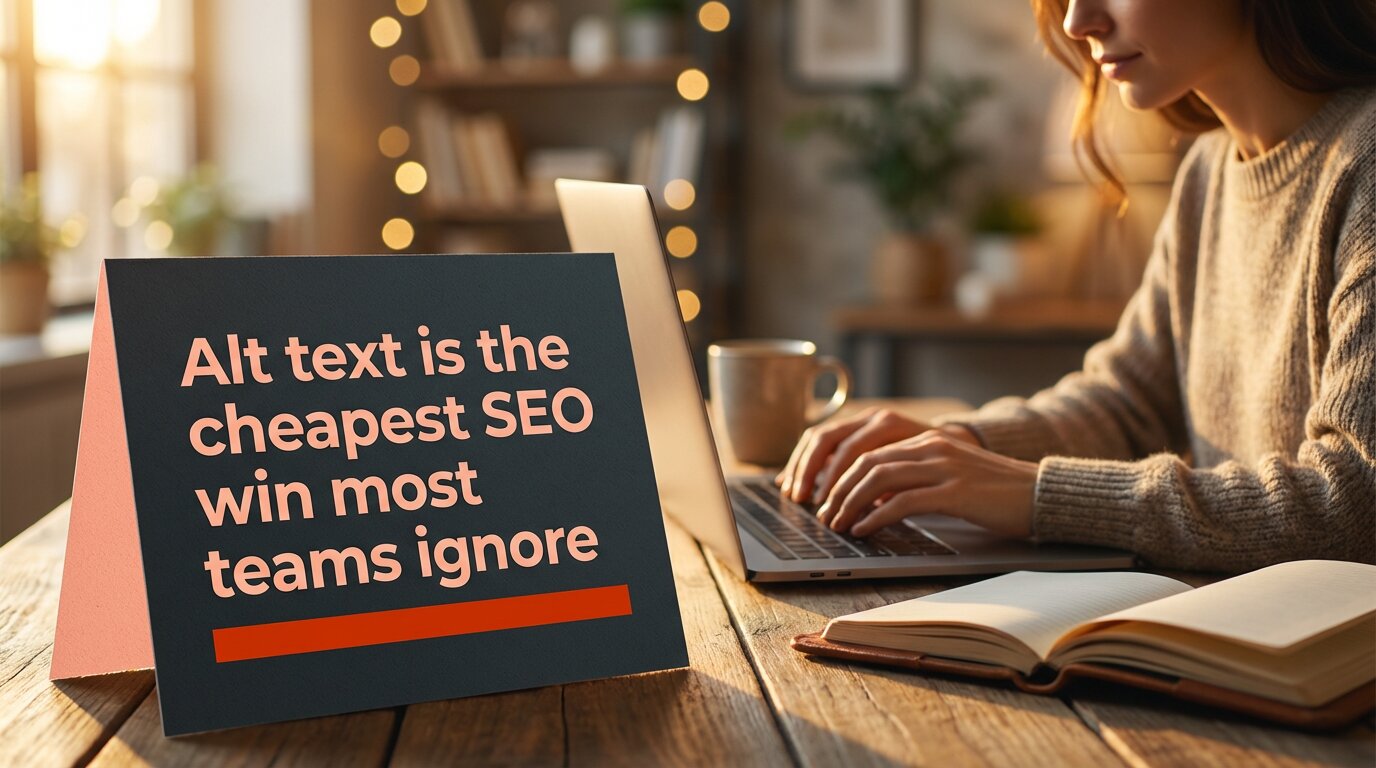
❌ Bad: ‘Person typing on a laptop with an open notebook on the desk.’ [Focuses on unnecessary elements.]
Pro tip: Instagram Stories currently don’t support native alt text. For stories, you need to use the text overlay feature to add a written description directly onto the story to boost engagement.
2. Alt text for LinkedIn
LinkedIn may auto-generate alt text, but its descriptions are frequently inaccurate. The platform has a professional context, so alt text should reflect exactly that.
The alt text character limit for LinkedIn is debatable. However, it is always a better idea to keep your image descriptions to less than 125 characters, as screen readers typically don’t read past this point.
✅ Good: ‘Torbjørn Flensted, founder of SEO.ai, speaking at SEO conference SEOday.’

❌ Bad: ‘Torbjørn Flensted speaking on a stage to other SEO professionals.’ [Again, this bad alt text example focuses on irrelevant details, missing the key context of the image.]
Pro tip: LinkedIn alt text cannot be added or edited after a post is published. So, write it well enough before posting.
3. X / Twitter (1,000 character limit)
X gives you far more room than any other platform, but that doesn’t mean you should use it all. Most posts need 1–2 sentences. Use the extra allowance for genuinely complex images like detailed charts or diagrams.
Right now, we will show you a screenshot example for alt text, which discusses one of the key points mentioned by John Mueller regarding alt text.
✅ Good: ‘Screenshot of a tweet by John Mueller reading: “Alt text is helpful for Google to understand images.” Posted November 2024.’
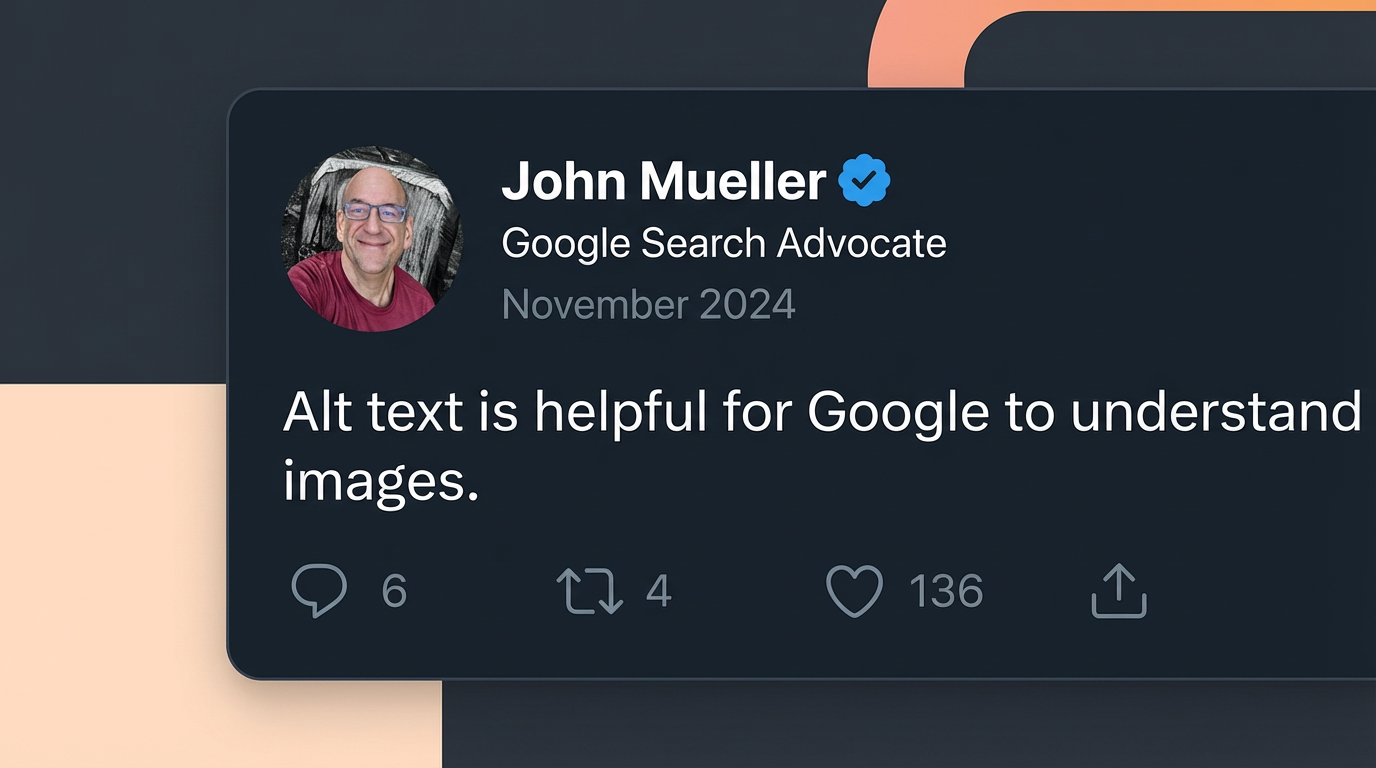
❌ Bad: ‘John Mueller Tweet on alt text.’ [Alt text for screenshots must explain what they say to the audience directly. This nuance is really important for Google Image SEO.]
Pro tip: X requires you to enable alt text in your “Accessibility Settings” before the option appears when uploading images. It’s off by default.
4. Facebook (100 character limit)
Facebook also auto-generates alt text using AI, but again, the output is not very useful. Therefore, you should always write custom alt text, especially for brand content.
✅ Good: ‘Contentpen bulk content creation feature – generate multiple optimized posts in one workflow.’
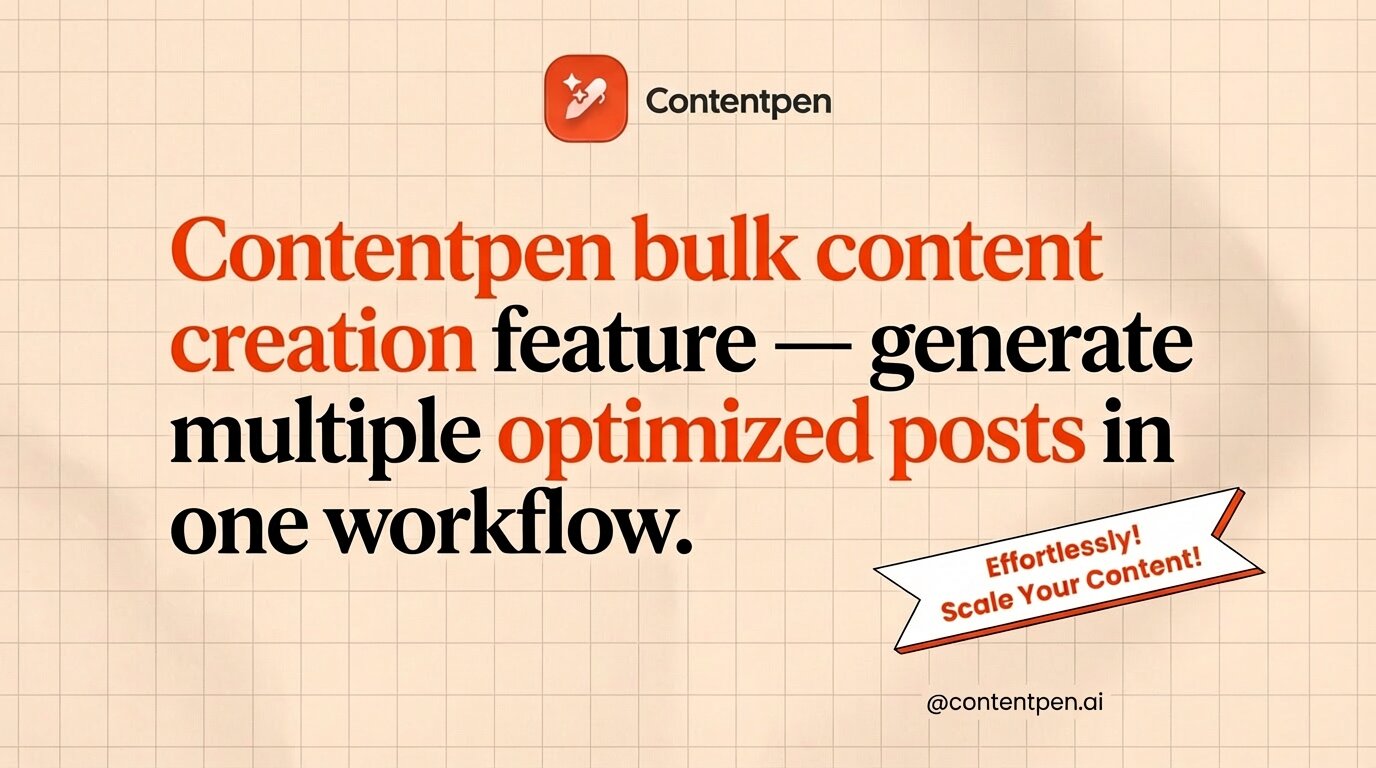
❌ Bad: ‘Contentpen new feature.’ [The alt text for Facebook should explain what the image communicates, especially if it’s a product or feature announcement.]
Alt text examples for common content types
Alt text requirements shift depending on the kind of image you use, and the best alt text varies from image to image.
Below are some alt text examples that you can use in daily life, helping you to enhance content inclusivity and engagement on your platforms.
1. Simple photograph
Better alt text: ‘Child drawing with crayons at a kitchen table on a rainy afternoon.’

Weak alt text: ‘Child making a drawing.’
2. Headshot or portrait
Better alt text: ‘Jack Martinez, Senior Content Strategist at OpusMedia.’

Weak alt text: ‘A man with a smile.’
On a team page with headshots, the important details are the person’s name and role. So, the good alt text example gives visitors exactly what they need to know without any fluff.
3. Logo
Many sites still use alt=”logo” on brand marks, which does not help anyone. You should, at the very least, mention the brand name in the alt text for logos.
Better alt text: ‘Contentpen logo.’

Weak alt text: ‘Logo.’
If the logo links to the homepage, you can use alt=”Contentpen home page” so screen reader users know where the link goes.
4. Icon used as a button
For a search icon, some teams write alt=”magnifying glass”, which describes the look but not the function of the interactive element. Consider the example below to help you with these types of images.
Better alt text: ’Download the free SEO content guide book.’

Weak alt text: ’An opened book.’
Here, the action is what matters. This kind of descriptive alt text makes navigation clear for people using keyboards or screen readers.
5. Charts or graphs
Bar charts, graphs, and other complex infographics and visuals need a detailed description to help the users understand their purpose. However, this is where things can get a little interesting.
| Level | Alt text |
| Too vague | ‘Bar chart.’ |
| Too literal | ‘A bar chart with blue and orange columns showing numbers from January to June.’ |
| Correct (conveying the right context) | ‘Bar chart showing share of voice growing from 10% in January to 30% in June, with the sharpest gain in March, going from 15-25%.’ |
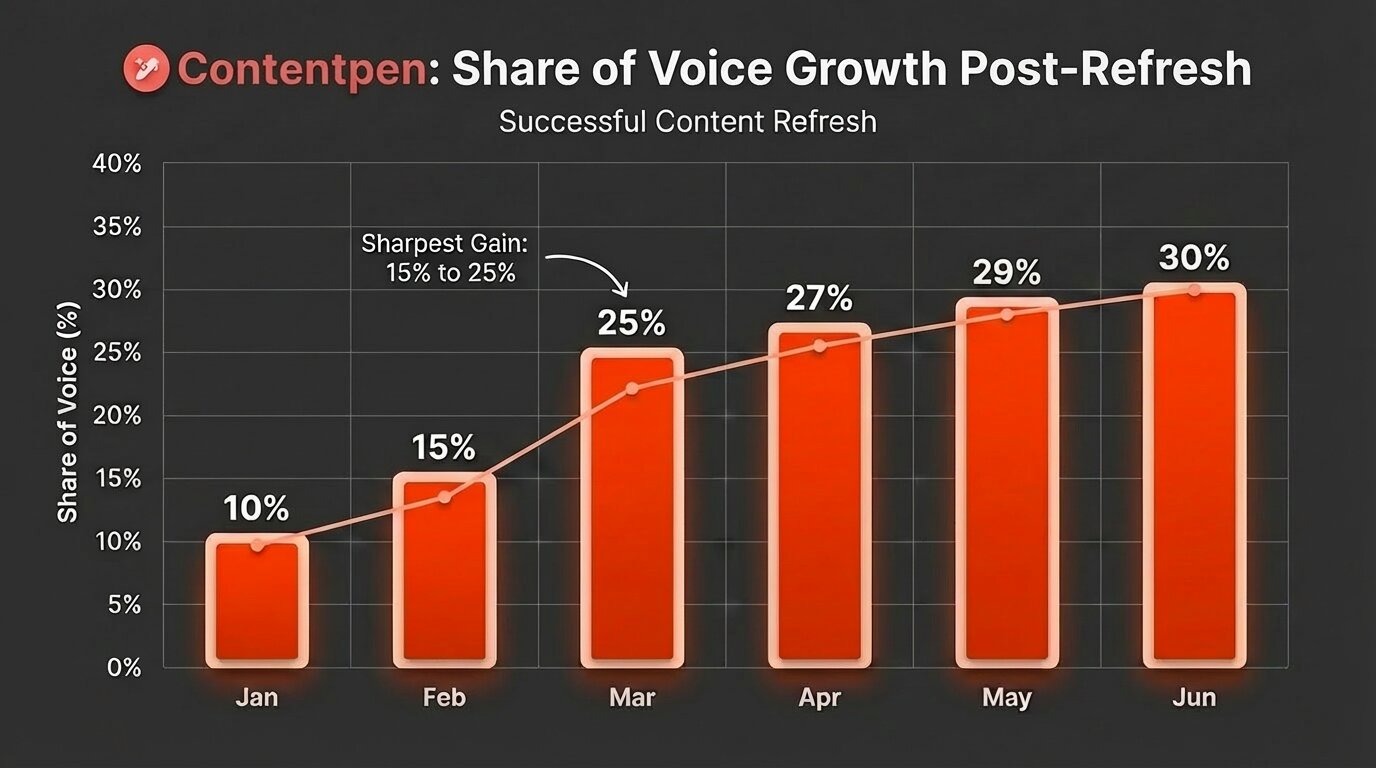
TL;DR: Do not be too short or too literal in your way of explaining a complex image. Briefly mention the key numbers and dates to the audience so that they can visualize the right type of graph or chart when they read your image description. Leave the details for the body content.
Concluding thoughts
Alt text is more than a checkbox for accessibility audits. For most sites, it is an overlooked way to make content readable for everyone and to send clear signals to search engines about what each page covers.
That said, writing alt text at scale can feel heavy, especially if you already have countless images live. That is where Contentpen steps in. It generates context-aware alt text automatically for every image in your workflow and ships it directly to your CMS.
If you are publishing content at any kind of scale, try Contentpen for free and see how much faster your workflow moves to help you rank on Google with ease.