 19 minutes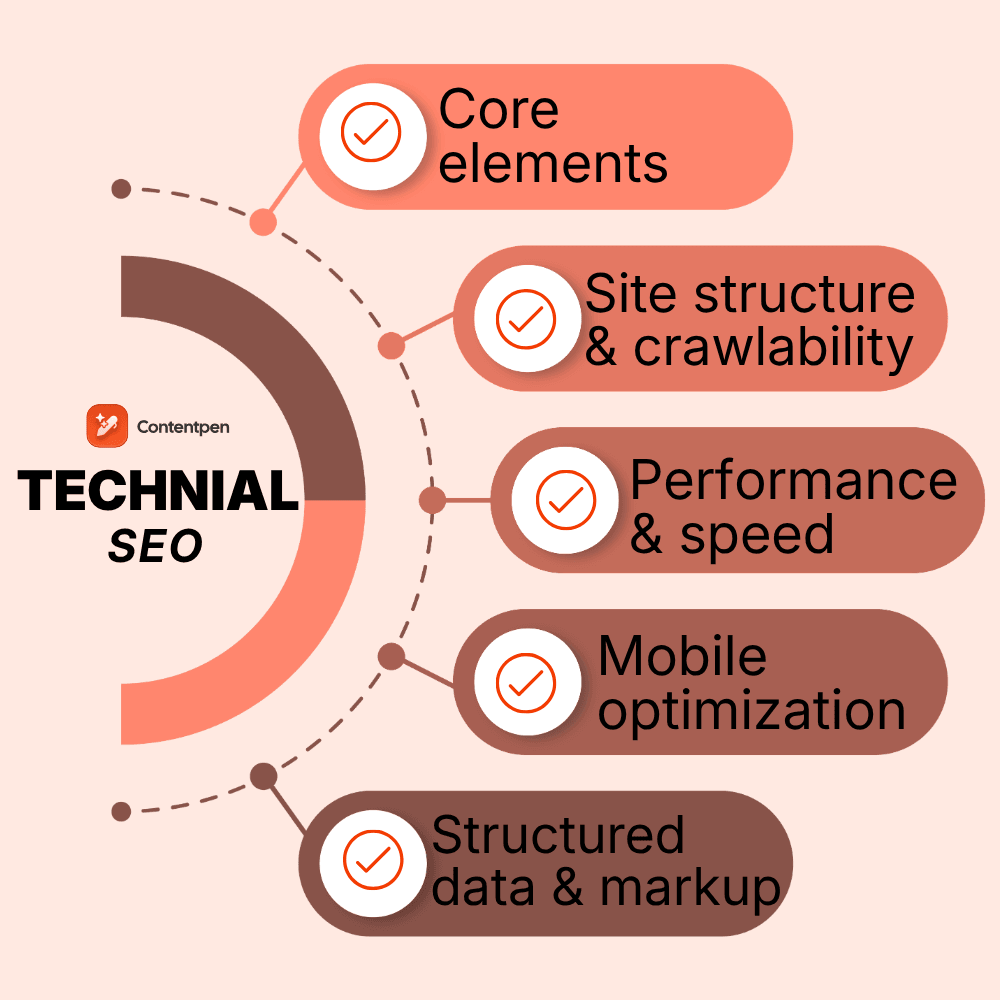
Are you publishing great content, building links, and still struggling to rank? In many cases, the problem isn’t what you write; it’s whether Google can properly reach and understand it.
Answering ‘what technical SEO is’ means understanding its fundamentals to build your platforms on the right foundations. It is a part of search engine optimization that ensures search engines can find, crawl, and index your platform without any hurdles.
If content is the message and links are the word of mouth, technical SEO is the road system that lets search engines reach everything.
This guide walks you through the basics of doing technical SEO. It will teach you the main technical SEO optimization elements and practical steps to improve site architecture, speed, mobile experience, security, and more.
So, ready to get started?
Table of contents
- What is technical SEO?
- Core technical SEO elements
- Site architecture and crawlability
- Website performance and page speed
- Mobile optimization and responsive design
- HTTPS and website security
- Structured data and schema markup
- Why technical SEO is important
- Technical SEO vs. On-page SEO vs. Off-page SEO
- How search engines work: Crawling, indexing, and ranking
- Summing it up
- Frequently asked questions
What is technical SEO?
Technical SEO is the practice of optimizing a website’s structure, code, and infrastructure so search engines can crawl, render, and index pages efficiently. It focuses on elements such as site architecture, page speed, and control over indexing rather than on-page content.
Understanding what is SEO and its core aspects is fundamental to grasping how technical optimization fits within the broader scope of search engine basics.
Technical SEO lives behind the scenes, but visitors still feel it.
Fast pages, clean URLs, and stable layouts create a smooth experience. Slow, clunky pages with broken links or strange redirects push people away.
For teams, technical SEO in digital marketing is the glue between strategy and results, turning content marketing plans into real visibility and traffic.
Core technical SEO elements
Technical SEO covers several connected areas rather than a single one.
- Site architecture and crawlability
- Indexing and content visibility control
- Page speed and Core Web Vitals
- Mobile optimization and responsiveness
- Website security (HTTPS)
- Structured data and schema markup
Let’s discuss all these core technical SEO elements in more detail.
Site architecture and crawlability
Site architecture is the way all your pages fit together.
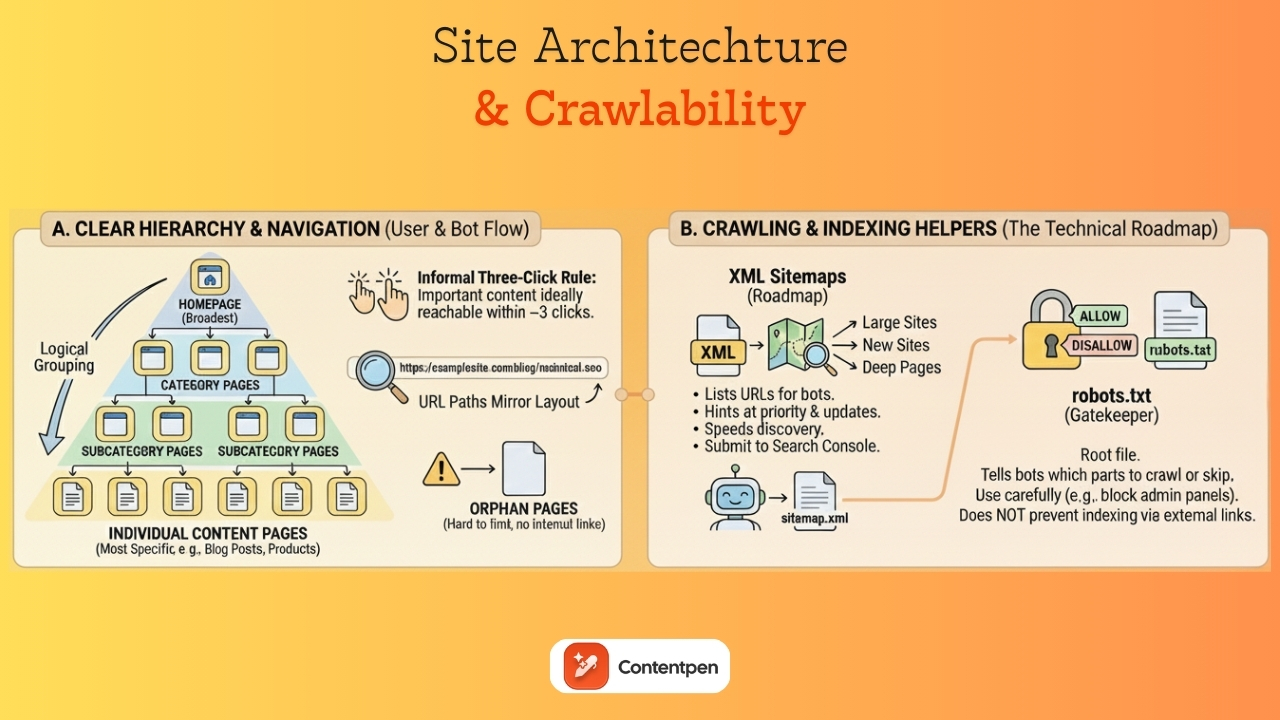
A clear structure makes your site easier to use and easier for search engines to crawl. Think of it as a map that shows how people should move from broad topics to specific details.
Most sites work well with a simple hierarchy:
- Homepage at the top
- Category pages next
- Subcategory pages under those
- Individual content pages, such as blog posts or product details, are at the bottom.
An informal three‑click rule says that important content should be reachable within three clicks from the homepage. This is not a strict law, but it helps keep paths short and precise.
Logical grouping matters.
Blog posts should live under a blog or resources section. Product pages should sit under category paths that make sense to visitors.
URL paths often mirror this layout.
For example, a link to https://examplesite.com/blog/technical-seo for an article on technical SEO shows a clear page layout on the website.
When pages sit outside the structure with no internal links pointing to them, they become orphan pages, which are hard for both people and bots to find.
If you do need to change URLs, use permanent 301 redirects from the old addresses to the new ones so both users and search engines land in the right place.
XML sitemaps: Your website’s roadmap
An XML sitemap is a special file that lists meaningful URLs on your site in a machine‑readable format. While users rarely see it, search engines use it as a roadmap. It hints at which pages matter most and how often they change, which can speed up discovery.
Sitemaps are especially helpful for large sites, new sites with few backlinks, and sites where some pages are hard to reach through internal links.
The file usually includes each URL, the date it was last modified, and sometimes a rough priority flag. Many content management systems, including standard setups on WordPress and Shopify, automatically generate and update this file as new content goes live.
You can often find your sitemap at a path such as https://yourdomain.com/sitemap.xml.
Once you have the URL, you can submit it to Google Search Console and Bing Webmaster Tools so bots can discover your content more efficiently.
It is wise to keep sitemaps under size limits and split very large lists into several smaller files. Avoid including URLs that are blocked, noindexed, or return errors, as this might send mixed signals about your site’s actual structure.
While an XML sitemap does not guarantee indexing, it improves site crawlability, especially when combined with clean internal linking and overall good technical health.
Understanding and optimizing robots.txt
A robots.txt file sits at the root of your site and gives high‑level instructions to search engine crawlers. It tells bots which parts of your site they may crawl and which sections they should skip.
Because robots.txt works at the folder or pattern level, it is a powerful tool that deserves careful handling.
Typical uses include blocking admin panels, login pages, staging areas, and scripts or style folders that do not add value to the index.
It is also essential to know what robots.txt cannot do. Blocking a URL from crawling does not always prevent it from being indexed. If other sites link to that URL, a search engine may still index a bare version of it.
For pages that must not appear in results, meta noindex tags or password protection are better options.
Google Search Console provides a robots.txt tester to help you see how bots interpret your robots.txt file. Reviewing this small text file during redesigns and migrations is an easy way to avoid sudden drops in visibility.
Internal linking strategy for SEO
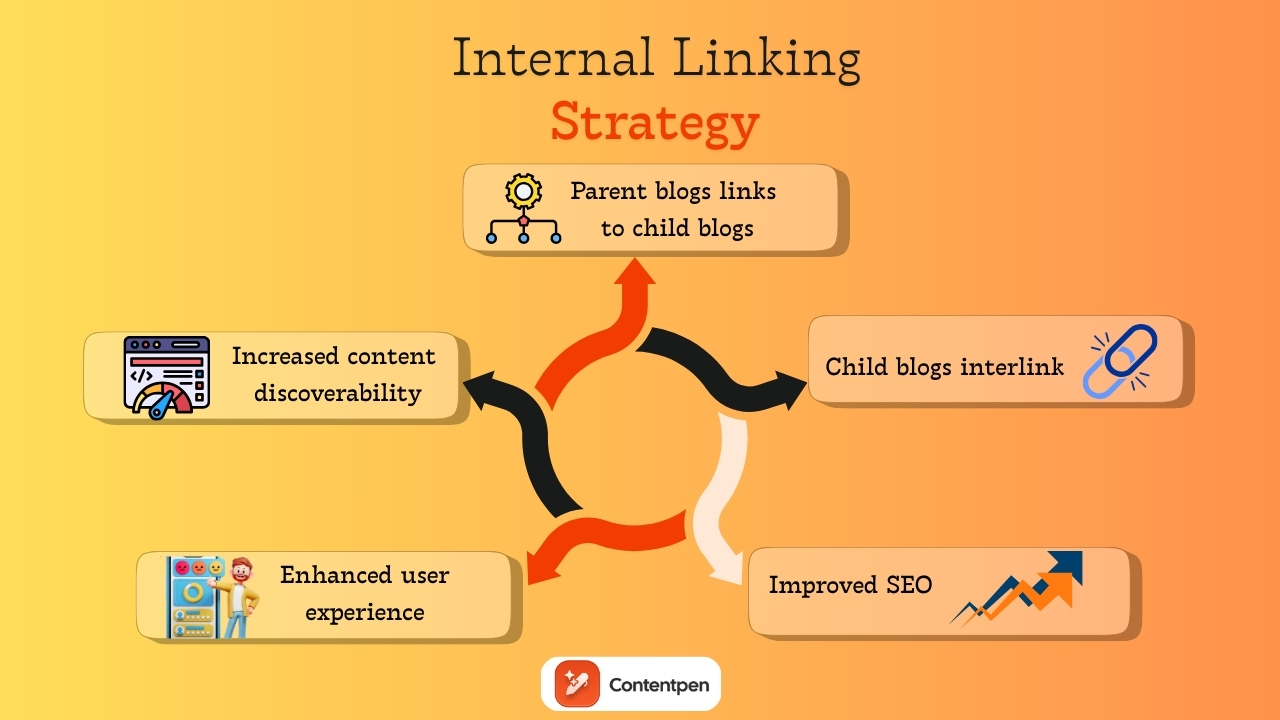
Internal links are links from one page on your site to another page on the same domain. They act like signposts for both users and search engines.
A thoughtful internal linking pattern makes it easy to move between related topics and helps spread authority from strong pages to newer or deeper ones. You can also get help from Contentpen to automate internal links for your convenience.
From a technical SEO view, internal links help bots discover content. When every important page is linked from at least one other page, it is far more likely to be crawled.
Repeated links from strong sections such as the homepage, category pages, or top guides send a signal that a target page is essential. This supports rankings without needing more external backlinks.
Managing indexing and content visibility
Meta robots tags live in the head of a page and give search engines page‑level instructions. They tell crawlers whether they can index the page, follow its links, show a cached copy, or show a text snippet.
The most common directive in technical SEO basics is the noindex tag, which tells search engines not to index the page.
Noindex is useful for pages that add little search value or should be excluded from results. Examples include thank‑you pages after form submissions, internal search results, some PPC landing pages, and certain thin or duplicate pages.
These tags should also be used for staging or test versions of a site that should not appear beside live content.
However, adding noindex by mistake to key templates such as product pages or blog posts can wipe out organic traffic very quickly.
That is why you should not block a noindexed page in robots.txt.
Simple checks using the site:yourdomain.com search operator and reports in Google Search Console help you track which URLs are indexed and whether meta robots rules are behaving as planned.
Canonical tags and duplicate content management
Duplicate content happens when the same or very similar content appears at more than one URL. This can be caused by URL parameters for sorting and filtering, alternate versions, print views, product variations, and syndicated content on partner sites.
Google rarely punishes this directly, but it can create messy side effects.
The main issue with duplicate content on websites is diluted link signals and confusion over which version to rank.
If half of your backlinks point to one URL and half to another that show almost the same page, each one looks weaker than it really is. Search engines may guess which page to show in results, and their guess may not match your preference.
Canonical tags help clean this up. A canonical tag in the page’s head points to the preferred URL for that piece of content.
When several pages show similar content, they can all point to the main version. This tells search engines to focus on that URL for indexing and ranking and to fold signals from other versions into it.

Write better blogs in less time, without sacrificing quality.
Let AI handle structure, clarity, and flow while you stay in control of the message.
Try AI blog writing →
Website performance and page speed
Speed is both a ranking factor and a user experience anchor. Google has used page speed in desktop ranking for years and added mobile speed as a signal in 2018.
A slow site feels painful to use, and people rarely wait. Even a short delay can raise bounce rates and cut conversions in half, especially on mobile.
From a technical SEO angle, faster sites also use crawl budget more wisely. When servers respond quickly and pages render with little blocking, bots can crawl more URLs in the same time window. That means new content is discovered and updated pages are refreshed sooner.
On the flip side, slow timeouts and heavy resource usage can limit the number of pages a bot can reach during each visit.
Speed ties directly to business results. Faster pages tend to see higher conversion rates, more pages per session, and better engagement. Moving from very slow to reasonably fast speed often has a bigger impact than shaving the last fraction of a second.
Understanding Core Web Vitals
Core Web Vitals are Google’s page experience metrics that measure loading speed, interactivity, and visual stability. They include:
- Largest Contentful Paint (LCP): Measures loading speed
- Interaction to Next Paint (INP): Measures responsiveness
- Cumulative Layout Shift (CLS): Measures visual stability
Let’s review these metrics in more detail and see how they inform Google’s evaluation of page experience.
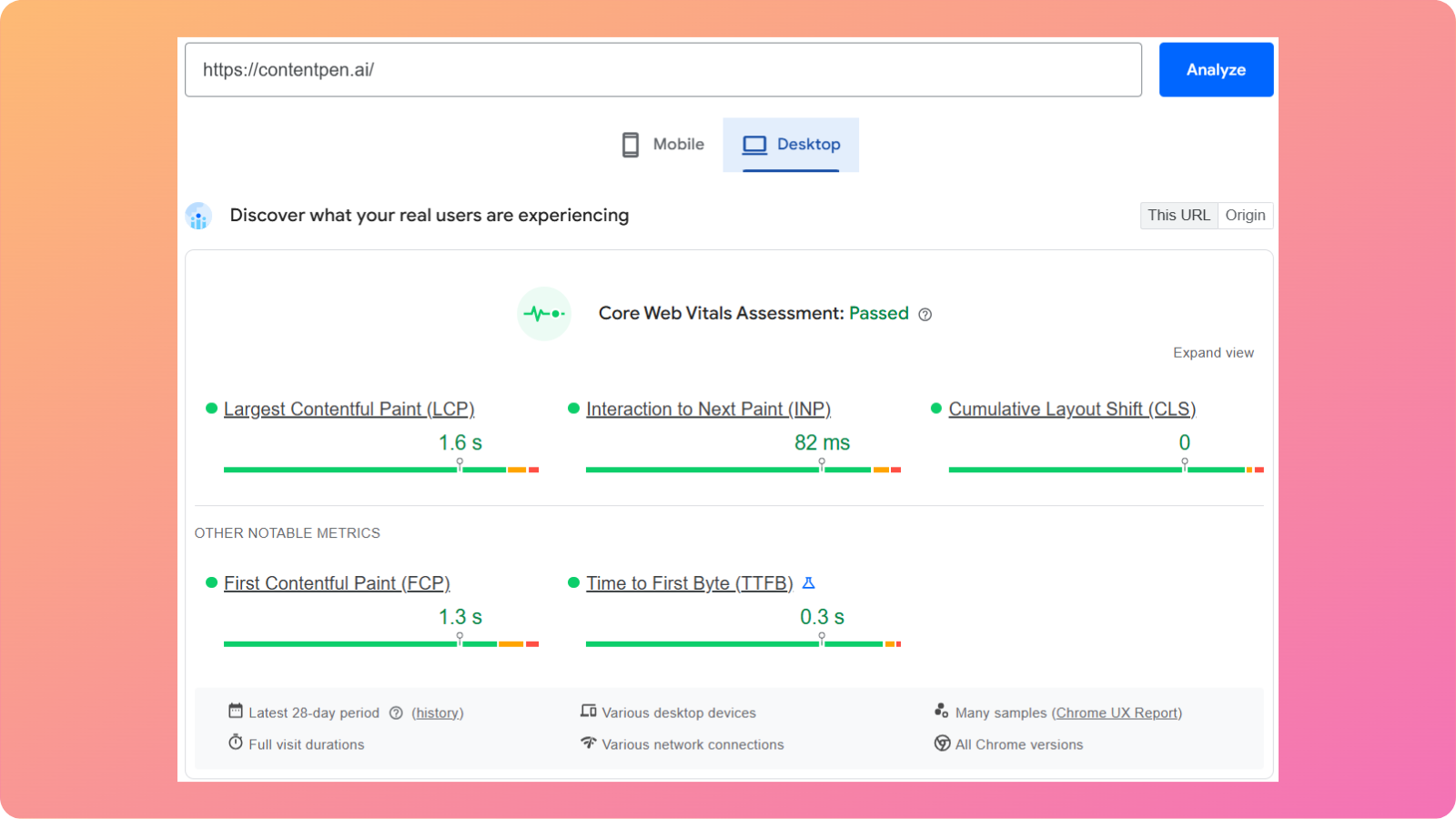
Largest Contentful Paint (LCP)
LCP measures how long it takes for the most significant content block in the viewport to load. This might be a hero image or a large text block above the fold.
A good LCP is 2.5 seconds or less.
However, large, uncompressed images, slow servers, and render‑blocking scripts are common problems that hurt this metric.
Interaction to Next Paint (INP)
INP replaces the older First Input Delay metric. It looks at how quickly a page responds when a user taps, clicks, or presses a key.
Google recommends keeping INP under 200 milliseconds for most interactions.
Heavy JavaScript, long tasks on the main thread, and too many third‑party tags often make sites feel sluggish here.
Cumulative Layout Shift (CLS)
CLS measures how much content jumps around during page load. If text shifts because an image did not reserve space or an ad drops in late, users can mis‑tap buttons or lose their place on the website.
A CLS score of 0.1 or less is considered good.
Setting image dimensions, reserving space for ads, and avoiding sudden injected content all help to keep this score under the required limit.
You can check Core Web Vitals in Google Search Console, PageSpeed Insights, and Chrome DevTools. Reports usually group URLs into good, needs improvement, or poor categories to help you make the right changes with ease.
Practical ways to improve page speed
Improving speed starts with a solid look at what slows pages down. You can follow the practices outlined below to boost your site’s performance now.
Image optimization
This is one of the easiest wins you can get from a technical SEO perspective.
To optimize images, you can:
- Compress photos before uploading: Use modern formats like WebP or AVIF to reduce file sizes while preserving image quality.
- Use responsive image markup: This lets the browser pick the right size for each screen instead of loading large desktop versions of photos on phones.
- Lazy-load images: Enabling lazy-loading for media below the fold means the browser fetches them only when needed, reducing initial load time for users.
Avoid features that block or reduce media interactivity for mobile users, such as horizontal scrolling and large, intrusive pop-ups.
Reducing requests and code size
Reducing requests and code file size starts with combining small style sheets where it makes sense, removing unused scripts or plugins, and trimming third‑party tags.
You should also minify HTML, CSS, and JavaScript files to remove unnecessary whitespace and comments. Enabling server-side compression, such as Gzip or Brotli, further reduces file transfer sizes.
Improving server performance
Choosing fast, stable hosting, server‑side caching, and tuned databases reduces time to first byte.
If you serve users across regions, a content delivery network (CDN) can help cache static assets on edge servers closer to visitors, which significantly cuts latency.
When in doubt, start with the changes that affect every page template, then move to smaller gains on individual sections.
Mobile optimization and responsive design
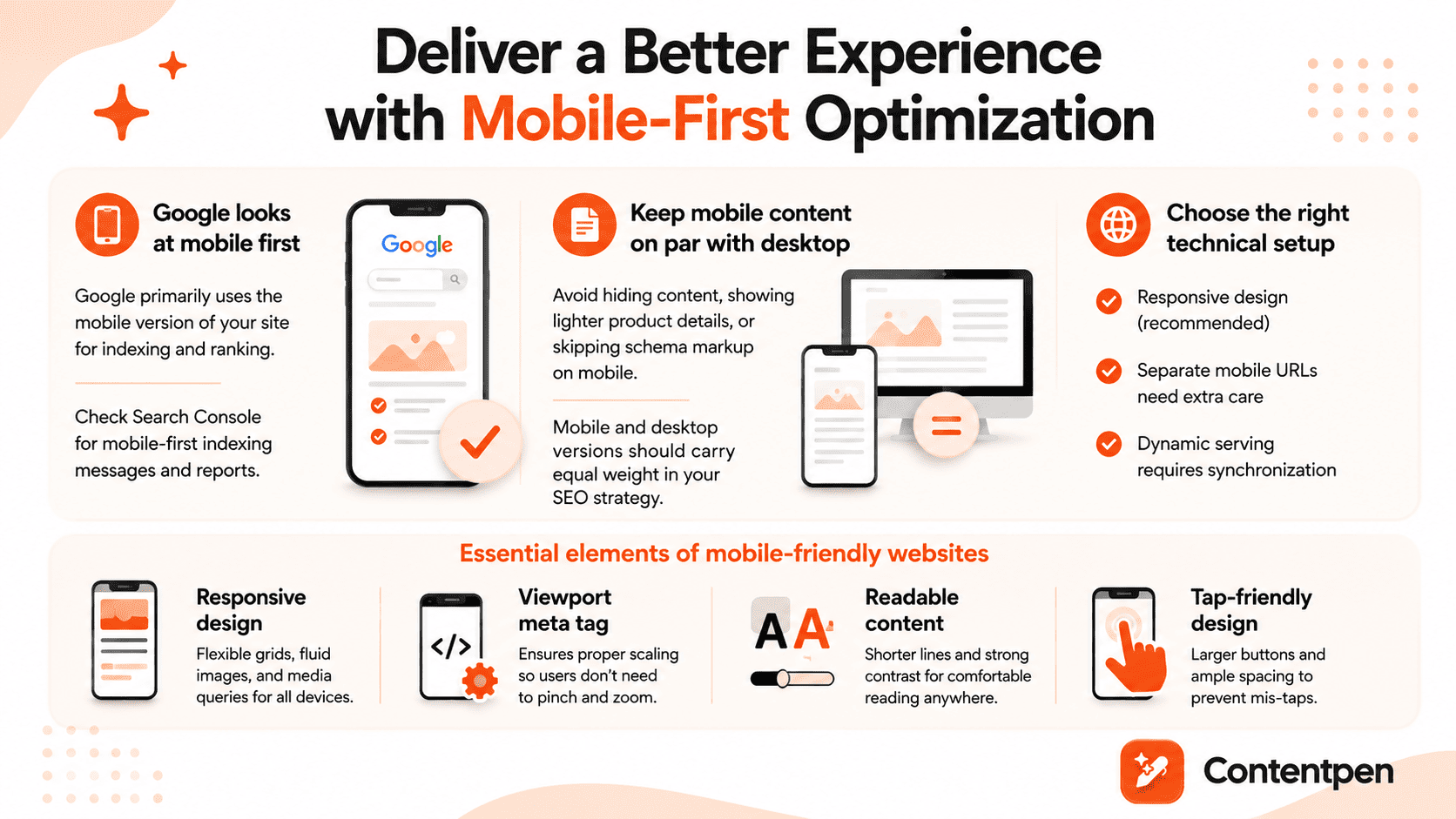
In practice, sites that use responsive design, where the same HTML adapts to different screens, usually handle mobile optimization well.
Websites with separate mobile URLs, such as m.example.com, or dynamic serving need more care to keep content and structured data in sync.
You can see whether Google has moved a site to mobile‑first indexing through messages and reports in Search Console.
If the mobile version hides content, shows lighter product details, or skips schema markup included on desktop, it is wise to set those right.
Mobile‑first does not mean desktop visitors do not matter, but it does mean the mobile layout and content must carry equal weight in your SEO planning.
Essential elements of mobile-friendly websites
Mobile‑friendly design goes beyond simply shrinking a desktop layout. Responsive design uses flexible grids, fluid images, and media queries so each page looks and works well on phones, tablets, and desktops with a single code base.
A proper viewport meta tag tells the browser how to scale content to the device width. Without it, many phones render the desktop layout zoomed out, forcing people to pinch and scroll in awkward ways.
Make sure the lines do not run too long and that the contrast between text and background is strong enough for outdoor or low‑light viewing.
Tap targets such as buttons and links need enough size and spacing so fingers can hit them without mis‑taps. This often means larger buttons, more white space, and rethinking desktop patterns such as tiny menu items in the header.
HTTPS and website security
HTTPS is the secure version of the Hypertext Transfer Protocol. It uses SSL or TLS certificates to encrypt the data passing between a browser and a server.
This extra layer of security protects passwords, contact forms, payment data, and other sensitive information from leaking.
Google has treated HTTPS as a ranking signal since 2014. While it is a lighter factor than content quality or links, it still sends a clear message that secure sites are preferred.
Modern browsers also label non‑HTTPS pages as “Not secure,” especially when forms are present. That warning can scare visitors away and lower conversion rates, even if the content itself is harmless.
From a technical SEO perspective, HTTPS is now part of basic online hygiene.
Implementing HTTPS correctly
Moving to HTTPS requires planning to ensure you gain security without sacrificing SEO performance.
To correctly implement HTTPS for your website, follow the given steps:
- Get an SSL or TLS certificate: Most websites offer these for free. Once installed on the server, the certificate lets your site respond over secure URLs.
- Redirect all HTTP requests: Use 301 rules to redirect them to HTTPS versions.
- Add the HTTPS in GSC: After the redirect rules go live, add the HTTPS links in Google Search Console and submit updated XML sitemaps.
Watching error logs, mixed content warnings, and ranking trends over the first few weeks helps you catch and fix any hidden issues before they grow.
Structured data and schema markup
Structured data is extra code added to a page that describes the content in a detailed, machine‑friendly way. Regular HTML tells the browser how to display text, images, and links. Structured data tells search engines what those pieces represent.
“Schema” is the shared vocabulary most sites use for this kind of markup. It provides search engines with information about articles, products, recipes, events, organizations, reviews, and more.
With structured data in place, a page can tell the search engine that “this block is a recipe with a cooking time and calorie count,” or “this page is a product with a price, brand, and rating.”
Google strongly prefers JSON‑LD format for schemas, which wraps this information in a script block separate from the visible HTML. That approach keeps things cleaner for developers and platforms.
Structured data by itself is not a direct ranking factor, but it does make your pages eligible for rich results such as star ratings, recipe cards, and FAQ drop‑downs.
These upgraded snippets stand out in search results and often drive higher click‑through rates.
Also read: How to calculate click-through rates?
Types of schema markup and their benefits
- Article schema helps Google understand the details of blog posts and news stories. It marks up the headline, author, publish date, and sometimes the image that should appear in results.
- Product schema applies to e‑commerce pages. It can include price, currency, availability, brand, and review ratings.
- Breadcrumb schema shows search engines how a page fits within your site’s hierarchy. It marks up the navigation path (for example, Home > Blog > SEO > Technical SEO), helping Google understand site structure and page relationships.
These are just some examples of the types of schemas that exist. This can be a powerful way to support technical SEO in digital marketing for brands that answer complex topics with helpful content.
Why technical SEO is important
Technical SEO matters because search engines cannot rank what they cannot reach or understand. You can publish hundreds of strong, optimized articles and still miss most of the organic traffic you deserve if your site has crawling or indexing issues.
In many technical SEO examples, a single misconfigured tag or directive has removed entire sections of a site from search overnight. Recovering that traffic takes time, leading to lost leads and missed earning opportunities for businesses.
The right technical SEO strategy also protects against serious issues such as duplicate content, broken internal links, and poorly handled migrations. These can dilute link signals or send users into dead ends.
When algorithms shift, sites with clean structure, fast page load times, and strong security tend to adapt better.
Technical SEO vs. On-page SEO vs. Off-page SEO
Many teams mix technical SEO with on‑page and off‑page work, making planning more complicated than it needs to be. All three matter, but they focus on different parts of the same system.
On‑page SEO deals with what is present on each page. That includes keyword research, titles and meta descriptions, heading structure, internal links, body copy, media, and content depth.
Our SEO tool lives mainly in this space, helping teams create SEO‑ready articles, align them with search intent, and keep on‑page elements in good shape at scale.
Off‑page SEO refers to signals from outside the site. Backlinks from other domains, mentions of your brand, social chatter, and overall domain authority sit in this pillar.
Technical SEO focuses on the system that delivers the platform to users. It includes crawlability, XML sitemaps, page speed, Core Web Vitals, mobile optimization, HTTPS, structured data, redirect logic, and international setup.
Here is a simple way to picture the three SEO pillars:
| SEO type | Main focus | Simple examples |
| On‑page SEO | Content on each URL | Keyword use, headings, meta tags, internal links |
| Off‑page SEO | Signals from other sites | Backlinks, brand mentions, digital PR |
| Technical SEO | Site infrastructure | Crawlability, speed, HTTPS, structured data |
There is some overlap. Internal linking is both a content concern and a technical SEO element. Redirects touch user experience and technical health. The key is to see how these parts work together instead of picking one and ignoring the others.
How search engines work: Crawling, indexing, and ranking
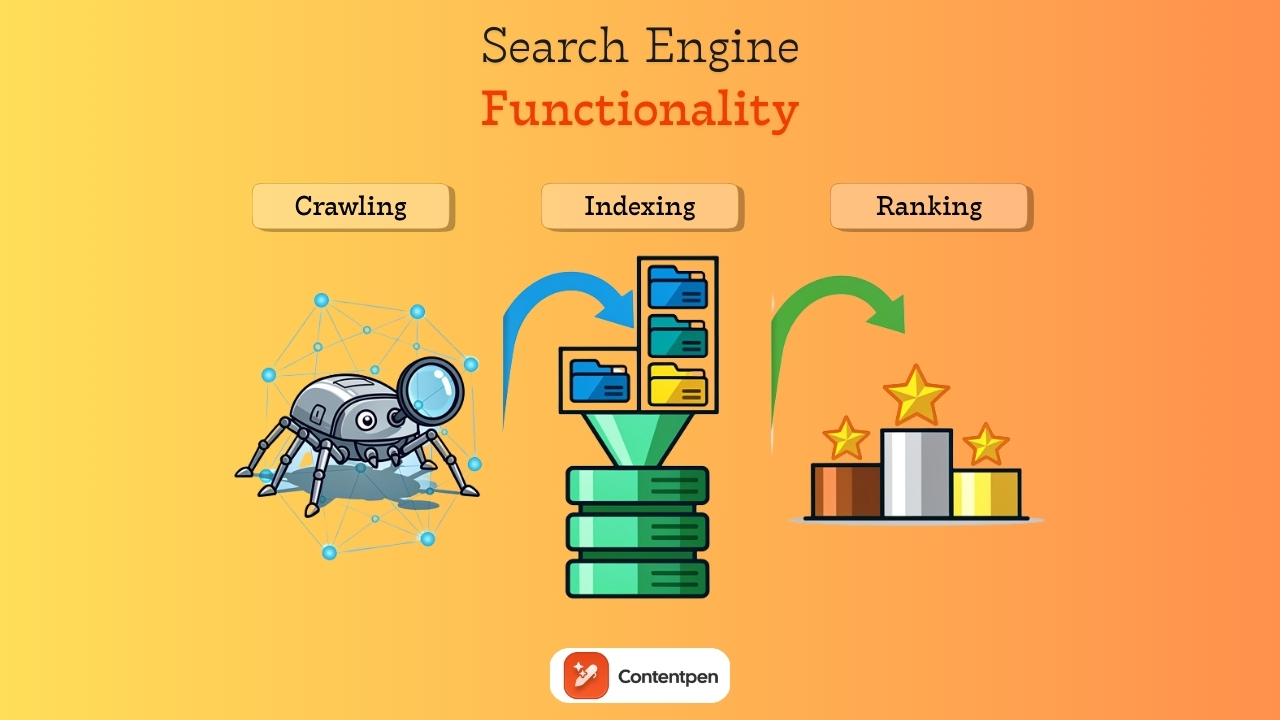
Search engines process websites in three main steps:
- Crawling – Bots discover pages by following internal and external links.
- Indexing – Pages are rendered, analyzed, and stored in the search index.
- Ranking – Indexed pages are evaluated and ordered based on relevance and quality signals.
Let’s review them in more detail below.
Step#1: Search engine crawling
Crawling is the discovery stage.
Search engines send bots, such as Googlebot, to crawl links and discover new or updated pages. These bots move from page to page by following internal links within a site and external links from other sites.
Each domain has a crawl budget, which is the rough number of URLs a bot will check on a given visit. If your site wastes that budget on endless parameter pages or duplicate content, important pages may not be crawled as often as they should be.
Step#2: Page indexing
Indexing is the storage and understanding stage.
After crawling a URL, the search engine tries to render the page, parse the HTML, CSS, and JavaScript, and determine what the page is about.
Then, the crawlbot stores that information in its index, which is like a vast, connected library. Not every crawled page is added. Some pages may be skipped because they appear to be duplicates, have low value, are blocked by meta tags, or cause errors.
Step#3: Ranking pages
Ranking is the retrieval stage.
When someone searches for a phrase such as “best running shoes,” Google does not crawl the web immediately. Instead, it looks into its index, finds the most relevant pages, and shows the best pages based on many factors.
Technical SEO work aims to keep this path smooth. Clear site architecture and strong internal linking help bots crawl deeper. XML sitemaps highlight essential URLs. Clean HTML and careful JavaScript handling make content easier to render.
Similarly, properly used meta robot tags and canonical tags tell search engines which pages to index and which to skip.
Summing it up
Technical SEO is the hidden layer that protects and promotes your search engine visibility. Without it, even the sharpest keyword research and the best‑written articles struggle to reach their audience.
The good news is that the most essential tasks follow a repeatable pattern. You map your site structure, fix broken links, set up XML sitemaps, and keep robots.txt up to date. Over time, this becomes a practical technical SEO checklist rather than a scary set of mysteries.
A platform like Contentpen can support your needs in this regard by generating SEO‑ready articles. It also helps score on‑page elements and frees up resources for teams to focus on the technical aspects of SEO.