 20 minutes
Every business owner has faced the same frustrating moment: A to-do list full of repetitive tasks that eat up hours better spent on strategy. AI automation solves this problem by using artificial intelligence to handle data entry, customer replies, content creation, and decision-making tasks.
Unlike fixed scripts in older automation tools, artificial intelligence studies patterns, understands context, and adjusts its actions as situations change in real life. This means it can save your business real time and money across sales, marketing, and content departments.
This guide breaks down what AI automation actually means, how it works, how it differs from RPA and AI agents, and the main types. We’ll also cover the benefits, real examples with measured results, industry uses, typical costs, and a simple framework for getting started.
Along the way, we’ll show how platforms like Contentpen apply AI content and SEO automation so you can see the concept in action rather than just in theory.
Table of contents
- Key takeaways
- What is AI automation?
- How is AI automation different from RPA and AI agents?
- How does AI automation work?
- What are the main types of AI automation?
- What are the benefits of AI automation?
- What are some real examples of AI automation with measured results?
- Which industries use AI automation and how?
- How much does AI automation cost?
- How do you get started with AI automation?
- What challenges come with AI automation?
- What does the future hold for AI automation?
- Wrapping up
- Frequently asked questions
Key takeaways
- AI automation uses machine learning and natural language processing (NLP) to interpret inputs and adapt to changing situations.
- AI automation differs from RPA (robotic process automation) as it handles unstructured data, judgment calls, and edge cases that break rigid, rule-based bots.
- AI automation follows a workflow you define, with AI making decisions inside it. AI agents go further and choose their own steps.
- Major types include AI sales automation, marketing automation, customer service automation, and content and SEO automation.
- Benefits include faster response times, higher accuracy, scalability without extra hiring, and freed-up hours for strategic work.
- Costs range from free no-code trials to enterprise builds, so most teams can start small and scale as results come in.
What is AI automation?
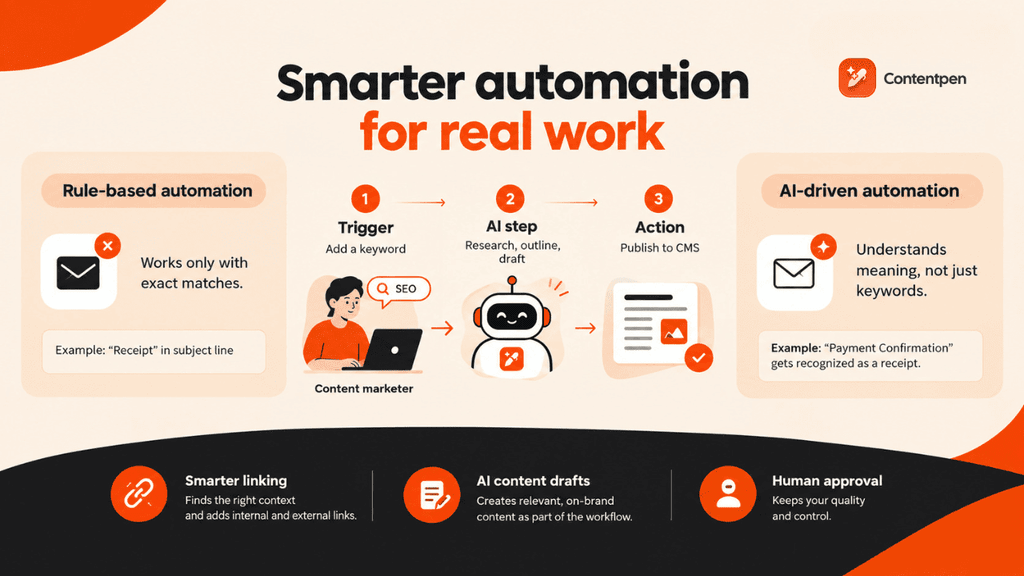
AI automation means using artificial intelligence, mainly machine learning and natural language processing, to review data, spot patterns, and make decisions with little human input.
According to a 2026 study by Samaritan, 1 in 5 US workers now delegates tasks to AI instead of other humans because of its higher efficiency at scale.
Traditional automation software used to follow rules that never changed. For example, if X happens, do Y. You could add more if-else conditions to cover edge cases, but that quickly becomes tiresome and hard to maintain.
With AI automation, your software can interpret meaning and adapt to new situations. Some systems can also improve themselves over time when they get feedback.
Here is what that looks like in a content workflow:
- A content marketer adds a target keyword to a tool – Trigger.
- An AI model researches and drafts an outline and article in the brand’s tone – AI step.
- The draft then lands in the CMS as a post waiting for approval – Action.
Therefore, the marketer never starts from a blank page, and a person still approves the post before it goes live. That mix of automated steps and human review is what separates AI automation from simply chatting with an AI assistant.
Rule-based vs. AI-driven automation
Rule-based automation follows a strict rule, such as tagging an email as a receipt only when that exact word, “Receipt,” appears in the subject line. But it breaks the moment a vendor sends an invoice titled “Payment Confirmation” or something else.
AI-driven automation solves the same workflow by sending the email to a large language model (LLM) and letting the AI decide whether it is a receipt regardless of phrasing.
The workflow itself stays fixed. What changes is that one step now uses judgment instead of a keyword match.
This is the core value of AI automation for any business: It handles messy, unpredictable variations that show up in real work to save costs in operating that same workflow.
For instance, instead of relying on a rigid linking tool that only flags exact phrases, an AI-powered platform like Contentpen automates SEO optimization. For more options, see our list of SEO automation tools.
It scans a draft for semantic context, instantly recognizing user intent and placing internal and external links where needed to convey additional information, just like a human editor would do.

Improve SEO with automated linking that fills them

Adds context-aware internal and external links automatically
Uses relevant anchor text to improve SEO and content flow
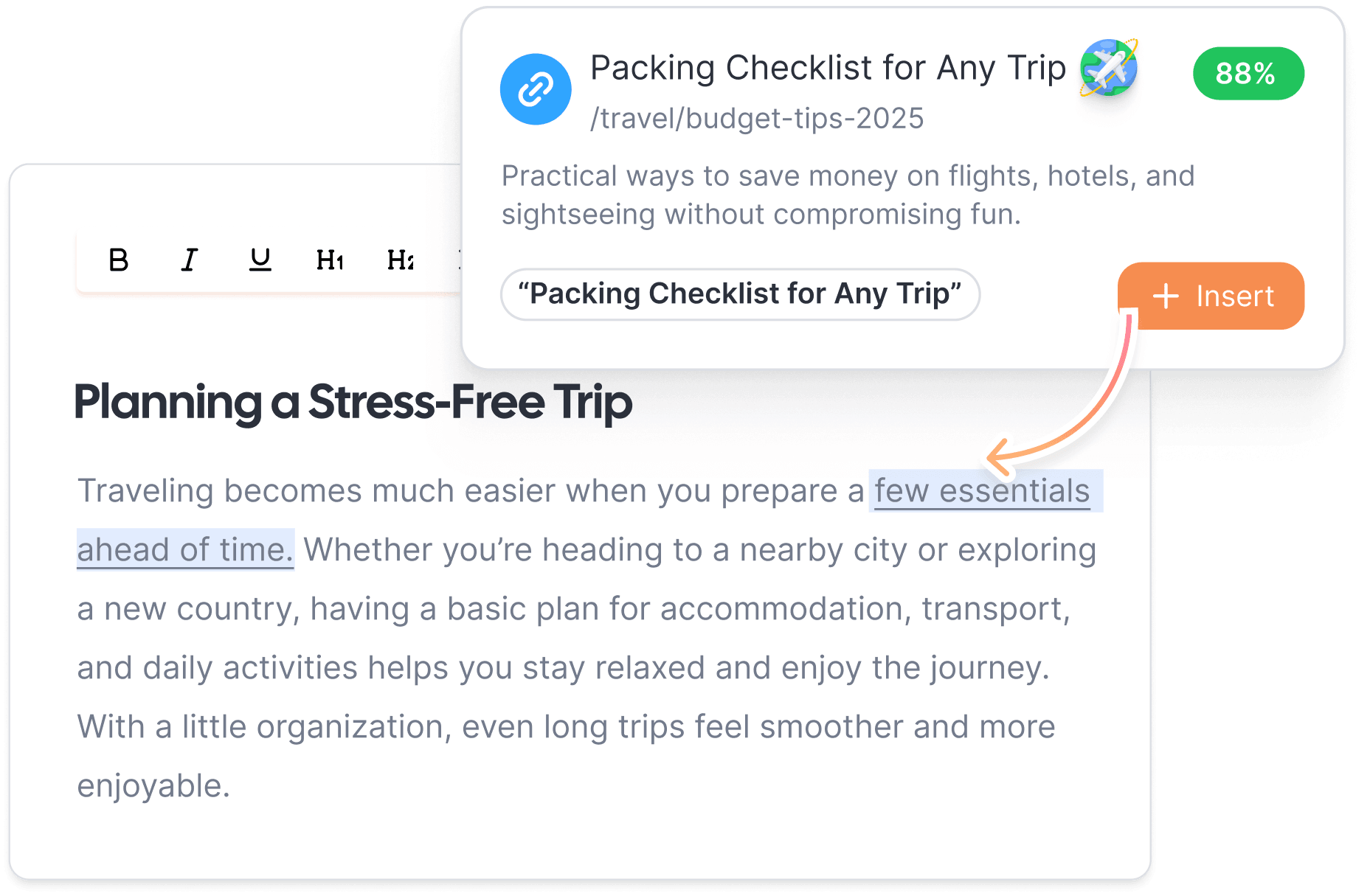
The result is a draft that arrives with interlinks already in place, which guides both bots and readers to your other pages without extra effort.
Generative AI adds another layer by letting systems draft replies or write content as part of the workflow. This turns automation into something closer to a digital teammate, especially when reviewers give feedback and the prompts and settings are adjusted.
How is AI automation different from RPA and AI agents?
AI automation sits between rule-based bots and autonomous AI agents. The difference comes down to two things: How much judgment the system has, and who decides the steps.
| Approach | How it works | Handles unstructured data? | Who decides the steps | Best for |
| Rule-based automation | Follows fixed if-then rules | No | You, in advance | Predictable, structured tasks |
| RPA | Bots mimic clicks and keystrokes in existing software | No, unless paired with AI | You, in advance | Copying data between systems, processing standard forms |
| AI automation | Follows a workflow you define, with AI interpreting or generating content at one or more steps | Yes | You define the workflow, and the AI decides within each step | Email triage, drafting, classification, document extraction |
| Intelligent automation | Combines RPA, AI, and business process management | Yes | Mostly you | End-to-end processes across departments |
| AI agents (agentic automation) | Plans the steps, chooses tools, and acts toward a goal | Yes | The AI, within limits you set | Multi-step tasks where the path varies |
As you can see, AI automation adds judgment, language understanding, and adaptability that RPA was never built for. Where an RPA bot breaks, an AI-powered system reads the new layout and adjusts on its own.
What is intelligent automation?
Intelligent automation combines robotic process automation (RPA), artificial intelligence (AI), and business process management (BPM) into one strategy.
Rather than automating a single task, it strings together an entire process end-to-end, using RPA for repetitive steps and AI for judgment calls.
It’s the approach many enterprises use to automate full departments. An insurer, for example, might use RPA to move claim data between systems, AI to read the claim documents, and BPM tools to route each claim for approval.
What is agentic AI automation?
Agentic automation goes a step further. Instead of following a workflow you defined, an AI agent is given a goal, plans the steps, chooses which tools to use, and acts across systems with limited supervision.
The shift is happening quickly. Gartner predicts that 40% of enterprise applications will include task-specific AI agents by the end of 2026, up from less than 5% in 2025.
How does AI automation work?
AI automation works by turning a trigger into an automatic action, with AI reasoning over the data in between. This closes the loop without a person touching every step, and that’s exactly what makes it faster and cheaper than manual handling.
A typical AI-automated workflow might look like this:
- A trigger starts the process. This can be an event, like a new email arriving.
- The system collects relevant data from databases, spreadsheets, or unstructured documents, then cleans it into a format the AI model can actually use.
- Machine learning spots patterns across historical data so the system can predict outcomes or classify new information correctly.
- Natural language processing (NLP) lets the system read emails, tickets, or documents the way a person would, picking up on intent rather than matching keywords alone.
- A large language model decides what happens next, whether that’s drafting a reply, flagging a suspicious transaction, or routing a ticket to the right team.
- Data is transferred to connected tools, like email, Slack, a CRM, or a content platform, which carry out that decision automatically.
- The system keeps refining its accuracy as it sees more real examples (given that a feedback loop is in place).
Even with an automated workflow in place, a human should always supervise all the steps. They should review critical errors in the system and stop AI hallucinations before they reach customers.
What are the main types of AI automation?
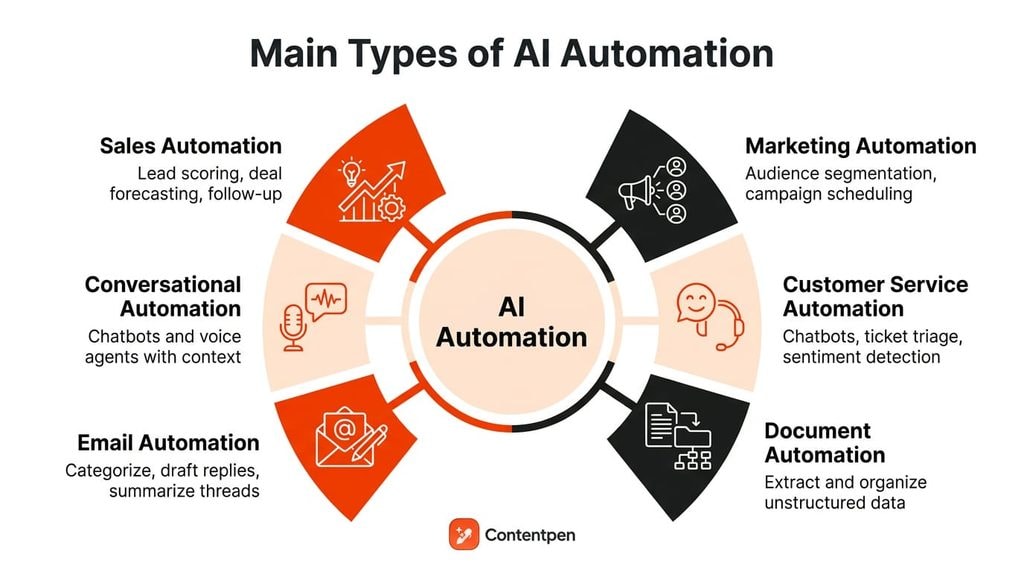
AI automation covers a wide range of business functions, and the type that matters most depends on which repetitive tasks are draining your team’s time and resources right now.
| Type | What it automates | What to measure |
| Sales | Lead scoring, deal forecasting, follow-up sequences | Time reps spend on admin, lead response time |
| Marketing | Audience segmentation, campaign scheduling, ad bid adjustments | Campaign turnaround time, conversion rate |
| Customer service | Ticket resolution, routing, sentiment flagging | Resolution time, share of tickets resolved without a human |
| Business process | Cross-department workflows such as request-to-approval | Cycle time, number of manual handoffs |
| Document | Extracting data from PDFs, scans, and invoices | Processing time, error rate |
| Sorting by intent, drafting replies, summarizing threads | Response time, inbox time per day | |
| Conversational | Chatbots and voice agents holding multi-turn conversations | Resolution rate, escalation rate |
| Content and SEO | Keyword research, drafting, optimization, publishing | Time from keyword to live page, organic traffic |
Now, let’s discuss each of these types of automation in a bit more detail.
Sales automation
AI sales automation handles lead scoring, deal forecasting, and follow-up sequencing, so reps spend more time on calls that actually close instead of updating spreadsheets.
For example, an automated system can rank new leads by how closely they resemble past buyers and draft a follow-up email for the rep to review.
Marketing automation
AI marketing automation covers audience segmentation, campaign scheduling, and ad bid adjustments. It uses real-time customer data to personalize messages at a scale no team could match manually.
For example, an automated marketing system can send different email variants to different segments and shift budget toward the ads that convert.
Customer service automation
Customer service automation is often delivered through chatbots or AI agents to resolve common support tickets, route complex cases to a human, and flag urgent issues based on sentiment.
For example, a customer asking where a refund is gets an instant answer, while an angry message about a billing error goes straight to a person.
Business process automation
Business process automation (BPA) takes a broader view, connecting departments like finance, HR, and operations into a single workflow that moves a request from submission to approval without manual handoffs.
For example, a purchase request can move from submission to approval to payment with AI checking the details along the way.
Document automation
AI in document automation means extracting and organizing information from unstructured files like PDFs, scanned contracts, or invoices, into searchable data in minutes. Prime examples include OCR and text-recognition technologies.
For example, a tool can read an invoice and pass the vendor, amount, and due date to your accounting system.
Email automation
Email automation means reading incoming messages, categorizing them by intent, drafting appropriate replies, and summarizing long threads into a quick daily digest. It saves countless hours in warming leads, sharing product guides and updates, or retaining existing customers.
Conversational automation
Today, chatbots and voice agents handle two-way conversations with customers or employees, maintaining context across a multi-turn exchange rather than resetting after every message.
Many businesses and enterprises develop internal conversational automation tools to maximize productivity and keep brand voice and tone consistent across channels.
AI content and SEO automation
Content and SEO automation work used to involve separate steps: keyword research, drafting, optimizing, and publishing, each handled by a different person or tool. Every handoff added waiting time, and the more tools involved, the more places a post could stall.
AI content automation and SEO now string these steps into one continuous workflow, cutting the handoffs that usually slow a post from idea to live page.
Contentpen’s SEO Autopilot shows what this looks like in practice. Enter a target keyword, and it generates a title, secondary keywords, a full draft, and then publishes directly to the CMS of your choice.
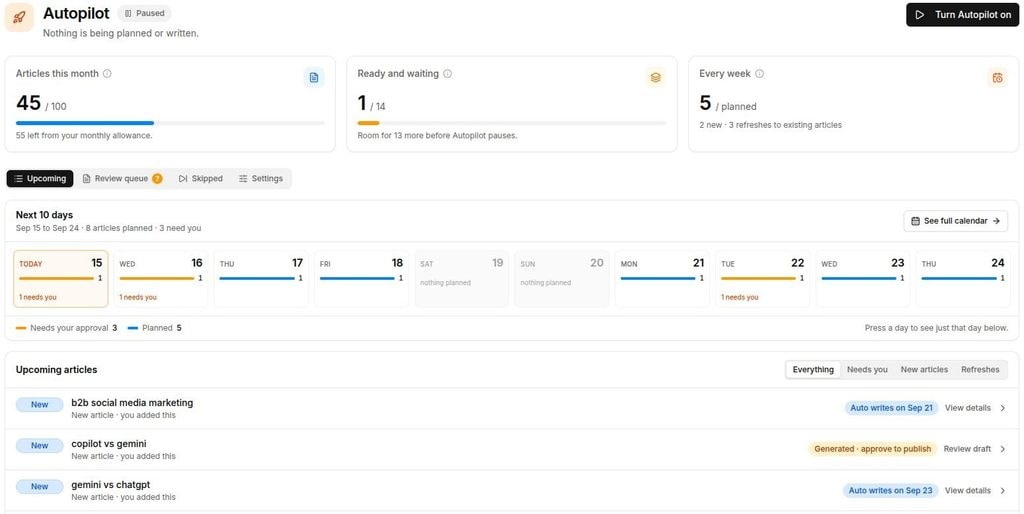
You can also set approval checkpoints before the outline generates or before anything goes live, making this genuine content automation rather than AI writing with extra steps.
In reality, many of these categories overlap in practice. For example, a single support workflow might combine conversational automation for the initial chat, document automation to pull details from an attached receipt, and BPA to route a refund.
All of this matters because employees still spend an estimated 44 days a year on manual work that automation could eliminate. That is a lot of productivity gain that most businesses leave on the table due to inefficient workflow practices or absent internal AI upskilling programs.
What are the benefits of AI automation?
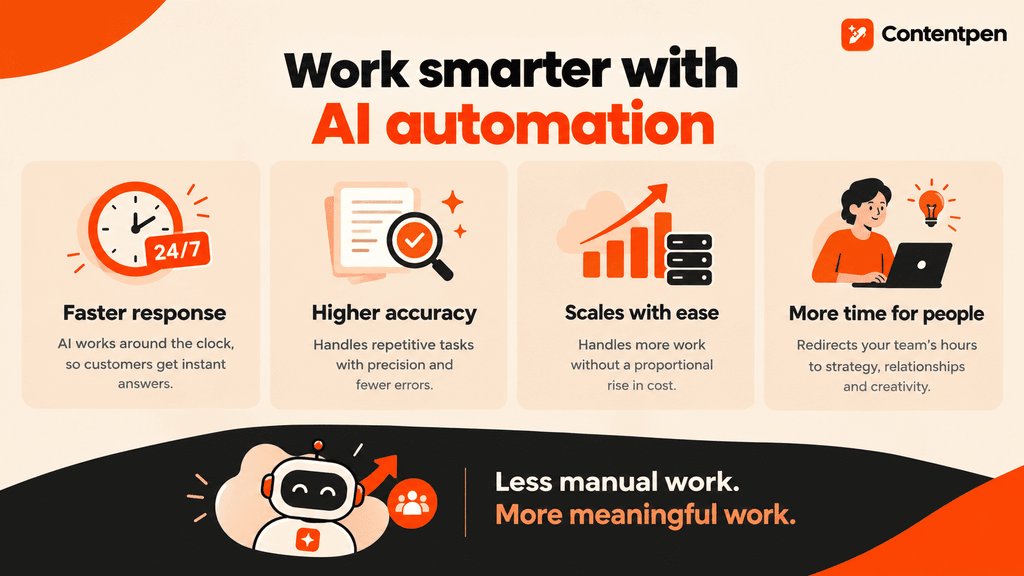
AI automation earns its place in a budget because it directly cuts the two costs that matter most, time and labor, while improving output quality at the same time.
Speed is the most visible benefit. AI-driven systems operate around the clock. So if a customer pushes a query at 2 A.M., they get an instant response instead of waiting for the next business day for a human operator.
Accuracy improves too, since AI systems handle repetitive tasks like data entry and document review exceptionally well, removing the fatigue-driven errors that creep into manual work.
Scalability is where the savings really compound. AI automation can typically handle a jump from 5 requests to 50,000 requests without a proportional rise in headcount or spending.
AI automation is not about replacing people. It’s about redirecting their hours toward strategy, relationship building, and creative problem-solving that AI still can’t replicate on its own.
What are some real examples of AI automation with measured results?
Below are five documented real examples of AI automation implementation across different functions and use cases.
| Company | Function | What was automated | Reported result | Source |
| Klarna | Customer service | An AI assistant built with OpenAI handling support chats | In its first month, its AI assistant handled 2.3 million conversations and cut resolution time from 11 minutes to under 2 | Klarna press release |
| ERGO (Greece) | Insurance customer service | A virtual assistant for policy renewals, payments, and 24/7 support | Automated 60% of incoming inquiries, with 85% customer satisfaction on virtual agent dialogues | Microsoft |
| Lumen Technologies | Sales | AI-assisted customer research for sellers | Research that took about four hours now takes about 15 minutes, which Lumen values at $50 million a year | Microsoft customer story |
| Financial services company (unnamed) | Document processing | GenAI and intelligent document processing to classify merchant applications | 98% end-to-end automation and 12,000 hours eliminated a year, with $10 to $12 million saved in test cases | UiPath |
| BrightScale Media | Content and SEO | Research, writing, and publishing | From a full day per blog post to under an hour, with organic traffic up 40% | Contentpen testimonials |
Klarna shows both the upside and the limit. In its first month, the company saw great success with its AI assistants.
However, in May 2025, Klarna’s CEO told Bloomberg that AI cost had been too dominant a factor, and the results dropped in quality.
The important lesson here is to automate the routine tasks and keep a clear path to a human for complex cases.
Also, treat these numbers from real AI automation examples as a sign of what is possible, not a forecast.
Record your own baseline before you automate so you can measure your own results later (before vs. after).
Which industries use AI automation and how?
AI automation shows up differently depending on the industry, but the pattern repeats everywhere: Repetitive, data-heavy tasks get automated first, freeing skilled staff for judgment calls machines still can’t make.
Besides customer support, sales, and telecommunications, here are the industries where AI automation is mostly used today:
- E-commerce and retail use AI automation for personalized recommendations, dynamic inventory management, and automated customer support.
- IT teams lean on AI automation for system monitoring and predictive maintenance.
- Manufacturing plants use AI-powered image recognition to catch defects early.
- Healthcare organizations apply AI automation to billing, scheduling, and clinical documentation, cutting the paperwork burden that keeps providers away from patients.
- Financial services firms use AI automation to process applications, claims, and onboarding paperwork, and to flag unusual transactions.
- The entertainment industry uses AI to analyze user behavior and viewing patterns to predict movies and TV shows specifically to their liking (Netflix, Prime, YouTube).
Across every sector, the businesses seeing the biggest returns aren’t automating everything at once. They’re targeting the specific bottleneck costing them the most time or money first.
How AI automation supports agencies and lean teams
Small businesses and agencies often get the most dramatic results from AI automation because they have the least room for manual busywork. Once they hand off the tedious tasks, they can start to compete with big brands due to immense savings that AI provides on headcount.
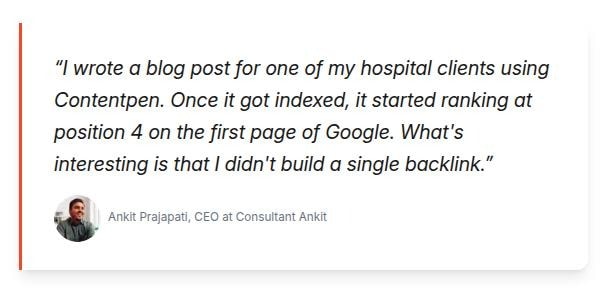
SEO consultant Ankit ranked a client’s blog in the 4th position on Google by using Contentpen’s automated blog generation and SEO + GEO optimization, without building a single backlink.
Similarly, Integral HR Solutions cut $1000 in content writing costs with Contentpen’s AI agents.
How much does AI automation cost?
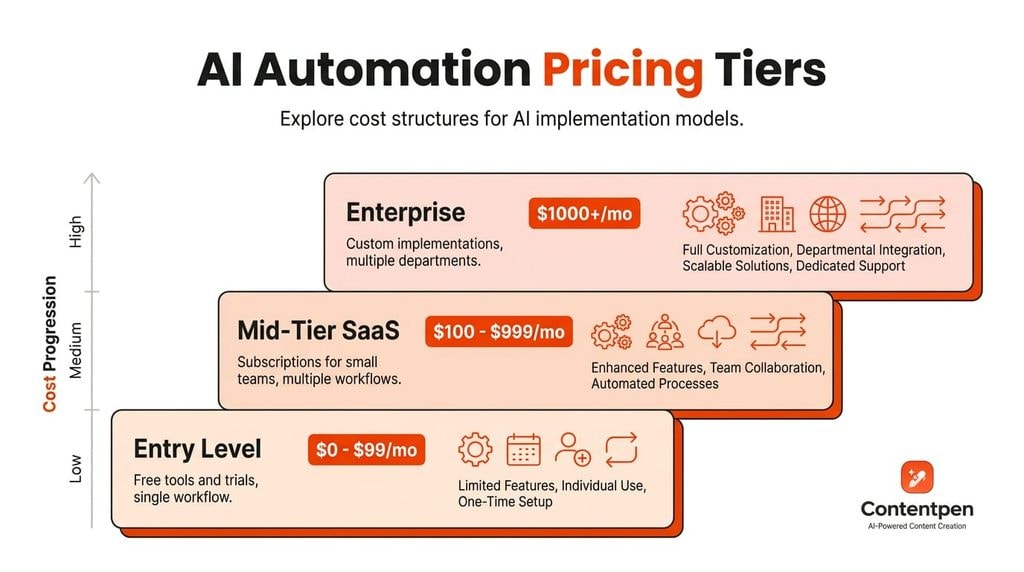
AI automation costs vary enormously depending on scale and capabilities used.
| Tier | Who it suits | What you get | Typical cost |
| Entry level | Individuals testing a single workflow | Free tools and trials from no-code platforms, such as auto-tagging emails | No cost beyond setup time |
| Mid-tier | Small teams | SaaS subscriptions built around a defined job, such as automated research, writing, SEO scoring, publishing, and AI visibility tracking | Contentpen’s pricing plans run from $39/month to $359/month billed annually |
| Enterprise | Large organizations automating several departments | Custom models and legacy system integration | Often six- or seven-figure investments |
Platforms like Contentpen sit in the mid-tier, owning the entire content pipeline end-to-end for SEO and AEO teams. The best part is that the cost is still well below the cost of hiring an extra content specialist in 2026.
How do you get started with AI automation?
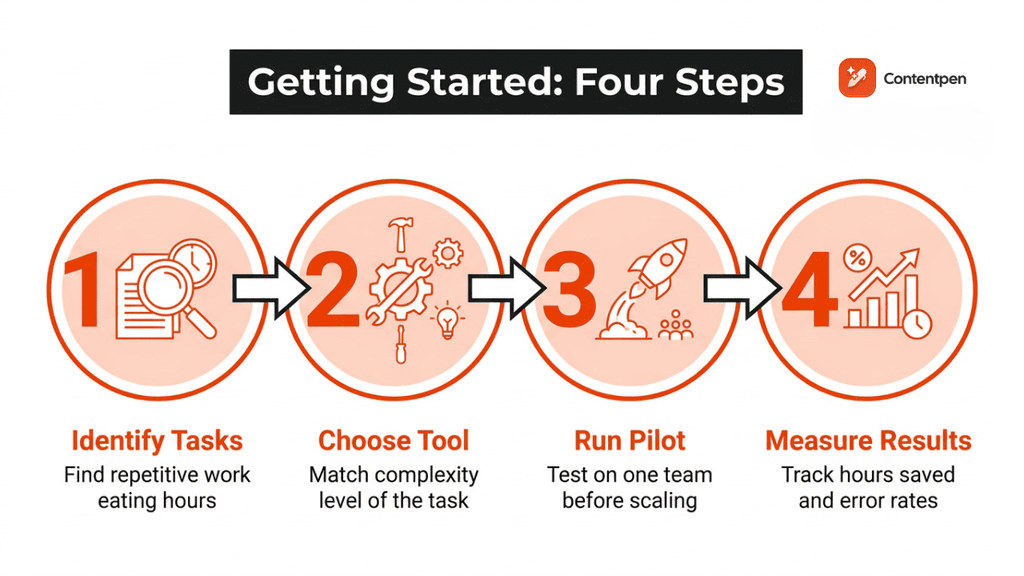
Getting started with AI automation comes down to four manageable steps:
- Identify the repetitive tasks: Tasks like manual data entry, answering the same customer questions over and over again, or writing routine content can be automated with AI.
- Choose a tool: Simple structured tasks fit basic no-code automation tools, while tasks requiring judgment or messy, unstructured data need an AI-powered platform built for reasoning. Choose your AI tool wisely according to your needs.
- Run a pilot on a single team: A small pilot program surfaces integration issues and builds internal confidence in the team without risking a bigger failure to adoption.
- Measure results: After AI implementation, check the hours saved or error rates before and after, then gradually expand once the pilot proves its worth.
High-volume tasks make the best starting point because time savings show up fastest. A team spending hours each week on gap analysis, branded visual creation, drafting, and formatting can automate that chain and see saved hours within the first week.
Choosing between an AI automation tool, agency, or course
Choosing between an AI automation tool, agency, or course depends on how much control you want and how much time you can invest yourself.
AI tools work best for hands-on teams that want direct control over their workflows, which is why many content marketers choose a platform like Contentpen to manage research, writing, and publishing directly.
Write content that’s built to rank, not just read
Create search-optimized blogs aligned with SEO and GEO signals, so your content performs well across search and AI-driven discovery.
Try SEO Blogging FREE →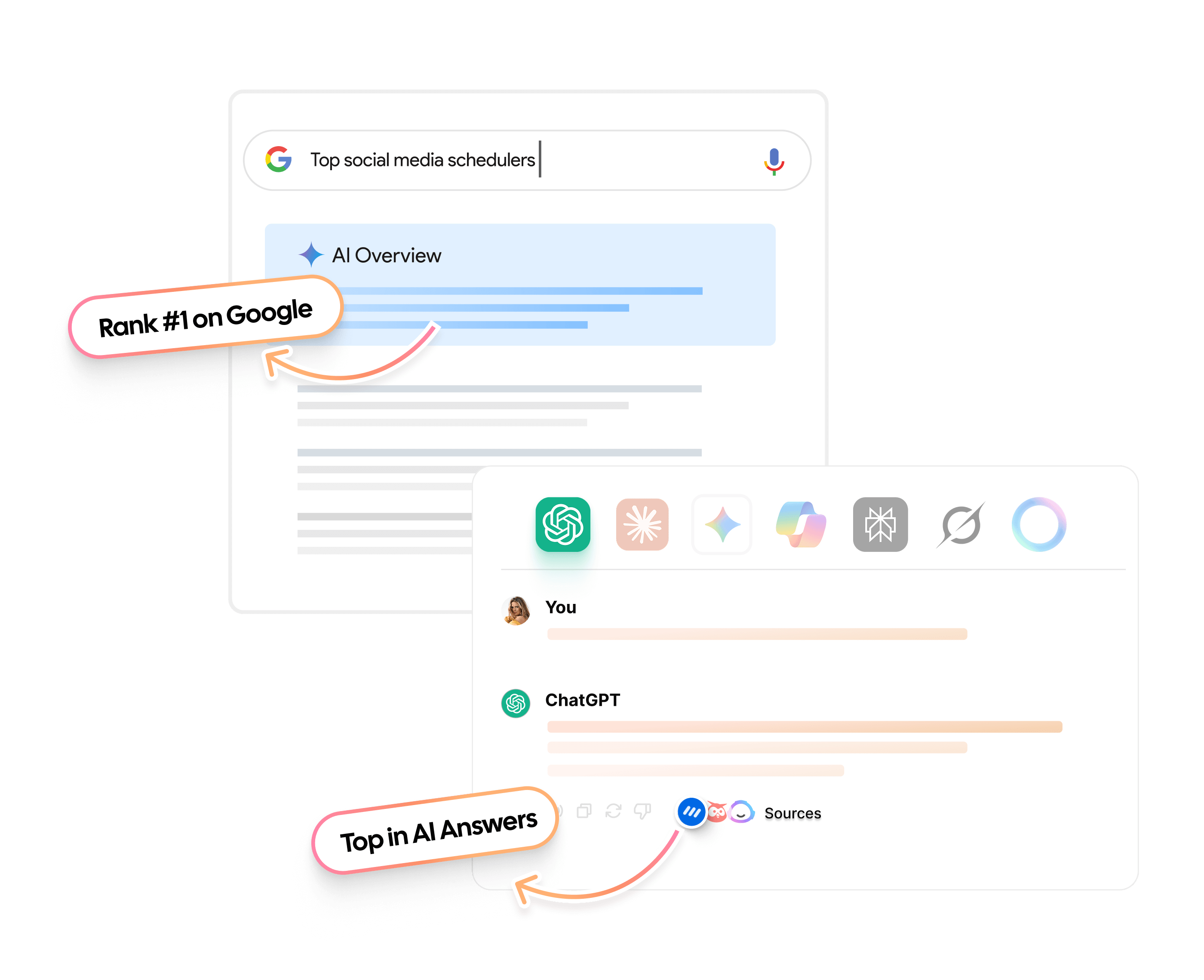
Automation service-providing agencies or outsourcing suit businesses wanting full-service setup and ongoing management without building internal expertise.
However, taking AI automation courses yourself or for your team is a better option if you have the time for it.
You can build skills internally to resolve any issues in the workflow or change a certain setup without hiring an extra resource.
In the end, you have to make this decision yourself. Pick whichever option fits your needs, budget, and time constraints right now, with the option to switch later on.
What challenges come with AI automation?
AI automation isn’t without real trade-offs, and being upfront about them leads to better implementations.
| Risk | What it looks like | How to reduce it |
| Poor or inconsistent data | The AI makes unreliable decisions because inputs are incomplete or messy | Clean and standardize inputs first, and start with a narrow, well-understood process |
| Hallucinations | The AI produces confident but wrong output | Add a human review step before anything reaches a customer or goes live |
| Algorithmic bias | Models trained on historical data repeat past patterns, such as skewed hiring | Test outputs for fairness regularly and correct course when problems surface |
| Model drift | Output quality shifts over time, for example after a vendor updates the underlying model | Log outputs, spot-check them regularly, and re-test after any model change |
| Privacy and compliance | Sensitive data passes through tools without clear controls | Check where data is stored and who can access it, and stay compliant with regulations like GDPR |
| Legacy systems | Older software was not built to connect with modern AI platforms, so integration is slower than expected | Choose tools with the integrations you need and budget extra time for setup |
Another risk is over-reliance on automation without human oversight. Reports show that workers now use 66% of AI outputs with minimal revisions, which can be dangerous for YMYL niches and other highly regulated industries.
The fix is straightforward. Keep a person in the loop for judgment calls and use transparent data practices so automation earns the trust it needs to scale.
What does the future hold for AI automation?
AI automation is moving toward systems that need less setup and handle more on their own.
AI agents lead this shift, combining reasoning with the ability to take action across multiple tools, while low-code and no-code platforms keep making automation accessible to people without technical backgrounds.
Roles built on creativity, strategic judgment, and human relationships are generally considered harder to automate, so for many people the shift will be toward supervising and directing automated work.
Wrapping up
AI automation works best as a partner to human effort, not a replacement for it. It takes over the repetitive, data-heavy work that drains time and budget, so people can focus on strategy, relationship-building, and the judgment calls that still need a human behind them.
The path forward is simple: Start small with one high-volume task, pick a tool that matches the complexity of that task, and expand once you see real results.
If content and SEO are where your team feels the most repetitive drag, it’s worth seeing how Contentpen handles keyword research, writing, optimization, and publishing in one place.
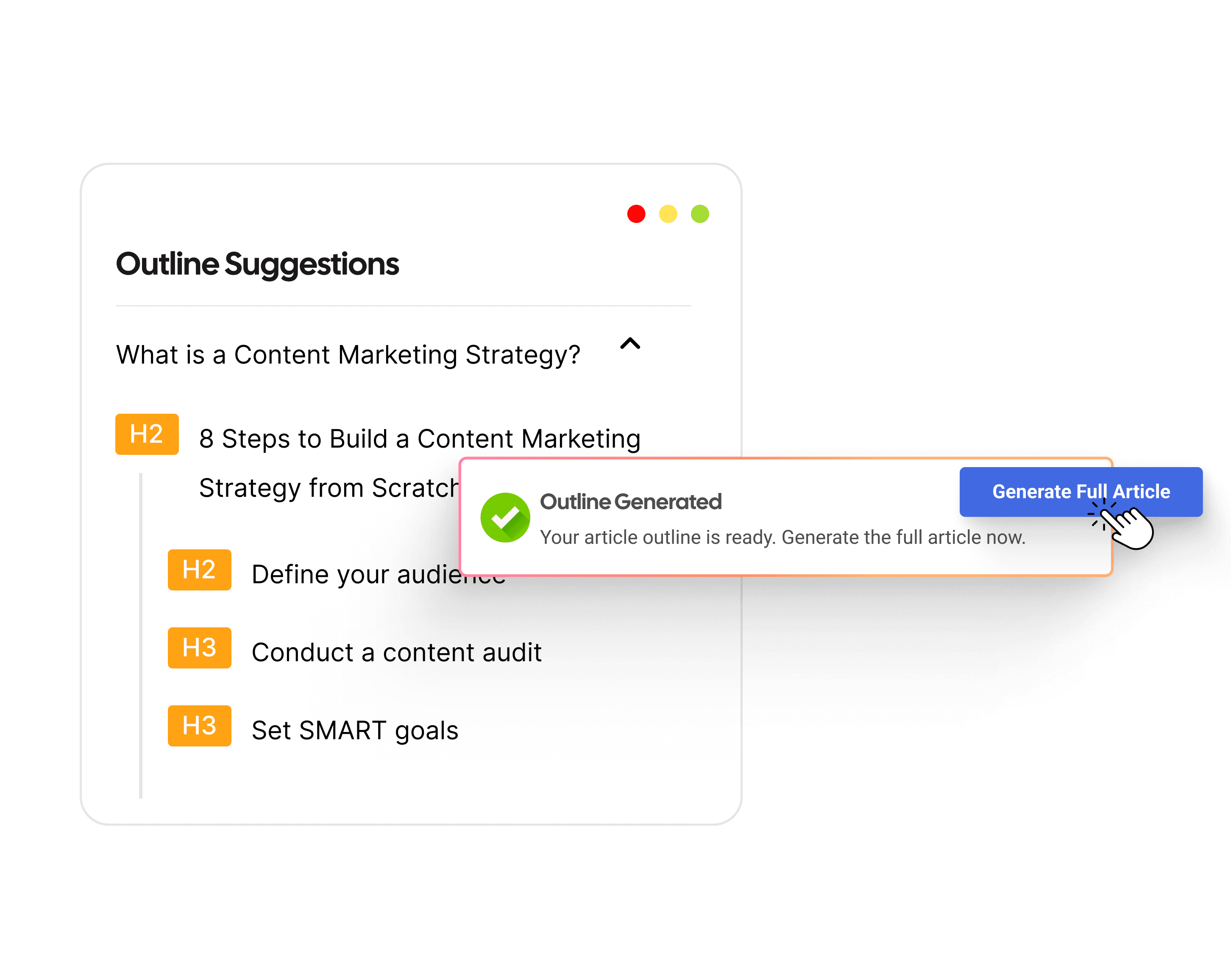
From outline to publish-ready content that fills them
Structured
Consistent
SEO-aligned
Fast
Frequently asked questions
You can earn from AI automation through freelance automation consulting, building and selling ready-made workflows to businesses, or using automation to run a leaner e-commerce or content side business.
An AI automation bot is a software program that uses artificial intelligence to perform tasks or hold conversations on its own, like a chatbot or virtual assistant.
Most AI automation services now operate remotely rather than locally, so a “near me” search usually surfaces global agencies, freelancers, or SaaS platforms rather than local-only providers.
AI automation roles typically call for comfort with no-code tools, a solid understanding of data and workflows, and the ability to write clear prompts for AI systems. A problem-solving mindset matters more than coding, though basic technical skills help with advanced integrations.
It can be, but it depends on the vendor and your setup. Before connecting your data, check whether the provider uses your data to train its models or not, where the data is stored, and who can access the outputs.
Not quite. An AI automation app usually refers to one specific software product, like a chatbot builder or a workflow tool, while AI automation is the broader concept covering any use of artificial intelligence to handle tasks automatically across systems and industries.
No, most modern AI automation platforms are no-code or low-code, letting you build workflows using natural language instructions or simple visual builders. Coding knowledge helps with advanced customization, but it isn’t required to get started with most tools.

Jawwad
Jawwad Ul Gohar is an SEO and GEO-focused content writer with 3+ years of experience helping SaaS brands grow through search-driven content. He has increased organic traffic for several products and platforms in the tech and AI niche. As an author at Contentpen.ai, he provides valuable insights on topics like SEO technicalities, content frameworks, integrations, and performance-driven blog strategies. Jawwad blends storytelling with data-driven content that ranks, converts, and delivers measurable growth.
View all posts by this author