 18 minutes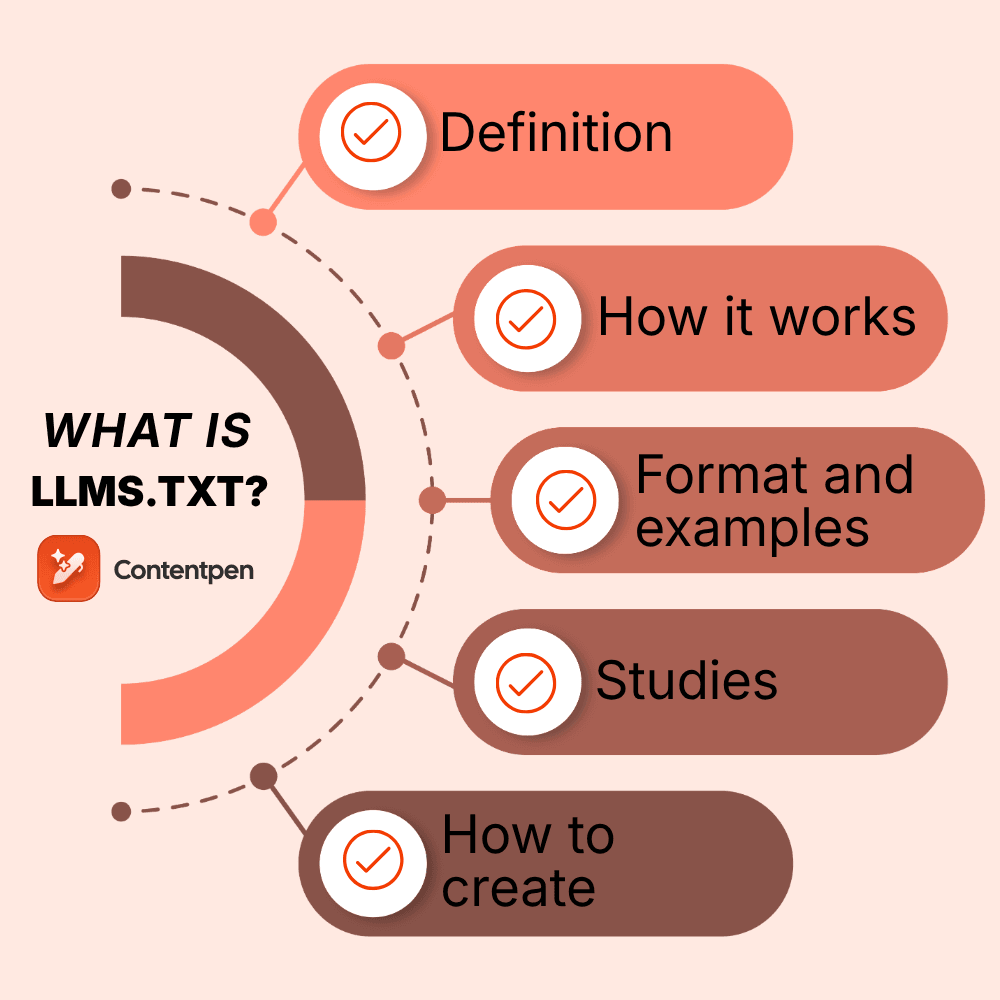
More people now ask ChatGPT, Claude, Perplexity, or a coding agent the questions they used to type into Google. Those AI tools read websites to build their answers, and most websites were never designed with an AI reader in mind.
That is the gap llms.txt tries to fill. It is a small text file that gives AI a shortcut to your best content, and since its proposal in 2024, it has become one of the most debated files in SEO.
Some marketers call it “robots.txt for AI”, while Google’s John Mueller compared it to the keywords meta tag.
So which side is right?
This guide explains what an llms.txt file is and how it works. It describes what goes inside one and what the latest data says about its effect on traffic. You will also see real examples, a step-by-step setup, and a simple way to decide whether your site needs an llms.txt file or not.
Let’s get started.
Table of contents
- Key takeaways
- What is llms.txt?
- How does llms.txt work?
- The llms.txt format, explained with an example
- What’s the difference between llms.txt vs robots.txt vs sitemap.xml?
- Who uses llms.txt? Real-life examples
- Does llms.txt actually work? What the data says
- Should you create an llms.txt file?
- How to create an llms.txt file in 6 steps
- Useful llms.txt best practices
- Where llms.txt fits in your AI search strategy
- Final thoughts
- Frequently asked questions
Key takeaways
- An llms.txt file is a plain-text Markdown file at yoursite.com/llms.txt that gives large language models a short summary of your site and links to your most useful pages.
- It guides AI tools when they answer a question. It does not block crawlers, control AI training, or replace robots.txt and your XML sitemap.
- Google says the file will neither help nor hurt your rankings in Google Search, and studies covering thousands of domains found no link between having one and getting cited by AI.
- The clearest benefit today is for developer docs, APIs, and SaaS products, where coding agents read documentation all day.
- It takes about an hour to create an llms.txt file, so adding one costs you little even while the payoff is still uncertain.
What is llms.txt?
An llms.txt file is a plain-text file, written in Markdown, that sits at the root of your website (for example, yoursite.com/llms.txt). It gives large language models (LLMs) a curated summary of your site along with links to the pages that matter most.
In simple words, it is a reading list for AI. Instead of making a chatbot or AI agent dig through menus, pop-ups, scripts, and hundreds of URLs, you point it straight to the pages that best answer questions about your business.
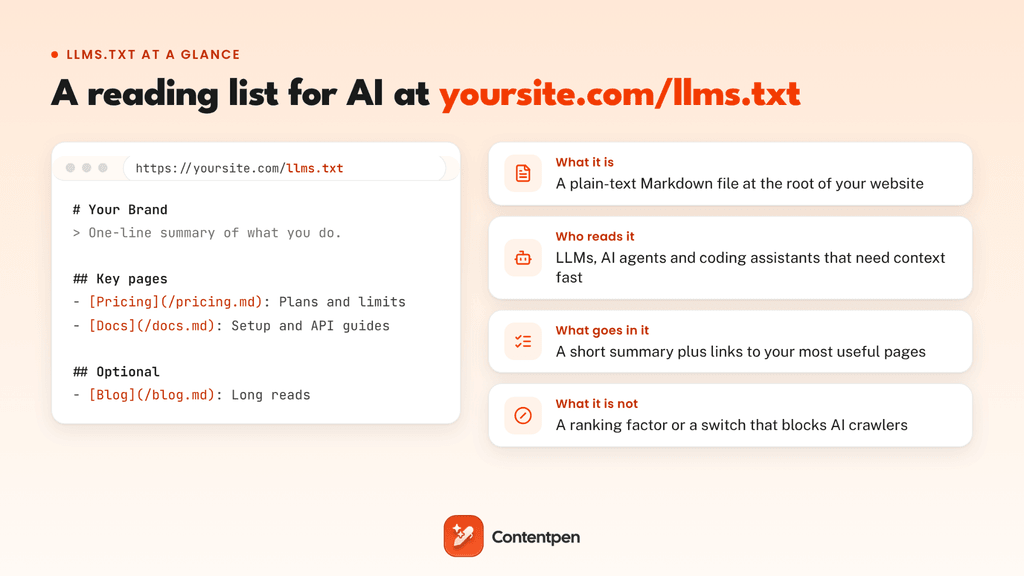
The idea came from Jeremy Howard, co-founder of Answer.AI, who published the llms.txt proposal on September 3, 2024. The proposal is now on version 2, which its authors say reflects two years of real-world adoption by sites worldwide.
As for the name, “LLMs” stands for large language models, the technology behind ChatGPT, Claude, and Gemini, and “.txt” means it is a plain text file. That is why you will also see people search for “llm.txt” or “llms txt.” They all refer to the same file.
The file caught on quickly in answer engine optimization circles because it promises something every marketer wants: more say in how AI tools understand and describe their brand.
What llms.txt is not
Many people get confused between robots.txt and llms.txt, even though these are two separate types of files.
An llms.txt file:
- Does not block or allow crawlers: Rules like “User-agent: GPTBot” and “Disallow: /” belong in robots.txt. Adding them to llms.txt does nothing, because the format has no access rules at all.
- Is not a replacement for your sitemap: The proposal itself says a sitemap covers too much content and leaves out LLM-friendly pages, so the two files serve different readers.
So what is it for? Web pages are built for people, full of menus, scripts, and ads, while AI models can only read a limited amount of text at once. An llms.txt file gives them a short, clean index of your key pages, and the proposal also suggests publishing Markdown copies of those pages so AI tools can skip the messy HTML altogether.
How does llms.txt work?
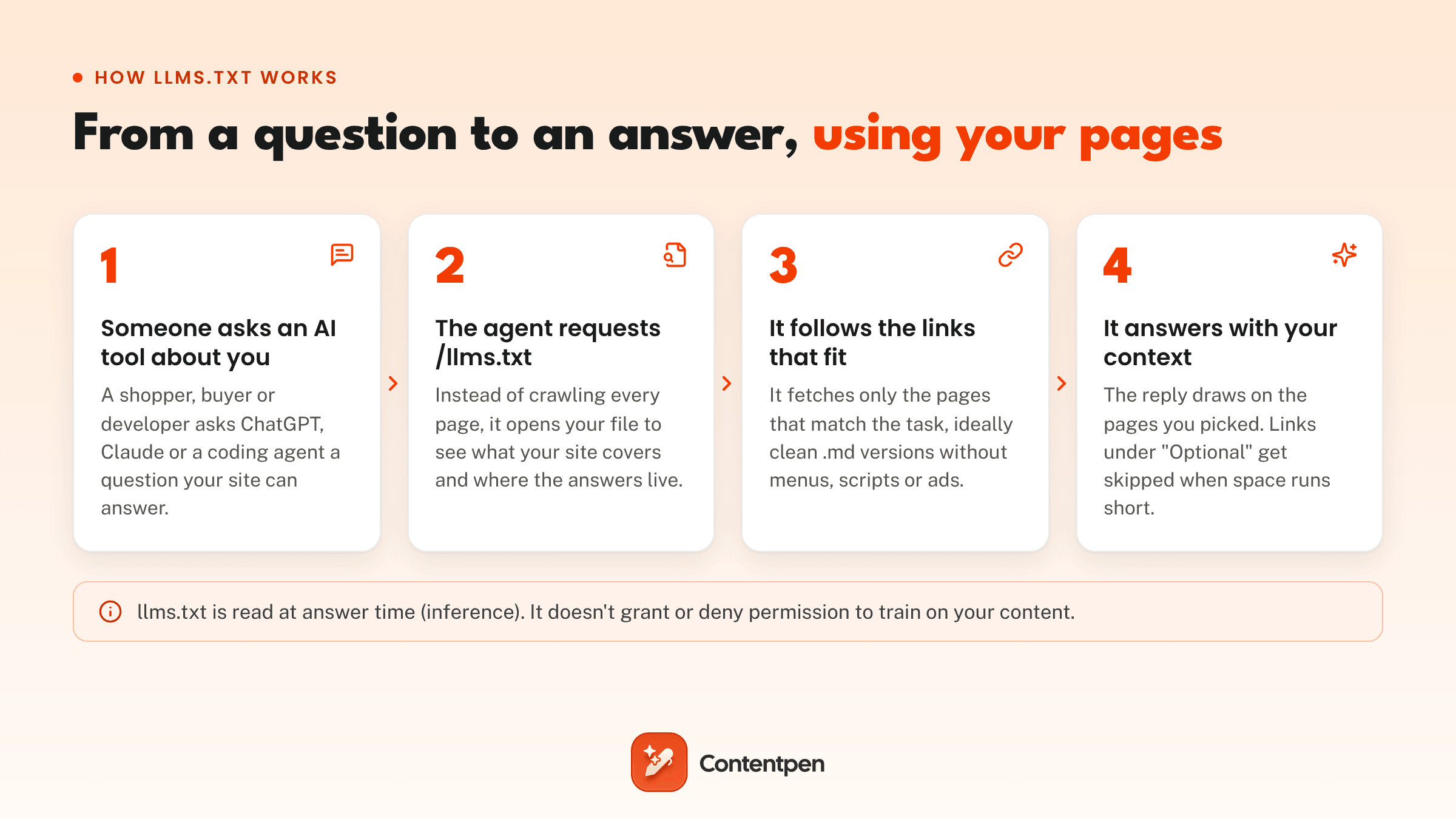
Llms.txt works as a shortcut at answer time. When an AI tool needs information from your website, it can open the file first, see what you cover, and fetch only the pages that fit the question.
Here is the typical flow:
- A question comes in: A developer asks a coding assistant how to use your API, or a shopper asks a chatbot about your return policy.
- The AI tool opens /llms.txt: The bot reads your one-line summary and the grouped list of links from your llms.txt file.
- It fetches the right pages: It opens the linked pages that match the task, ideally clean Markdown versions with no layout clutter.
- The bot answers with your context: If space in its context window runs short, it drops anything you placed under the “Optional” heading and tells the developer on the other side about all the critical details of the documentation or the page.
Version 2 of the proposal also added a way for pages to point to their llms.txt file, either with a link tag (rel=”describedby”) in the HTML head or an HTTP header. That makes the file easier for agents to discover while they browse your pages.
There is one catch. Nothing requires an AI system to look for the file. Whether llms.txt gets used depends entirely on the tool reading your site, and that is where most of the debate comes from.
The llms.txt format, explained with an example
The llms.txt format is plain Markdown in a set order. Only the first element is required, so even a two-line file is valid.
| Element | Required? | What it does |
|---|---|---|
| H1 title (# Name) | Yes | Names your site or project |
| Blockquote (> Summary) | No, but recommended | Gives AI the key facts about you in one or two lines |
| Context notes | No | Plain paragraphs or lists with extra details, without headings |
| H2 file lists (## Section) | No | Groups links as [Page name](URL): short description |
| ## Optional | No | Holds secondary links an AI can skip when it needs a shorter context |
Here is an llms.txt example for a fictional outdoor gear store:
# Trailhead Outfitters
> Outdoor gear store shipping across the US. Free returns within 60 days.
Prices are in USD. Sizes follow US charts.
## Shop
– [Hiking boots](https://example.com/boots.md): Waterproof and lightweight styles
– [Size guide](https://example.com/size-guide.md): How to pick boot and jacket sizes
## Policies
– [Returns](https://example.com/returns.md): 60-day free returns and exchanges
– [Shipping](https://example.com/shipping.md): Delivery times and costs by state
## Optional
– [Our story](https://example.com/about.md): Founded in 2012
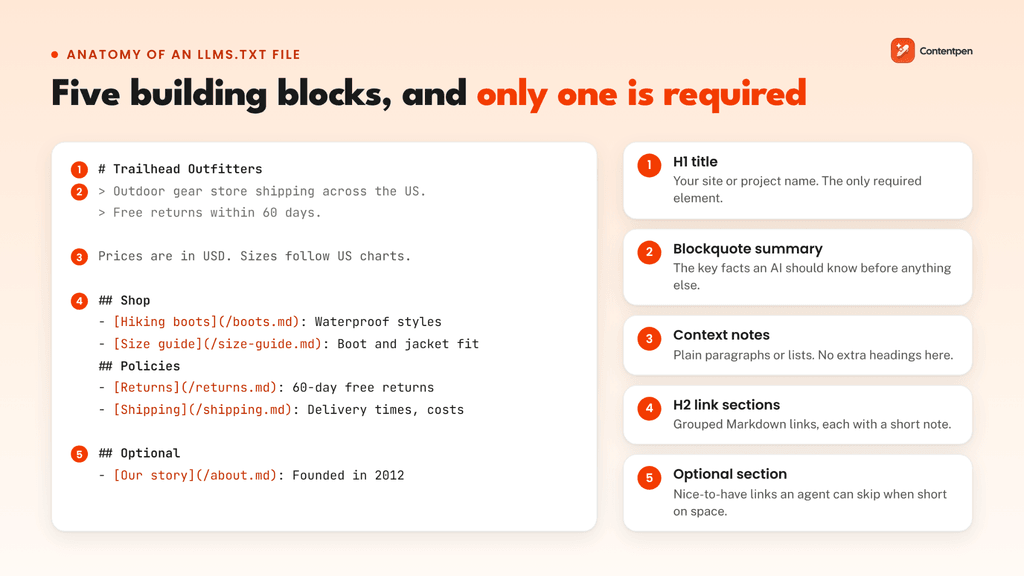
Notice what is missing. There is no blog archive, no tag pages, and no login links. A good llms.txt file is a short list of pages that answer real customer questions, each with a description that tells the AI what the page is for.
Defining llms-full.txt
An llms-full.txt file is a companion file that puts the full text of your key content into one large Markdown document instead of linking out to separate pages. Developers often paste llms-full.txt links into ChatGPT or Claude to load a product’s entire documentation in one go.
The trade-off is size.
Because it holds entire sets of documentation, an llms-full.txt file can grow larger than many AI tools can handle in a single conversation. For most marketing websites, a lean llms.txt file is enough. You only need an llms-full.txt file for your API references and technical documentation.
Markdown versions of your pages
Jeremy Howard’s proposal also suggests offering a clean Markdown copy of each important page at the same URL with .md added, such as /pricing.md.
Documentation platforms like GitBook and Mintlify now create these automatically. GitBook reports that AI systems made up over 40% of readers of GitBook-hosted docs by the end of 2025.
What’s the difference between llms.txt vs robots.txt vs sitemap.xml?
All three files live at the root of your site, but each one does a different job.
Robots.txt controls where crawlers can go, sitemap.xml lists the URLs you want search engines to index, and llms.txt points AI tools to your most useful content.
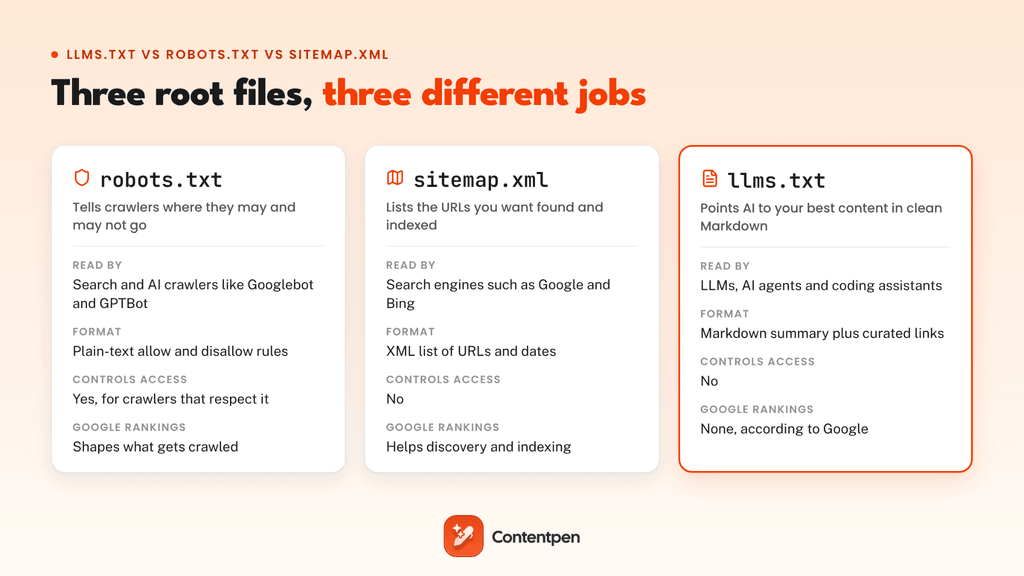
| Feature | robots.txt | sitemap.xml | llms.txt |
|---|---|---|---|
| Main job | Allows or blocks crawling | Lists URLs for discovery and indexing | Curates key content for AI |
| Who reads it | Search and AI crawlers (Googlebot, GPTBot) | Search engines (Google, Bing) | LLMs, AI agents and coding assistants |
| Format | Plain-text directives | XML | Markdown |
| Controls access | Yes, for crawlers that respect it | No | No |
| What it covers | Rules for the whole site | Every URL you want indexed | A hand-picked shortlist of content |
| Effect on Google rankings | Shapes what gets crawled | Helps discovery and indexing of pages | None, according to Google |
| Status | Long-standing web standard | Long-standing web standard | Proposal, still voluntary |
If you want a refresher on how crawling, indexing, and ranking fit together, our guide on how search engines work walks through each stage in detail.
Who uses llms.txt? Real-life examples
Adoption started in developer documentation and spread from there. Mintlify switched llms.txt on for every docs site it hosts in November 2024, which brought Anthropic, Cursor, and many others on board almost overnight.
In June 2025, Yoast SEO 25.3 added automatic llms.txt generation, putting the file one click away for WordPress sites.
Here are some llms.txt examples worth studying:
| Website | Type of site | What stands out |
|---|---|---|
| Stripe | Payments API docs | Adds a section of instructions for AI agents that steers them toward current APIs |
| Anthropic | AI developer docs | Publishes a full Markdown map of its API docs, plus an llms-full.txt version |
| Vercel | Developer platform docs | Opens with descriptive metadata lines, then step-by-step sections |
| Hugging Face | AI model docs | Uses several heading levels, code examples, and notes |
| Zapier | Developer docs | Keeps it simple with a long list of links and descriptions |
Stripe’s file is the most interesting of the group because it shows that llms.txt can carry instructions for AI coding assistants, not only links.
According to an analysis by Apideck, the file at docs.stripe.com/llms.txt includes lines such as “Always use the Checkout Sessions API over the legacy Charges API.” These instructions help coding assistants give developers correct advice about Stripe’s current API versions.
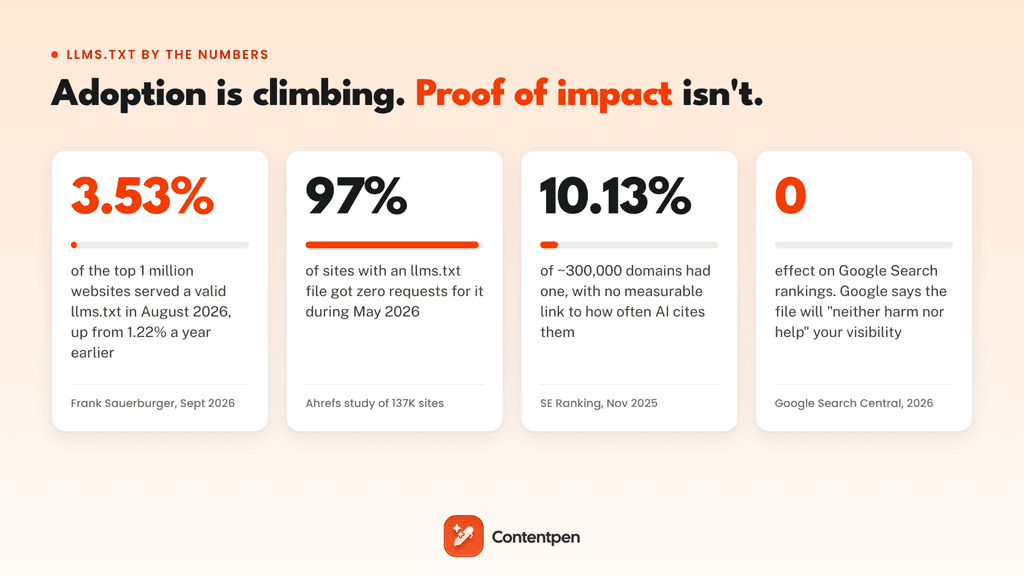
Across the wider web, adoption is growing but still small. A crawl of the top one million domains found that 3.53% served a valid llms.txt in August 2026, up from 1.22% a year earlier.
Among the top 300 sites, the share of the sites that have created and implemented an llms.txt file rose from 4% to 9%. In other words, more than 90% of the web’s biggest sites still do not have one.
Does llms.txt actually work? What the data says
There is no evidence yet that llms.txt improves Google rankings or AI citations. Most AI crawlers rarely request the file, and the readers it does attract are mostly coding agents and SEO tools.
Can an llms.txt file help SEO?
Not for Google. In its guide to optimizing for generative AI features, Google says you “don’t need to create new machine-readable files, AI text files, markup, or Markdown” to appear in its AI features, because Google Search does not use them.
The article adds that creating llms.txt files will “neither harm nor help your site’s visibility or rankings in Google Search.”
That matches what John Mueller said in a Reddit thread on the topic:
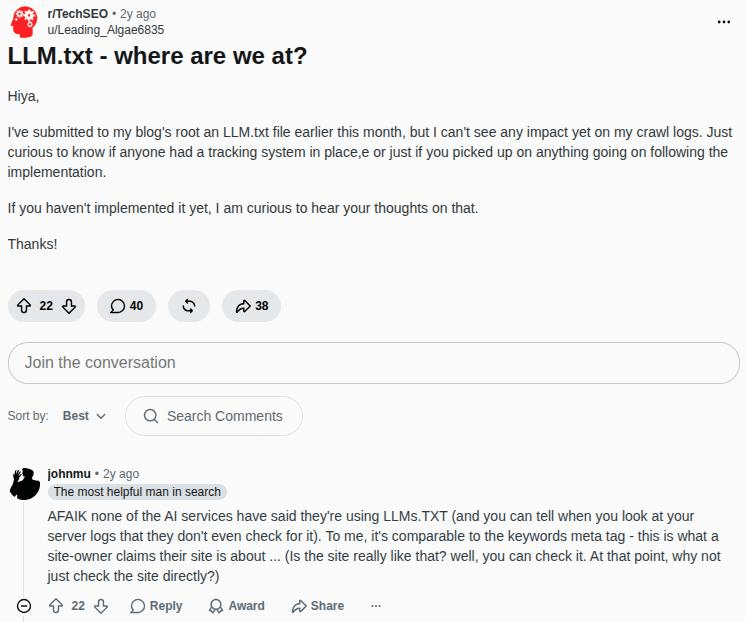
His point is that llms.txt is only what a site owner claims about their site, and an AI system can check the site itself. That’s why clear page content and structured data like schema markup matter more.
Does llms.txt get you cited in AI answers?
So far, no.
In November 2025, SE Ranking analyzed around 300,000 domains and found llms.txt on 10.13% of them, with no measurable link between having the file and how often AI platforms cite a domain.
In SE Ranking’s words, the file “doesn’t seem to directly impact AI citation frequency. At least not yet.”
Do AI crawlers even read llms.txt?
Rarely. Ahrefs studied 137,210 websites in May 2026. They found that 28% published a valid llms.txt file (an upper bound, since Ahrefs’ sample leans toward SEO-aware sites), and 97% of those files got zero requests that month.
Of the requests that did come in, 96% came from bots. GPTBot was the most active AI bot, yet it made only 4.51% of all requests, and Slackbot fetched llms.txt files more often than PerplexityBot.
Ahrefs also found that AI bots never requested llms.txt files from sites that didn’t have one, which led it to conclude that publishing one “does not put you on any AI radar.”
So why are sites still adding llms.txt?
There are three reasons why sites are still adding llms.txt:
- Coding agents use it: In the Ahrefs study, Claude Code was the second most active AI fetcher after GPTBot, ahead of every AI search and assistant bot. Developers also share llms.txt and llms-full.txt links with AI tools on purpose for better site data extraction.
- Tools are starting to check for it: Chrome’s Lighthouse now runs an llms.txt audit under its agentic browsing checks, and the major AI labs publish llms.txt files for their own developer docs.
- It costs almost nothing: It takes an hour of work and carries no ranking risk, and you are ready if AI platforms start reading it at scale.
The last reason is probably why developers add llms.txt files. It functions as future-proofing of your platform, and adding it isn’t tough anyway.
Should you create an llms.txt file?
For most websites, yes, as long as you treat it as a low-cost add-on and not a traffic strategy. It is most useful when AI tools need precise, current information from you, like API docs, product specs, pricing, or policies.
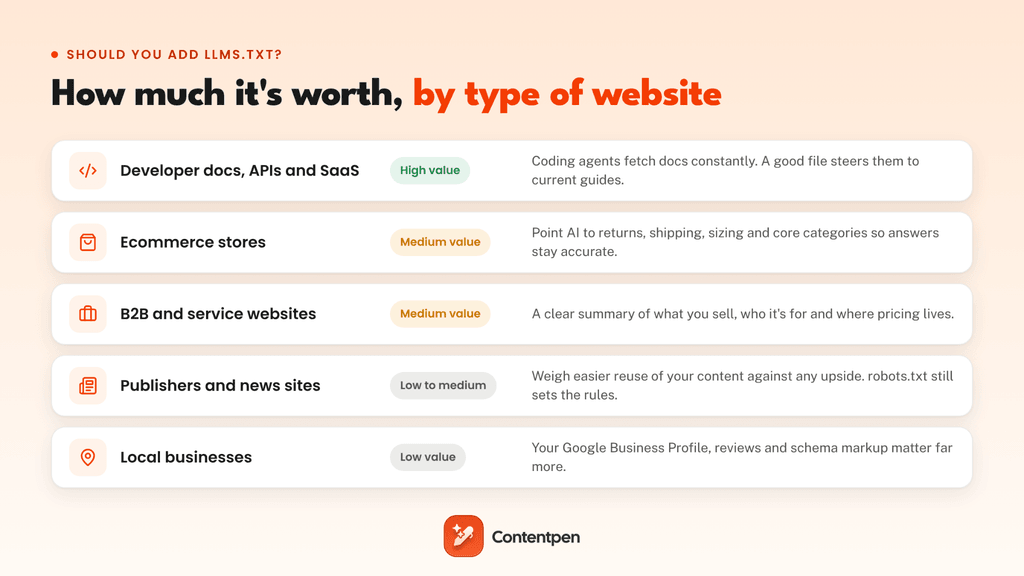
Add one if:
- You run developer docs, an API, or a SaaS product that people integrate with AI coding tools.
- Your pricing, policies, or product details change often, and AI answers about them are going stale.
- Your CMS or docs platform can generate and update the file for you.
You can skip it for now if:
- You are a local business, where your Google Business Profile, reviews, and schema matter more.
- Your site has a few pages and no technical content, so AI tools can read the whole thing anyway.
- You have bigger gaps to fix first, such as AI crawlers blocked in robots.txt or key content that only loads through JavaScript.
Risks with adding llms.txt
- It makes your best content easier to copy: The file is public, so the same shortlist that guides AI tools also shows scrapers and competitors exactly where your most valuable pages are.
- Outdated links lead to wrong answers: If the file still points to old pricing or retired docs, AI tools may repeat that outdated information to your customers.
- AI agents may act on what it says: Agents read the file as instructions, so a careless edit can steer them in the wrong direction. Treat llms.txt like code and review every change before it goes live.
How to create an llms.txt file in 6 steps
You do not need a developer to create an llms.txt file. If you can edit a text file and upload it to your site, you can have one live in about an hour.
Step #1: Pick the pages that matter
Start with 10 to 15 links that matter most for you. Good candidates are product or service pages, pricing, getting-started guides, key documentation, policies, and your strongest evergreen blogs.
Leave out gated pages, duplicates, thin tag archives, seasonal content, and anything that goes stale within weeks.
Step #2: Write the file in Markdown
Open a plain text editor such as Notepad, TextEdit, or VS Code and save a file named llms.txt in lowercase. Add your H1 name, a blockquote summary, any context notes, and H2 sections of links with short descriptions. Move nice-to-have pages under an “Optional” heading.
Step #3: Add Markdown versions of key pages (optional)
If your platform supports it, publish .md copies of the pages you link to and point to those in your file. This step matters most for documentation. For a marketing site, linking to normal HTML pages is fine.
Step #4: Upload it to your root directory
Place the file in your site’s root folder (often public_html) using your host’s file manager or FTP, so it loads at yoursite.com/llms.txt.
On WordPress, Yoast SEO and AIOSEO can generate and update it for you, and Wix, GitBook, and Mintlify offer built-in support too. The llms.txt proposal also lists community plugins for Docusaurus, VitePress, and Drupal.
Step #5: Test it
Open the URL in your browser. It should show plain text with a 200 status code. Click a few links to confirm they work, then run Chrome’s Lighthouse to see if its llms.txt check flags any server errors.
Step #6: Monitor and update
Check your server logs every few weeks for requests from bots like GPTBot, ClaudeBot, OAI-SearchBot, and PerplexityBot. Update the file whenever you launch a product, change pricing, or retire a page.
Whichever generator you use, read the output before publishing. Automatic tools tend to list everything, which defeats the purpose of a curated file.
Useful llms.txt best practices
A short, accurate llms.txt file beats a long one every time. These habits keep yours useful:
- Write descriptions that explain the purpose of the page: A description like “Pricing: plans, limits, and free trial details” tells an AI far more than “Pricing page.”
- Put your most important facts in the summary: Say what you do, who you serve, and any details that change answers, such as currency, regions, or plan names in the excerpt.
- Link only to live, canonical URLs: Skip redirects, tracking parameters, and duplicate versions of the same page.
- Keep facts consistent with your website: Make sure the prices, features, and plan names in the file match your live pages.
- Save the “Optional” section for background pages: Put pages there, such as your company story or older guides, so they are the first thing an AI drops.
- Add instructions if AI keeps getting you wrong: You can tell AI agents which features are current and which are retired, modified, or updated recently.
- Never include any private information: Anyone can open the llms.txt file in a browser, so keep internal tools, staging links, and customer data out of it.
- Review it on a schedule: A quarterly check, plus an update after every launch, keeps the file from drifting out of date.
Where llms.txt fits in your AI search strategy
llms.txt is one small, technical piece of generative engine optimization. The factors that decide whether ChatGPT, Perplexity, or AI Overviews mention your brand are much bigger.
That includes content that answers questions directly, pages AI crawlers can access, structured data, and mentions on sites that AI systems already trust.
Then there is measurement. The only way to know whether any of this works is to track how often AI answers mention, cite, and describe your brand, which is your AI visibility.
As an AEO tool, Contentpen helps you research topics and write SEO and GEO-optimized articles built to win SERP rankings and AI citations.
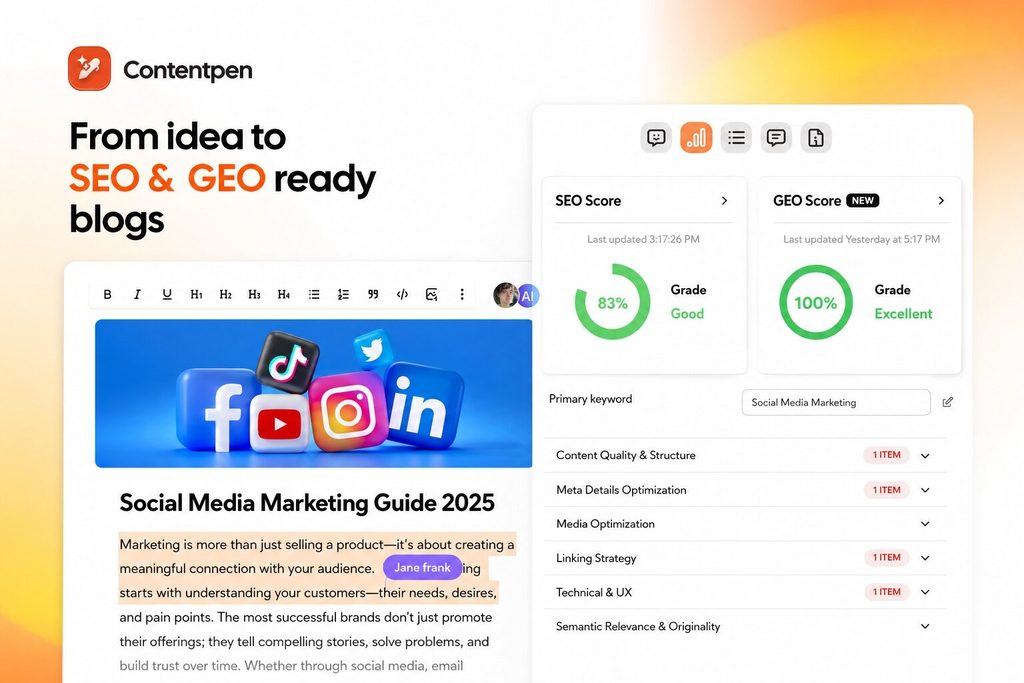
Its AI visibility tool then tracks your brand mentions, sentiment, and share of voice across up to 7 AI platforms, including ChatGPT, Gemini, Perplexity, and Claude.
So instead of guessing whether a file like llms.txt changed anything, you can see exactly where your brand shows up in AI answers.
Also read: Our roundup of the best AI search optimization tools in 2026.
Final thoughts
Creating an llms.txt file gives AI a clean, curated guide to your website. It is cheap to create, easy to maintain, and useful today for developer docs and AI coding tools.
For rankings and AI citations, the evidence so far says it will not move results on its own. You can add it easily and measure the before-and-after effects to keep the llms.txt file or remove it. The decision is yours.
To get your brand cited in AI answers, you need content that deserves to be cited, backed by stats, and perfectly formatted for AI parsing. This is where Contentpen helps businesses put content creation, optimization, and publishing on Autopilot.

Write content that’s built to rank, not just read
Create search-optimized blogs aligned with SEO and GEO signals, so your content performs well across search and AI-driven discovery.
Try SEO Blogging FREE →
Try it free for 7 days and start winning AI citations and SERP rankings today.
Frequently asked questions
No. llms.txt is a voluntary proposal, not a web standard, and no search engine or AI platform requires it. Chrome’s Lighthouse marks a missing llms.txt as “not applicable” instead of an error, and skipping the file carries no penalty.
OpenAI has not said that ChatGPT uses llms.txt files. Its GPTBot crawler does fetch them occasionally, but it happens rarely. ChatGPT can still read your llms.txt if a user shares the link or if it lands on the file while browsing.
Type the site’s domain followed by /llms.txt into your browser, for example, docs.stripe.com/llms.txt. If the site has one, you will see the Markdown file as plain text. Directories such as llmstxt.site and directory.llmstxt.cloud also list hundreds of live examples.
No. To control AI crawlers, add rules to your robots.txt file for user agents such as GPTBot (OpenAI), ClaudeBot (Anthropic), Google-Extended (Google’s AI training), and CCBot (Common Crawl).
It can be. Shoppers ask AI assistants about shipping times, return windows, sizing, and product differences, and an llms.txt file can point AI chatbots to the pages with accurate answers. List your policies, size guides, and main category pages in priority, and keep the file updated when prices or policies change.

Jawwad
Jawwad Ul Gohar is an SEO and GEO-focused content writer with 3+ years of experience helping SaaS brands grow through search-driven content. He has increased organic traffic for several products and platforms in the tech and AI niche. As an author at Contentpen.ai, he provides valuable insights on topics like SEO technicalities, content frameworks, integrations, and performance-driven blog strategies. Jawwad blends storytelling with data-driven content that ranks, converts, and delivers measurable growth.
View all posts by this author