14 minutes
A shopper searches for a novel you stock and lands on the audiobook instead, or sees an older edition’s cover. What do you think happens next? They click a bigger retailer’s listing instead of yours, and you lose a potential buyer.
Search engines have to work out each book’s details from the page it sells on, whatever they find on it. When that data is vague, they guess about the information, and a wrong guess sends a ready buyer to the wrong listing or to another store.
Book schema fixes that. It’s a short block of code that tells search engines each book’s title, author, ISBN, format, and edition. So, they can match every listing in your store to the exact book a shopper is looking for.
This guide covers what Book schema is, where Google still uses it in 2026, the properties that matter, and how to mark up the hardcover, ebook, and audiobook versions of one title.
So, let’s get started, shall we?
Table of contents
- Key takeaways
- What is book schema?
- Does Google still support Book schema?
- Which properties does Book schema use?
- Book schema examples in JSON-LD
- Which Book markup does your site need?
- How to add book schema to your website
- Common Book schema mistakes to avoid
- Does Book schema help SEO and AI search?
- How Contentpen helps authors get found
- Final thoughts
- Frequently asked questions
Key takeaways
- Book schema is structured data that uses the schema.org Book type to describe a book’s title, author, ISBN, format, and edition.
- Google still supports Book markup in 2026. It planned to retire Book actions in June 2025, then reversed that decision in November 2025.
- Google uses Book markup for Book actions (buy or borrow links for large catalogs) and for review stars on pages that review a book.
- One book is a “work” with several “editions.” Each edition, such as the hardcover, ebook, or audiobook, gets its own ISBN and format.
- Author and indie press sites won’t get a new rich result from it, but clean book data helps search engines, and AI tools match the right title.
What is book schema?
Book schema is structured data that uses the schema.org Book type to describe a book in a format search engines can read, including its title, author, ISBN, format, and edition. It’s a specific type of schema markup, usually added to a book’s page as a JSON-LD script.
Think of it as your book’s copyright page, rewritten for machines. The copyright page lists the details in a fixed spot so librarians and booksellers can catalog the book. Book schema puts the same facts in a fixed format so search engines can do the same.
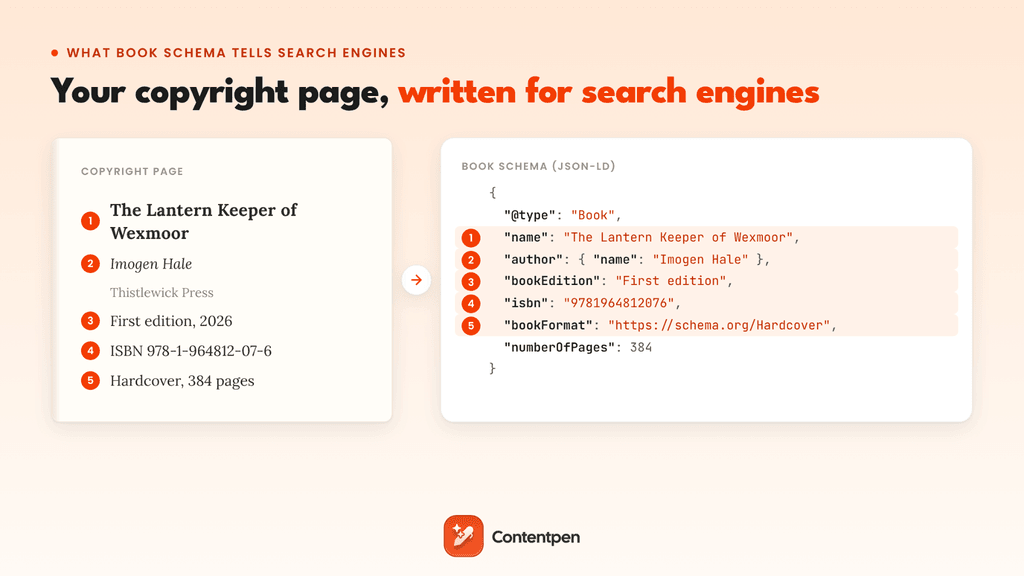
Book is a niche type. The schema.org Book page shows it on 10,000 to 100,000 domains, based on Google’s web index, while the Article type appears on more than 10 million. Fewer sites describe their books clearly, so the ones that do leave search engines less to guess about.
Book schema describes the book itself. If your page is a blog post or news story about a book rather than the book’s own page, start with article schema instead.
Does Google still support Book schema?
Yes. Google still uses Book markup in 2026, but only in two places: Book actions for large book providers, and review snippets on pages that review a book. On other pages, the markup describes the book without changing how the result looks.
Its status changed twice in 2025. In June, Google listed Book actions among seven structured data features it planned to phase out, adding that “this update won’t affect how pages are ranked.”
In November, Google reversed course and kept Book actions because some Search features still use the markup, as Search Engine Land reported. Google’s Book actions documentation is live today with no deprecation notice.
| What it powers | Who it’s for | What you need | What searchers see |
|---|---|---|---|
| Book actions | Retailers, publishers, and libraries “with a wide selection of available books” | A data feed of works, editions, and ISBNs with Read or Borrow actions, after Google approves your interest form | Links to buy or borrow the book from Search |
| Review snippets | Sites that review books | Review or AggregateRating markup with Book as the itemReviewed | Star ratings on the result |
| Entity matching | Any site with a book page | Book markup with ISBN, author, and sameAs links | No visible change, but clearer data behind the result |
In short, the markup does its most visible work for big catalogs and review sites. For an author or small press, it’s about accuracy, not a new look in search. To see how other types fared in Google’s 2025 cleanup, read our guide to the types of schema markup.
Which properties does Book schema use?
Book schema has six properties of its own: isbn, bookFormat, bookEdition, numberOfPages, illustrator, and abridged. It also inherits general properties from CreativeWork, such as name, author, publisher, datePublished, and inLanguage.
These are the ones worth filling in:
| Property | What it holds | Example |
|---|---|---|
| name | The book’s title | The Lantern Keeper of Wexmoor |
| author | The Person or Organization that wrote it | Imogen Hale |
| isbn | The ISBN of one edition | 9781964812076 |
| bookFormat | The format, from a fixed list | https://schema.org/Hardcover |
| bookEdition | The edition label | First edition |
| numberOfPages | The page count of that edition | 384 |
| datePublished | The release date of that edition | 2026-03-10 |
| publisher | The publishing house | Thistlewick Press |
| inLanguage | The language, as a code | en |
| workExample and exampleOfWork | The links between a book and its editions | See the next section |
| sameAs | Pages about the same book or author elsewhere | An Open Library or publisher page |
Two of these have strict values. Schema.org lists six bookFormat values: AudiobookFormat, EBook, GraphicNovel, Hardcover, Pamphlet, and Paperback.
Google’s Book actions accept four of them: AudiobookFormat, EBook, Hardcover, and Paperback. For the ISBN, Google says it “prefers ISBN-13,” so use the 13-digit number from your copyright page.
Work vs edition: How to mark up hardcover, ebook, and audiobook versions
Book schema splits a book into a work and its editions. Google defines the work as “the abstract concept of a book” and an edition as “a concrete copy of the book.”
The work holds what never changes, like the title and author. Each edition holds what does change, like the ISBN, format, and page count.
In the markup, the work is a Book with a workExample property that lists each edition. Each edition is also a Book, or an Audiobook for audio versions, with its own ISBN and bookFormat. An edition can point back to its work with exampleOfWork.
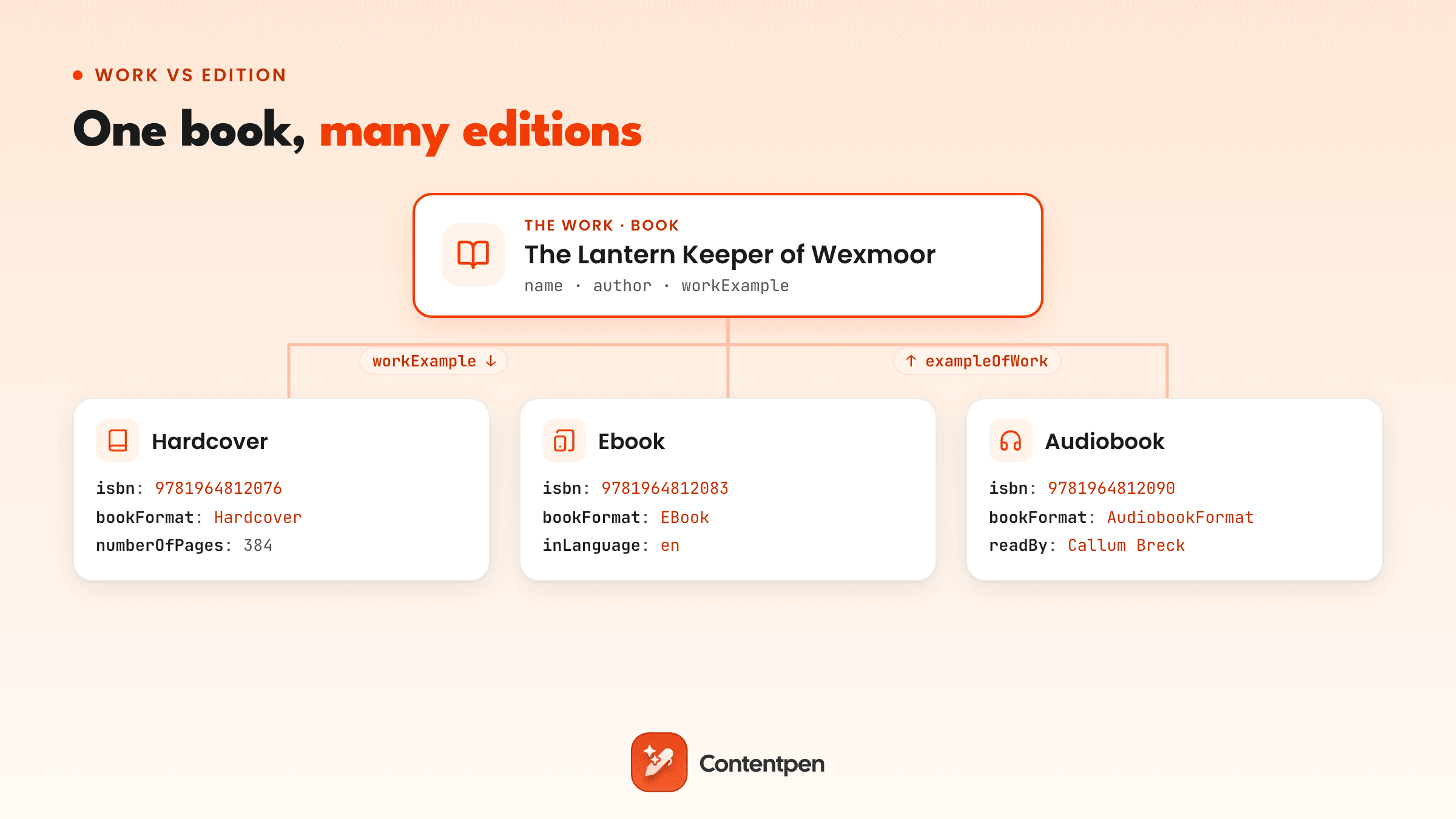
Keep one work per title and add an edition each time you release a format. A new paperback printing gets a new edition entry, not a new book.
Book schema examples in JSON-LD
Google recommends JSON-LD for structured data because it sits in its own script tag, apart from your page’s visible content.
The two schema markup examples below use a fictional novel. Swap in your own titles, ISBNs, and URLs.
Example 1: A book with three editions
| <script type=”application/ld+json”> { “@context”: “https://schema.org”, “@type”: “Book”, “@id”: “https://example.com/books/lantern-keeper#work”, “url”: “https://example.com/books/lantern-keeper”, “name”: “The Lantern Keeper of Wexmoor”, “author”: { “@type”: “Person”, “name”: “Imogen Hale”, “url”: “https://example.com/about”, “sameAs”: [ “https://www.goodreads.com/author/show/your-author-id”, “https://openlibrary.org/authors/your-author-id” ] }, “publisher”: { “@type”: “Organization”, “name”: “Thistlewick Press” }, “workExample”: [ { “@type”: “Book”, “@id”: “https://example.com/books/lantern-keeper#hardcover”, “bookFormat”: “https://schema.org/Hardcover”, “isbn”: “9781964812076”, “bookEdition”: “First edition”, “numberOfPages”: 384, “datePublished”: “2026-03-10”, “inLanguage”: “en” }, { “@type”: “Book”, “@id”: “https://example.com/books/lantern-keeper#ebook”, “bookFormat”: “https://schema.org/EBook”, “isbn”: “9781964812083”, “datePublished”: “2026-03-10”, “inLanguage”: “en” }, { “@type”: “Audiobook”, “@id”: “https://example.com/books/lantern-keeper#audiobook”, “bookFormat”: “https://schema.org/AudiobookFormat”, “isbn”: “9781964812090”, “readBy”: { “@type”: “Person”, “name”: “Callum Breck” }, “duration”: “PT11H42M”, “datePublished”: “2026-03-24”, “inLanguage”: “en” } ] } </script> |
Why this setup works:
- One work, three editions: Each format has its own ISBN, so search engines never mix up the hardcover and the ebook.
- A proper audiobook entry: The Audiobook type unlocks readBy and duration, which plain Book doesn’t have.
- Linked author profiles: The sameAs links tie Imogen Hale to profiles search engines already know, which helps separate her from anyone else with the same name.
This is the setup most author and indie press sites need. It won’t add a buy button by itself, but it gives search engines every fact they need to match the book to its proper listing.
Example 2: A book review with star ratings
Google’s review snippet documentation lists Book as a valid item to review, so a page that reviews one book can be eligible for star ratings in search.
Here’s a review from Quiet Margins, a fictional book blog made for the sake of this post:
| <script type=”application/ld+json”> { “@context”: “https://schema.org”, “@type”: “Review”, “itemReviewed”: { “@type”: “Book”, “name”: “The Lantern Keeper of Wexmoor”, “isbn”: “9781964812076”, “author”: { “@type”: “Person”, “name”: “Imogen Hale” } }, “reviewRating”: { “@type”: “Rating”, “ratingValue”: 4.5, “bestRating”: 5 }, “author”: { “@type”: “Person”, “name”: “Theo Lindqvist” }, “publisher”: { “@type”: “Organization”, “name”: “Quiet Margins” }, “datePublished”: “2026-04-02” } </script> |
Keep in mind that the rating of books you provide must be your own. Google’s guidelines say, “Don’t aggregate reviews or ratings from other websites,” so star averages copied from Amazon or Goodreads don’t belong in this markup.
Example 3: Markup for multiple authors, illustrators, and translators
In case of multiple writers, give every contributor their own entry. Put co-authors in an author array, and use the illustrator and translator properties for those roles instead of listing them as authors:
| “author”: [ { “@type”: “Person”, “name”: “Imogen Hale” }, { “@type”: “Person”, “name”: “Rafael Okoye” } ], “illustrator”: { “@type”: “Person”, “name”: “Mina Sato” }, “translator”: { “@type”: “Person”, “name”: “Elena Vidal” } |
Keep names clean: one person per entry, with no roles or “by” in the name field. Search engines then credit each contributor correctly.
Example 4: Markup for a book series
Use the BookSeries type for a book series, link each book to it with isPartOf, and add position to show where the book falls in the reading order:
| “isPartOf”: { “@type”: “BookSeries”, “name”: “The Wexmoor Chronicles” }, “position”: 1 |
Add these lines to each book’s work entry. Readers often search for a series’ reading order, and this gives search engines that order directly.
Which Book markup does your site need?
The right markup depends on what your site does with books. An author’s site needs different markup than a review blog, a library, or an online store.
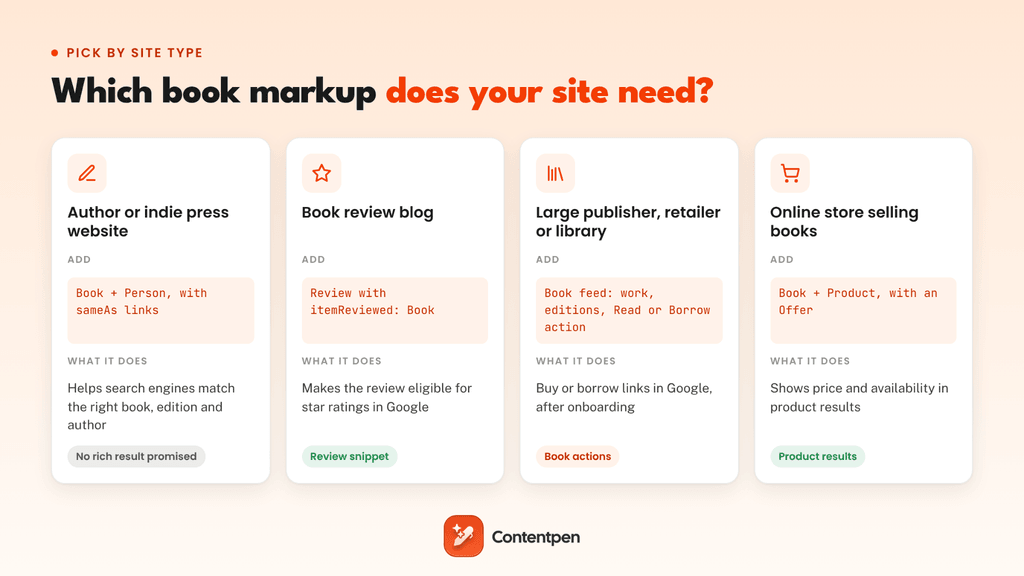
- Author and indie press sites: One Book work per title with every edition, plus Person markup for the author with sameAs links.
- Book review blogs: Review markup with the book as itemReviewed, on a page that reviews one book.
- Large publishers, retailers, and libraries: Fill out Google’s Book actions interest form, then send a daily data feed. Google says it fetches feeds “once a day and typically indexes the content within two days.”
- Online stores selling books: Add Product markup with an offer for price and availability on each buy page, since Google’s product results read Product, not Book schema.
Most sites fit one of the first two groups. The feed route only makes sense with a large catalog, and Google approves providers case by case.
How to add book schema to your website
Most WordPress sites add Book schema through an SEO plugin that includes a Book type, while custom-built sites add JSON-LD to their book page template.
1. With a WordPress plugin
Rank Math includes a Book schema type with fields for editions, ISBN, and book format. Open a post’s Schema tab, click Schema Generator, and choose Book.
All in One SEO (AIOSEO) also offers Book schema. Yoast SEO doesn’t include a Book type in its settings, so Yoast users add the JSON-LD through a custom code block or a separate schema plugin.
2. On custom-built sites
Add the JSON-LD to your book page template and fill it from your catalog fields, so every new title gets markup automatically. Store each edition’s ISBN and format as separate fields, which keeps your editions from collapsing into one.
3. With a book schema generator
Free generators work well for a single book page. Before you paste the output, check that it uses 13-digit ISBNs, a full bookFormat URL, and a separate entry for each edition.
Testing the book schema
After getting your Book schema through either of the ways mentioned above, run it through the Schema Markup Validator to check every Book property.
On review pages, use Google’s Rich Results Test to confirm the review is eligible for star ratings. Book actions feeds go through a separate check in Google’s Data Feed validation tool.
Validation takes a minute and catches most of the problems before Google or searchers ever see them.
Common Book schema mistakes to avoid
Most Book schema errors pass syntax checks but still confuse search engines, because the code is valid while the facts are muddled.
| Mistake | Why it’s a problem | Fix |
|---|---|---|
| One ISBN for every format | Search engines can’t tell apart the hardcover from the ebook | Give each edition its own ISBN |
| A separate work for each format | One book looks like several different books | Keep one work and list formats under workExample |
| bookFormat as plain text, like “hardcover” | It isn’t a recognized value | Use the full URL, like https://schema.org/Hardcover |
| Co-authors in one name field | Search engines read them as one person | Use an author array with one person per entry |
| Book markup on a page about many books | The page’s main subject isn’t one book | Mark up each book on its own page |
The first three cause the most trouble, because they blur the line between a book and its editions. Get that structure right, and the rest is mostly cleanup.
Does Book schema help SEO and AI search?
Book schema won’t push a page up the rankings on its own. What it does is remove doubt.
A title like “The Lantern Keeper” could match several books. An ISBN, an author with sameAs links, and a clear list of editions tell search engines exactly which one your page covers. It’s the same entity-first thinking behind semantic SEO.
That clarity helps in AI search too. When someone asks an assistant which edition has an audiobook or who narrated it, the answer depends on sources with clean, consistent facts.
Google says no special schema is needed to appear in AI Overviews, but structured facts make your page easier to quote correctly. For the research on how markup relates to AI citations, see our guide to schema markup for AI search.
How Contentpen helps authors get found
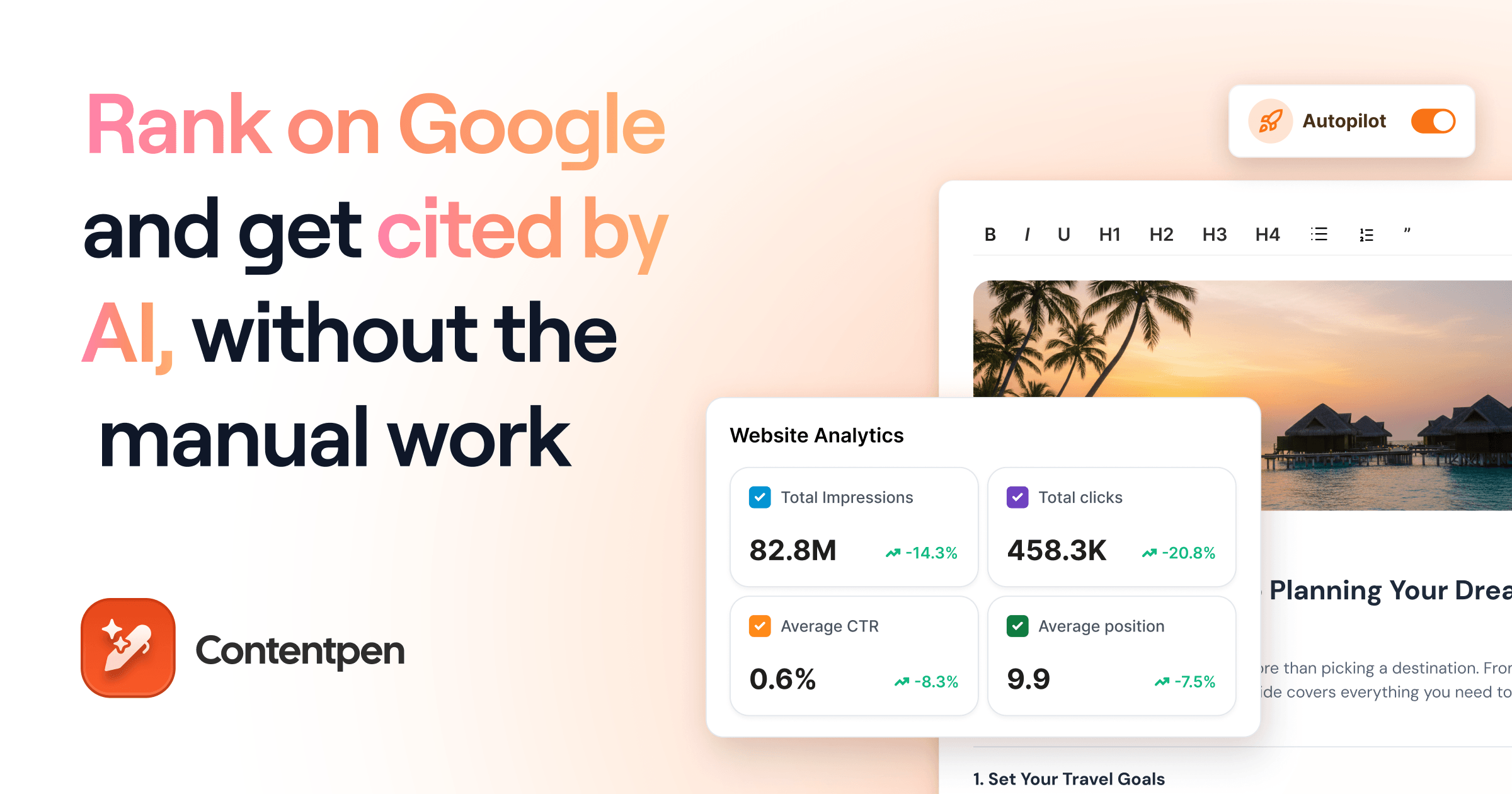
Book schema tells search engines which book a page is about. The page still needs content worth ranking and citing.
Contentpen is an SEO and AEO tool whose AI agents research keywords and write SEO and GEO-optimized articles for your site, from launch announcements to series reading-order guides.
Its AI visibility tool tracks whether AI assistants like ChatGPT and Perplexity mention your books and brand, so you can see which titles they already know and which need more coverage.
However, Contentpen doesn’t write Book schema for you. So, keep your SEO plugin or page template in charge of the markup, and let Contentpen create content worth citing.

Write content that’s built to rank, not just read
Create search-optimized blogs aligned with SEO and GEO signals, so your content performs well across search and AI-driven discovery.
Try SEO Blogging FREE →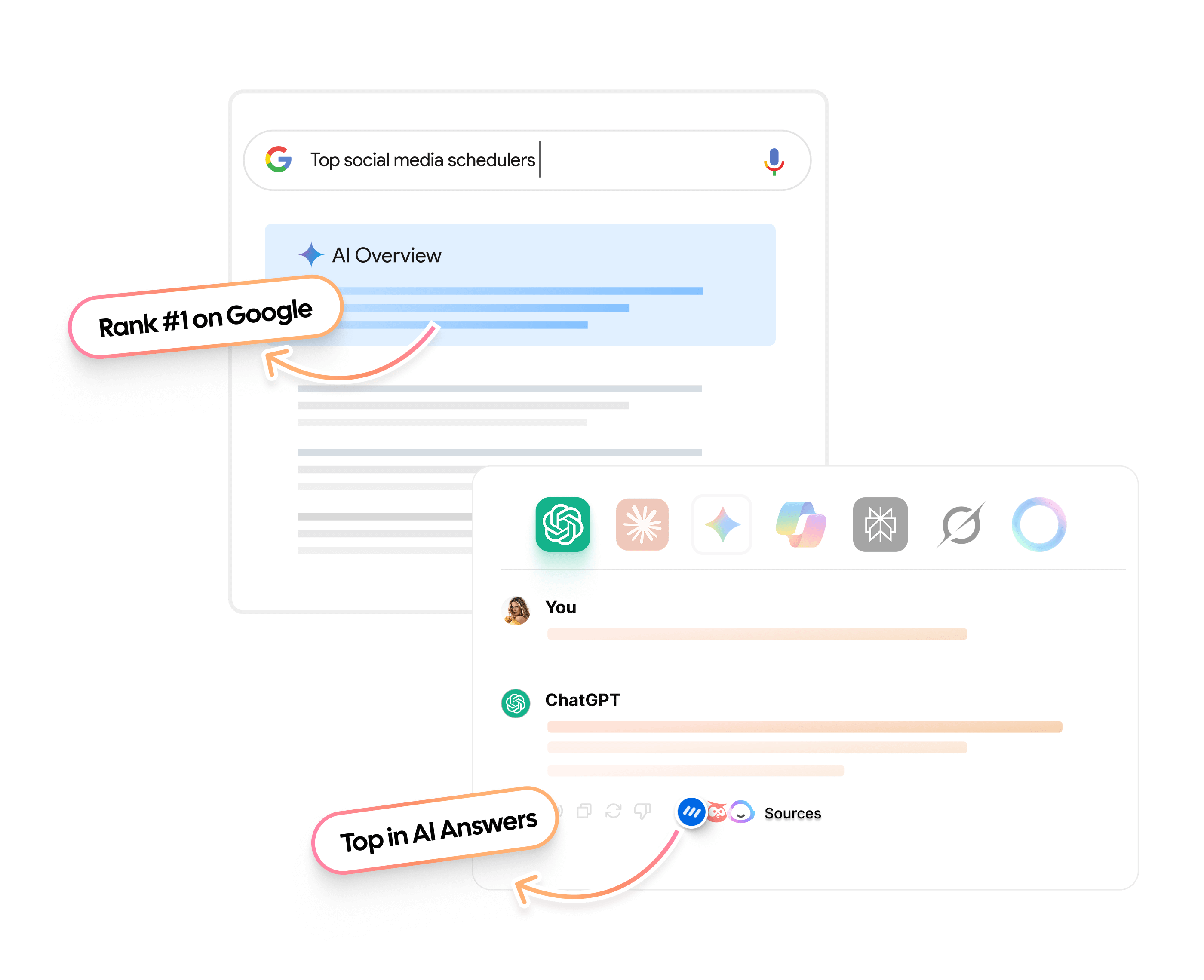
Final thoughts
Book schema has a narrow but real job in 2026. Large catalogs can earn buy and borrow links, review sites can earn stars, and every other book page gets data that search engines and AI tools can trust.
Start with one title. List its editions with their own ISBNs, link the author’s profiles, validate the markup, and then roll the template out to the rest of your catalog.
Frequently asked questions
No. You can only add markup to pages you control, and Amazon and Goodreads platforms publish their own schema. Link to those pages from your site with sameAs instead, so search engines connect them to your book.
Not for the markup itself, since ISBN is optional on schema.org. Google’s Book actions do need an identifier, though, like an ISBN, OCLC number, LCCN, or a JP e-code.
Not on its own. Knowledge panels come from Google’s Knowledge Graph, which draws on many sources across the web. Consistent markup and sameAs links help Google connect your page to the book, but they don’t guarantee a panel.
Set datePublished to the release date and add an Offer and set its availability to https://schema.org/PreOrder. Switch it to InStock on launch day.
Yes. A blog post about a book can use BlogPosting for the post and point to the Book schema with the about property. The article stays about the main subject, and the book is what it discusses.
Only if it’s a genuine book-length publication with its own landing page. A short PDF guide or whitepaper fits better as a Report or DigitalDocument schema markup type.

Jawwad
Jawwad Ul Gohar is an SEO and GEO-focused content writer with 3+ years of experience helping SaaS brands grow through search-driven content. He has increased organic traffic for several products and platforms in the tech and AI niche. As an author at Contentpen.ai, he provides valuable insights on topics like SEO technicalities, content frameworks, integrations, and performance-driven blog strategies. Jawwad blends storytelling with data-driven content that ranks, converts, and delivers measurable growth.
View all posts by this author