 14 minutes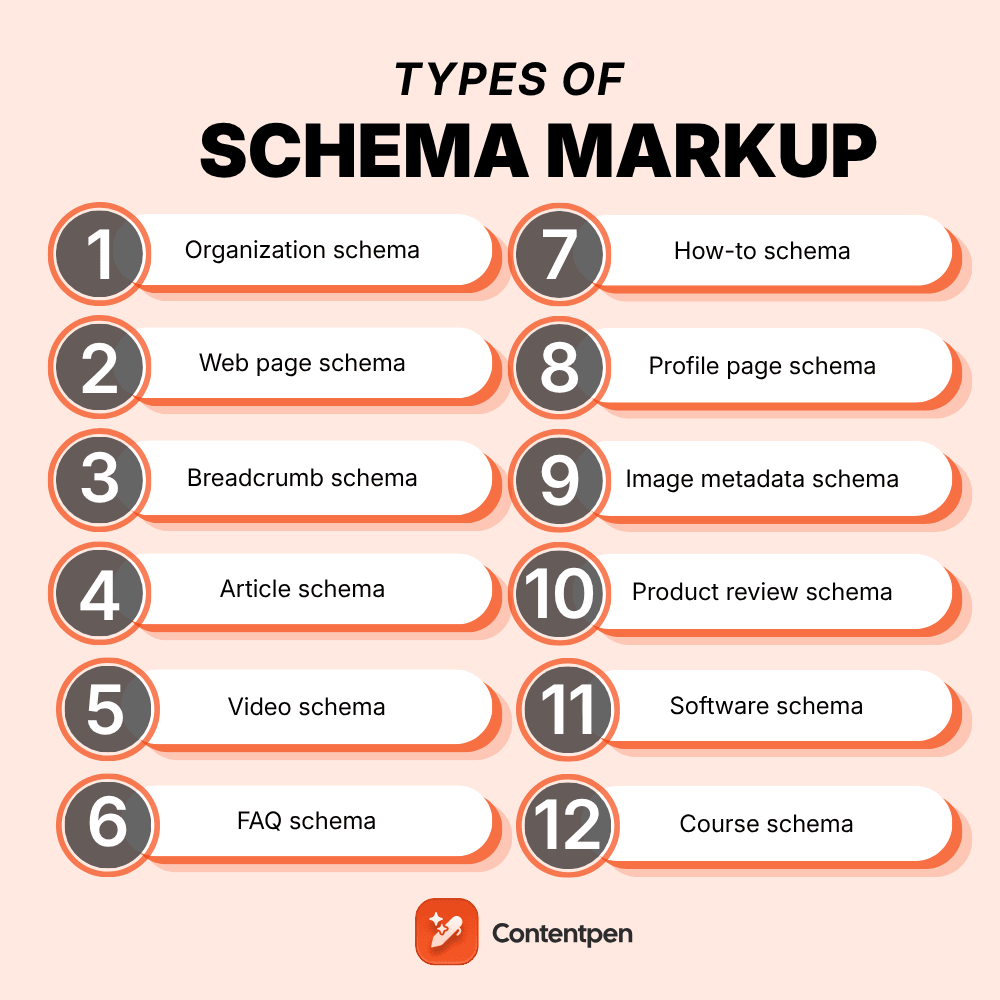
The main types of schema markup are Organization, LocalBusiness, Person, WebPage, Breadcrumb, Article, Video, FAQ, HowTo, Recipe, Product, Review, AggregateRating, Event, JobPosting, Course, and Dataset. Schema.org defines 826 types in total, but these 25 cover nearly every website. Each one labels a specific kind of content so search engines know exactly what they’re looking at.
So why do so many sites still get schema wrong? Most lists online haven’t kept up with Google’s changes.
That means people keep adding FAQ and HowTo markup expecting rich results that Google no longer shows. Meanwhile, useful types like ProfilePage or Dataset get skipped entirely.
This guide walks through 25 types of schema markup one by one. For each, you’ll see what it does, where it belongs, the key properties, and its 2026 status in Google.
Table of contents
- Key takeaways
- How many types of schema markup are there?
- Quick reference: all 25 schema types and their 2026 status
- Site and entity schema types
- Content schema types
- Product, review, and service schema types
- Event, job, and education schema types
- Which schema types has Google retired?
- Which types of schema markup should your site use?
- Which schema types matter most for AI search?
- How Contentpen supports a schema-ready content strategy
- Fewer schema types, done well, beat a long list
- Frequently asked questions
Key takeaways
- Schema.org has 826 types, but 25 common schema types cover almost every website’s needs.
- Most sites only need five to eight types, starting with Organization, WebSite, and Breadcrumb.
- Google stopped showing HowTo rich results in 2023 and FAQ rich results in May 2026, though both are still valid code.
- Some types, like Person, WebPage, and Service, never earn a rich result but still help search engines understand entities.
- Product, Review, and AggregateRating work together to show prices and stars in search.
- No schema type is required for AI Overviews, but clear entity markup supports how search engines describe your brand.
How many types of schema markup are there?
It depends on which list you’re reading. Three numbers explain the whole picture.
| Number | What it counts | Source |
|---|---|---|
| 826 | Every type in the schema.org vocabulary (version 30.1, September 2026) | schema.org full hierarchy |
| 25 | Rich result features Google currently documents | Google search gallery |
| 5 to 8 | Types a typical business site actually uses | Practical rule of thumb |
Every schema.org type sits inside one family tree. It starts with Thing, then branches into groups like CreativeWork, Organization, Person, Place, Product, and Event.
That tree matters.
A Bakery is a FoodEstablishment, which is a LocalBusiness, which is an Organization, so picking the most specific type gives you every property above it.

Quick reference: all 25 schema types and their 2026 status
Short on time? Scan this table first, then jump to the types of schema markup you need.
| # | Schema type | Best for | Google rich result in 2026 |
|---|---|---|---|
| 1 | Organization | Brand homepage, about page | Yes, logo and company details |
| 2 | Local business | Shops, clinics, restaurants | Yes |
| 3 | Person | Authors, founders, team members | No standalone result |
| 4 | Web page | Any page | No standalone result |
| 5 | WebSite | Homepage | Yes, site names |
| 6 | Breadcrumb | Inner pages | Yes |
| 7 | Article | Blog posts, news | Yes |
| 8 | Video | Pages with video | Yes |
| 9 | FAQ | FAQ sections | Retired May 2026 |
| 10 | How to | Step-by-step guides | Retired September 2023 |
| 11 | Recipe | Food and cooking pages | Yes |
| 12 | Book | Publishers, bookstores | Limited (Book actions) |
| 13 | Profile page | Author and creator pages | Yes |
| 14 | Discussion forum | Forums, community threads | Yes |
| 15 | Q&A | Single-question pages with answers | Yes |
| 16 | Image metadata | Photos and licensed images | Yes |
| 17 | Product | Product pages | Yes |
| 18 | Product review | Reviewed products | Yes, review snippets |
| 19 | Aggregate rating | Average star ratings | Yes, inside review snippets |
| 20 | Software | Apps and SaaS products | Yes |
| 21 | Service | Service pages | No standalone result |
| 22 | Event | Concerts, webinars, classes | Yes |
| 23 | Job posting | Careers pages | Yes |
| 24 | Course | Course catalogs | Yes, course lists (course info retired) |
| 25 | Dataset | Research and open data | Yes, in Dataset Search |
Site and entity schema types
These types describe who you are and how your site is organized. Most websites need several of them.
1. Organization schema
Organization schema describes your company as a whole. It’s the anchor that every other type on your site can point back to.
- Use it on: your homepage or about page.
- Key properties: name, url, logo, contactPoint, sameAs.
- Google status: supported, and it can help Google show your logo and company details.
The sameAs property is worth extra attention. It links your brand to official profiles like LinkedIn, which strengthens your entity.
2. Local business schema
LocalBusiness is a more specific kind of Organization for places customers can visit. It has hundreds of subtypes, such as Dentist, Restaurant, and Store.
- Use it on: each location page, one block per location.
- Key properties: address, geo, openingHoursSpecification, telephone, priceRange.
- Google status: supported for local business details.
Organization or LocalBusiness? Use Organization for the brand, and LocalBusiness for each physical branch. Link each branch back to its parent brand.
3. Person schema
Person schema describes an individual, usually an author, founder, or expert. It ties a name to real credentials and profiles.
- Use it on: author pages, team pages, and inside Article markup.
- Key properties: name, jobTitle, worksFor, sameAs, image.
- Google status: no rich result of its own, but it feeds author details and Profile page markup.
Person markup supports trust. A clearly identified author with real credentials beats an anonymous byline.
4. Web page schema
WebPage schema describes the page itself rather than its main subject. It acts as a hub that connects the article, the site, and the breadcrumb trail.
- Use it on: any page, often added automatically by SEO plugins.
- Key properties: name, url, isPartOf, breadcrumb, datePublished.
- Google status: no rich result, but useful for connecting entities with @id.
Subtypes like AboutPage, ContactPage, and FAQPage tell search engines what kind of page it is.
5. WebSite schema
WebSite schema describes your whole site. Google uses it to choose the site name shown above your search results.
- Use it on: your homepage only.
- Key properties: name, alternateName, url.
- Google status: supported for site names.
It’s also the most common type online. The HTTP Archive Web Almanac 2024 found WebSite JSON-LD on 12.73% of mobile pages, ahead of Organization at 7.16%.
6. Breadcrumb schema
BreadcrumbList shows the path from your homepage to the current page. Google can display that trail in place of a raw URL.
- Use it on: almost every inner page.
- Key properties: itemListElement, with position, name, and item for each step.
- Google status: supported.
Breadcrumbs pair nicely with good internal linking, since both show how your pages connect.
Content schema types
These types describe what a page says or shows. Publishers, bloggers, and media sites rely on them most.
7. Article schema
Article schema tells search engines a page is a written piece, with a headline, an author, and dates. Use BlogPosting for blogs and NewsArticle for news.
- Use it on: blog posts, news stories, and guides.
- Key properties: headline, image, author, datePublished, dateModified, publisher.
- Google status: supported.
Article markup works best when the piece is already well organized. It’s worth learning how to structure a blog post before tagging it.
8. Video schema
VideoObject schema helps Google show your video’s thumbnail, length, and upload date. Longer videos can also get key moments.
- Use it on: any page where a video is the main content.
- Key properties: name, description, thumbnailUrl, uploadDate, duration, contentUrl.
- Google status: supported.
9. FAQ schema
FAQPage schema marks up a list of questions and answers. For years it produced expandable questions under your listing.
- Use it on: pages with a real FAQ section written by you.
- Key properties: mainEntity, with Question and acceptedAnswer pairs.
- Google status: retired. FAQ rich results stopped showing for all sites in May 2026.
Should you still use it? The code stays valid, so it won’t hurt. The visible FAQ section still helps readers and answer engines, so keep the content either way.
10. How to schema
HowTo schema describes step-by-step instructions, with tools, supplies, and time needed for each step.
- Use it on: tutorials and step-by-step guides.
- Key properties: name, step (HowToStep), totalTime, tool, supply.
- Google status: retired. HowTo rich results stopped showing on desktop and mobile in September 2023.
Clear numbered steps in plain HTML still work well. Readers and AI tools can follow them, markup or not.
11. Recipe schema
Recipe schema is one of the oldest and most visual types. It can show cook time, ratings, and calories right in search.
- Use it on: individual recipe pages.
- Key properties: name, image, recipeIngredient, recipeInstructions, cookTime, nutrition.
- Google status: supported, including recipe carousels.
12. Book schema
Book schema describes a book’s title, author, and editions. Google also supports Book actions, which let people borrow or buy a book from search.
- Use it on: book pages from publishers, bookstores, and libraries.
- Key properties: name, author, isbn, bookFormat, workExample.
- Google status: limited. Google planned to retire Book actions in 2025, then reversed that in November 2025.
13. Profile page schema
ProfilePage schema marks a page that’s mainly about one person or organization. It’s a strong signal for creator and author pages.
- Use it on: author bios, creator profiles, and user profile pages.
- Key properties: mainEntity (a Person or Organization), dateCreated, dateModified.
- Google status: supported.
14. Discussion forum schema
DiscussionForumPosting describes threads and posts on forums and community sites. It helps Google surface real conversations.
- Use it on: forum threads, community posts, and comment-led pages.
- Key properties: headline, author, datePublished, text, comment.
- Google status: supported.
15. Q&A schema
QAPage schema marks a page built around one question with answers from users. Think support communities, not your own FAQ list.
- Use it on: pages where users submit answers to a single question.
- Key properties: mainEntity (Question), acceptedAnswer, suggestedAnswer, answerCount.
- Google status: supported.
Not sure whether you need Q&A or FAQ? If you wrote all the answers, it’s FAQ. If users answer, it’s Q&A.
16. Image metadata schema
ImageObject markup tells Google who created an image and how it can be licensed. That can add a “Licensable” badge in Google Images.
- Use it on: photography sites, stock libraries, and original image pages.
- Key properties: contentUrl, license, acquireLicensePage, creator, creditText.
- Google status: supported.
Product, review, and service schema types
These types matter most for stores, SaaS brands, and service businesses. Price, stock, and stars in a listing can tip a buyer’s choice before they click.
17. Product schema
Product schema describes an item you sell. Combined with an Offer, it can show price and availability in search and in Google Shopping.
- Use it on: individual product pages, not category pages.
- Key properties: name, image, description, SKU, brand, offers (price, priceCurrency, availability).
- Google status: supported for product snippets and merchant listings, including shipping and return details.
The payoff can be real. In Google’s structured data case studies, Rotten Tomatoes saw a 25% higher click-through rate on pages with structured data.
18. Product review schema
Review schema marks up a single review of a product, with the reviewer and their rating. Editorial review sites use it heavily.
- Use it on: product review articles and individual customer reviews.
- Key properties: itemReviewed, author, reviewRating, reviewBody.
- Google status: supported as review snippets.
One rule to remember: reviews a business writes about itself aren’t eligible for stars. Keep it to genuine, independent reviews.
19. Aggregate rating schema
AggregateRating summarizes many reviews into one average score and count. It’s what produces the “4.7 stars from 128 reviews” line.
- Use it on: products, recipes, software, and other items with real ratings.
- Key properties: ratingValue, reviewCount or ratingCount, bestRating.
- Google status: supported inside review snippets.
AggregateRating never stands alone. Nest it inside the Product, Recipe, or SoftwareApplication it describes.
20. Software schema
SoftwareApplication schema describes apps, games, and SaaS tools. It can show ratings and price in search.
- Use it on: app landing pages and software product pages.
- Key properties: name, operatingSystem, applicationCategory, offers, aggregateRating.
- Google status: supported.
SaaS brands often overlook this one. It’s a natural fit for pricing and product pages.
21. Service schema
Service schema describes something you do rather than something you sell in a box. Think SEO audits, plumbing, or legal advice.
- Use it on: individual service pages.
- Key properties: serviceType, provider, areaServed, offers.
- Google status: no rich result, but it clarifies what your business offers.
Agencies and consultants get the most from it. Pair each Service with your Organization or LocalBusiness as the provider.
Event, job, and education schema types
These types fit content tied to a date, a role, or a learning goal. Each has its own dedicated Google experience.
22. Event schema
Event schema describes something happening at a set time, online or in person. It can surface in Google’s event listings.
- Use it on: event pages for concerts, webinars, workshops, and classes.
- Key properties: name, startDate, endDate, location, eventStatus, eventAttendanceMode, offers.
- Google status: supported.
Update eventStatus if plans change. Google can then show an event as postponed or cancelled.
23. Job posting schema
JobPosting schema puts open roles into Google’s job search experience. It’s one of the most valuable types for hiring.
- Use it on: each individual job listing page.
- Key properties: title, description, datePosted, validThrough, hiringOrganization, jobLocation, baseSalary.
- Google status: supported.
Remove the markup, or set validThrough, once a role is filled. Expired listings frustrate applicants.
24. Course schema
Course schema describes a class or training program. Google now uses it for course lists, which show several courses from one provider.
- Use it on: course catalog and course detail pages.
- Key properties: name, description, provider, hasCourseInstance, offers.
- Google status: supported for course lists. The separate Course info result was retired in 2025.
25. Dataset schema
Dataset schema describes data tables, research files, and open data. It helps your data appear in Google Dataset Search.
- Use it on: pages hosting downloadable or public datasets.
- Key properties: name, description, creator, license, distribution, temporalCoverage.
- Google status: supported in Dataset Search.
It’s a niche type, but a powerful one. Research teams and publishers with original data should never skip it.
Which schema types has Google retired?
Google has spent the last few years trimming features that rarely helped searchers. Every entry below comes from Google’s own Search Central updates log.
| When | What changed |
|---|---|
| May 2026 | FAQ rich results stopped showing for all sites |
| November 2025 | Practice problem deprecated; Book actions kept after Google reversed its earlier notice |
| June 2025 | Course info, Claim review (Fact check), Estimated salary, Learning video, and Vehicle listing deprecated |
| April 2025 | Special announcement deprecated |
| September 2023 | HowTo rich results removed on desktop and mobile; FAQ limited to well-known government and health sites |
Here’s the key point. Retired features don’t make the code invalid. They simply stop producing a special listing in Google.
Which types of schema markup should your site use?
You don’t need all 25. Use this table as a starting kit for your kind of site.
| Site type | Must-have types | Add when relevant |
|---|---|---|
| Blog or publisher | Organization, WebSite, Breadcrumb, Article, Person | Video, Profile page, Image metadata |
| Ecommerce store | Organization, WebSite, Breadcrumb, Product | Product review, Aggregate rating |
| Local business | Local business, WebSite, Breadcrumb | Service, Event, Product review |
| SaaS company | Organization, WebSite, Software, Breadcrumb | Article, Video, Person |
| Agency or consultant | Organization, WebSite, Service, Breadcrumb | Person, Article, Profile page |
| Events or education | Organization, Event or Course, Breadcrumb | Video, Q&A |
| Community or forum | Organization, WebSite, Discussion forum | Q&A, Profile page |
| Research or data | Organization, Dataset, Article | Person, Image metadata |
Start with the must-haves on your top pages. Then roll out the extras once the basics validate cleanly.
Schema is only one piece of on-page SEO, so don’t skip titles, headings, and content quality along the way.
Which schema types matter most for AI search?
The short answer: the ones that define your entity. Organization, Person, Product, and LocalBusiness tell search systems exactly who and what you are.
Google is clear that you don’t need any special markup to appear in AI features. Its AI features guidance says there’s “no special schema.org structured data that you need to add.”
Still, consistent entity data helps search engines connect your brand across the web. That supports AI search optimization and the brand mentions behind citation SEO.
The best way to know if it’s paying off? Track your AI visibility before and after you roll out new markup.
How Contentpen supports a schema-ready content strategy
Markup describes your content, but it can’t fix weak content. Contentpen, an AI SEO tool, helps you build pages that each schema type can describe cleanly.

Write better blogs in less time, without sacrificing quality.
Let AI handle structure, clarity, and flow while you stay in control of the message.
Try AI blog writing →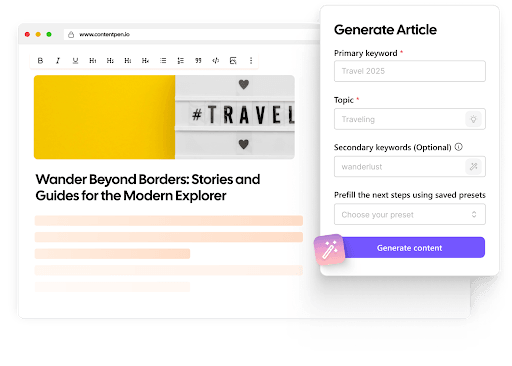
Here’s how it fits into your schema workflow:
- Structure built for extraction. The AI search optimization tool scores content with a real-time GEO score and adds key takeaways and a linked table of contents.
- Clean article basics. SEO scoring checks heading hierarchy, meta details, image alt tags, and named entities, the same fields Article markup relies on.
- Publishing to your CMS. Posts go straight to WordPress, Shopify, Webflow, and more, where your schema plugin adds the JSON-LD.
- Proof it’s working. Website analytics pulls in Search Console data, so you can watch clicks and CTR on pages with new markup.
Managing schema across dozens of client sites? See how Contentpen for agencies handles content at scale.
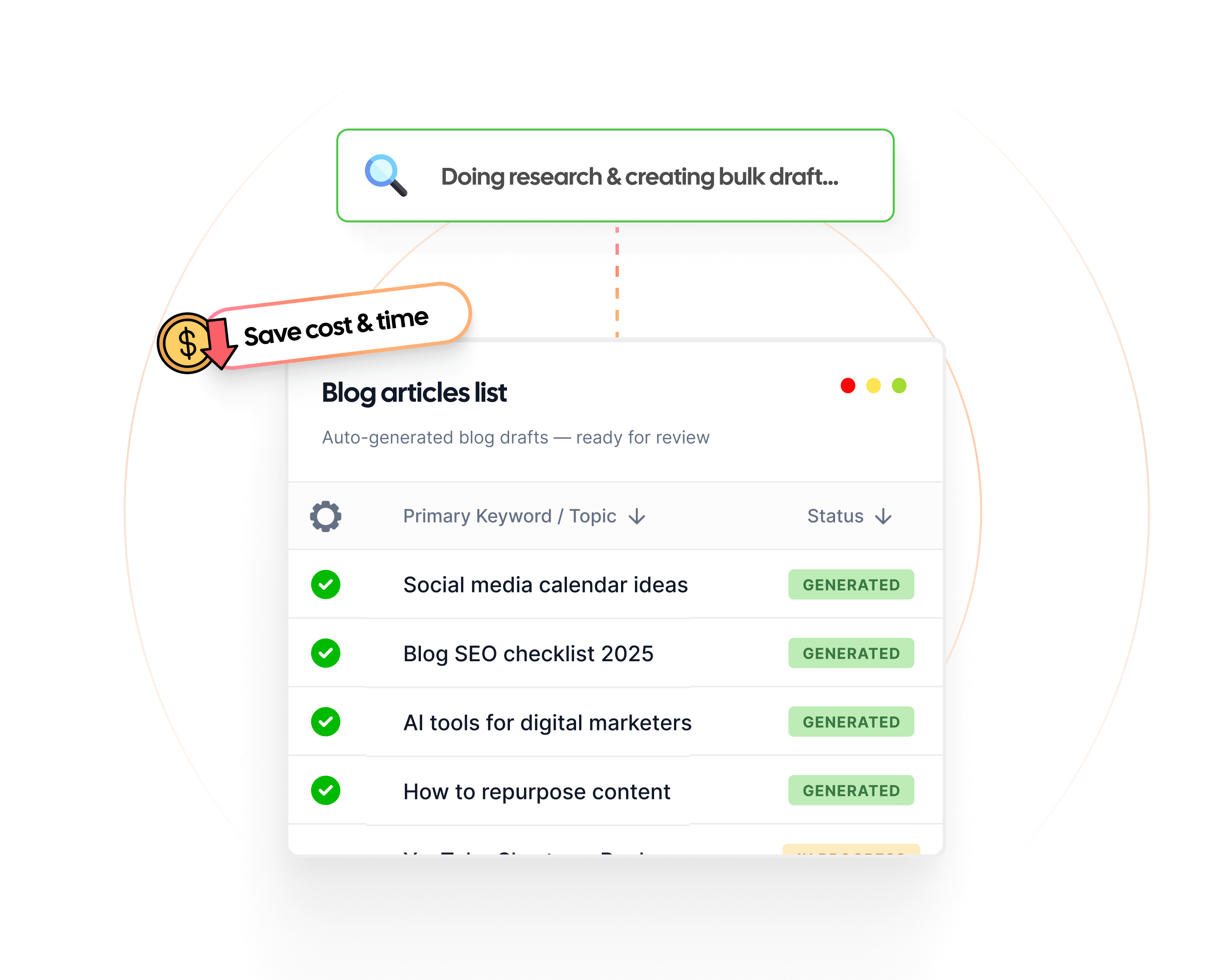
Create rank worthy content at scale

Faster
Consistent
SEO-ready
Efficient
Fewer schema types, done well, beat a long list
There are 25 schema types worth knowing, but no site needs all of them. Chasing every type wastes time on markup that shows nothing.
Start with the site and entity types, add the ones that match your pages, and treat FAQ and HowTo as optional. Then validate, publish, and check the results in Search Console.
A short, accurate set of types will always outperform a long, messy one.
Frequently asked questions
No, search engines only understand types defined in the schema.org vocabulary. If nothing fits exactly, use the closest parent type and add detail with the additionalType property.
There’s no fixed limit. Most pages carry three to five types, such as Organization, Breadcrumb, WebPage, and Article, linked together with @id.
Yes, Google can still parse valid schema.org markup for understanding. It just won’t create a special search feature for unsupported types.
Yes, the type and its properties stay the same in every format. Only the syntax changes, and Google recommends JSON-LD when your setup allows it.
No. Retired types don’t help or hurt rankings, so removing them mostly cleans up your code.
Yes. Paste any URL into the Schema Markup Validator or Google’s Rich Results Test to see every type on the page and any errors.

Eeman Bokhari
Eeman Bokhari has over 9 years of experience in creating high-quality written content and more than 6 years of expertise in SEO and content marketing. She specializes in building search-first content strategies, aligning content with user intent, and driving sustainable organic growth for SaaS and B2B brands. Eeman’s work focuses on combining SEO insights, content systems, and performance data to create content that ranks, engages, and converts.
View all posts by this author