 14 minutes
Event schema is code that tells search engines the basic facts about a concert, class, game, or any other event. You add it to the page, and Google can use it to list your date and venue on Search and Maps.
It’s a type of schema markup that matters because most people actively search for things to do. They type “concerts near me” or “comedy shows this weekend,” and Google answers with a list of dates, venues, and ticket links pulled from pages like yours.
Below, you’ll see what Event schema is, what Google will list in 2026, the properties to fill in, and how to handle multiple dates and last-minute changes in the markup.
So, let’s get started.
Table of contents
- Key takeaways
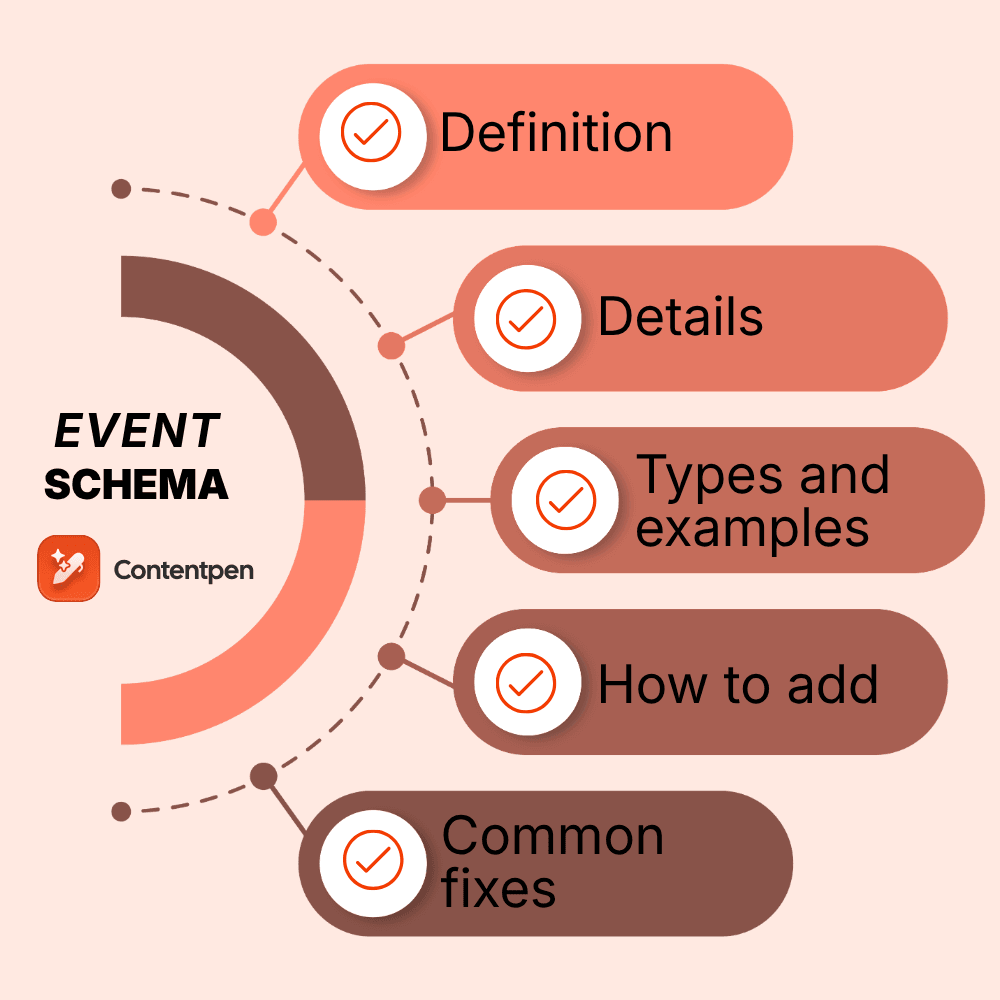
- What is Event schema in SEO?
- Where Google shows events with Event schema
- The event details Google reads
- Event schema example: A comedy club’s Friday show
- How to use Event schema for multiple dates
- What to change when an event is cancelled, postponed, or rescheduled
- How to add Event schema to your website
- Why your event isn’t showing on Google
- Does Event schema help you show up in AI answers?
- Summing it up
- Frequently asked questions
Key takeaways
- Event schema, also called Event structured data or Event schema markup, is built on schema.org’s Event type and labels the name, date, venue, tickets, and status for search engines about an event.
- Google uses it for its listings in Search and Maps, but only when an event is public, bookable, and held at a physical venue. Online-only events stopped qualifying in June 2025.
- Google needs three properties: name, startDate, and location with a full address. Images, ticket offers, organizer, performer, and eventStatus make the listing more complete.
- For multiple dates, count the tickets. One ticket for several days means one Event, and a separate ticket for each date means a separate Event.
- When plans change, update eventStatus and keep the original startDate unless the event has a confirmed new date.
What is Event schema in SEO?
In SEO, Event schema is structured data, written with schema.org’s Event type, that describes something happening at a set time and place in a format machines can read without guessing.
Schema.org’s own definition is “an event happening at a certain time and location, such as a concert, lecture, or festival.”
On a normal event page, a crawler sees a title, a date, an address, and a “Buy tickets” button, and has to work out which is which. Event schema labels each one. The date becomes a startDate, the venue becomes a location, and the ticket price becomes an offer.
It’s one of the most widely used types of schema markup. Schema.org’s own figures quote that up to 1 million websites use Event markup today. And unlike FAQ schema, whose rich results were switched off in May 2026, Event markup still feeds a live Google search.
Where Google shows events with Event schema
Google uses Event markup for its event experience, a list of upcoming public shows, games, and classes with dates, venues, images, and ticket links.
It appears in Google Search and other Google products like Google Maps. It’s available in the US, the UK, Canada, Australia, India, Germany, Spain, Brazil, and Latin America.
The audience is huge. Ahrefs estimates about 229,000 monthly US searches for “concerts near me,” 159,000 for “events near me,” and 46,000 for “comedy shows near me.” Every one of those searches is someone ready to pick a date and buy a ticket.
Other examples of such high-demand keywords are ‘concerts in [X] this weekend’ or ‘shows in [Y] tonight ’, with X and Y being the city or neighborhood name.
Take a look at the screenshot below.
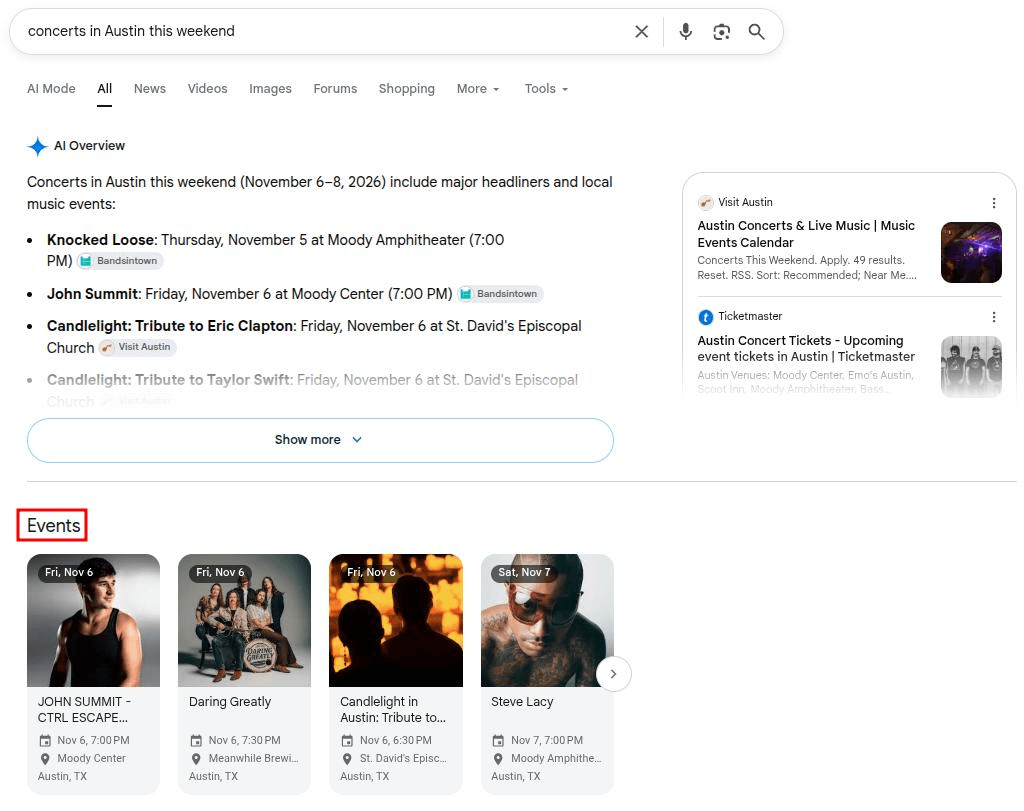
It shows Google results for the keyword ‘concerts in Austin this weekend.’ Since most people are looking to party on the weekend, appearing for this keyword in the top results can boost your traffic.
Which events qualify after Google’s 2025 update
In June 2025, Google updated its Event guidance and removed the properties it used for online events. Its documentation now says, “Events must be bookable to the general public,” and “Events must take place in a physical location.”
This rules out a few kinds of listings, even when the markup is perfect:
- Webinars, livestreams, and virtual summits
- Any private events that need a membership or an invitation before you can buy a ticket.
- Games and performances held at a school, where the main participants and audience are minors.
- Discount coupons, information about business hours, trip packages, etc., shouldn’t use this markup at all.
Schema.org still supports online events, so markup for a webinar isn’t wrong. It just won’t earn a spot in Google’s event listings.

The event details Google reads
Google needs three properties before a page can appear in its event listings, and recommends several more that make the listing worth clicking. Here’s what goes where:
| Property | What to put in it |
|---|---|
| name* | The title only, without the venue name or a price |
| startDate* | The start date and time in ISO 8601 format with a UTC offset, like 2026-12-11T20:00:00-07:00 |
| location* | A Place with the venue’s full street address |
| location.name | The venue’s name, like ‘Bramblewick Comedy Hall’ |
| description | What attendees can expect, without repeating the date or venue |
| endDate | When it ends, in the same format as startDate |
| eventStatus | Scheduled, cancelled, postponed, or rescheduled |
| image | Images in 16:9, 4:3, and 1:1, at least 720px wide (1920px is better) |
| offers | One per ticket type, with the lowest price including fees, currency, availability, ticket link, and on-sale date |
| organizer | The host’s name and website |
| performer | The band, speaker, comedian, or team appearing |
| previousStartDate | The old date, used only after a reschedule |
(Note: Properties marked * are required. The rest are recommended.)
Dates cause more trouble than any other field. Always add a UTC offset, so Google knows the time zone. For all-day events, or when you don’t know the start hour yet, use the date alone, and never enter midnight as a placeholder time.
Event schema example: A comedy club’s Friday show
Here’s an Event schema example for a made-up venue. ‘Bramblewick Comedy Hall’, a comedy club in Denver, is hosting comedian Juno Marrowby on a Friday night, with tickets at $28.50 including fees:
| <script type=”application/ld+json”> { “@context”: “https://schema.org”, “@type”: “ComedyEvent”, “name”: “Juno Marrowby: Room Service Optional”, “description”: “Juno Marrowby brings her new hour of stand-up about hotel life, family road trips, and bad Wi-Fi. Ages 18 and up.”, “startDate”: “2026-12-11T20:00:00-07:00”, “endDate”: “2026-12-11T21:30:00-07:00”, “eventStatus”: “https://schema.org/EventScheduled”, “location”: { “@type”: “Place”, “name”: “Bramblewick Comedy Hall”, “address”: { “@type”: “PostalAddress”, “streetAddress”: “2400 Larkspur Ave”, “addressLocality”: “Denver”, “addressRegion”: “CO”, “postalCode”: “80202”, “addressCountry”: “US” } }, “image”: [ “https://www.example.com/images/juno-marrowby-16×9.jpg”, “https://www.example.com/images/juno-marrowby-4×3.jpg”, “https://www.example.com/images/juno-marrowby-1×1.jpg” ], “offers”: { “@type”: “Offer”, “url”: “https://www.example.com/shows/juno-marrowby-dec-11”, “price”: “28.50”, “priceCurrency”: “USD”, “availability”: “https://schema.org/InStock”, “validFrom”: “2026-10-01T10:00:00-06:00” }, “performer”: { “@type”: “Person”, “name”: “Juno Marrowby” }, “organizer”: { “@type”: “Organization”, “name”: “Bramblewick Comedy Hall”, “url”: “https://www.example.com” } } </script> |
A few choices here are worth copying. The type is ComedyEvent, one of 23 more specific event types on schema.org. The name holds only the show title, while the venue sits in location.
The price includes fees, as Google asks, and validFrom uses Denver’s daylight saving offset (-06:00) because tickets went on sale on October 1, before the clocks changed.
How to use Event schema for multiple dates
It depends on how people buy tickets. If one ticket covers several days, it’s one Event with a start and end date. If each date has its own ticket, each date gets its own Event.
Here’s how that plays out for the most common setups:
- One event over several days: A three-day conference with a single pass gets one Event markup, with startDate on day one and endDate on day three. Google asks for both dates whenever something runs across several days.
- The same show on different nights: If Juno Marrowby plays Friday, Saturday, and Sunday, and each night is sold separately, add a separate Event for each performance. If each night has its own ticket page, put that night’s markup on that page.
- A class that repeats every week: Schema.org has an eventSchedule property that describes a repeating pattern in one block. Google’s docs don’t mention it, though, so if you want each session in Google’s listings, mark up each upcoming session separately.
- A festival with many acts: Mark up each ticketed performance as its own Event. Schema.org’s superEvent and subEvent properties can tie each set back to the festival, even though Google’s docs don’t cover them.
One more rule applies to all four. Google’s event experience only supports pages that focus on one event, so leave your “What’s on” calendar page unmarked and link from it to each show’s own page.

What to change when an event is cancelled, postponed, or rescheduled
Change the eventStatus property, and leave everything else alone unless there’s a confirmed new date. Google uses startDate to identify the event, so it warns against deleting it, even when the show is called off.
| Status | Use it when | What to change | What to keep |
|---|---|---|---|
| EventScheduled | Plans are on track | Nothing (Google assumes this if the field is missing) | Everything |
| EventCancelled | It’s called off for good | eventStatus only | startDate, location, and all other details |
| EventPostponed | It’s delayed, but there’s no new date yet | eventStatus | The original startDate until a new date is set |
| EventRescheduled | It has a confirmed new date | eventStatus, startDate, and endDate, plus previousStartDate with the old date | Location and other details |
Schema.org also has an EventMovedOnline status, but Google’s current docs don’t list it, since online-only events no longer qualify for its listings.
Remember, a stale page costs people a lot of lost time, which turns into mistrust quickly. Someone who drives across town for a show that was cancelled last week won’t trust your listings again, so update the status the same day plans change.

How to add Event schema to your website
Start by checking whether your ticketing platform already sends your listings to Google or not. If it doesn’t, or the page lives on your own site, add the markup with a plugin or by hand, then test it.
1. Check your ticketing platform first
Some ticketing and social platforms already take part in Google’s event experience. According to Google, “check to see if your event publisher is already participating,” and the quickest way is to search for one of your shows and see if it appears in Google’s results.
If it does, Google can already list those shows, but the listing points to the platform. Add markup to your own event pages if you want that traffic on your site.
2. Use a WordPress plugin
If you searched for your event but couldn’t find it anywhere on Google, then you can follow the given steps to add it manually (works for WordPress-hosted sites only):
- The Events Calendar: Use this option to add Event structured data to every page it publishes, automatically.
- Rank Math: If you have this extension installed on your WordPress, go to the Schema tab in the post editor, choose Schema Generator, and pick Event schema. You fill in a form, and Rank Math writes the markup for you.
If you use both, let only one of them output Event markup. Two plugins describing the same show create duplicates.
3. Write the code yourself or use a generator
Use the code we gave above as an Event schema template, swap in your own details, and paste it into the page’s head or body.
If you’re new to writing markup by hand, our schema markup examples show how other common types are built.
There’s a way to automate this process as well. You can use a free Event schema generator to build the block from a simple form.
The Event block can share one script with your other markup, like Organization or Breadcrumb schema, as long as each piece describes what’s actually on the page.
4. Test it, then help Google find it
Run the page through Google’s Rich Results Test before it goes live and fix any critical errors. After launch, use URL Inspection in Search Console to confirm Google can crawl the page, and make sure it isn’t blocked by robots.txt or a noindex tag.
Then submit a sitemap so Google hears about new and changed pages, and keep an eye on the Events report in Search Console.
Google notes that it can take several days after publishing for a page to be found and crawled, so don’t panic if a new show doesn’t appear the same afternoon.
Why your event isn’t showing on Google
When valid markup still doesn’t produce a listing, the cause is usually one of these:
| What’s wrong | How to fix it |
|---|---|
| It’s online-only | Google no longer lists virtual-only events, so there’s no markup fix. Promote it through other content distribution channels. |
| The name field includes the venue or a price | Keep only the title in name and move the venue to location.name |
| The address is just a city | Add the full street address in location.address |
| Times are set to midnight or have no UTC offset | Add the real start time with an offset, or use the date alone for all-day events |
| The markup sits on a calendar page with many events | Move it to each event’s own page |
| Tickets need a membership or an invitation | They aren’t eligible, so there’s nothing to fix in the code |
| The page is blocked by robots.txt, noindex, or a login | Let Google crawl the page, then request indexing in URL Inspection |
Most of these come down to the same thing. Google wants one public, in-person event per page, described exactly the way a ticket buyer would see it.
If you run the same festival every year, watch for one more problem that markup can’t fix. Last year’s page can compete with this year’s page for the same search.
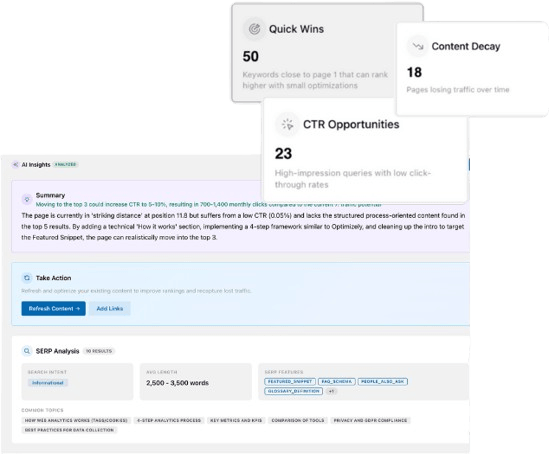
Contentpen’s SEO opportunities checks your site every 14 days for cannibalization and content decay, so you’ll know when to merge, redirect, or refresh an old page before it pulls clicks away from the new one.

Turn existing content into growth opportunities

Identify pages losing traffic or CTR
Find quick wins to improve clicks and rankings
Does Event schema help you show up in AI answers?
Yes, but indirectly.
Google says no special markup is needed to appear in AI Overviews, and AI assistants answer event questions from what they can read on pages and in listings.
Look back at the ‘concerts in Austin’ screenshot earlier in this guide. Google’s AI Overview lists each concert with its date, time, and venue, and it credits listing sites like Bandsintown and Visit Austin as its sources.
The markup makes your facts clear, but the page itself has to carry them too.
Therefore, the more important thing is to make your content AEO-optimized. For that, you need to put the details people actually ask about clearly on the page itself:
- Doors and start time: Schema.org even has a doorTime property for when admission begins to an event.
- Venue and parking: The full address, the nearest parking, and public transit options.
- Price and fees: The total a buyer pays, not a starting price that grows at checkout.
- Age limits and accessibility: Who can attend and what access the venue offers.
- Refunds: What happens to tickets if the show is cancelled or moved.
A page that answers these questions can be quoted as it is, whether the question comes from a search box or a chatbot. For the bigger picture on markup and AI tools, see our guide to schema markup for AI search.
To find which of these questions people ask most about shows like yours, Contentpen’s keyword research tool shows the searches around your event type and city. So you can answer them on the page before buyers go looking elsewhere.
Automated keyword research
Work on keywords worth writing for
Get search terms with real ranking potential, not just high volume.
Try Keyword Research for FREE →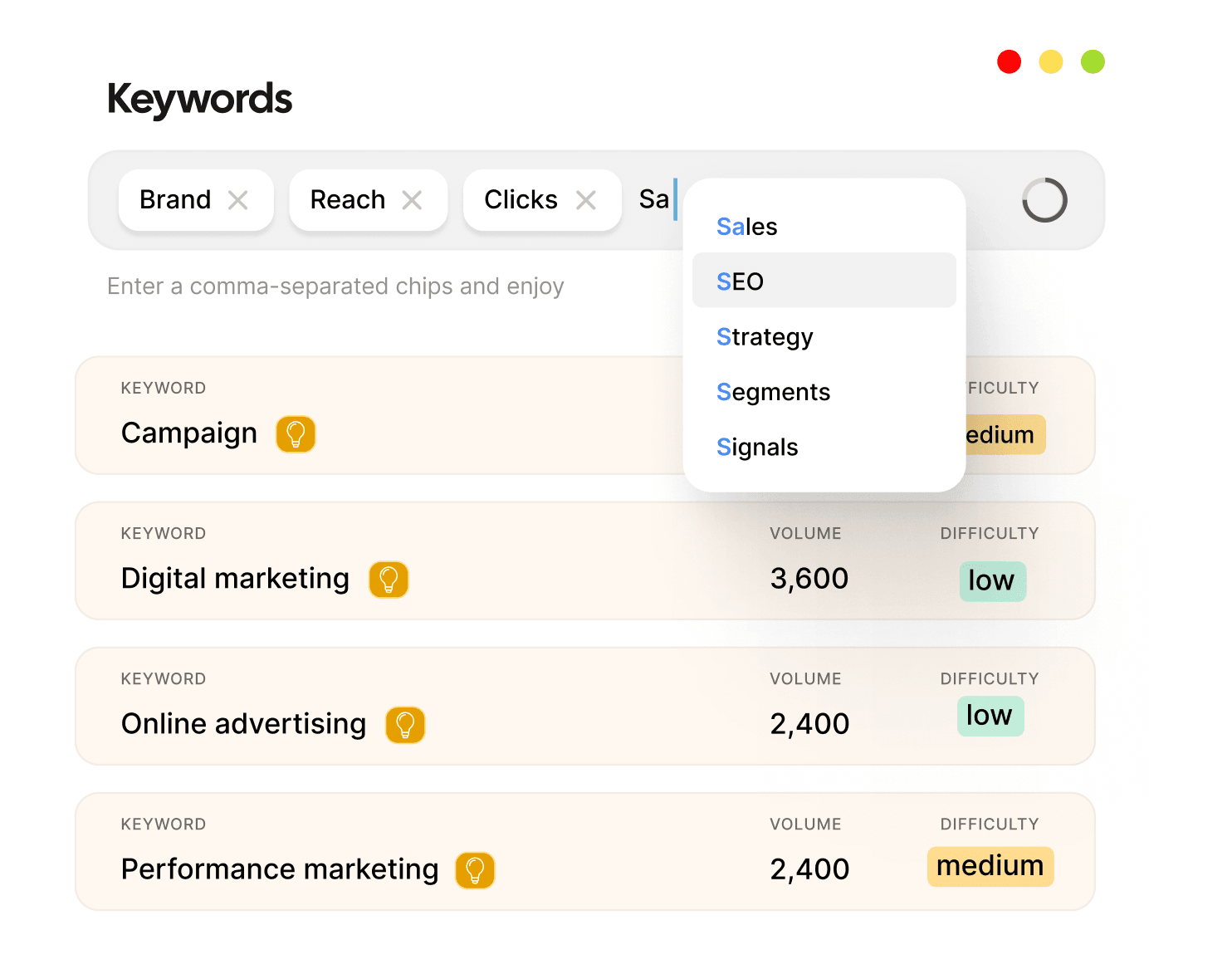
Summing it up
Event schema helps Google understand your page, list your date, and send those ready-to-buy visitors to your ticket page.
The rules are short once you know them. Keep one in-person event per page, fill in the name, date, and full address, count the tickets when there are multiple dates, and update the status the moment plans change.
Setting up the markup is a one-time job. Keeping it honest is the part that earns trust, one show at a time.
If you’d rather spend that time booking acts than fixing pages, Contentpen is an AI SEO tool whose AI agents research, write, optimize, and publish SEO and GEO-optimized content on autopilot. Try it free for 7 days to boost your search rankings and start winning AI citations today.
Frequently asked questions
No. It doesn’t push a page higher in regular search results. It makes the page eligible for Google’s event listings, and even then Google doesn’t guarantee it will show.
Yes. Add an offer with a price of 0, as Google’s docs suggest for free entry. It still has to be open to the public and held at a physical venue.
Yes. Schema.org has a SportsEvent type with properties like homeTeam, awayTeam, competitor, and sport, and 10,000 to 100,000 sites use it. Games held at a school, where the players and audience are mainly kids, aren’t eligible for Google’s listings, though.
There’s no official list. Planners often group them into eight broad types: conferences, trade shows, seminars and workshops, product launches, networking events, concerts and festivals, sporting events, and charity fundraisers. Schema.org goes further, with 23 specific types from MusicEvent to Hackathon.
Either works. A specific type like MusicEvent or TheaterEvent adds meaning, but every one of them is still an Event, so the properties Google asks for stay the same.
Yes, as long as there’s a real venue people can attend. Mark up the in-person side with the venue address and tickets. Google dropped its online-event properties in 2025, so livestream details won’t add anything to its listings.

Jawwad
Jawwad Ul Gohar is an SEO and GEO-focused content writer with 3+ years of experience helping SaaS brands grow through search-driven content. He has increased organic traffic for several products and platforms in the tech and AI niche. As an author at Contentpen.ai, he provides valuable insights on topics like SEO technicalities, content frameworks, integrations, and performance-driven blog strategies. Jawwad blends storytelling with data-driven content that ranks, converts, and delivers measurable growth.
View all posts by this author