 11 minutes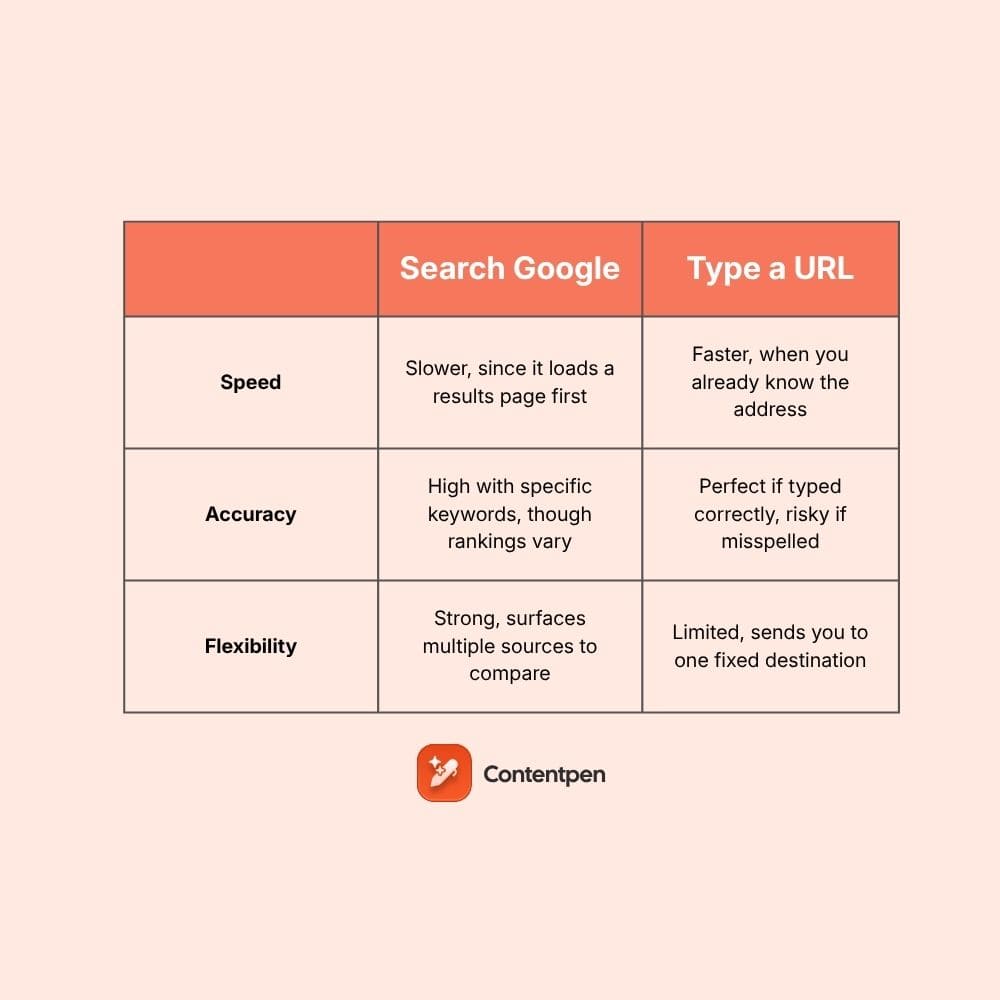
Every time you open a new browser tab, you see the same gray placeholder text: search Google or type a URL.
Most people click into that box out of habit, typing whatever comes to mind without stopping to think about which method actually gets them where they’re going faster or safer. That single line of text hides two different ways of browsing the web, and picking the wrong one can cost you time or send you somewhere you didn’t intend.
This blog breaks down what that address bar, known as the Omnibox, actually does. It covers when searching Google beats typing a URL, when the opposite is true, and a few tips for sharper searches along the way.
By the end, you’ll know exactly when to search and when to type, plus how to do both a little smarter.
Table of contents
- Key takeaways
- What does “search Google or type a URL” actually mean?
- When should you search Google instead of typing a URL?
- When should you type a URL instead of searching?
- Speed, accuracy, and flexibility compared
- What are some pro tips for smarter Google searching?
- How brand visibility affects your choice
- So should you type a URL or search in Google? The conclusion!
- Frequently asked questions
Key takeaways
- The Omnibox merges search and direct web address entry into one address bar field, a Chrome feature that debuted in 2011.
- Typing a URL wins on speed and accuracy when you already know your destination.
- Searching Google wins on flexibility when you’re exploring a topic or unsure of the exact address.
- Quotation marks and the site operator turn a messy search into a precise one within seconds.
- Strong, well-structured content helps a brand get found whether someone searches for it by name or types the address straight in.
What does “search Google or type a URL” actually mean?
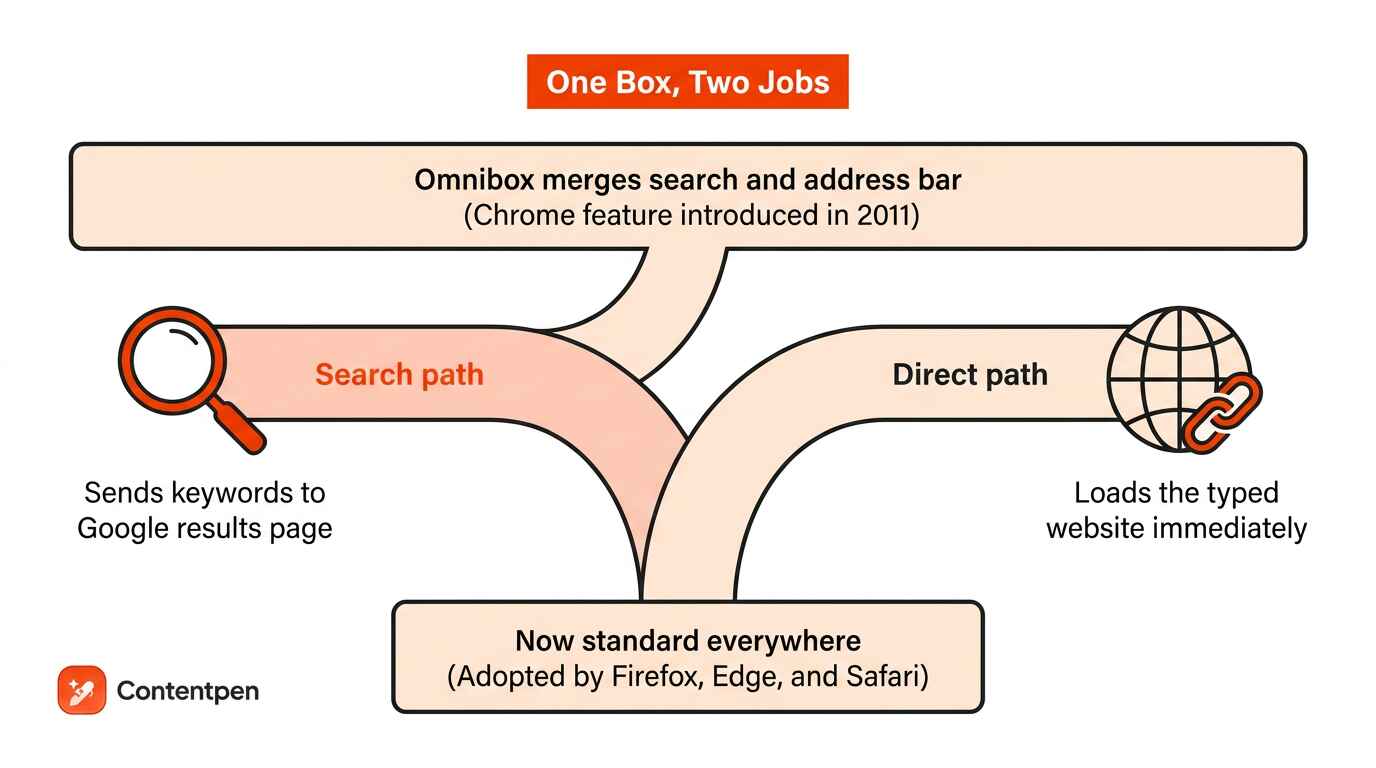
Search Google or type a URL describes the two jobs one address bar performs, letting you either run a search or jump straight to a website.
Browser makers call this box the Omnibox, a blend of omni (meaning all) and box, because it handles both direct browsing and search from a single field. Before Chrome introduced this merged bar in 2011, the address bar existed purely for web addresses, and searching meant opening google.com separately.
Firefox, Microsoft Edge, and Safari have since adopted similar designs, making the dual-purpose box a standard part of nearly every modern browser. Whether you search Google or type a URL, both routes are aiming for the same outcome. They just take different roads to get there.
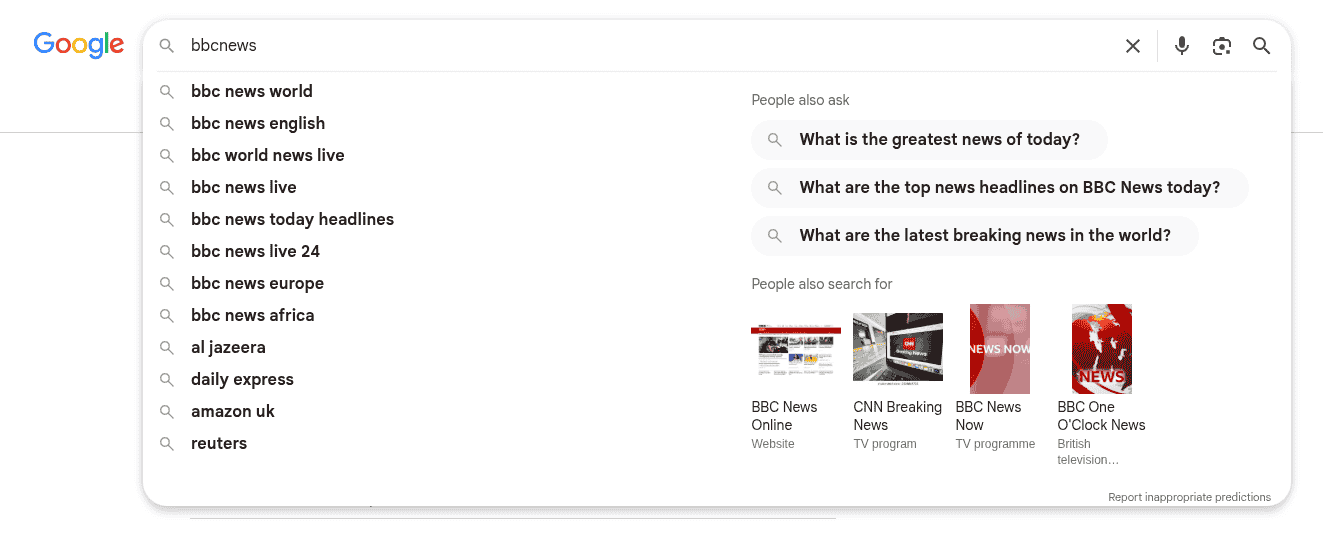
Using the Google search option
Choosing the search side of the Omnibox means typing keywords instead of an address. Chrome sends that phrase to Google, which returns a results page full of matching sites, letting you pick whichever link fits best.
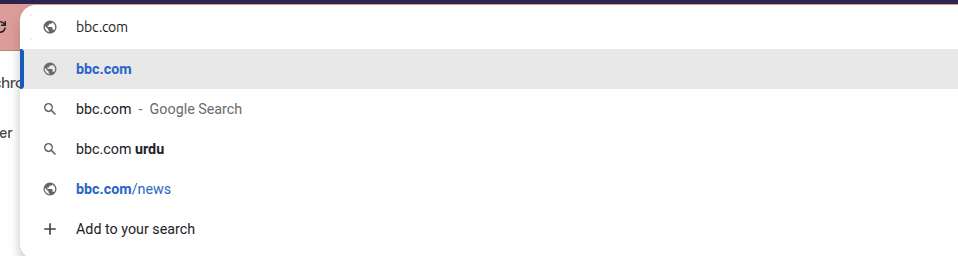
Using the type-a-URL option
Choosing the type-a-URL option means entering a site’s full address instead of keywords. Press Enter, and the browser sends you straight there, skipping the results page entirely as long as the address is typed correctly.
What is a URL?
A URL, short for uniform resource locator, is simply a website’s complete web address, such as:
| https://www.nytimes.com. |
It tells your browser exactly which server to contact and which page to load, which is why a single typo can send you somewhere unexpected.
Extra things the Omnibox can do

Beyond search and direct entry, the Omnibox packs in a handful of shortcuts that save real time during the day. It can handle math on the spot, estimate conversions, and even remember where you’ve already been.
- Quick math, such as typing 12*8= for an instant 96 without opening a calculator.
- Unit and currency conversions, handled right there without a separate app or website.
- Autocomplete suggestions pulled from your bookmarks and browsing history as you type.
- Extensions that add custom shortcuts, tuned to your own daily workflow.
When should you search Google instead of typing a URL?
Searching Google instead of typing a URL makes sense whenever you don’t have the exact address memorized.
A few common scenarios make the case for search over a direct address:
- You don’t know the website’s name. If you can’t recall who offers what you’re looking for, a search surfaces options instead of leaving you stuck guessing at a domain.
- You’ve forgotten how a brand spells its domain. Search absorbs small misspellings and near-matches, where a typed URL simply fails on a single wrong letter.
- You want to compare a few sources before settling on one. A results page hands you several options side by side, rather than committing to a single destination upfront.
- You’re researching a broad topic. Search shines when you want a range of perspectives or answers rather than one fixed page.
Specific keywords make a bigger difference than most people expect in each of these cases, since a vague phrase tends to surface generic pages instead of the exact answer you actually need.
How to search Google step by step
Running an effective Google search only takes a few steps, and doing them in order keeps the results relevant to what you actually want.
- Open Google.com, or simply start typing your query directly into the Omnibox.
- Use specific keywords rather than a vague, general phrase.
- Press Enter or click the search button.
- Scan the results page and click the link that best matches your intent.
Typing straight into the Omnibox instead of opening Google’s homepage first saves you a click, since Chrome sends the query along without needing a separate stop.
Downsides of searching
Searching does carry a real cost, mainly time. Reaching your destination usually takes two page loads, first the results page, then the site itself, compared to just one load when typing a URL directly.
A site that isn’t well optimized for search engines might not even appear on page one. That forces you to refine your query or dig through several more pages before finding what you actually need.
When should you type a URL instead of searching?
Typing a URL instead of searching makes sense whenever you already know the exact address you want to reach.
A few common scenarios make the case for typing over search:
- You visit a site often enough to remember it. Frequent destinations don’t need a detour through search results when the address is already second nature.
- You’ve copied a link from an email or document. Pasting straight into the Omnibox skips search entirely and lands you exactly where the link points.
- You want to skip the results page and land on a known page right away. Typing sends you directly there, with no scanning or clicking through a list of options first.
- You only remember part of the address. Even a partial entry often works, since browsers autocomplete based on your history the moment you start typing.
- You want a specific page within a site you already trust. Typing the domain followed by a keyword can narrow things down without ever leaving the address bar.
Speed, accuracy, and flexibility compared
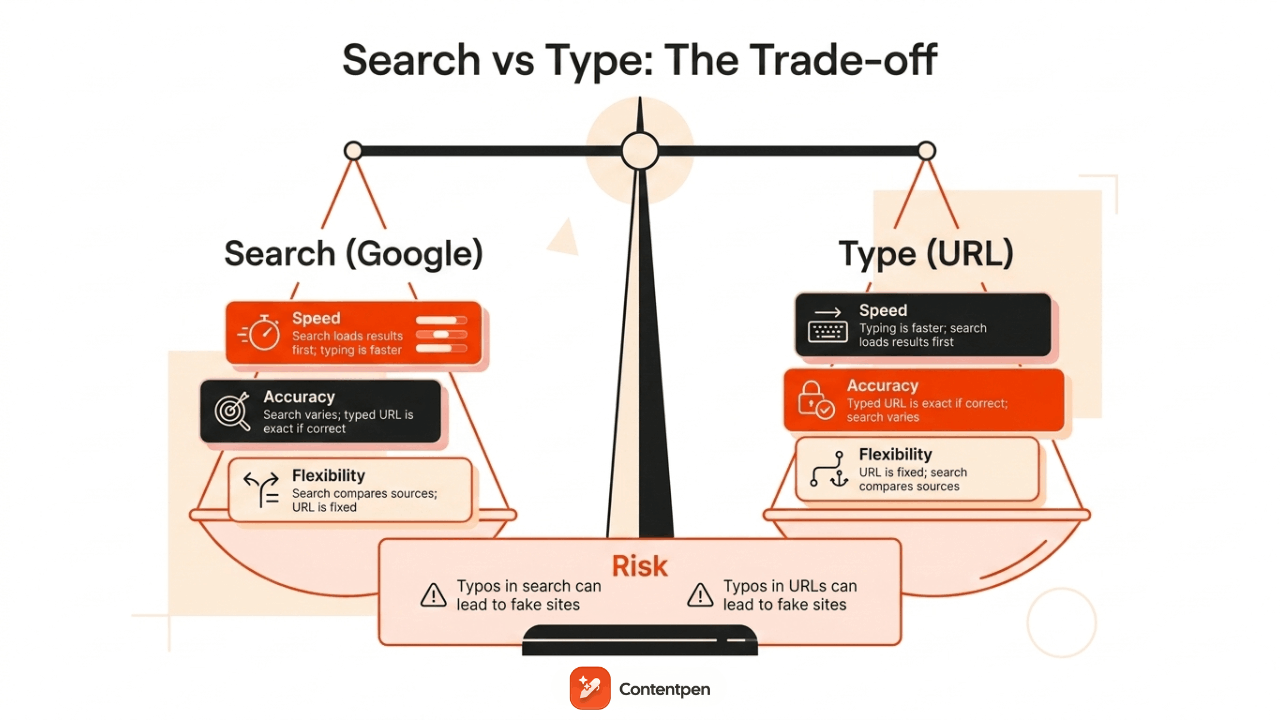
Deciding whether to search Google or type a URL comes down to three factors: speed, accuracy, and flexibility, and each method wins on a different one depending on the situation.
| Factor | Search Google | Type a URL |
| Speed | Slower, since it loads a results page first | Faster, when you already know the address |
| Accuracy | High with specific keywords, though rankings vary | Perfect if typed correctly, risky if misspelled |
| Flexibility | Strong, surfaces multiple sources to compare | Limited, sends you to one fixed destination |
A typo in a typed URL can lead to a broken link or, worse, a page built to mimic a real site. Search avoids that particular risk but trades it for the extra step of scanning results before landing anywhere.
What are some pro tips for smarter Google searching?

Most people end up switching between both approaches throughout the day, depending on how familiar the destination already is.
A few small habits make Google searches noticeably more precise, cutting the time spent scrolling past irrelevant links.
Two tricks stand out for anyone who searches often: quotation marks for exact phrases and the site operator for narrowing results to one domain.
Both work directly inside the Omnibox, so there’s no need to open Google’s homepage first.
Search an exact phrase with quotation marks
Wrapping a phrase in quotation marks tells Google to match that exact wording instead of a loose combination of the words.
| A search for [chocolate chip cookie recipe] without quotes returns pages containing those words scattered anywhere on the page, in any order, mixed with recipes for other desserts entirely. __________________________________________ Typing [“chocolate chip cookie recipe”] with the quotes instead returns only pages containing that precise phrase together, filtering out results that merely mention chocolate, chips, or cookies separately. |
It’s a fast way to cut through noisy, overly broad results.
Search within one website using the site operator
The site operator limits results to a single domain, which helps when a website’s own search bar isn’t good enough.
| The format is site:websiteURL.com search term, and there’s no space between site and the domain, though there is a space before the keyword that follows. |
Typing site:www.nytimes.com sports, for example, returns only pages on that domain mentioning sports, filtering out every other website from the page entirely.
How brand visibility affects your choice
So, the blog built with answer-first intros, clear headings, and solid FAQs helps a brand surface quickly whether someone searches by name or eventually starts typing the address straight from memory.
This structure matters twice over:
- It helps traditional search engines rank the page higher
- It helps AI-powered search tools pull accurate answers directly from the content when summarizing results.
Contentpen builds this kind of SEO- and AI-search-ready content for teams that want both outcomes at once. The goal is ranking well today, while becoming memorable enough that visitors start typing the address in directly over time.

Write content that’s built to rank, not just read
Create search-optimized blogs aligned with SEO and GEO signals, so your content performs well across search and AI-driven discovery.
Try SEO Blogging FREE →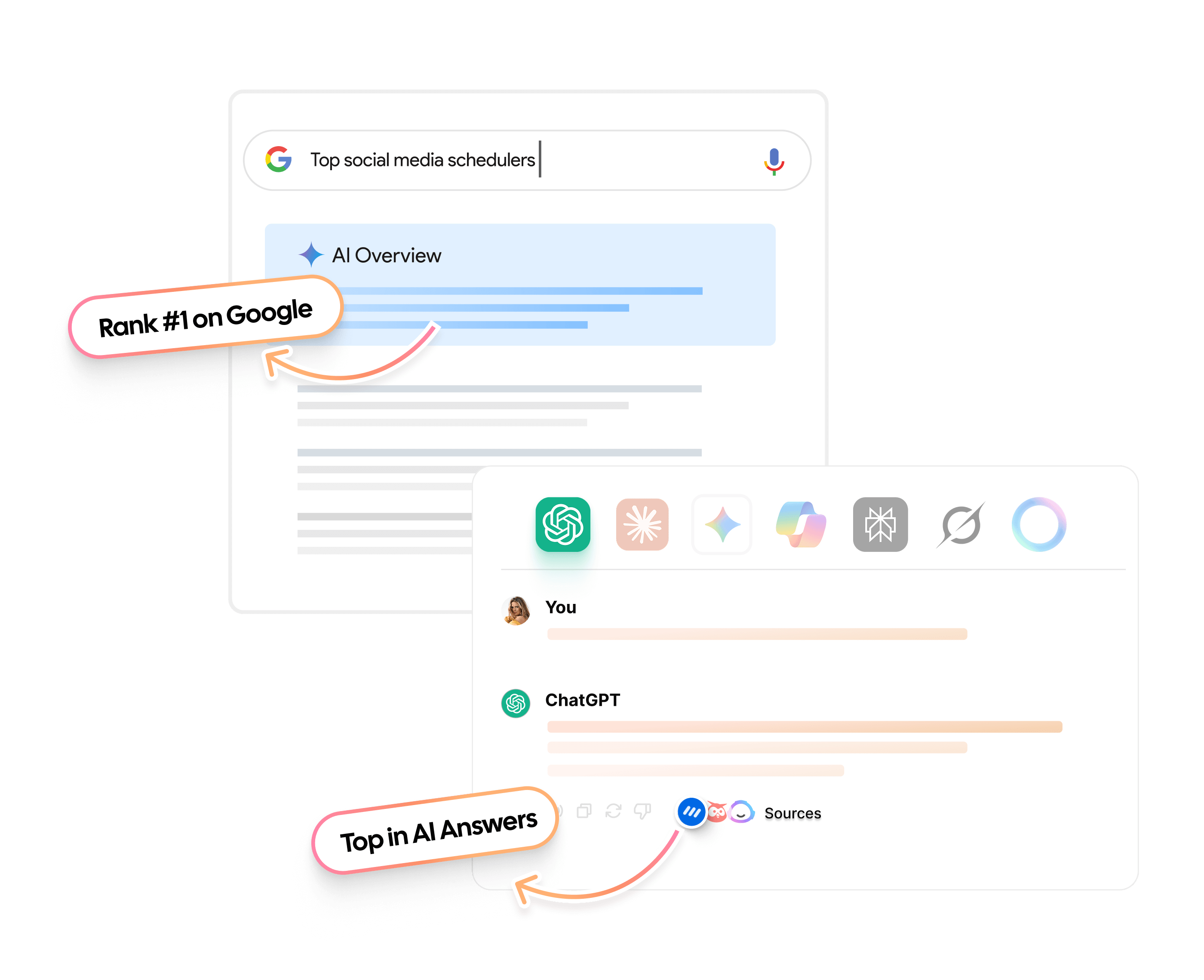
For a content team, that means less guesswork around structure and more consistency across every blog a brand publishes. It is exactly the gap that turns occasional searchers into direct-navigation regulars.
So should you type a URL or search in Google? The conclusion!
Neither typing a URL nor searching Google is the universally better choice, since the right call depends entirely on whether you already know your destination or still need to find it.
Typing wins when you’re headed somewhere familiar, while searching wins when you’re exploring, comparing, or unsure of the exact address. The most efficient browsing habit is switching between both freely, based on what a given moment actually calls for.
For brands, the bigger opportunity is building content solid enough that people eventually skip the search step altogether. Contentpen helps content teams create findable, citable content from the very first draft, the kind readers search for today and type straight to tomorrow.