 14 minutes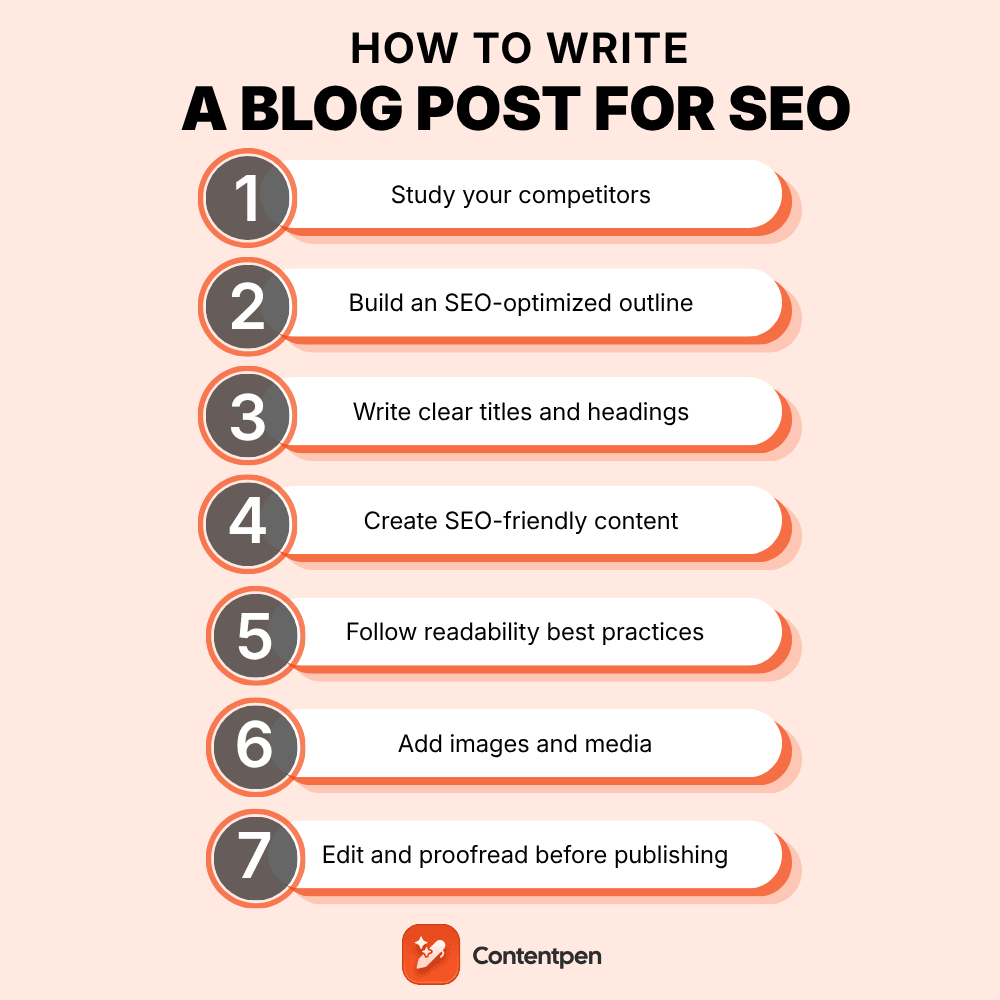
You spent hours on that last blog post, hit publish, and heard nothing back. No traffic bump, no ranking, no clicks from Google. That kind of silence almost always comes from skipping research and not knowing how to write a blog post for SEO.
Writing a blog post requires keyword research, building an outline, drafting the content, structuring it, then publishing it with proper meta title, description, and links.
If you consistently perform this process, you’ll be able to rank better in SERPs and get cited by AI answer engines.
This guide walks through exactly how to write a blog post for SEO, covering all the steps necessary. You’ll also see where a platform like Contentpen can speed up the process without cutting corners on quality.
Keep reading to build a system you can repeat for every post.
Table of contents
Key takeaways
- Start with keyword research and search intent before writing anything, since the wrong target keyword or intent means nobody finds your post.
- Build a complete outline first, covering headings, links, and FAQs, so drafting becomes fast and organized.
- Structure content with clear H2 and H3 headings that help both readers and AI systems scan and extract answers.
- Optimize your title, meta description, and internal links strategically, since these details drive clicks even after you rank.
- Always edit, proofread, and read your draft aloud before hitting publish.
What does it mean to write a blog post for SEO?
Writing a blog post for SEO means shaping content so it clearly answers a searcher’s question while giving Google and AI tools the signals they need to rank and cite it.
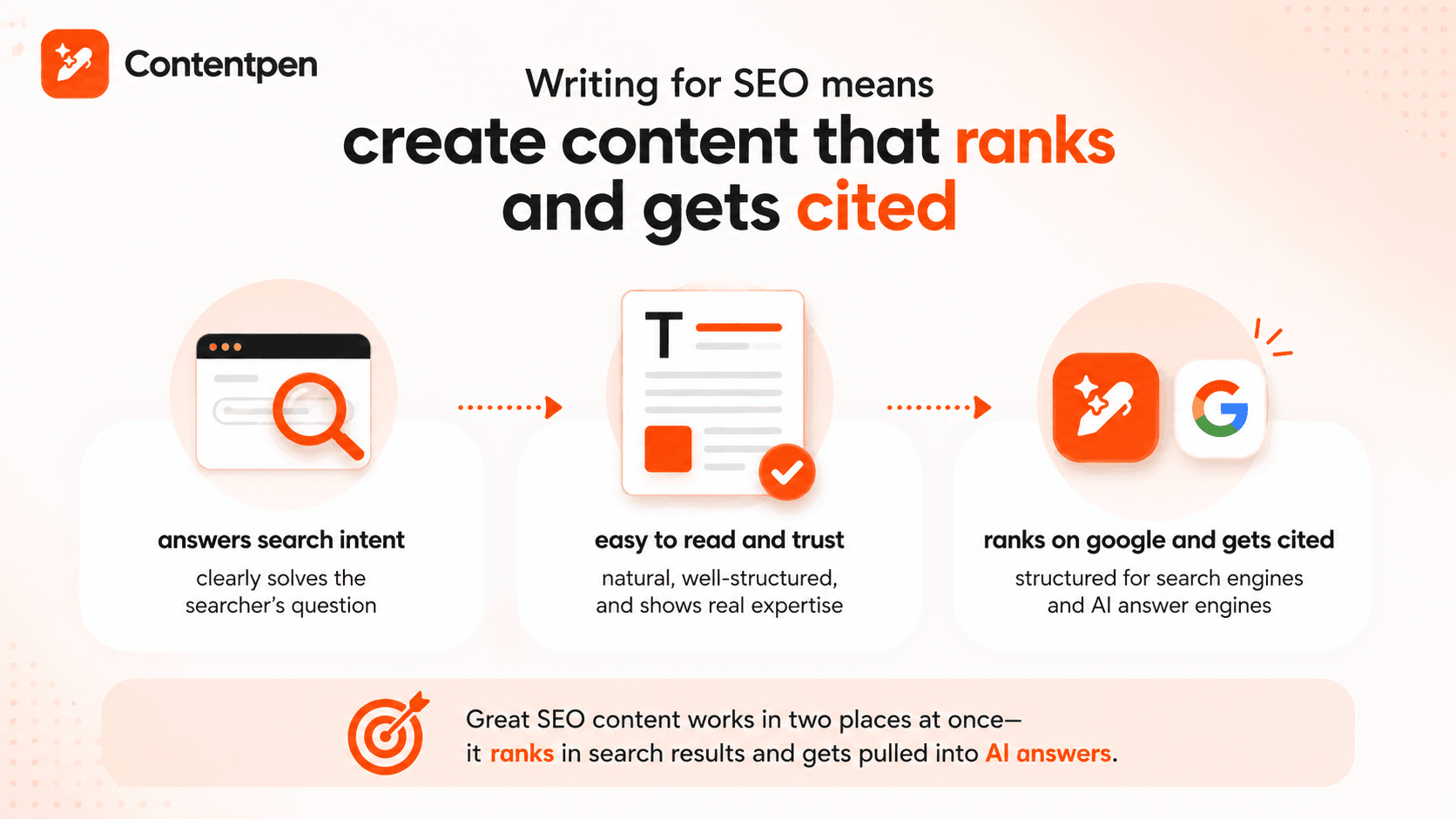
It’s no longer about repeating a keyword as many times as possible. Search engines now reward posts that match intent precisely, read naturally, and demonstrate real expertise rather than generic filler.
This matters more now because your content needs to work in two places at once. It has to rank in traditional Google results, and it needs a clear, well-organized structure that lets AI answer engines like ChatGPT and Google’s AI Overviews pull direct quotes from it.
What counts as SEO-optimized content?
SEO-optimized content isn’t a separate style of writing. It’s regular, useful writing that also happens to check a few technical boxes:
- A clear target keyword
- A heading structure that mirrors how people actually search
- Metadata (meta title and description) that accurately describes the page
- Internal links that connect the specific page to the rest of your site
If you don’t tick these boxes, you won’t get discovered online, doesn’t matter how well you write content. But if you only chase these boxes, you’ll end up with content that no human wants to read.
The goal is to create content that works for both humans and robots, something that we highlighted in depth in our On-page SEO guide.
How do you research keywords and search intent before writing?
Keyword research means finding the exact phrases people type into Google when looking to learn, buy, or compare two things.
Researching keywords also means understanding the intent behind the search and trying to address it directly in your content.
Why does search intent matter so much?
Most searches actually fall into four intent categories, and knowing which one you’re writing for helps you attract the right type of audience that converts quickly.
| Intent type | What the searcher wants | Example queries | Best content format |
| Informational | Learn or understand something | “How to write a travel blog,” “What is SEO“ | Guides, tutorials, how-to articles |
| Navigational | Reach a specific site or page | “Contentpen login“ | Homepages, login pages, feature pages |
| Commercial | Compare options before a purchase | “Best AI blog writers in 2026“ | Comparisons, reviews, use-case breakdowns |
| Transactional | Complete an action | “Try Contentpen free“ | Product pages, pricing pages, sign-up flows |
Checking the current top-ranking pages for your keyword before you create your blog outline confirms which format Google already favors. Try to replicate that to earn the conversions you need for your business.
How to look for keywords
Start with Google’s autocomplete suggestions and the “People Also Ask” boxes, both of which reflect real searches happening right now for your target query.
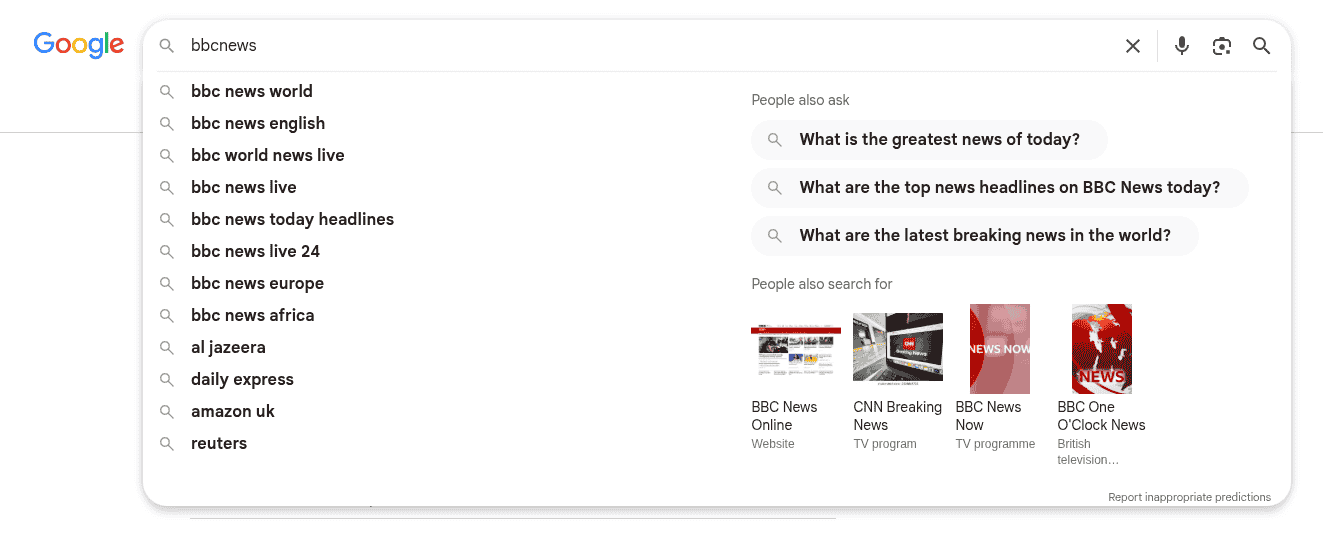
Dedicated tools such as Google Keyword Planner, Ahrefs, and Semrush’s Keyword Magic Tool go further, generating thousands of related terms from one seed keyword.
Other than those tools, you can also use Contentpen’s built-in keyword research tool to get all the required keywords for the content pillars, without ever leaving the platform.

Automated keyword research
Work on keywords worth writing for
Get search terms with real ranking potential, not just high volume.
Try Keyword Research for FREE →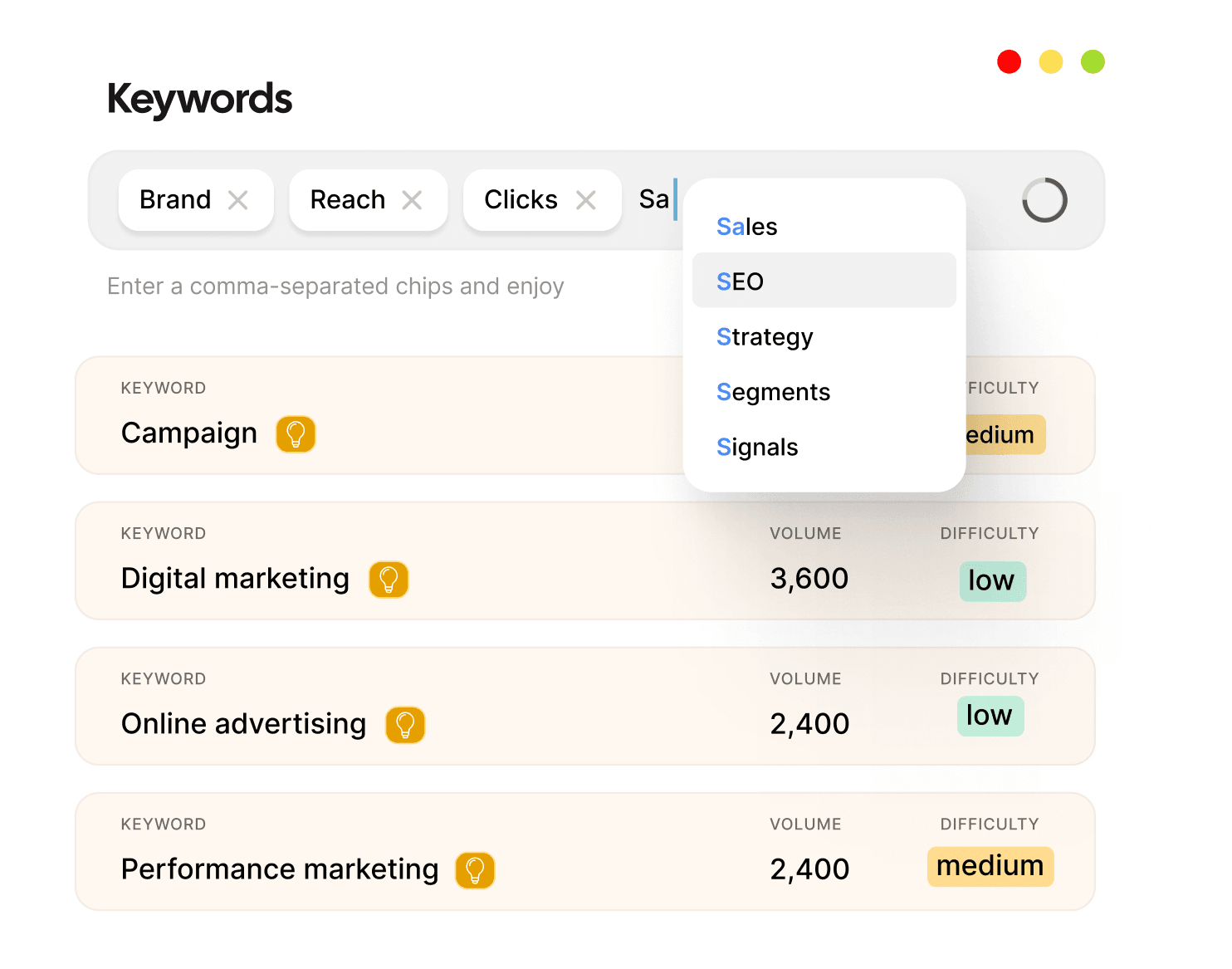
Once you have all the best options, weigh each one against search intent, keyword difficulty, and search volume.
Why long-tail keywords work best for beginners
Long-tail keywords are longer, more specific search phrases, like “how to write a blog post for beginners” instead of just “blog post.” They carry less competition than broad, one- or two-word terms, which makes them far easier to rank for.
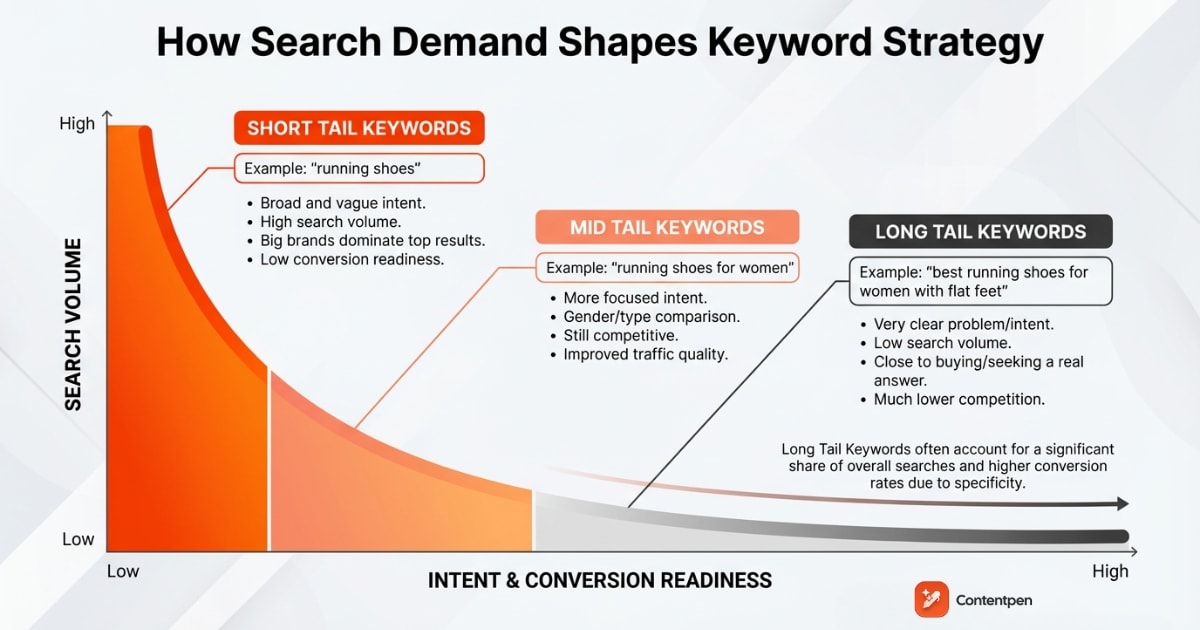
Long-tail keywords also attract visitors who know exactly what they want, so the traffic you do earn tends to convert better.
How do you write a blog post for SEO?
Structuring a blog post for SEO means organizing it around one target keyword, clear headings, and the supporting elements search engines and readers both expect.
#1: Study your competitors
Before you outline anything, spend time studying the top 3-5 articles already ranking for your keyword. Note their structure, the questions they answer well, and the gaps they leave open.
Then, your job is to close those gaps by providing more value where your competitors fall short, adding current data, or clearer examples to explain a topic.
#2: Build an SEO-optimized outline
A solid outline keeps drafting fast and focused instead of a blank-page guessing game. Before typing your introduction, map out the core pieces your post needs.
- Title and one primary keyword, plus a search intent label so you know how to frame the writing.
- H2 and H3 headings, internal and external link spots, image placeholders, and your FAQ section.
Also, make sure to include your notes while writing so that you know what exactly a draft needs after you finish writing it.
For example, requesting quotes from a supervisor, senior team lead, or an industry expert. Leave that space open for now and carry on with the rest of the steps.
#3: Write titles and headings that work for readers and Google
A strong title includes your keyword early and still makes someone want to click, using formulas like “How to [result], plus [specific detail].”
Take a look at this example below for the blog titled “How to start digital marketing as a beginner.”

Keep it under 60 characters so Google doesn’t cut it off in search results.
Every H2 and H3 after that should tell readers exactly what the section covers. AI systems rely on those same headings to find and extract answers.
You can place your query-based, long-tail keywords as H2 as well, for example “Can I turn off AI Overviews on Mac?”
Where you place the keyword across the page matters as much as the outline itself. A quick checklist worth running through before you draft:
- Title tag and H1: Put the primary keyword near the start so readers and search engines see the topic immediately.
- Introduction: Work the primary keyword into the first hundred words naturally.
- Subheadings: Variations like “how to write an SEO-friendly blog post” or “how to write a good blog for SEO” in an H2 or H3 help search engines understand the structure.
- URL slug: Short and descriptive, with the main keyword included, such as /how-to-write-a-fitness-blog.
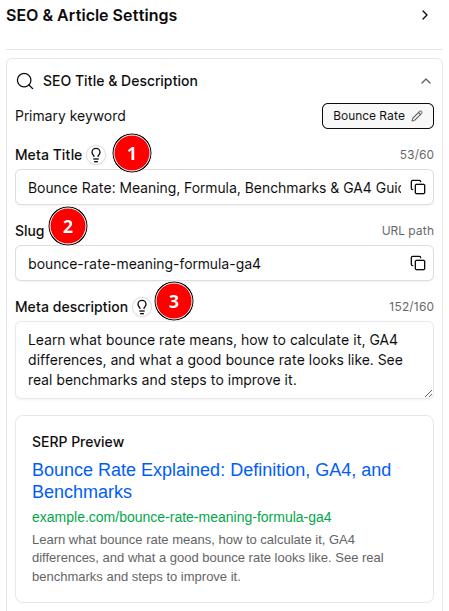
- Meta description: Include the main keyword and a phrase that reflects the click-through benefit, without overpromising what the page delivers.
- Image alt text: Short, accurate descriptions, not keyword-stuffed captions.
- Body content: Let the keyword and its variations appear where they fit naturally instead of forcing an exact phrase into every paragraph.
This same list doubles as a blog post SEO checklist you can run it through for every draft before it goes live.
#4: Write SEO-friendly content that people actually want to read
Writing SEO-friendly content means answering the question behind your keyword and using plain language to explain a concept
You can dive into technicalities if the topic allows for it, but try to remain as conversational as possible.
Place your primary keyword naturally within the first 100 words, then let it reappear a few more times only where it genuinely fits.
Beyond that, focus entirely on being useful, adding real anecdotes, examples, specific numbers, and details a competitor’s post skipped.
Google’s own guidance is that its systems are built to reward original, helpful content written for people first.
That means you should write original content, not just a reworded version of whatever already ranks.
You should also weave in your expertise on the subject so that Google and AI engines recognize you as the authority. Over time, you will be rewarded with more traffic and visibility.
For sensitive topics like health, finance, law, and other YMYL topics, this bar gets stricter. So make sure what you are writing is accurate, up-to-date, and honest.
#5: Follow readability best practices
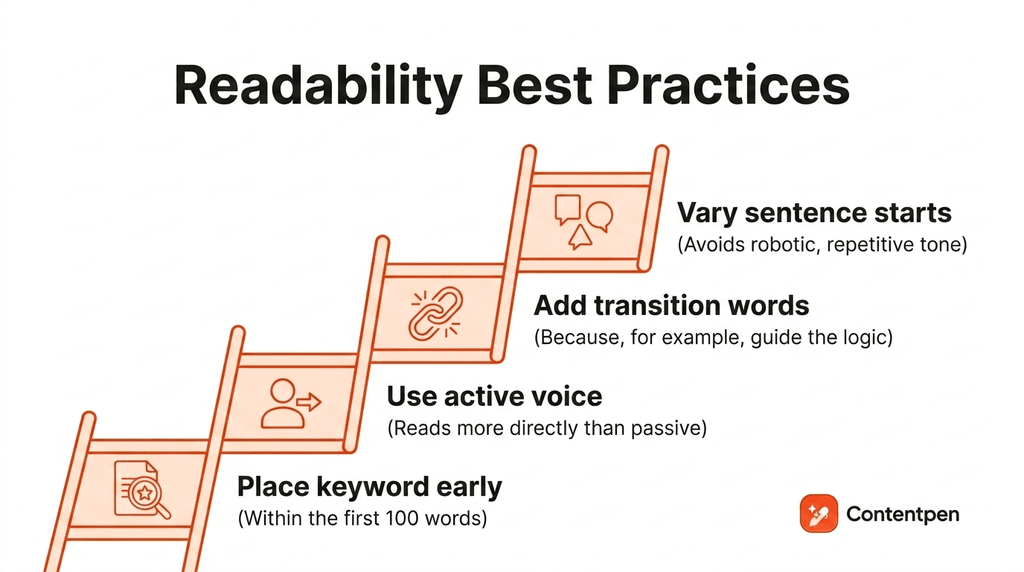
Readable content wins on both fronts, human attention and machine parsing.
Favor active voice over passive, since active sentences read more directly. Use transition words like “because” or “for example” to guide readers through your logic.
Vary how you start each sentence so the writing doesn’t feel robotic or repetitive.
Try to break up the text every 200-300 words with images, videos, or any other interactive elements.
You can also add visual CTAs to not only promote your business but also give the readers a rest before they start processing the rest of your blog post.
#6: Add images and media to boost engagement
Text-heavy posts lose readers fast, so break them up with visuals. Industry data suggests blog posts with images can draw 94% more views than text-only posts. Why? Because visuals give the eye a place to rest while scanning a text-heavy piece of content.
Add descriptive alt text for accessibility, embed a short video where it clarifies a complex step, and consider a table of contents for anything running long.
To create on-brand images, you can utilize Contentpen’s built-in AI image generator. The tool creates in-article and featured images as infographics, portraits, abstracts, and 9 other styles according to your brand colors, tone, and logo.
#7: Edit and proofread before you hit publish
Never publish straight after finishing a draft. Step away for at least a few minutes, then read the whole piece out loud, since that technique catches awkward phrasing silent reading misses.
Run it through a grammar tool like Grammarly to correct grammatical and punctuation issues. Then double-check your keyword placements and internal and external links in the article before moving forward.
Once the draft is ready, publish to your CMS or utilize Contentpen’s one-click publishing to automate the copy-paste process. The tool will ensure all the formatting, image media, and links, etc., are intact to save time in making your posts live.
How can AI tools like Contentpen speed up writing SEO blog posts?
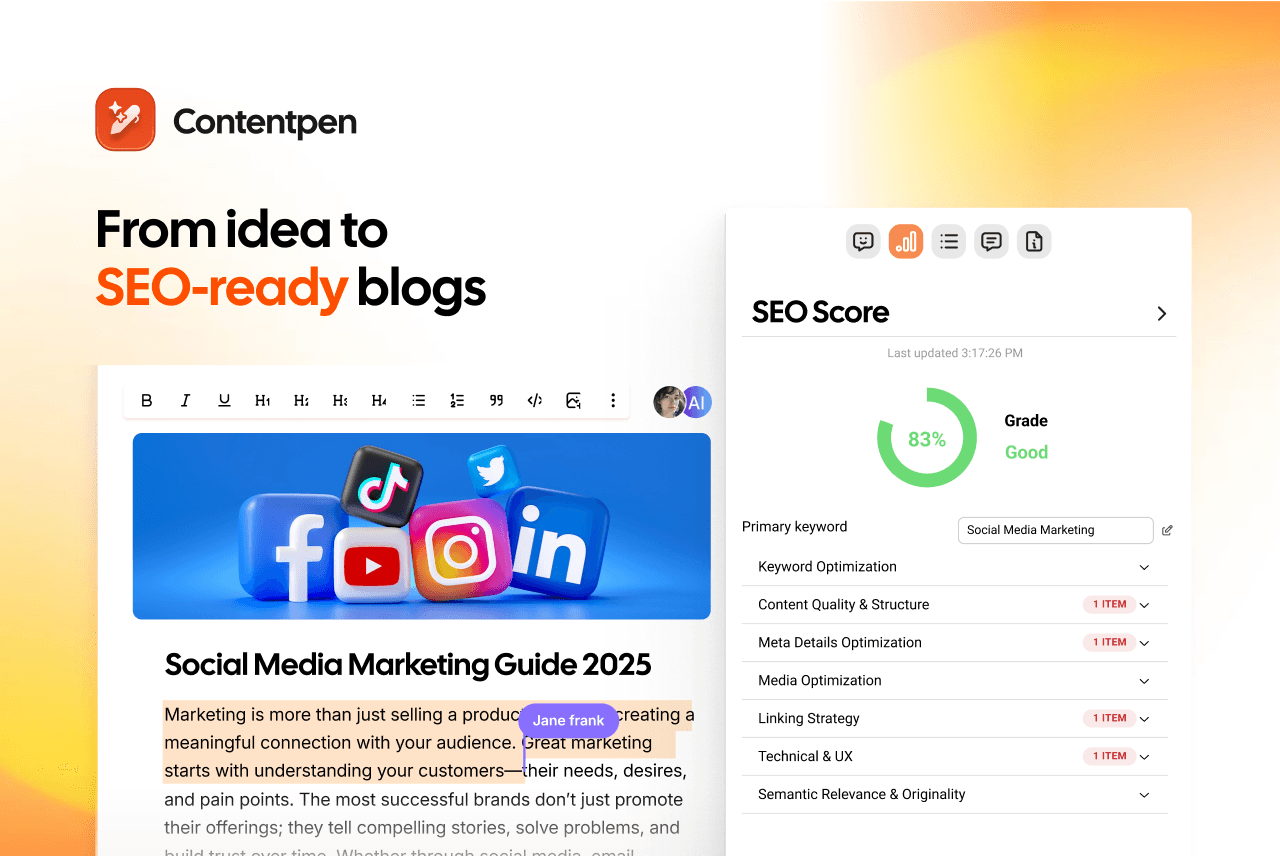
AI tools speed up SEO blog writing by handling research, outlining, and drafting in one connected workflow.
Contentpen, for example, builds keyword research around real search intent, then turns that research into a structured outline before generating a full draft with headings and paragraphs in place.
That combination means a writer can move from a blank topic idea to a publish-ready draft without much hassle.
Write better blogs in less time, without sacrificing quality.
Let AI handle structure, clarity, and flow while you stay in control of the message.
Try AI blog writing →
Besides this, Contentpen helps users plan their content calendar and post directly to their preferred CMS platform.
One newer option worth mentioning here is the AI autopilot feature, which allows for true blogging automation.
You select a posting frequency, topics for blogs, and a destination to post content. Then, the tool automates keyword research, SERP analysis, drafting, and publishing on its own.
If you’d rather stay in the loop, you can set it to pause for your review before content is generated for a topic, or for the final edits before it publishes to your CMS.
What happens after you publish?
Publishing isn’t the end of it. A new post needs to get in front of readers and earn links before search engines fully trust it for the query you’re targeting.
It also needs regular maintenance after that to hold its position in the SERPs and AI Overviews.
On the promotion side, a mix of distribution channels usually works better than relying on one.
Share to social platforms where your audience already spends time, feature the post in an email newsletter, and drop it into relevant niche communities or Slack groups where it adds value.
Keep a consistent publishing schedule so your audience knows when to expect content.
Since rankings shift due to algorithm updates and competitors publishing newer content, it’s often a good idea to update an existing post rather than write a new one from scratch.
That means on the maintenance side, refreshing outdated stats, adding sections that competitors still haven’t added, and tightening internal links is the way to go.
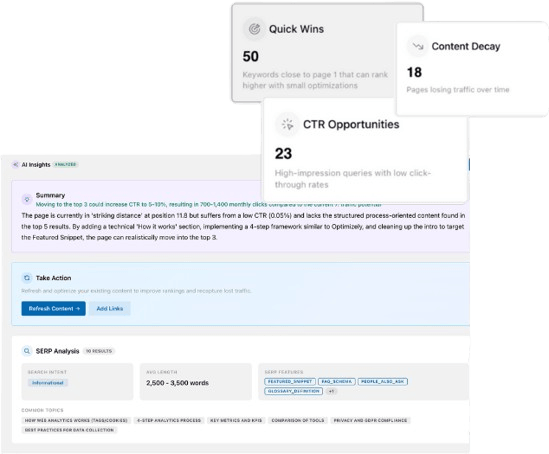
That said, if you are having trouble keeping the content updated manually, try Contentpen’s SEO opportunities to regain rankings and AI citations with the least effort.
Just click a button, and the tool will automatically apply fixes in your content to push it to success.
Turn existing content into growth opportunities

Identify pages losing traffic or CTR
Find quick wins to improve clicks and rankings
Final thoughts
Writing a blog post for SEO isn’t a mystery skill. It’s a repeatable sequence: Research the keyword and intent, build an outline, draft for the reader first, then optimize the title, links, and metadata before publishing.
For the next steps, start with one post and run it through this full process end to end. You can try a modified version of this process to better suit it to your needs.
However, if you want to accelerate content creation for your blogs, then a dedicated platform like Contentpen is your best bet. It frees up your time to work on content strategies rather than repetitive, mundane tasks.